
mapcheck errors
When re-compiling any of the maps, errors constantly appear No inventory spot for this pickup! No paths from InventorySpot
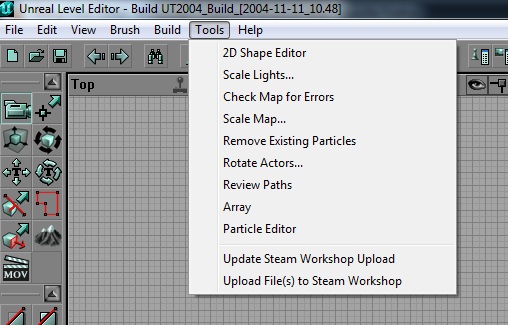 The KF Editor Tools menu: Check Map for Errors and the Steam Workshop upload entries.
Who knows how to deal with this??
Answer: where the Inventory Spot errors come from
As explained by K-2 (killingfloor.ru forum, "Ошибки mapcheck" thread):
- Every pickup on a map is a navigation point just like the ordinary "apples" (PathNodes), but with extra information about the item for the AI (an Inventory Spot). KF inherited this from UT2004, where bots use it to plan routes and collect key items.
- In KF it hardly matters: for zeds, item navigation points simply act as extra "apples".
- The errors appear because KF items use the same navigation point generation algorithm as UT2004, with no adjustment for height. Weapons, armour and other items in KF usually lie on the floor, while the navigation point needs a little more free space (or its position corrected in code).
- Missing Inventory Spot errors can basically be ignored. If the red crosses in the map check bother you, K-2 says Inventory Spot generation can probably be disabled in the pickups' properties.
Brush has null material reference, and a map after geometry edits
From the "Не работает измененная карта." (Edited map does not work) thread on the killingfloor.ru forum. After a passage was cut into someone else's map, it loaded without a sky and the player died "from falling" right at the start. A full compile fixed it: when you change geometry, Build All is needed to create the BSP cuts and correct lighting, otherwise the map can behave incorrectly (K-2). K-2 gave the same advice, to compile the map with Build All, when zeds could no longer find players even a few steps away after a hole in a wall was closed and the path points leading to it were removed.
The brush has null material reference warning after a build, as K-2 explained, means a brush had a texture applied that was not found when the map was loaded. It was replaced by the so-called NULL texture (the greenish one with "bubbles" used as the "null" texture). If you save the map after that, the missing texture is saved as NULL and the editor will not complain again.
