
KF2 Vault Crate: Claim It Without Waiting for a Drop
This tiny guide describes a trick for obtaining a Vault Crate in Killing Floor 2 without waiting for a normal item drop. It is a short community method and may not work in current versions of the game. For how drops work normally see item drop system.
Steps
- Earn a Vault Crate (the guide's first screenshot shows the crate).
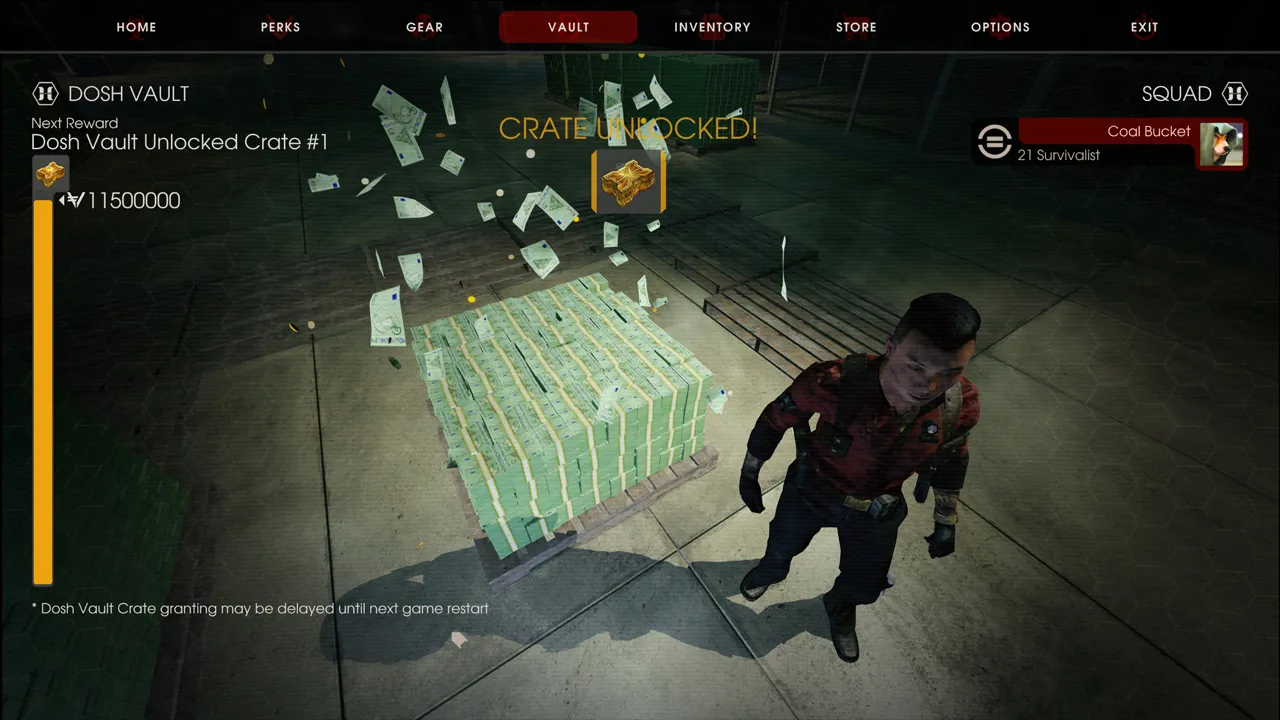
The Vault Crate.
- Go to your inventory screen.
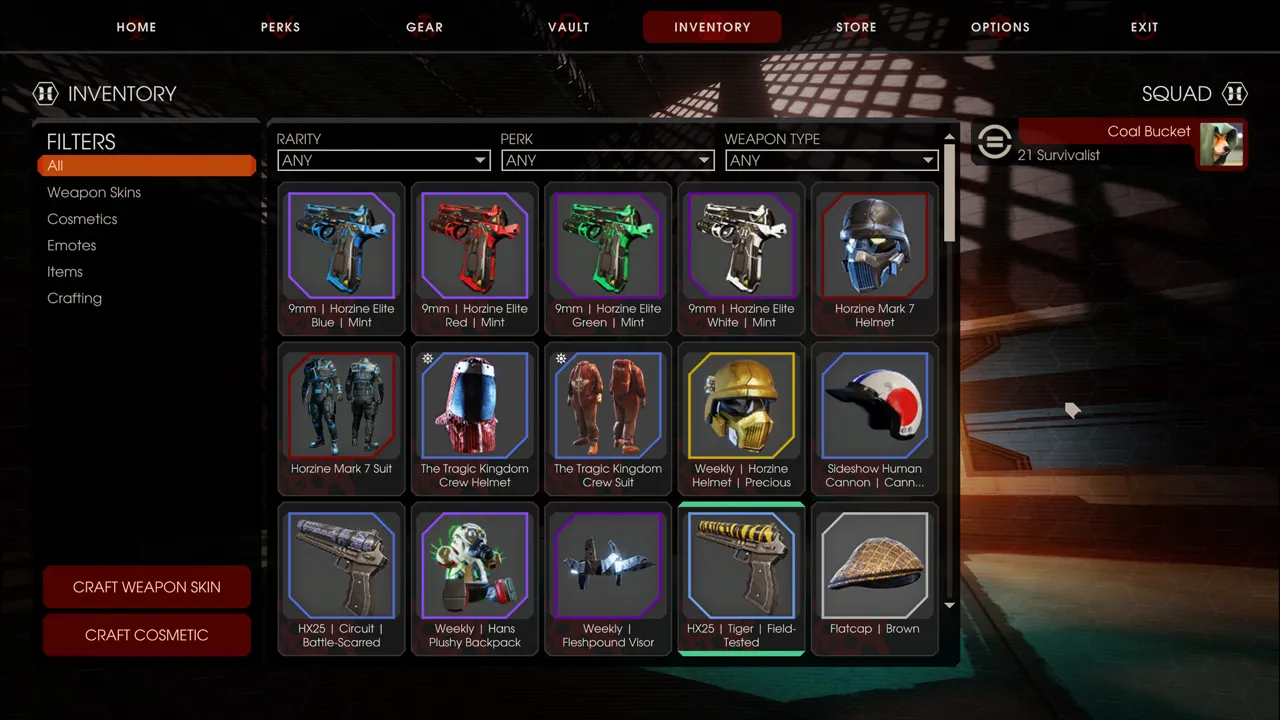
Open the inventory.
- Quickly open and close the Steam interface (Shift+Tab by default).
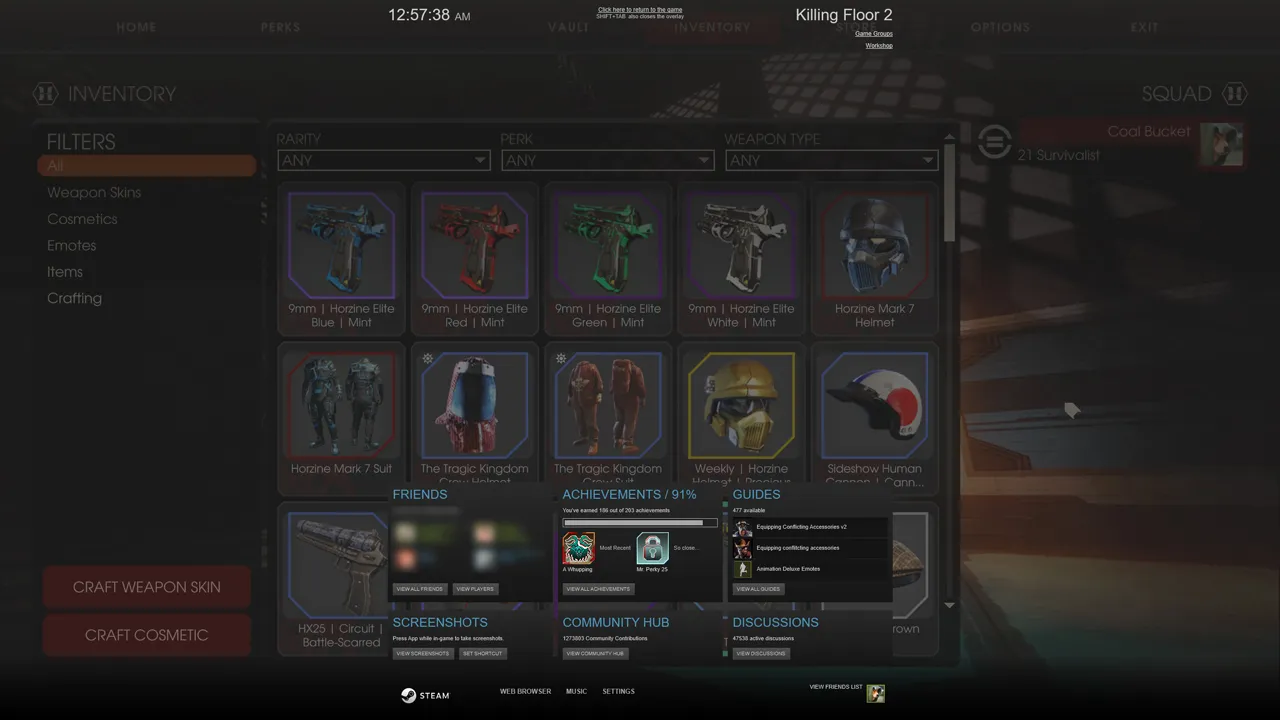
Toggle the Steam overlay on and off.
- Return to the game. A screen should pop up; click Use to claim your prize.
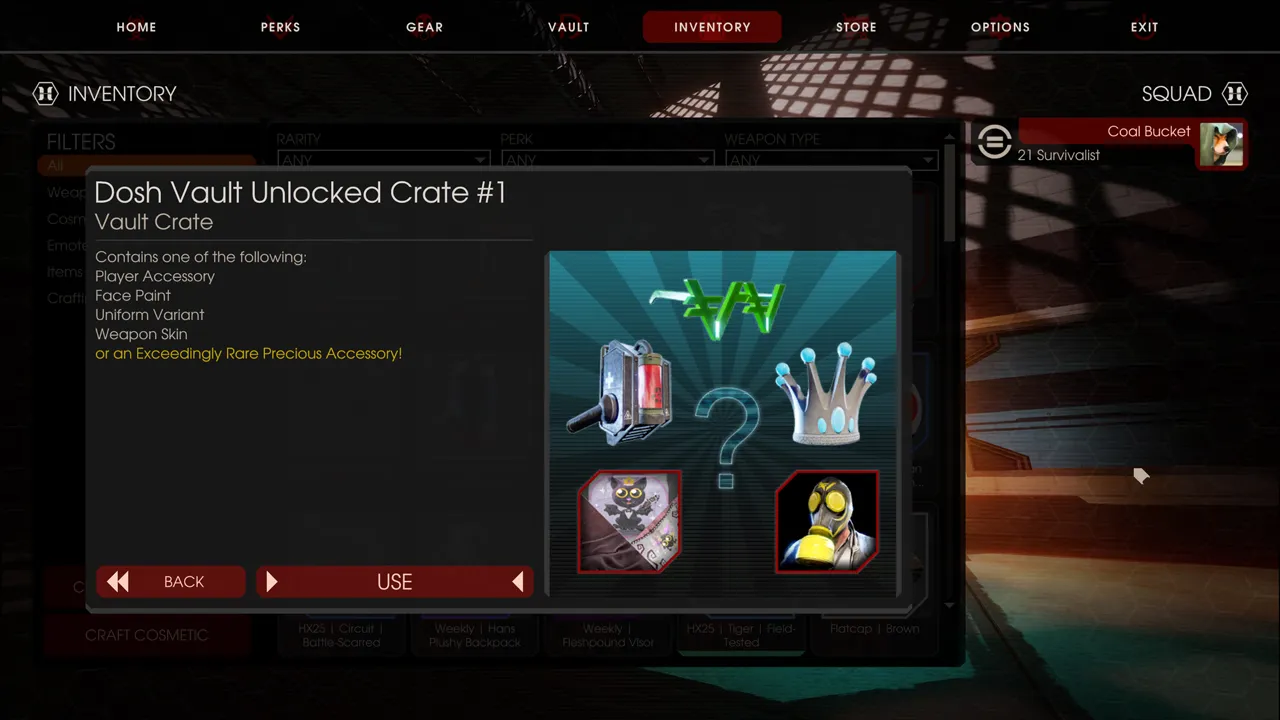
Click Use to claim the reward.
FAQ
- How do I claim a Vault Crate in KF2?
- Open your inventory screen, quickly open and close the Steam overlay (Shift+Tab by default), return to the game and click Use on the screen that pops up.
