
Killing Floor: Slow Alt-Tab and Freezes When Minimizing - Cause and Fix
If Killing Floor 1 hangs on a black screen after alt-tab, your monitor blinks, and getting back into the game takes seconds, this is not just "an old engine". The problem has one specific cause: the Direct3D 9 device is lost when leaving exclusive fullscreen mode. Below is what actually happens and what to do about it, from the simplest fix to the most involved.
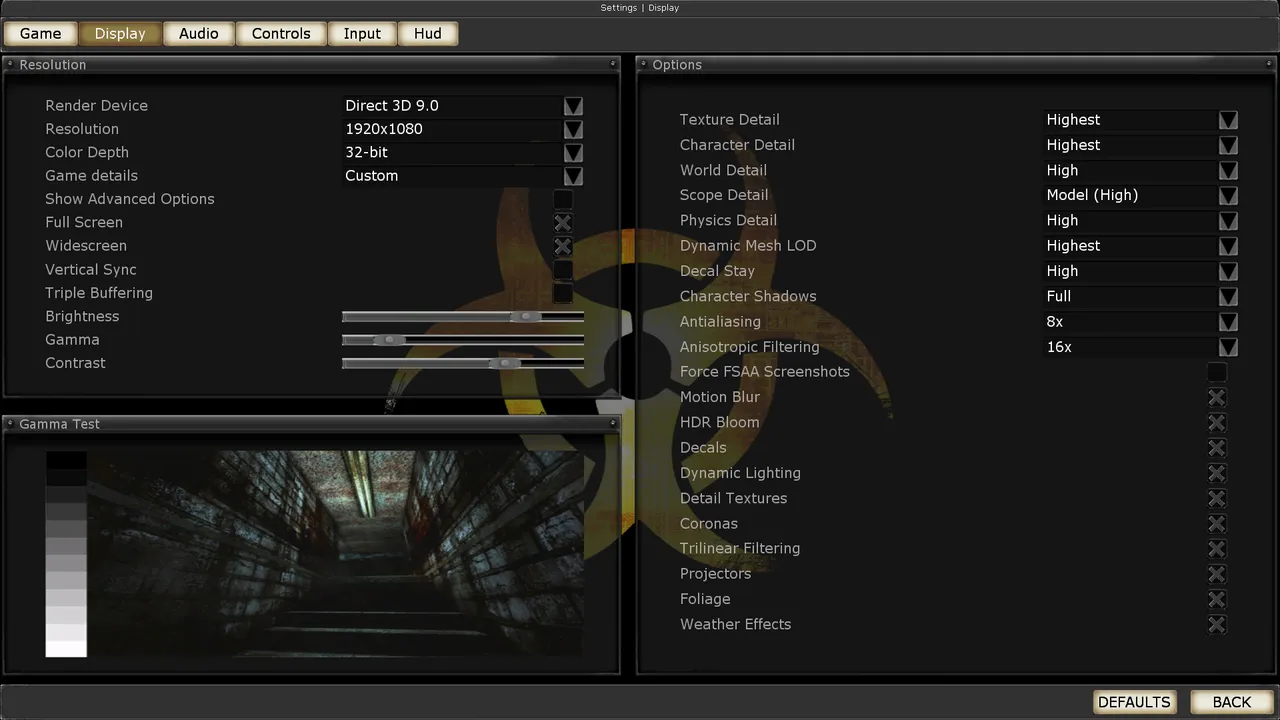 The Killing Floor Display menu: render device, resolution and detail levels. Screenshot: PCGamingWiki.
The analysis was done on Killing Floor build 3339 (Unreal Engine 2.5, 32-bit): reverse engineering of D3D9Drv.dll and WinDrv.dll, cross-checked against the UT2004 v3369 retail source, plus a real System/KillingFloor.log.
Quick answer
- Try the "Disable fullscreen optimizations" checkbox (5 seconds, no risk).
- Recommended: play in windowed mode at your monitor resolution and remove the window border with an external script. No game files are touched.
- If you want a faster option and accept the risks, use the 32-bit DXVK
d3d9.dll. - On top of that,
UsePrecaching=Falseremoves about 0.9 s of precaching from every alt-tab.
How to check the result: after alt-tab, open System/KillingFloor.log and search for Creating device. If the line is not there, the problem is fixed.
A note on VAC. Killing Floor 1 is VAC-protected. Modifying
WinDrv.dll/D3D9Drv.dlland using a proxyd3d9.dll(DXVK, dgVoodoo2, ReShade) carry a non-zero risk. See Warnings.
What happens on alt-tab
How it shows up in the log
If this block appears in System/KillingFloor.log after every alt-tab, this article is about your case:
Log: Enter SetRes: 2560x1600 Fullscreen 1      <- resolution did NOT change
Log: Creating device                            <- Reset failed, full re-creation
Log: POSTFX - TripPostFX::Init successful
Log: Precaching: KF-Offices-KFN.LevelInfo0
Log: Finished precaching geometry in 0.493 seconds
Log: Finished precaching textures in 0.400 seconds
The resolution did not change, yet the engine still rebuilds the device from scratch and precaches the map again.
What one alt-tab costs
- leaving exclusive fullscreen and entering it again, plus a monitor resync;
CreateDeviceretries with a 500 ms pause each;- re-creating the D3D9 device and recompiling the PostFX effects;
- re-uploading the working set of textures to video memory (the
Textures/folder is 2.8 GB on disk); - precaching the whole map (about 0.9 s according to the log).
Why it happens (the mechanism)
Every frame, UD3D9RenderDevice::Lock calls TestCooperativeLevel(). While the window is minimized, the device is in the D3DERR_DEVICELOST state and frames are simply dropped. On return it gets D3DERR_DEVICENOTRESET, and the engine calls SetRes, which:
- First runs
Flush, unloading all textures, vertex and index buffers, and shaders. - Tries
Device->Reset(), and this fails because liveD3DPOOL_DEFAULTresources remain (PostFX render targets,xD3D9Helper). - Fully releases and re-creates the device (
Creating devicein the log). - On failure, waits
appSleep(0.5f)and retries, blocking the main thread in 500 ms steps. - Re-initializes PostFX and all render/sampler states.
- Precaches the whole map, not just the visible part.
Textures live in D3DPOOL_MANAGED, a pool that would survive a normal Reset() for free. But because the engine re-creates the entire device, the runtime's system-memory copies die with it, and every texture is uploaded to video memory again.
What is not the cause
| Hypothesis | Verdict |
|---|---|
WM_KILLFOCUS / WM_SIZE unload resources | No. EndFullscreen() is called only for OpenGL / Pixomatic. On D3D9 the engine does nothing when minimized. |
| The engine changes the display mode itself | No. WinDrv.dll has no ChangeDisplaySettings. The D3D9 runtime switches the mode through CreateDevice / Release. |
You need the LAA patch (/LARGEADDRESSAWARE) | Already applied: KillingFloor.exe has Characteristics = 0x012F (bit 0x0020 set). Peak memory in the log is 492 MB. |
| Garbage collection or disk reads | No. There is no CollectGarbage on this path, and textures stay in UObject memory. The cost is CPU-side re-creation of D3D objects and uploads over PCIe. |
Why CS 1.6 does not have this
Half-Life/hw.dll runs on SDL2.dll + OPENGL32.dll. OpenGL has no concept of a "lost device": the context survives alt-tab and textures stay with the driver. SDL2 fullscreen in modern GoldSrc builds is borderless desktop with no real display mode change. And its working set is about 100 MB versus 2.8 GB.
Fixes: from simple to involved
Every step can be undone.
Step 0. The FSO checkbox - 5 seconds, no risk
KillingFloor.exe Properties → Compatibility → "Disable fullscreen optimizations". Test both positions.
With fullscreen optimizations enabled, Windows may swap exclusive fullscreen for a borderless window: the game believes it is running in Fullscreen Exclusive, but behind the scenes Windows runs it in borderless windowed mode. Expectations are low, since the problem persisted in the captured log, but the test costs nothing.
Step 1. Borderless windowed mode - the recommended option
No game file is changed. In System/KillingFloor.ini, set windowed mode and your monitor resolution (example for 2560x1600):
[WinDrv.WindowsClient]
StartupFullscreen=False
WindowedViewportX=2560
WindowedViewportY=1600
Then, while the game is running, run the kf-borderless.ps1 script (below). It sets the window to WS_POPUP|WS_VISIBLE and snaps it to the monitor. The script does not touch the game process itself.
The image is not distorted. AdjustWindowRect with style 0x10CF0000 already gives a client area of exactly 2560x1600, with the border drawn outside it. After the style change and repositioning, the client rect stays the same size, so Lock sees no change in GetClientRect: no re-creation, no stretching.
A windowed D3D9 device is lost only on a display mode change or a TDR. Minimizing does not lose it. The whole SetRes / Flush / precache path disappears.
Precedent. OldUnreal Patch 3374 for UT2004 (the same UE2.5) did exactly this: "The Windows client will now use borderless windows rather than exclusive fullscreen mode. This makes alt+tabbing and resolution switching much faster and more reliable."
The kf-borderless.ps1 script
Run it while the game is already running in windowed mode.
# Makes the Killing Floor windowed-mode window borderless and snaps it to the monitor.
# No game file is modified. Run it while KF is running in WINDOWED mode
# (System\KillingFloor.ini -> [WinDrv.WindowsClient] StartupFullscreen=False,
#  WindowedViewportX/Y set to the monitor resolution).
param(
    [string]$ProcessName = 'KillingFloor',
    [int]$TimeoutSec = 120
)

Add-Type @'
using System;
using System.Runtime.InteropServices;
public static class U32 {
    [DllImport("user32.dll", SetLastError=true)] public static extern int GetWindowLong(IntPtr h, int i);
    [DllImport("user32.dll", SetLastError=true)] public static extern int SetWindowLong(IntPtr h, int i, int v);
    [DllImport("user32.dll", SetLastError=true)] public static extern bool SetWindowPos(IntPtr h, IntPtr after, int x, int y, int cx, int cy, uint flags);
    [DllImport("user32.dll")] public static extern IntPtr MonitorFromWindow(IntPtr h, uint flags);
    [DllImport("user32.dll")] public static extern bool GetMonitorInfo(IntPtr m, ref MONITORINFO mi);
    [StructLayout(LayoutKind.Sequential)] public struct RECT { public int L, T, R, B; }
    [StructLayout(LayoutKind.Sequential)] public struct MONITORINFO { public int cbSize; public RECT rcMonitor; public RECT rcWork; public int dwFlags; }
}
'@

$GWL_STYLE = -16; $GWL_EXSTYLE = -20
$WS_POPUP = -2147483648   # 0x80000000 as signed int
$WS_VISIBLE = 0x10000000
$SWP_FRAMECHANGED = 0x0020; $SWP_NOZORDER = 0x0004
$MONITOR_DEFAULTTONEAREST = 2

$deadline = (Get-Date).AddSeconds($TimeoutSec)
do {
    $p = Get-Process -Name $ProcessName -ErrorAction SilentlyContinue |
         Where-Object { $_.MainWindowHandle -ne 0 } | Select-Object -First 1
    if ($p) { break }
    Start-Sleep -Milliseconds 500
} while ((Get-Date) -lt $deadline)

if (-not $p) { Write-Error "no $ProcessName window within ${TimeoutSec}s"; exit 1 }

$h = $p.MainWindowHandle
$mi = New-Object U32+MONITORINFO
$mi.cbSize = [Runtime.InteropServices.Marshal]::SizeOf($mi)
[void][U32]::GetMonitorInfo([U32]::MonitorFromWindow($h, $MONITOR_DEFAULTTONEAREST), [ref]$mi)
$x = $mi.rcMonitor.L; $y = $mi.rcMonitor.T
$w = $mi.rcMonitor.R - $x; $hgt = $mi.rcMonitor.B - $y

[void][U32]::SetWindowLong($h, $GWL_STYLE, $WS_POPUP -bor $WS_VISIBLE)
[void][U32]::SetWindowLong($h, $GWL_EXSTYLE, 0x00040000)   # WS_EX_APPWINDOW
[void][U32]::SetWindowPos($h, [IntPtr]::Zero, $x, $y, $w, $hgt, $SWP_FRAMECHANGED -bor $SWP_NOZORDER)

"borderless: hwnd=0x{0:X} rect={1},{2} {3}x{4}" -f [int64]$h, $x, $y, $w, $hgt
Step 2. DXVK - the second-best effort-to-payoff ratio
Put the 32-bit d3d9.dll from DXVK (from the x32/ folder) into System/. D3D9Drv.dll imports only Direct3DCreate9 from d3d9; everything else goes through COM vtables, so the wrapper is picked up cleanly.
Why it works (per the DXVK source):
src/d3d9/d3d9_options.cpp:deviceLossOnFocusLossdefaults tofalse;src/d3d9/d3d9_device.cpp:NotifyWindowActivatedreturns immediately;TestCooperativeLevelreads onlym_deviceLostState, which is set only insideReset();dxvk.allowFsedefaults tofalse, so there is no real exclusive fullscreen at all.
As a result, Lock never sees DEVICENOTRESET. d3dx9_26.dll / d3dx9_27.dll stay native: they run on the CPU and talk to the GPU through the public COM vtables, so PostFX does not break.
Useful dxvk.conf keys for fixed-function UE2.5:
| Key | Why |
|---|---|
d3d9.deviceLossOnFocusLoss=False | Default, leave it alone |
dxvk.allowFse=False | Default |
d3d9.maxFrameLatency=1 | Shortest frame queue |
d3d9.forceAspectRatio | Hide ultrawide modes from the KF resolution enumerator |
d3d9.countLosableResources=False | If Reset ever starts getting rejected |
Risks:
- DXVK on Windows is not officially supported upstream;
- issue #4730: KF1 + DXVK shows a black screen on some AMD cards (not reproducible on NVIDIA), closed as "not planned";
- issue #1373: stutter from shader compilation at the start of a session.
Step 3. Binary patch
Does the same as step 1 but without an external process: in windowed mode the window is created as a borderless popup at 0,0 right away (requires StartupFullscreen=False). A second patch shortens the pause between CreateDevice retries from 500 to 50 ms. The offset table and the patcher are in Technical details.
Note: the built-in SetWindowLong(GWL_STYLE, WS_POPUP|WS_VISIBLE) branch in WinDrv.dll (0x1026e) does not run on a normal launch. It sits under if (ParentWindow != NULL), so it only applies to HWND= from the command line and to the editor.
What cannot be done cheaply. Removing Flush from SetRes so managed textures survive Reset will not work: Reset requires D3DPOOL_DEFAULT resources to be released, and Flush is the only place where they are. A selective flush means rewriting the function, not a hex patch. Leftover pointers to a dead device are a guaranteed crash.
Step 4. Disable precaching (a setting, not a patch)
[D3D9Drv.D3D9RenderDevice]
UsePrecaching=False
This is exactly the key that Flush reads to enable precaching after the device is re-created. It removes step 6 of the mechanism, about 0.9 s per alt-tab according to the log. The cost is a micro-stutter the first time objects appear on the map.
Not recommended: a D3D9Ex proxy
By specification, a Direct3D 9Ex device never returns D3DERR_DEVICELOST, so this would fix the problem at the root. But D3DPOOL_MANAGED is not allowed with 9Ex, while UE2.5 keeps everything in managed and calls LockRect to upload mip levels. You would need MANAGED→DEFAULT translation with staging surfaces and UpdateTexture. The author of dxwrapper says plainly about its D3d9to9Ex=1 mode that no 3D game worked properly with it. A lot of work for what DXVK gives you out of the box.
Side finding: log spam eats FPS
The examined log had 6368 Error: lines out of 9549, one per frame:
Error: ShopGUIVertList Package.ShopGUIVertList (Function KF15BetaMutators.ShopGUIVertList.DrawStat:0062) Accessed array '_infos' out of bounds (4/2)
Error: ShopGUIVertList Package.ShopGUIVertList (Function KF15BetaMutators.ShopGUIVertList.DrawStat:014E) Accessed array '_requirements' out of bounds (4/2)
That is string formatting and a disk write every frame. The source here is a third-party mutator, KF15BetaMutators: in ShopGUIVertList.DrawStat the _infos / _requirements array indices go out of bounds, which has to be fixed in UnrealScript. It has nothing to do with alt-tab, but it constantly costs client FPS. If your log grows by thousands of identical Error: lines, find the mutator responsible.
Warnings
Killing Floor 1 is VAC-protected.
- Modifying
WinDrv.dll/D3D9Drv.dllmeans changing game files on a VAC-protected title. - A proxy
d3d9.dll(DXVK / dgVoodoo2 / ReShade) injects third-party code into the process. - The ban risk is not zero, and nobody can guarantee anything.
- The step 1 option (an external script that only calls
SetWindowLongon the game's window) does not touch game files or the process. Of everything listed, it is the only one outside that zone.
Steam "Verify integrity of game files" reverts any byte patch. The patcher also makes a .bak on its own.
What was and was not tested
The patches and the script have not been run on a live game. Only the following was verified:
- the patch offsets against real installed files: 5 of 5 matched;
- function logic via the disassembler;
- the mechanism is confirmed by a real
KillingFloor.log.
Checking is trivial: after alt-tab, search System/KillingFloor.log for Creating device. Suggested order, every step reversible:
1. FSO checkbox                                    -> grep "Creating device"
2. windowed + kf-borderless.ps1                    -> grep "Creating device"
3. DXVK x32 d3d9.dll                               -> grep "Creating device"
4. kf-patch.py <System> apply borderless fastretry -> grep "Creating device"
Technical details
Binary addresses (build 3339)
UD3D9RenderDevice::Lock (D3D9Drv.dll, RVA 0x128b0), called every frame:
hr = Direct3DDevice9->TestCooperativeLevel()          ; call [edx+0xc] @0x12958
if hr == 0x88760868 (D3DERR_DEVICELOST)     -> frame dropped, idle spin
if hr == 0x88760869 (D3DERR_DEVICENOTRESET) -> ForceReset=1; SetRes(...)   @0x129a3
UD3D9RenderDevice::SetRes (RVA 0x15630):
| Address | What happens |
|---|---|
0x15708 | Flush(Viewport): tears down the whole ResourceList (textures / VB / IB), releases vertex and pixel shaders, calls UMaterial::ClearFallbacks(), sets PrecacheOnFlip = UsePrecaching (mov [esi+0x48], eax @ 0x16977; the key is read from [esi+0x42f8]) |
0x15ed2 | Device->Reset(), which fails because of live D3DPOOL_DEFAULT resources |
0x15ede | Release() |
0x15ef6 | logs "Creating device", full device re-creation |
0x16247 | on failure, appSleep(0.5f) and retry |
Then come TripPostFX::Init and all SetRenderState / SetSamplerState calls, and PrecacheOnFlip makes UGameEngine::Draw precache the whole map.
The early exit from SetRes ("Enter SetRes: %dx%d Fullscreen %d. Already..." @ 0x15694) never fires: Lock sets ForceReset before the call, and the cmp [esi+0x492c],0 check skips it. There is not a single Already line in the log.
The client area size check in Lock is GetClientRect @ 0x129f7. In WinDrv.dll, EndFullscreen() is called only when GIsOpenGL || GIsPixomatic (@ 0x135ab). The texture pool is set in D3D9Resource.cpp: #define RESOURCE_POOL D3DPOOL_MANAGED.
Patch offset table
In the .text section of these DLLs the file offset equals the RVA, so the offsets below are direct file offsets.
borderless   WinDrv.dll   UWindowsViewport::OpenWindow
  0x101C9  00 00 CF 10 -> 00 00 00 90   push  <style>          (AdjustWindowRect argument)
  0x101D3  00 00 CF 10 -> 00 00 00 90   mov [ebp+0C], <style>  (PerformCreateWindowEx argument)
  0x101E7  00 00 00 80 -> 00 00 00 00   CW_USEDEFAULT X -> 0
  0x101F4  00 00 00 80 -> 00 00 00 00   CW_USEDEFAULT Y -> 0
  ; WS_VISIBLE|WS_OVERLAPPEDWINDOW (0x10CF0000) -> WS_POPUP|WS_VISIBLE (0x90000000)
  ; 0x10CF0000 occurs in the file exactly twice, both times here

fastretry    D3D9Drv.dll  UD3D9RenderDevice::SetRes, CreateDevice retry loop
  0x16248  00 00 00 3F -> CD CC 4C 3D   appSleep(0.5f) -> appSleep(0.05f)
The kf-patch.py patcher
Every patch checks the original bytes before writing and keeps a .bak. Usage: python kf-patch.py <System folder> list|apply|revert [patch-name ...].
#!/usr/bin/env python3
"""Reversible byte patches for the Killing Floor 1 client (build 3339, D3D9Drv/WinDrv).

  python kf-patch.py <KF System dir> list|apply|revert [patch-name ...]

Every patch verifies the expected original bytes before writing and keeps a .bak.
Steam "Verify integrity of game files" restores the originals too.
"""
import os, shutil, sys

# name -> (file, [(file_offset, original_bytes_hex, patched_bytes_hex)], description)
PATCHES = {
    'borderless': ('WinDrv.dll', [
        # UWindowsViewport::OpenWindow: window style WS_VISIBLE|WS_OVERLAPPEDWINDOW -> WS_POPUP|WS_VISIBLE
        (0x101C9, '0000cf10', '00000090'),   # push  <style>  (arg to AdjustWindowRect)
        (0x101D3, '0000cf10', '00000090'),   # mov   [ebp+0xC], <style>  (arg to PerformCreateWindowEx)
        # CW_USEDEFAULT -> 0 so the popup lands at the monitor origin
        (0x101E7, '00000080', '00000000'),
        (0x101F4, '00000080', '00000000'),
    ], 'windowed mode becomes a borderless popup at 0,0 (needs StartupFullscreen=False)'),

    'fastretry': ('D3D9Drv.dll', [
        # UD3D9RenderDevice::SetRes CreateDevice retry loop: appSleep(0.5f) -> appSleep(0.05f)
        (0x16248, '0000003f', 'cdcc4c3d'),
    ], 'CreateDevice retry backoff 500ms -> 50ms'),
}


def sites(name):
    f, s, _ = PATCHES[name]
    return f, s


def run(root, action, names):
    for name in names:
        fname, spots = sites(name)
        path = os.path.join(root, fname)
        data = bytearray(open(path, 'rb').read())
        want = 1 if action == 'apply' else 2
        have = 2 if action == 'apply' else 1
        for off, orig, new in spots:
            cur = bytes(data[off:off + len(bytes.fromhex(orig))])
            src = bytes.fromhex((orig, new)[have - 1])
            dst = bytes.fromhex((orig, new)[want - 1])
            if cur == dst:
                print('  %s+%#x already %s' % (fname, off, action + 'd'))
                continue
            if cur != src:
                sys.exit('ABORT %s+%#x: expected %s, found %s (wrong build or already modified)'
                         % (fname, off, src.hex(), cur.hex()))
            data[off:off + len(dst)] = dst
            print('  %s+%#x %s -> %s' % (fname, off, src.hex(), dst.hex()))
        bak = path + '.bak'
        if action == 'apply' and not os.path.exists(bak):
            shutil.copy2(path, bak)
            print('  backup: %s' % bak)
        open(path, 'wb').write(data)
        print('%s: %s' % (name, action + 'd'))


if __name__ == '__main__':
    if len(sys.argv) < 3:
        sys.exit(__doc__)
    root, action = sys.argv[1], sys.argv[2]
    names = sys.argv[3:] or list(PATCHES)
    if action == 'list':
        for n, (f, s, d) in PATCHES.items():
            print('%-12s %-12s %d site(s)  %s' % (n, f, len(s), d))
    elif action in ('apply', 'revert'):
        run(root, action, names)
    else:
        sys.exit(__doc__)
Sources
| Link | What it confirms |
|---|---|
Wallz/UnrealEngineSRC - UT2004 [v3369] (Retail)/D3D9Drv/Src/D3D9RenderDevice.cpp | SetRes with the //!!vogel: always recreate the device comment, Flush as the first line, the appSleep(0.5f) retry, Lock with TestCooperativeLevel |
Same tree, WinDrv/Src/WinViewport.cpp | WM_KILLFOCUS calls EndFullscreen only for OpenGL/Pixomatic; no ChangeDisplaySettings |
jmarshall23/Unreal2004 - D3D9Drv/Src/D3D9Resource.cpp | #define RESOURCE_POOL D3DPOOL_MANAGED |
| OldUnreal UT2004 Release Notes | Official confirmation: the fix is moving from exclusive fullscreen to borderless |
| Microsoft: Lost Devices (Direct3D 9) | "A Direct3D 9Ex device never returns D3DERR_DEVICELOST"; alt-tab as a cause of device loss for regular D3D9 |
| Microsoft: D3DPOOL | D3DPOOL_MANAGED is not valid with IDirect3DDevice9Ex |
DXVK d3d9_options.cpp | deviceLossOnFocusLoss defaults to false |
DXVK d3d9_device.cpp | Early return in NotifyWindowActivated; TestCooperativeLevel reads only m_deviceLostState |
| DXVK Wiki: Windows | Windows is not officially supported; 32-bit DLLs from x32/ |
| DXVK issue #4730 | KF1 + DXVK: black screen on some AMD cards, closed as "not planned" |
| DXVK issue #2605 | UT2004 does not recover after alt-tab from fullscreen |
| Microsoft DirectX blog: Demystifying Full Screen Optimizations | How FSO swaps Fullscreen Exclusive for borderless windowed |
| dxwrapper: Configuration | D3d9to9Ex and the author's caveat about 3D games not working |
| metallicafan212/UE2SelectionFixes | Precedent for a binary patch of D3DDrv.dll specifically for Killing Floor 3339 |
| PCGamingWiki: Killing Floor | Borderless only via an external tool; D3D 8/9 + OpenGL 2.1 APIs, 32-bit only |
