
How to make your own ServerPerksV7 perk icons
Add/replace code in SRVeterancyTypes
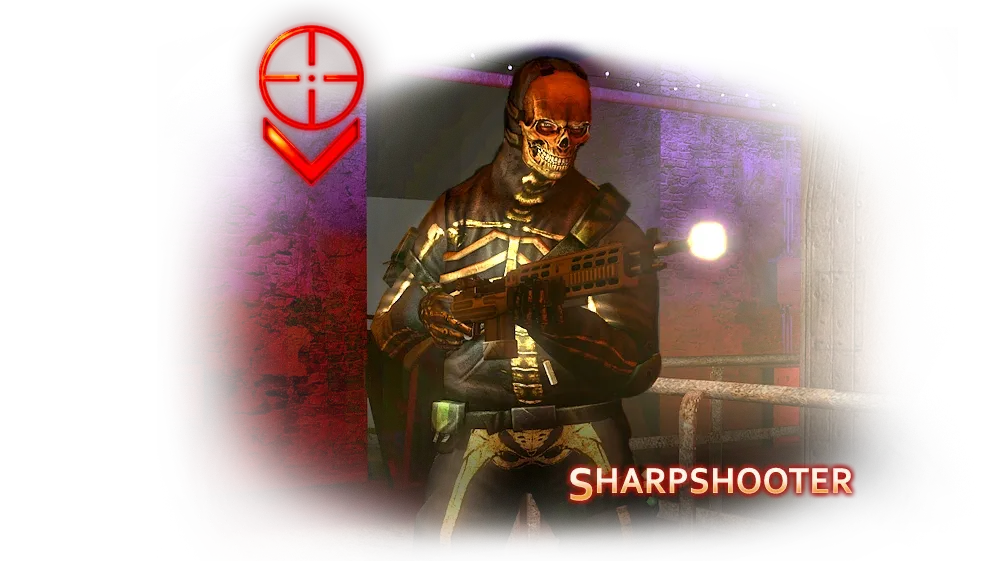 Sharpshooter, the precision and headshot perk.
var    Material    VetStarGreenMaterial;
var    Material    VetStarBlueMaterial;
var    Material    VetStarSilverMaterial;
var    Material    VetStarBirMaterial;
var    Material    VetStarBordMaterial;
var    Material    VetStarPinkMaterial;
var    Material    VetStarYelMaterial;
var() texture OnHUDGreenIcon, OnHUDBlueIcon, OnHUDSilverIcon, OnHUDBirIcon, OnHUDBordIcon, OnHUDPinkIcon, OnHUDYelIcon;
var() localized string CustomLevelInfo;
var() localized array<string> SRLevelEffects; // Added in ver 5.00, dynamic array for level effects.
var() byte NumRequirements;
// ...
static function byte PreDrawPerk( Canvas C, byte Level, out Material PerkIcon, out Material StarIcon )
{
if ( Level>32 )
{
PerkIcon = Default.OnHUDBirIcon;
StarIcon = Class'SRVeterancyTypes'.Default.VetStarBirMaterial;
Level-=32;
C.SetDrawColor(255, 255, 255, C.DrawColor.A);
}
else if ( Level>28 )
{
PerkIcon = Default.OnHUDBordIcon;
StarIcon = Class'SRVeterancyTypes'.Default.VetStarBordMaterial;
Level-=28;
C.SetDrawColor(255, 255, 255, C.DrawColor.A);
}
else if ( Level>24 )
{
PerkIcon = Default.OnHUDSilverIcon;
StarIcon = Class'SRVeterancyTypes'.Default.VetStarSilverMaterial;
Level-=24;
C.SetDrawColor(255, 255, 255, C.DrawColor.A);
}
else if ( Level>20 )
{
PerkIcon = Default.OnHUDGoldIcon;
StarIcon = Class'HUDKillingFloor'.Default.VetStarGoldMaterial;
Level-=20;
C.SetDrawColor(255, 255, 255, C.DrawColor.A);
}
else if ( Level>16 )
{
PerkIcon = Default.OnHUDPinkIcon;
StarIcon = Class'SRVeterancyTypes'.Default.VetStarPinkMaterial;
Level-=16;
C.SetDrawColor(255, 255, 255, C.DrawColor.A);
}
else if ( Level>12 )
{
PerkIcon = Default.OnHUDBlueIcon;
StarIcon = Class'SRVeterancyTypes'.Default.VetStarBlueMaterial;
Level-=12;
C.SetDrawColor(255, 255, 255, C.DrawColor.A);
}
else if ( Level>8 )
{
PerkIcon = Default.OnHUDGreenIcon;
StarIcon = Class'SRVeterancyTypes'.Default.VetStarGreenMaterial;
Level-=8;
C.SetDrawColor(255, 255, 255, C.DrawColor.A);
}
else if ( Level>4 )
{
PerkIcon = Default.OnHUDYelIcon;
StarIcon = Class'SRVeterancyTypes'.Default.VetStarYelMaterial;
Level-=4;
C.SetDrawColor(255, 255, 255, C.DrawColor.A);
}
else
{
PerkIcon = Default.OnHUDIcon;
StarIcon = Class'HUDKillingFloor'.Default.VetStarMaterial;
C.SetDrawColor(255, 255, 255, C.DrawColor.A);
}
return Min(Level,5);
}
// ...
defaultproperties
{
VetStarGreenMaterial=Texture'perk.Hud_Perk_Star_Green'
VetStarBlueMaterial=Texture'perk.Hud_Perk_Star_Blue'
VetStarSilverMaterial=Texture'perk.Hud_Perk_Star_Silver'
VetStarBirMaterial=Texture'perk.Hud_Perk_Star_Bir'
VetStarBordMaterial=Texture'perk.Hud_Perk_Star_Bord'
VetStarPinkMaterial=Texture'perk.Hud_Perk_Star_Pink'
VetStarYelMaterial=Texture'perk.Hud_Perk_Star_Yel'
NumRequirements=1
}
defaultproperties
{
PerkIndex=4
OnHUDIcon=Texture'perk.Perk_Berserker'
OnHUDGoldIcon=Texture'perk.Perk_Berserker_Gold'
OnHUDGreenIcon=Texture'perk.Perk_Berserker_Green'
OnHUDBlueIcon=Texture'perk.Perk_Berserker_Blue'
OnHUDSilverIcon=Texture'perk.Perk_Berserker_Silver'
OnHUDBirIcon=Texture'perk.Perk_Berserker_Bir'
OnHUDBordIcon=Texture'perk.Perk_Berserker_Bord'
OnHUDPinkIcon=Texture'perk.Perk_Berserker_Pink'
OnHUDYelIcon=Texture'perk.Perk_Berserker_Yel'
}Author: LLIePLLIeHb
With this method the stars also need to be recolored to match the corresponding icon.
How to draw and hook up your own icon
From the thread "How to make a perk icon" on the killingfloor.ru forum (Gwyn, 2012):
- In an image editor, create a 256×256 pixel picture and draw the icon. Make the part that should be transparent an alpha channel. Save as
.dds(Photoshop needs a plugin) or.tga. - In the map editor (KF SDK), create a texture package and import the icon into it.
- In the ServerPerks sources, open the perk file and replace the path to the stock texture with your own. The stock values look like this:
OnHUDIcon=Texture'KillingFloorHUD.Perks.Perk_Berserker'
OnHUDGoldIcon=Texture'KillingFloor2HUD.Perk_Icons.Perk_Berserker_Gold'
Instead of KillingFloor2HUD.Perk_Icons.Perk_Berserker_Gold, enter the path to your picture, for example:
OnHUDGoldIcon=Texture'MyTex.Perks.Bers'- Compile the package.
OnHUDIcon is used for levels 1–5 and OnHUDGoldIcon from level 6. A separate icon for higher levels can be set through a new variable in SRVeterancyTypes and the PreDrawPerk function:
var() texture ExampleTex;static function byte PreDrawPerk( Canvas C, byte Level, out Material PerkIcon, out Material StarIcon )Add this to that function:
if ( Level>8 ) // from level 9
{
PerkIcon = Default.ExampleTex; // texture
StarIcon = none; // no star
Level-=8;
C.SetDrawColor(255, 255, 255, C.DrawColor.A); // 255, 255, 255 - color unchanged
}
And in the perk file add ExampleTex=Texture'MyTex.Perks.Bers'. The full version with separate icons and stars for every 4 levels is shown above.
What else PreDrawPerk does
From the article "Значки перков (часть 2)" (perk icons, part 2) by Flame and НАТАХА (killingfloor.ru forum, "[цикл статей] Разное" thread):
- Number of stars. The function returns how many stars to draw in the HUD and the scoreboard. Lines like
Level-=5;handle this: at level 6, one star is left after the subtraction. - 15-star limit. It returns
Min(Level,15)rather thanLevel, so that at, say, level 100 the screen is not covered in stars. Change the number if you want more or fewer stars. - Columns of 5. Stars are drawn 5 to a vertical column, then a new column starts:
if( ++Counter==5 )
{
 Counter = 0;
 TempX+=VetStarSize;
}
This code is in SRHUDKillingFloor.DrawPlayerInfo, with similar code in SRHUDKillingFloor.DrawHudPassA and SRScoreBoard.DrawPerkWithStars.
- Colour.
C.SetDrawColor(R, G, B, C.DrawColor.A)sets the colour the icon and stars are drawn in; white (255, 255, 255) keeps the texture's colour. Recolour the gold icon rather than the red one: the result is closer to the colour you set, although some tweaking is still needed.
HUD icons (health, armor, ammo)
From the "Редактирование иконок в игре" (Editing in-game icons) thread, killingfloor.ru forum. The path to your own perk icon is set in the perk class (OnHUDIcon=Texture'NewPerks.Perks.Perk_Berserker' in defaultproperties), but KF has no such setting for the other HUD icons (health, armor, ammo and so on): according to Dr_Killjoy, you have to write the code for that yourself. The icons are HUD variables (var() SpriteWidget HealthIcon;, ArmorIcon, ClipsIcon, WelderIcon, SyringeIcon, CashIcon and others), and their textures and positions are set in the HUD's defaultproperties, for example:
HealthIcon=(WidgetTexture=Texture'KillingFloorHUD.HUD.Hud_Medical_Cross',RenderStyle=STY_Alpha,TextureCoords=(X2=64,Y2=64),TextureScale=0.16,DrawPivot=DP_UpperLeft,PosX=0.021,PosY=0.947,ScaleMode=SM_Right,Scale=1.000000,Tints[0]=(B=255,G=255,R=255,A=255),Tints[1]=(B=255,G=255,R=255,A=255))Do not save redrawn icons into the stock KillingFloorHUD: the thread's author noted that players connecting to the server then get package errors.
