
Night Vision Goggles in UnrealScript: a Classic Tutorial and How It Maps to Killing Floor
The OldUnreal wiki keeps a classic UnrealScript tutorial for night vision goggles in Unreal Tournament (1999). Killing Floor runs on a much later engine, so the code will not compile as is, but the design shows how to build any client-side vision effect: what the player sees, what everybody else sees, and what each part costs in performance. This page explains the original and lists what to change for KF.
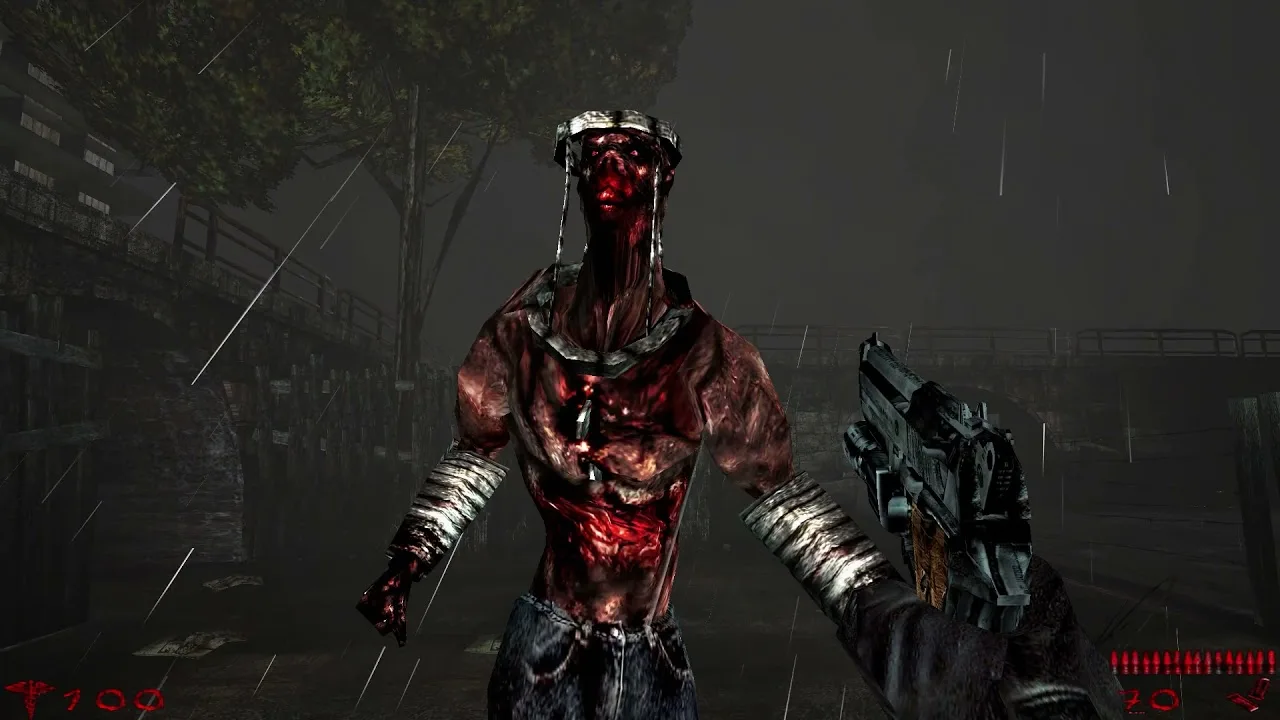 Rain, fog and a zed a few metres away: the kind of scene night vision is meant for.
The design
The goggles do two things:
- Brighten and tint the player's own view, by shifting the view "glow" (a screen-wide colour and brightness offset).
- Make other pawns easier to see, by attaching a translucent, slightly inflated copy of their mesh, so they look like they have a light aura.
On top of that comes the "flashy" part: a 256×256 animated noise texture drawn over the whole screen. All of it is client-side: nobody else sees your overlay or the auras.
The code has three classes:
| Class | Role |
|---|---|
NVGMutator | A HUD mutator: hooks the HUD's PostRender() and draws the overlay when the owner's goggles are on |
NVG | The inventory item: toggle command, glow change, spawns the auras |
NVGIllum | The aura effect: follows its owner's mesh and animation, drawn translucent and unlit |
NVGMutator: drawing over the screen
UT99 HUD mutators register themselves in a chain on the player's HUD and get a PostRender(Canvas) call every frame. The mutator checks the player's inventory for the goggles, but only every 0.3 seconds to save time, and draws the overlay scaled to the screen:
// Draw overlay if NVG activated
if ( aNVG != None && aNVG.bEnabled )
{
    C.SetPos(0, 0);
    C.Style = ERenderStyle.STY_Translucent;
    C.DrawIcon(Texture'Static_a00', FMax(C.ClipX, C.ClipY)/256.0); // assumes a 256x256 texture
}
if ( NextHUDMutator != None )
    NextHUDMutator.PostRender( C );
It always passes PostRender on to the next HUD mutator. Breaking the chain would break every other HUD mod on the server.
NVG: toggle and view glow
replication
{
    reliable if (bNetOwner && ROLE == ROLE_Authority)
        bEnabled;
    reliable if (Role < ROLE_Authority)
        NVGToggle;
}

exec function NVGToggle()
{
    bEnabled = !bEnabled;
    Owner.PlaySound(Sound'UnrealShare.Pickups.FSHLITE1',, 1.5 * Pawn(Owner).SoundDampening);
    AdjustGlow();
}

simulated function AdjustGlow()
{
    local PlayerPawn PP;
    PP = PlayerPawn(Owner);
    if (PP == None)
        return;
    if (bEnabled)
        PP.ClientAdjustGlow(-0.15, vect(139.0, 218.0, 72.0));   // brighten and tint green
    else
        PP.ClientAdjustGlow(+0.15, vect(-139.0, -218.0, -72.0)); // undo exactly
}
Two details matter:
- The glow change is relative, so turning the goggles off must undo exactly what turning them on did. The item also calls
AdjustGlow()fromDestroyed()andDropFrom(), otherwise a player who dies or drops the goggles keeps a green screen. NVGToggleis replicated to the server, andbEnabledcomes back to the owner only (bNetOwner).
NVGIllum: the aura
Every few ticks the goggles look for pawns within Range (900 units) with VisibleCollidingActors, and give each one an NVGIllum from a reusable pool. The effect copies the owner's mesh, follows it with PHYS_Trailer and bAnimByOwner, and is drawn STY_Translucent, bUnlit, with Fatness slightly above the owner's. The texture is dark grey: UT draws translucency additively, so dark grey reads as a soft light shell. bOwnerNoSee hides your own aura from you.
The performance warning
The author measured a loss of about 15 FPS and named the cause: foreach AllActors and VisibleCollidingActors in Tick(), even when it only runs every third tick. The overlay and glow cost almost nothing. Keep that in mind for any port.
Porting to Killing Floor
KF uses the Unreal Engine 2.5 code base inherited from UT2004, so the building blocks have different names. Treat the table as a map for your own research, and check every name against the KF script source before relying on it.
| UT99 piece | Killing Floor / UE2 equivalent |
|---|---|
HUD mutator with PostRender(Canvas) | A client-side Interaction with bVisible=true and PostRender(Canvas), or a HUD overlay if the KF HUD exposes it; ServerPerks setups usually already have a custom HUD class to hook into |
PlayerPawn | Split into PlayerController (view, input, HUD) and Pawn (body) |
ClientAdjustGlow(scale, fog) | View flash/fog on PlayerController (ClientFlash, constant glow scale and fog). Remember that zeds in KF already use screen flashes, so restore the previous values instead of assuming defaults |
TournamentPickup inventory item | A KFWeapon or Inventory subclass, or simpler: a key binding handled by your mutator's interaction |
exec function NVGToggle | Bind a key to a console command your interaction handles, e.g. set input N mutate nvg on the server side |
NVGIllum shell around pawns | Possible, but costly in KF where 30-60 zeds can be alive at once. An overlay plus brightness alone gives most of the effect |
Gameplay notes for KF:
- Balance. Many KF maps rely on darkness, and the Commando already sees Stalkers and zed health. A free night-vision mode changes the difficulty a lot. Consider tying it to a perk, limiting its duration or giving it a battery.
- Readability. A full-screen noise overlay in a game about crowds is tiring. A light vignette and tint work better than heavy static.
- Whitelist. A client-side visual mutator still has to be accepted by the server; see whitelisted mutators.
