
KF2 HRG Weapon Skins: Apply Any Skin via KFGame.ini
Players cannot normally equip skins on the HRG copies of weapons, but you can apply any skin you own to them by adding entries to KFGame.ini. Other players in online games should see the skin on your HRG weapon. This guide, translated from Spanish, uses the Bastion HRG (the SWAT copy of the Commando Stoner 63A) as the example. Compare with the weapon mod install guide if you also use custom content.
Steps
- Own the skin and equip it in-game on the weapon it belongs to. In the example, a Stoner 63A Vietnam skin that will go on the Bastion HRG.
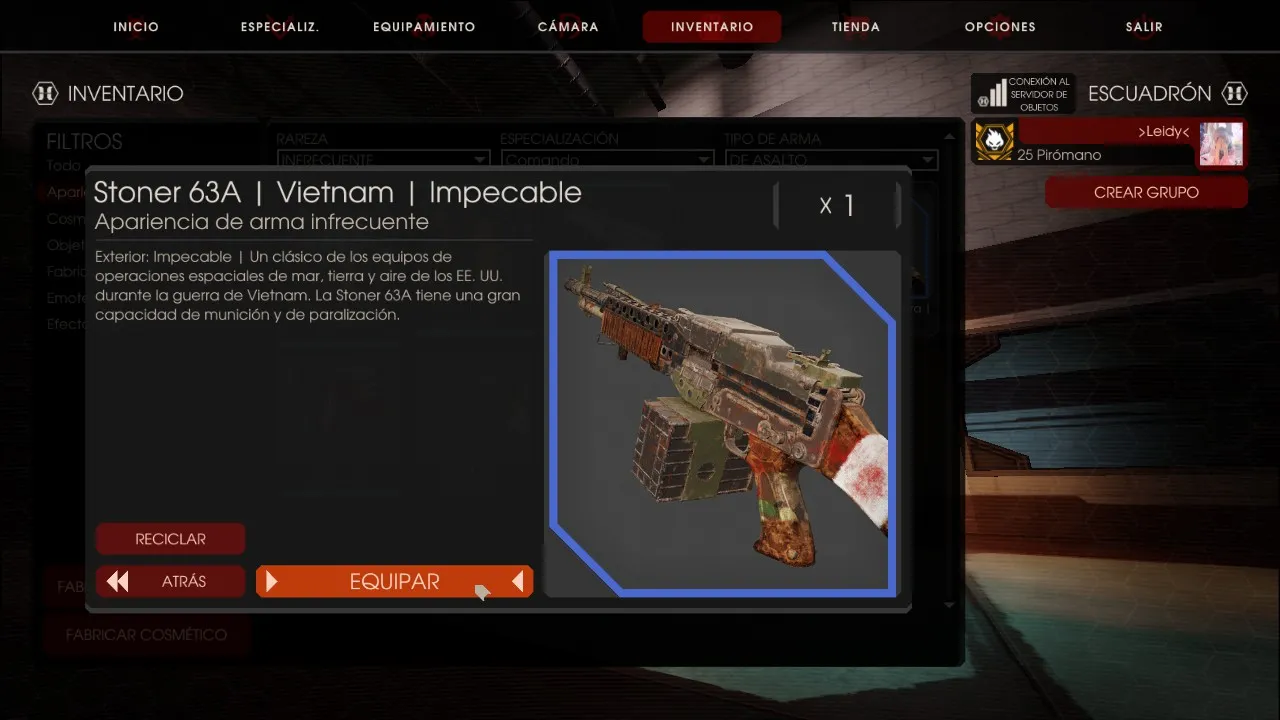 The skin equipped on the original weapon.
- With the game closed, open
Documents\My Games\KillingFloor2\KFGame\Configand openKFGame.ini.
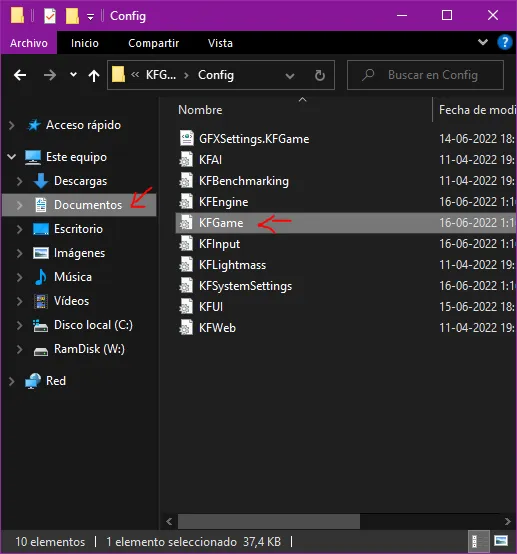 The Config folder.
- Press Ctrl+F in Notepad and search for the name of the original weapon. You will find the weapon entry together with the equipped skin; the number after
SkinItemId=is the skin ID.
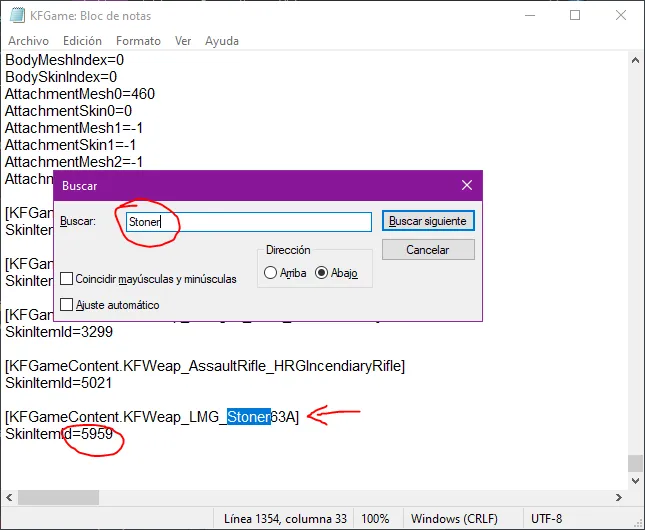 Finding the Stoner entry and its SkinItemId.
- Copy the entire line for that weapon and paste it at the end of the file.
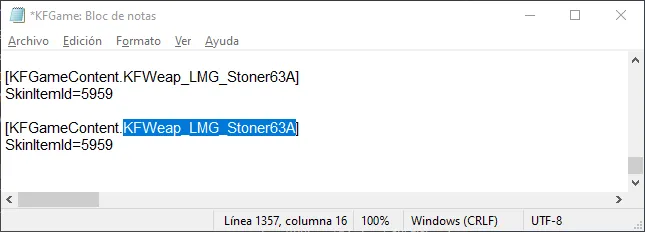 The copied line pasted at the bottom.
- Replace the weapon name in the pasted line with the HRG class name. For the Bastion HRG it is
KFWeap_HRG_BarrierRifle. Keep the skin ID of the skin you want.
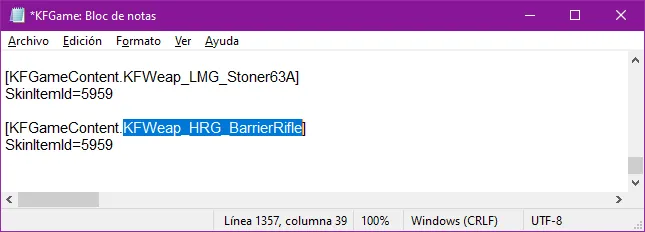 The HRG class name in the pasted line.
- Save the file and start the game. The same skin you use on the Stoner 63A now shows on the Bastion HRG. You can put the ID of any skin you own on any HRG weapon, although skins from another weapon may not fit well.
Finding HRG weapon names
For other HRG weapons, open C:\Program Files (x86)\Steam\steamapps\common\killingfloor2\KFGame\Localization\INT and open KFGameContent.int in Notepad.
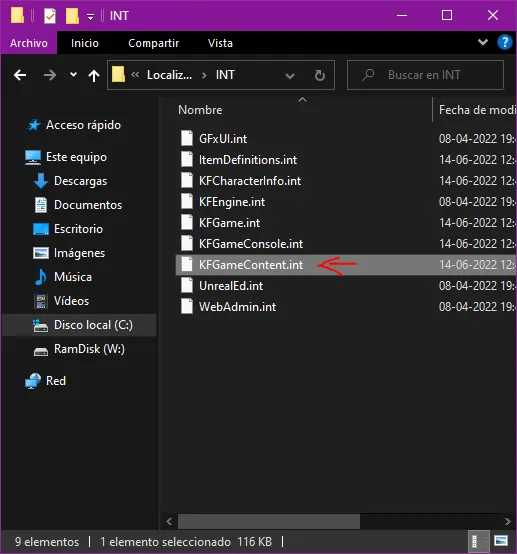 The INT folder.
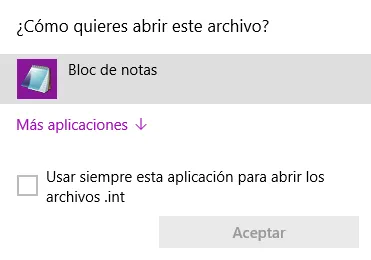 The file to open.
Press Ctrl+F, search for HRG or the weapon name, and copy the name inside square brackets. Paste it into your KFGame.ini line as in step 5.
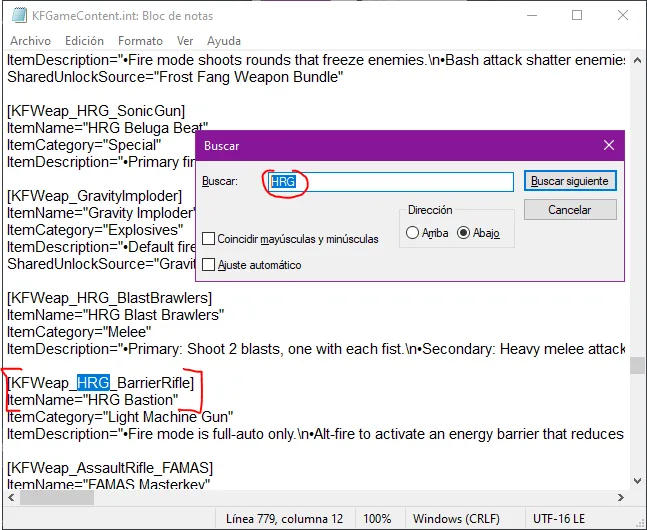 Searching the file for HRG names.
Some HRG class names
| HRG class | Original weapon class |
|---|---|
| KFWeap_HRG_Nailgun | KFWeap_Shotgun_Nailgun |
| KFWeap_HRG_Healthrower | KFWeap_Ice_FreezeThrower |
| KFWeap_HRG_Revolver_Buckshot, KFWeap_HRG_Revolver_DualBuckshot | KFWeap_Revolver_SW500, KFWeap_Revolver_DualSW500 |
| KFWeap_Pistol_HRGWinterbite, KFWeap_Pistol_DualHRGWinterbite | KFWeap_Pistol_Flare, KFWeap_Pistol_DualFlare |
| KFWeap_Rifle_HRGIncision | KFWeap_Rifle_RailGun |
| KFWeap_HRG_BarrierRifle | Stoner 63A (Commando) |
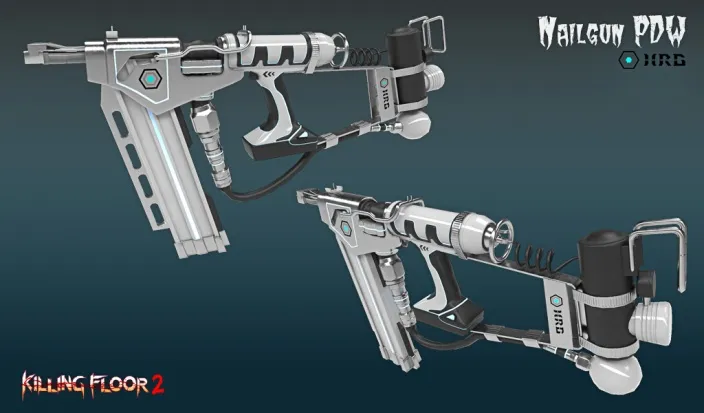 HRG Nailgun.
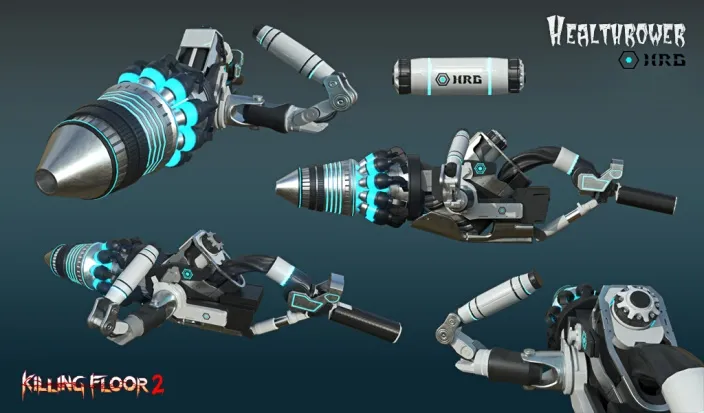 HRG Healthrower.
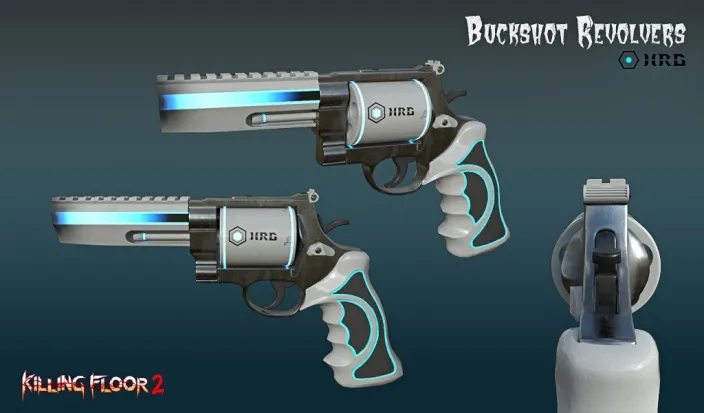 HRG Buckshot revolver.
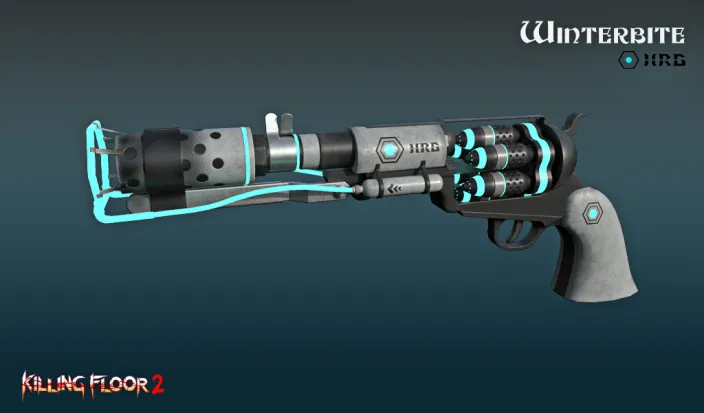 HRG Winterbite pistol.
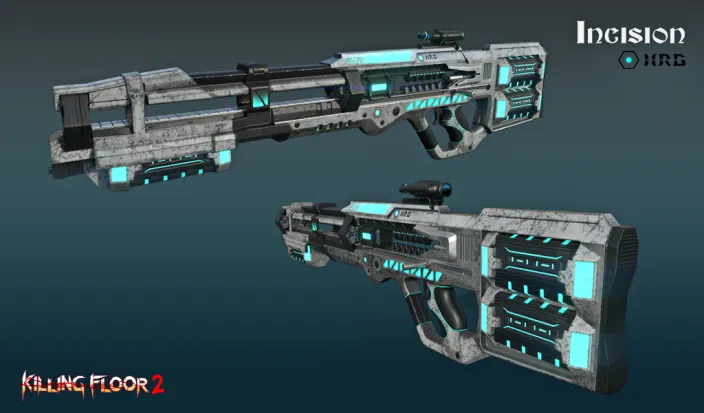 HRG Incision.
Examples
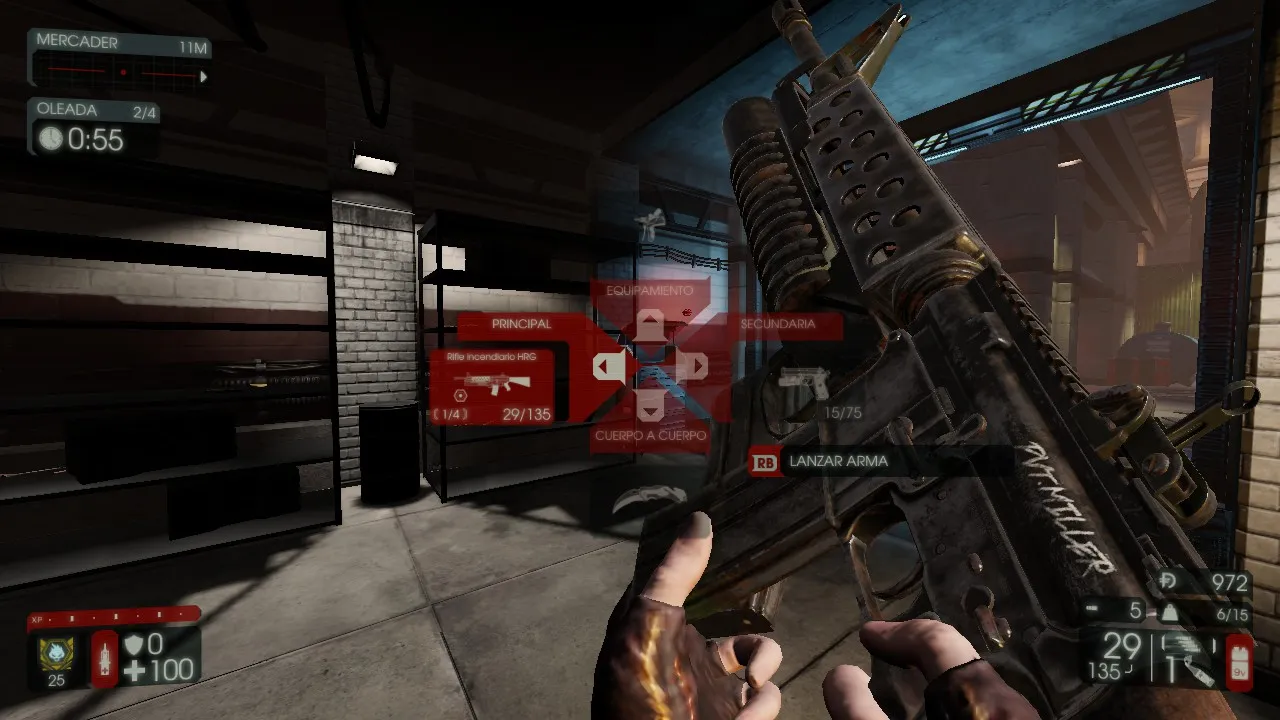 HRG incendiary rifle with the M16 M203 Vietnam (Mint) skin.
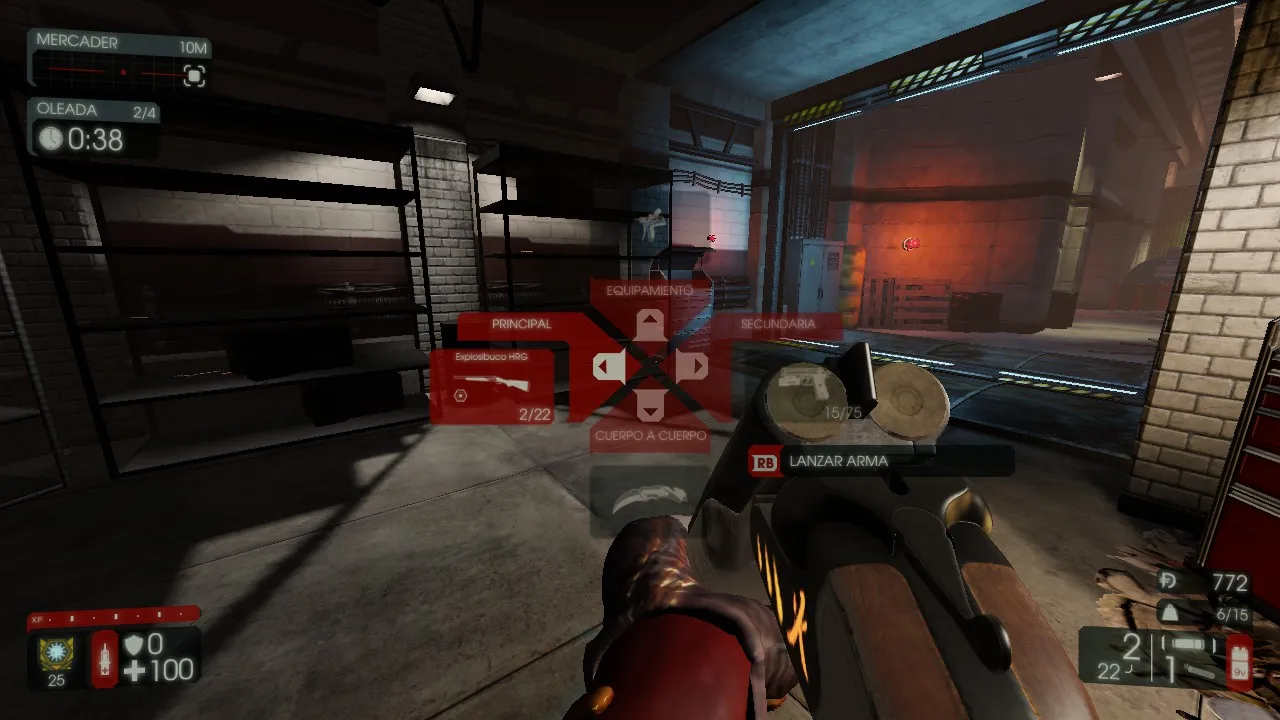 HRG Kaboomstick with the Boomstick Heat (Mint) skin.
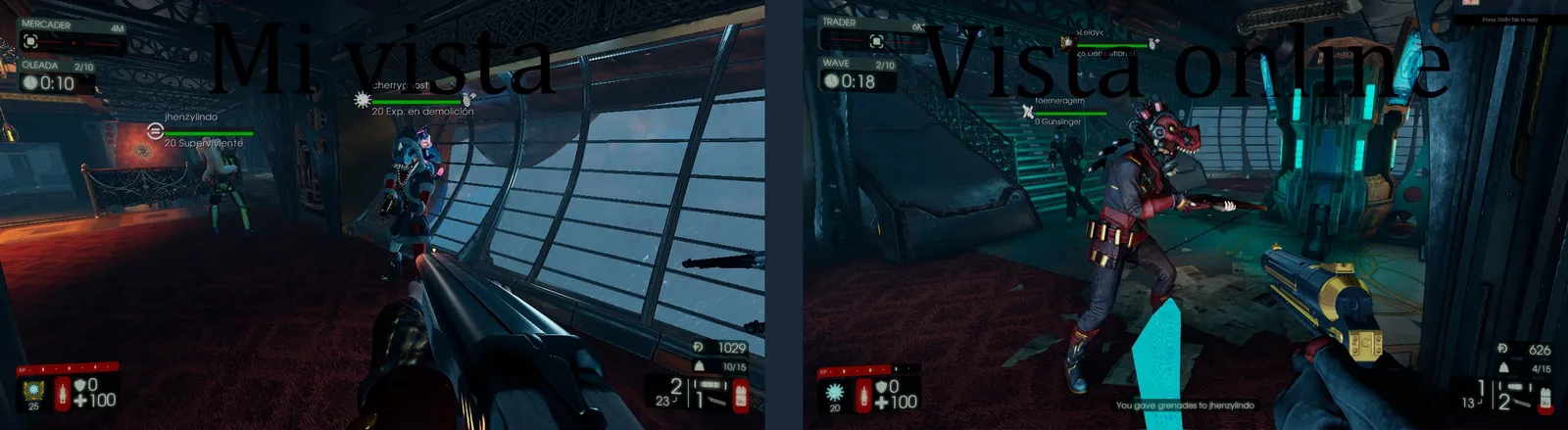 Another view of the Kaboomstick.
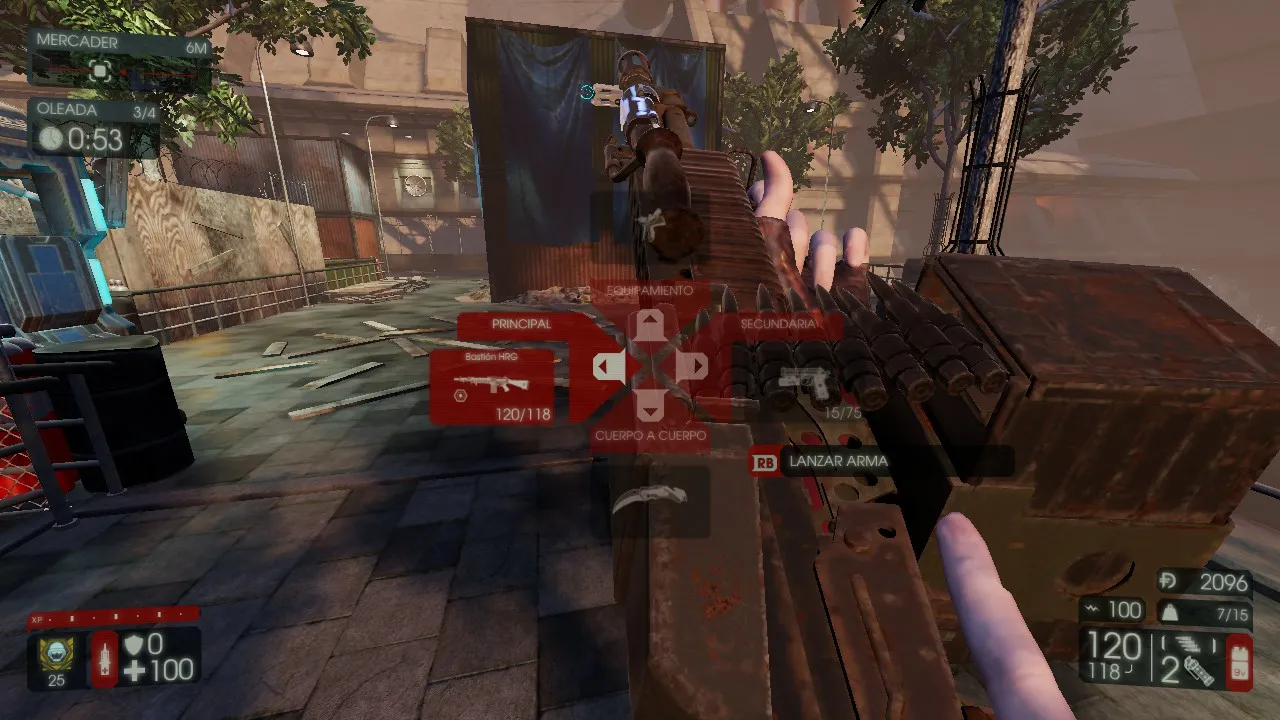 Bastion HRG with the Stoner 63A Vietnam (Mint) skin.
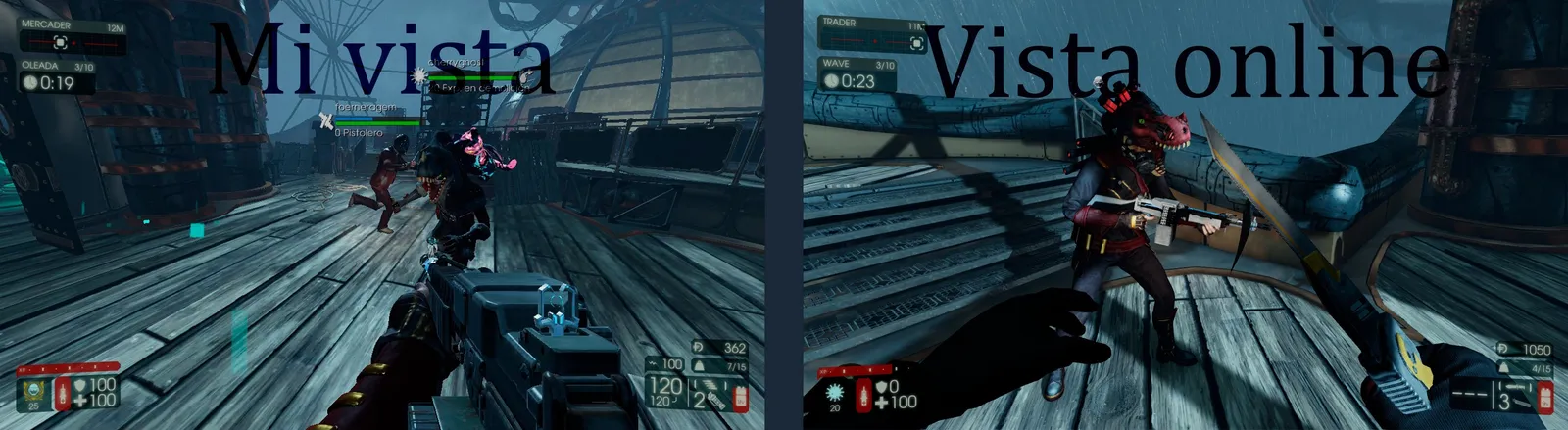 Another view of the Bastion HRG.
FAQ
- Which file do I edit to skin an HRG weapon?
- KFGame.ini in Documents\My Games\KillingFloor2\KFGame\Config.
- Do I need to own the skin?
- Yes. You must own the skin and have it equipped on its original weapon first, then copy its SkinItemId to the HRG weapon entry.
- Where do I find HRG weapon class names?
- In KFGameContent.int in the game's KFGame\Localization\INT folder; search for HRG and copy the name in square brackets.
