
Music player
There is a hidden music player in the game. It is bound like this: Set input (key name) MusicMenu
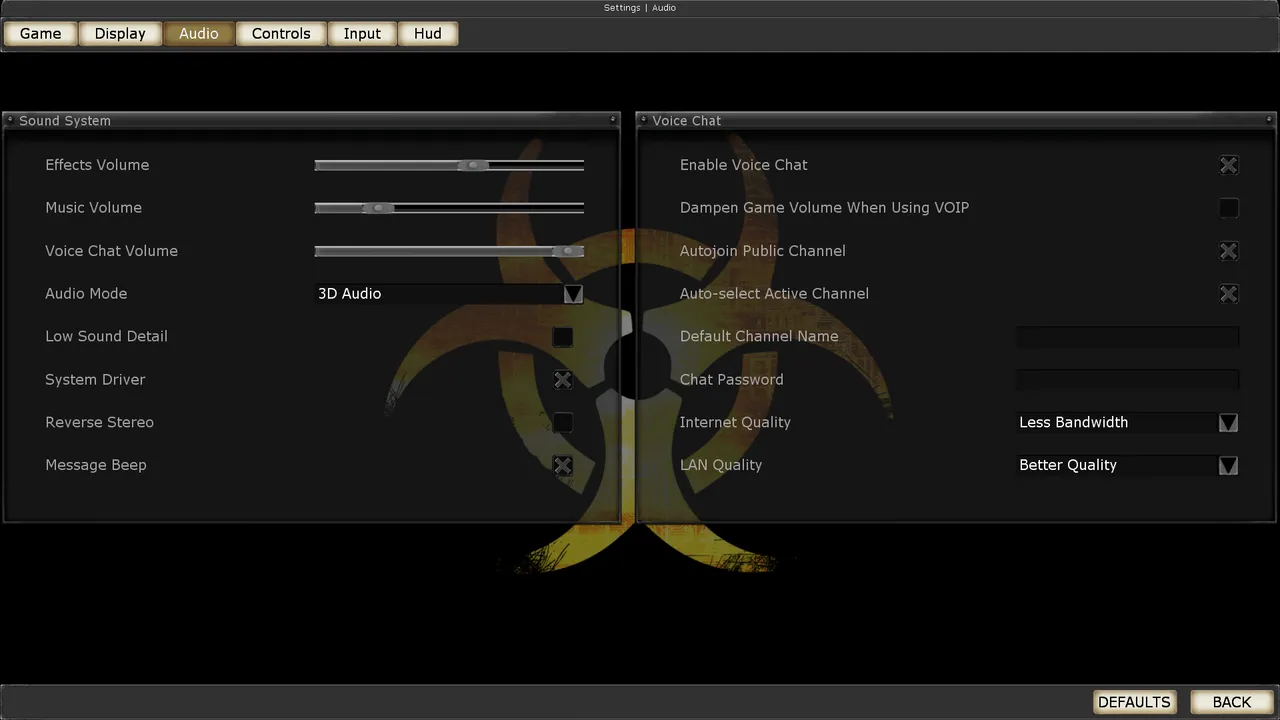 The Killing Floor Audio menu: volume, audio mode and voice chat. Screenshot: PCGamingWiki.
To create playlists, we need to convert your MP3 tracks to OGG format. You can do this online http://audio.online-convert.com/ru/convert-to-ogg
Then we throw the converted tracks into the Killing Floor/Music folder
Create a playlist, in my case I just wrote Noise, and then add your tracks to the created playlist
That's all. Our tracks are ready for listening)
You can also add tracks to a playlist from the main menu: the player takes its list from the Music folder, so the playlist can be prepared in advance.
Your own music on waves and your own lobby video
If you want the game itself to switch your tracks between waves and trader time, just like the original music, you can swap its files. The method comes from the thread "How to put your own music and video into Killing Floor" on the killingfloor.ru forum (drummer36, 2013).
Music
The game's music is in the Music folder in .ogg format. The game requests each track by file name, so you only need to give your song the same name as a stock track:
- Convert the song from mp3 to ogg.
- Rename it to the stock track's name, for example
Let's go.ogg→KF_Defection.ogg. - Put it in the
Musicfolder in place of the original (better keep the original somewhere on your PC).
Author's notes:
- Example for BioticsLab: during trader time
KF_TheEdge,KF_TheStitchesandKF_Mutagenplay (all three with 10 waves, one fewer with 7 or 4); during wavesKF_Defection,DirgeDefective2,DirgeDisunion2andKF_Containment.KF_Containmentplays only on the last, 10th wave. - Some maps have their own track set, for example AbusementPark, Aperture, MoonBase, EvilSantasLair. On other maps the music plays in mixed order.
- The main menu music is
KFMenu. - Trader time is 1 minute (1:30 on the easy level), so it is handy to cut about a one-minute fragment for those tracks. Cut while the file is still mp3 (mp3DirectCut does not open ogg) and only then convert it.
- If you install new maps, keep track of the music files they add.
- Other players on your server do not download your music: they hear their own files with the same names.
Video in the waiting screen
The clips shown on the left of the waiting-for-players screen are in the Movies folder. If you delete them, that window is simply empty. To show your own video:
- Take a clip, for example in avi or flv.
- Convert it to
.bik(the author used RAD Video Tools). - Name the file like a stock clip (
Movie1.bik,Movie2.bik, etc.) and put it inMovies.
Replace all the clips, otherwise stock ones will still show up in the mix; if you skip a file, you get an empty screen or the same clip repeating. In the author's experience, keep a clip under 50 MB after conversion (no more than 100 MB) and avoid very high resolutions: only the left corner of the clip will be visible in the window, and the clip may not start at all.
Settings that worked for Винни (killingfloor.ru forum, "Делаем Lobby видео" thread):
- In Format Factory, convert the video to AVI with the "320x240 MJPEG PCM" preset; audio 44100 Hz, bitrate 256 KB/s, 2 channels (Stereo).
- In The RAD Video Tools, select the converted file, press Bink It!, choose the output path, pick 16-bit/Stereo and press Bink.
- Rename the resulting
.biktoMovie1(any number from 1 to 6 works) and put it in..\KillingFloor\Movies.
The clip is only seen by players who have it in their own Movies folder: the server does not send it.
