
How to Compile and Decompile Killing Floor Mutators
This guide describes the process of compiling and decompiling mutators for Killing Floor.
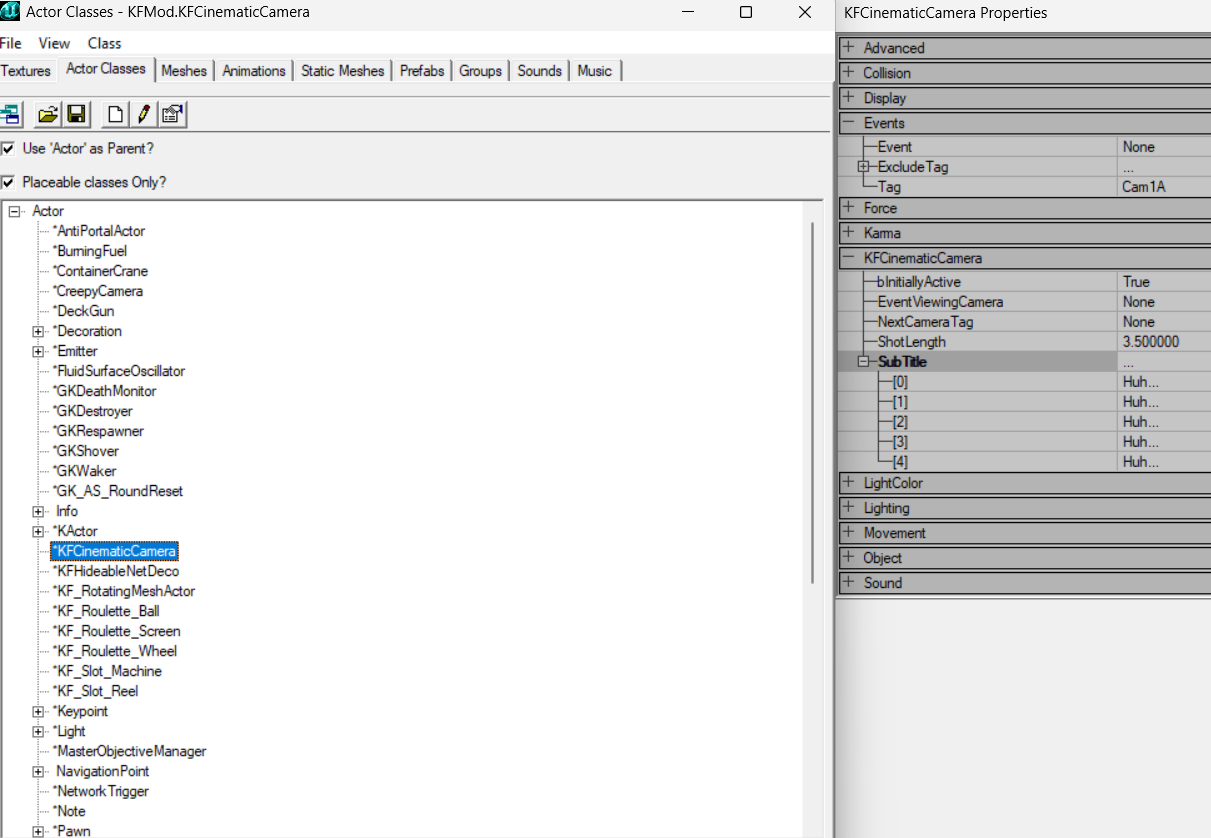 The Actor Classes browser in the KF Editor lists the UnrealScript classes loaded from packages.
Compiling Mutators
Compiling mutators allows you to convert UnrealScript source code (.uc files) into executable files (.u files) that can be used on a server.
Required Tools
To compile mutators you will need:
- UnrealScript compiler (usually included with Unreal Engine SDK)
- Mutator source files (
.ucfiles) - Properly configured folder structure
Compilation Process
- Prepare mutator source files (
.ucfiles) in the correct folder structure - Make sure all dependencies and imports are correctly specified
- Run the compiler with correct parameters
- Check the compilation result for errors
Decompiling Mutators
Decompiling mutators allows you to extract source code from compiled files (.u files).
Required Tools
Special utilities are used to decompile mutators:
- UnrealScript decompilers
- Hex editors (for partial decompilation)
Decompilation Process
- Use a specialized UnrealScript decompiler
- Note that decompiled code may differ from the original
- Some parts of the code may be lost or corrupted during decompilation
Unpacking and Building with UCC
Based on the thread "[Manual] Compiling/Decompiling a mutator" (kok-s, killingfloor.ru forum, 2013). You need UCC.exe in the System folder (it comes with the Killing Floor SDK). Coding itself is not covered here, only unpacking and rebuilding a package. The example is the ClotsDay mutator, made of two files, ClotsDay.u and ClotsDay.ucl, in System.
Decompiling classes
Create a bat file in System, for example "Decompile mutators":
UCC.exe BatchExport ClotsDay Class uc ..\ClotsDay\Classes
del steam_appid.txt
pause
Replace ClotsDay with the package you need (for example, ServerPerksP). The del steam_appid.txt line is needed if you build or unpack on the same client you play on: otherwise, after compiling or decompiling you will not be able to join any server. After running it, a ClotsDay\Classes folder appears in the game root with class files you can edit, for example in Notepad++.
If you are unpacking weapon or monster code, first put the required resources into their folders (textures into Textures, etc.): the code references resources, and the compiler will not decompile it without them.
Russian client: True/False in sources
On the Russian client, decompiled sources may contain the Russian words for "True" and "False" instead of True and False. You can change Language=rus to Language=int in killingfloor.ini, but it is more reliable to fix System\Core.rus: replace the contents of its [General] section with
[General]
Product="Unreal"
Engine="Unreal Engine"
Copyright="Copyright 2004 Epic Games, Inc."
True="True"
False="False"
None="None"
Yes="Yes"
No="No"
More on this fix: Restore Russian language.
Extracting textures and sounds from a package
Textures embedded in a mutator package:
ucc batchexport ClotsDay.u Texture dds ..\ClotsDay\TexturesSounds as wav:
UCC.exe BatchExport ClotsDay Sound wav ..\ClotsDay\SoundsThe format may differ; specify the one you need. In the thread "Manual: how to extract sounds from KF", Flame suggested the same command to export every sound from a .uax sound package at once (UCC.exe BatchExport PackageName Sound wav ..\PackageName\Sounds). Notes from that thread:
- The path must not contain Cyrillic characters or spaces: if the game folder is called
Killing Floor, rename it, for example, toKillingFloor. - If the output files are 0 KB, you are most likely exporting a SoundGroup rather than a sound.
- A single sound can be extracted without the command line: in the SDK open View → Sound Browser, click Open package, choose the package, select the sound and use File → Export (folder names in the path must be in English). Importing works the other way: Sound → Import, choose the WAV and set the package and group.
- According to Flame, third-party Unreal package extractors do not open KF packages as is: KF has a slightly different signature from standard Unreal, and the first character of the package file has to be changed before opening it.
- You cannot pull "embedded"
.utx/.uaxfiles back out of a.u: according to 3xzet,.utx,.uax,.u,.usxand.ukxare the same package format, and a.ucan be opened in the editor's texture browser by choosing all file types in the dialog.
Building
- Delete the old
ClotsDay.uandClotsDay.uclfromSystem. - In
killingfloor.ini, addEditPackages=ClotsDayto the[Editor.EditorEngine]section. - Create a bat file in
System, "Compile mutators":
ucc.exe make
del steam_appid.txt
pause
The compiler builds everything listed in the EditPackages= lines. On success, ClotsDay.u and ClotsDay.ucl reappear in System; on failure, the compiler reports the class, line and error.
EditPackages order
A package can depend on classes from another package, so the order of the lines matters. For ServerPerks 7.10:
EditPackages=ServerPerks
EditPackages=ServerPerksP
EditPackages=ServerPerksMut
If a custom weapon is tied to ServerPerks, its EditPackages= line must come first. Errors often come from an old killingfloor.ini that did not get new standard packages added during patches. The standard package order at the time the manual was written:
EditPackages=Core
EditPackages=Engine
EditPackages=Fire
EditPackages=Editor
EditPackages=UnrealEd
EditPackages=IpDrv
EditPackages=UWeb
EditPackages=GamePlay
EditPackages=UnrealGame
EditPackages=XGame
EditPackages=XInterface
EditPackages=XAdmin
EditPackages=XWebAdmin
EditPackages=GUI2K4
EditPackages=xVoting
EditPackages=UTV2004c
EditPackages=UTV2004s
EditPackages=ROEffects
EditPackages=ROEngine
EditPackages=ROInterface
EditPackages=Old2k4
EditPackages=KFMod
EditPackages=KFChar
EditPackages=KFGui
EditPackages=GoodKarma
EditPackages=KFMutators
EditPackages=KFStoryGame
EditPackages=KFStoryUI
EditPackages=SideShowScript
To embed a texture in a .u, reference it in code and put the file in a Textures folder next to Classes (ServerPerks 7.10 is an example); sounds work the same way.
See also: Compiling with ucc make, UnrealScript decompilation.
Additions
Rebuilding the stock .u files from the 1060 sources
In the "Исходники KF версии 1060" (KF version 1060 sources) thread, Dr_Killjoy posted compilable sources for all .u files that ship with KF version 1060. The steps:
- Open the archive and find the
.batfile in it. - In the
Set Dir2=line, enter the path to your KF folder (the batch file defaults toSet Dir2="C:\KillingFloor"). - Run the batch file: it saves the stock
.ufiles (Core.u, Engine.u, KFMod.u, KFChar.u, KFGui.u and the rest) into aBackupSystemfolder, deletes them fromSystemand prepares everything for compiling. - Start the compile. If prompts ask you to press Y or N, press N.
Why bother: this lets you compile the sources "with a hack", as was done in the KillMessages mutator, among others, meaning you can remove the const and protected specifiers from stock variables and the final specifier from functions. KillMessages apparently also changed the size of a static array; Dr_Killjoy suspected it can be "stretched" up to 256 elements, but did not test it. 3xzet used a collision hack to change a skin's height and reported that it works fine.
Important Notes
- Decompilation may violate copyright if the mutator is protected
- Always use legal tools and respect authors' rights
- When compiling, make sure all dependencies are available
- Test compiled mutators before using them on a server
