
Killing Floor UnrealScript Decompilation - UE Explorer Cleanup Notes
Respect mod authors and credit them. This is not a guide to stealing code.
Some authors strip the source text from their packages, which stops the community from modifying or learning from them. Every author has their reasons; the long-running debate is summarised in Code protection: why stripping sources does not protect them. This page does not argue either way. It shows how to get readable code back with Eliot's UE Explorer (Unreal-Library) and clean up what it prints.
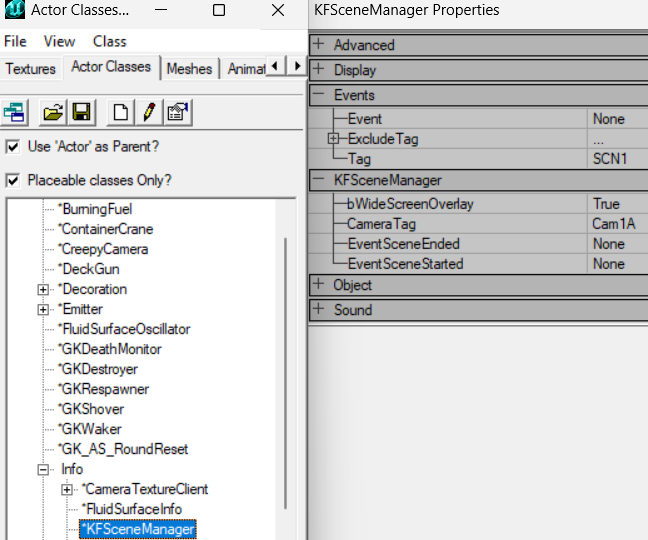 Class tree and default properties of an actor in the KF Editor.
Bytecode versus UnrealScript
Compiling a mutator turns UnrealScript into engine bytecode. The process is lossy: many syntax constructs, such as if/else chains and loops, have no direct bytecode form. A decompiler cannot reliably reproduce them and prints more complex code that does the same thing. The sections below show the typical transformations and how to undo them.
for loops
UE Explorer does not recover for loops. This source:
// modify zeds in special squads
function ModifySquadArray(out array<SpecialSquad> SquadArray)
{
  local int i, j;

  for (i = 0; i < SquadArray.Length; i++)
  {
    for (j = 0; j < SquadArray[i].ZedClass.Length; j++)
    {
      ReplaceMonsterClass(SquadArray[i].ZedClass[j]);
    }
  }
}
comes back as labels and goto:
function ModifySquadArray(out array<SpecialSquad> SquadArray)
{
  local int i, j;

  i = 0;
  J0x07:
  // End:0x69 [Loop If]
  if(i < SquadArray.Length)
  {
    j = 0;
    J0x1E:
    // End:0x5F [Loop If]
    if(j < SquadArray[i].ZedClass.Length)
    {
      ReplaceMonsterClass(SquadArray[i].ZedClass[j]);
      ++ j;
      // [Loop Continue]
      goto J0x1E;
    }
    ++ i;
    // [Loop Continue]
    goto J0x07;
  }
  //return;
}
It compiles fine, but large functions become unreadable. Remove the labels and turn each [Loop If] + goto pair back into a for loop: the statement before the label is the initialiser, the if is the condition, and the ++ before the goto is the increment.
Replace // [Explicit Break] with break; and // [Explicit Continue] with continue;.
Replication blocks
Everything exports correctly except that replication statements lose their semicolons:
replication
{
  // Pos:0x000
  reliable if(bNetInitial && Role == ROLE_Authority)
    CsHDRI
}
Add them back by hand:
replication
{
  reliable if (bNetInitial && Role == ROLE_Authority)
    CsHDRI;
}
defaultproperties
UE Explorer shows them, but they are not guaranteed to be correct: there are known exporter issues, and subobjects in defaultproperties are hard to reconstruct. Export the stripped package with the game's own ucc and copy its defaultproperties over the ones in the UE Explorer output:
ucc.exe batchexport PACKAGENAME.u class uc ../DIRECTORY/
pause
Run it from the System folder. batchexport writes one .uc per class with correct defaults, even when the function bodies are stripped.
else if chains
UE Explorer prints only plain if statements and nests every else if:
static function AddDefaultInventory(KFPlayerReplicationInfo KFPRI, Pawn P)
{
  // End:0x44
  if(KFPRI.ClientVeteranSkillLevel == 5)
  {
    KFHumanPawn(P).CreateInventoryVeterancy("CsHDMut.W_Bullpup", default.StartingWeaponSellPriceLevel5);
  }
  // End:0x8E
  else
  {
    // End:0x8E
    if(KFPRI.ClientVeteranSkillLevel == 6)
    {
      KFHumanPawn(P).CreateInventoryVeterancy("CsHDMut.W_AK47AssaultRifle", default.StartingWeaponSellPriceLevel6);
    }
  }
  //return;
}
Flatten it:
static function AddDefaultInventory(KFPlayerReplicationInfo KFPRI, Pawn P)
{
  if (KFPRI.ClientVeteranSkillLevel == 5)
  {
    KFHumanPawn(P).CreateInventoryVeterancy("CsHDMut.W_Bullpup", default.StartingWeaponSellPriceLevel5);
  }
  else if (KFPRI.ClientVeteranSkillLevel == 6)
  {
    KFHumanPawn(P).CreateInventoryVeterancy("CsHDMut.W_AK47AssaultRifle", default.StartingWeaponSellPriceLevel6);
  }
}
Enum values as numbers
UE Explorer may print enum values as the integers behind them. Look up the enum definition and put the names back. Enum members are numbered from 0:
enum ENetMode
{
  NM_Standalone,        // 0
  NM_DedicatedServer,   // 1
  NM_ListenServer,      // 2
  NM_Client             // 3
};| Decompiled | Readable | Defined in |
|---|---|---|
Level.NetMode == 3 | Level.NetMode == NM_Client | Engine/Classes/LevelInfo.uc |
RemoteRole = 2 | RemoteRole = ROLE_SimulatedProxy | Engine/Classes/Actor.uc |
The KF script source on GitHub (InsultingPros/KillingFloor) has every stock class. With it open in VS Code, "go to definition" finds any enum in seconds. The UT Package Tool guide has ready tables for the most common enums.
Cleanup checklist
- Export
defaultpropertieswithucc batchexportand merge them into the decompiled classes. - Rebuild
forloops from labels andgoto, turn explicit break/continue comments into statements. - Add the missing semicolons in
replication. - Flatten nested
else { if }intoelse if. - Replace enum integers with names.
- Compile with ucc make and test before you publish anything.
- Credit the original author.
