
Killing Floor 1 Skin Download - Custom Skins Guide
Killing Floor 1 has an active modding community that creates custom skins. Here's how to find and install custom skins.
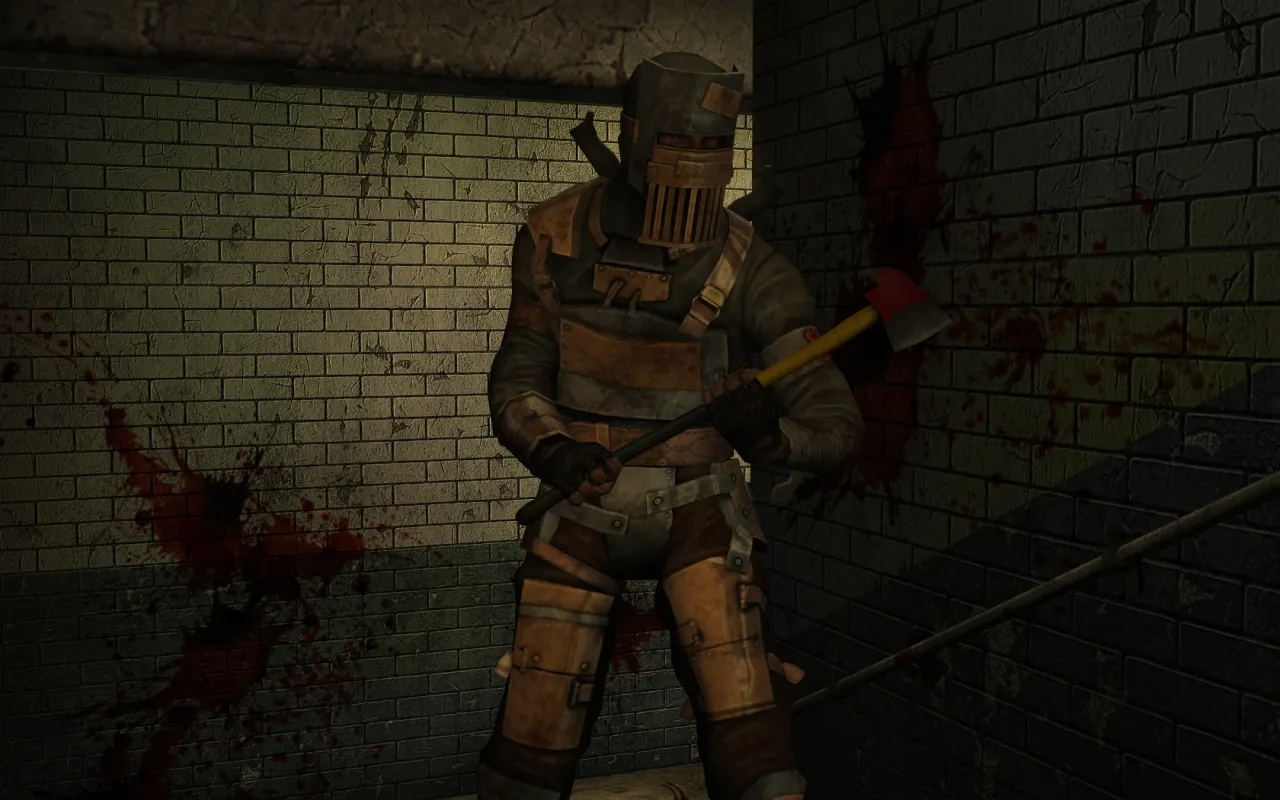 A steampunk character from the Steampunk Character Pack DLC.
Where to Find Skins
Community Sources
- Steam Workshop - Official mod repository
- Modding forums - Community forums
- Fan sites - Dedicated modding websites
- Discord servers - Community Discord channels
Types of Skins
- Weapon skins - Custom weapon appearances
- Character skins - Player character skins
- Zed skins - Enemy appearance mods
- HUD skins - Interface modifications
How to Install Skins
Steam Workshop (Easiest)
- Open Steam - Launch Steam client
- Go to Workshop - Find Killing Floor Workshop
- Browse skins - Search for skin mods
- Subscribe - Click Subscribe on skins you want
- Launch game - Skins install automatically
Manual Installation
- Download skin files - From mod author
- Navigate to game folder - Usually in Steam directory
- Find textures folder - Game's texture directory
- Extract files - Unzip if needed
- Place in correct folder - Follow mod instructions
- Launch game - Skins should appear
Character reskins (.upl + .utx)
Based on the thread "Replacing character skins" on the killingfloor.ru forum (F4TAL1ST, 2010). These skins do not add new characters; they change the look of existing ones, and one archive can replace up to 5 skins at once.
- Back up the
*.uplfile you are going to replace. The archive shows which one it is. - Put the
*.uplfrom the archive into theSystemfolder. - Move the
*.utxfile into theTexturesfolder (it does not overwrite anything). - Open your profile and pick the new skin.
To restore the original skin, copy your backed-up *.upl back into System over the file from the archive.
You can play online with the skin, and perk progress and achievements still work. Tripwire fixed online play with reskins in patch 1.005. Other players see your skin only if they have the same files in their Textures folder; otherwise you appear to them in the original skin.
Tips for Using Skins
- Backup original files - Before installing
- Read instructions - Follow mod author's guide
- Check compatibility - Ensure skins work together
- Test thoroughly - Make sure everything works
Additions
Player and Trader skins from the release section of the killingfloor.ru forum. The download links in those threads died long ago, so this list keeps only the description and the enable strings exactly as the authors gave them. A CustomCharacters=... line goes into ServerPerks.ini (see adding a skin to a server).
HekuT ([B.R]HekuT)
Mostly Mass Effect 2/3 characters; the threads were usually posted by Винни. Helpers are listed where the thread names them.
| Character | CustomCharacters= | Notes |
|---|---|---|
| Tali'Zorah vas Normandy | TaliZorah | Helpers [B.R]Gwynbleidd, UltraKill, Rainishe |
| Garrus Vakarian | Garrus | Authors HekuT and Rainishe, helper [B.R]Gwynbleidd |
| Kasumi Goto | Kasumi | Helper [B.R]Gwynbleidd |
| Thane Krios | Thane | Helpers Kowalski and Saw |
| Liara T'Soni | Liara | Helper [B.R]Gwynbleidd |
| Mordin Solus | Mordin | Helper [B.R]Gwynbleidd |
| Miranda Lawson | Miranda | Helper [B.R]Gwynbleidd |
| Jacob Taylor | Jacob | Helper [B.R]Gwynbleidd |
| Jack | Jack | Helper [B.R]Gwynbleidd |
| Legion | Legion | Helper UltraKill |
| James Vega | James | Helper [B.R]Gwynbleidd |
| Faith Connors | Faith | Helper [B.R]Gwynbleidd |
| Serious Sam | SeriousSam | Helper Kowalski. In KillingFloor.ini, [Engine.GameEngine] section: ServerPackages=SeriousSam_A |
| Clara Lille | ClaraLille.ClaraLille | Sounds by Operation Y, with her own voice commands |
| Tiny Tina | TinyTina.TinyTina | |
| Astronaut | AstronautMod.Astronaut |
saw and Kowalski
| Character | CustomCharacters= | Notes |
|---|---|---|
| Elexis Sinclaire | Elexis.ElexisSin | Separate Russian voice pack; clothing and even the eyes are separate textures. For a per-player skin, see below |
| Green Lantern | GreenLantern.GreenLant | |
| Merle Dixon | MerleDixon.MerleDixon | |
| Daryl Dixon | DarylDixon.DarylDixon | |
| Lola Bunny | Lola.LolaBunny | |
| Clot the Sheriff | ClotMod.Clot | The stock clot with trousers, a hat, a sheriff's star, a cigar, glasses and the stock character's hands; everything is in the .u file, there is no separate .utx |
| Tina Armstrong | Tina.Tina | Russian voice-over and her own sound group |
| Spider-Man, 15 skins | see below | From The Amazing Spider-Man game |
| Darth Vader | VaderSkin.DarthVader | |
| Phoenix | Phoenix.Phoenix | A fictional terrorist group |
| Dante (2013) | NewDanteSkin.Dante | |
| Dark Knight (Batman) | Dark.KnightSkin, Dark.KnightCamoSkin | |
| Black Cat (Felicia Hardy) | BlackCat.Felicia | |
| Duke Nukem | DukeNukem.DukeNukem | With Duke's sounds |
| Hitman (Agent 47) | Hitman.Hitman | From Hitman: Absolution |
| Optimus Prime | Optimus.PrimeSkin | |
| Predator | Predator.Predator | See the note below |
Spider-Man pack:
CustomCharacters=KowasawSpiders.Armor
CustomCharacters=KowasawSpiders.Black
CustomCharacters=KowasawSpiders.Black_Damaged
CustomCharacters=KowasawSpiders.Classic
CustomCharacters=KowasawSpiders.Cosmic
CustomCharacters=KowasawSpiders.Future_Foundation_Black
CustomCharacters=KowasawSpiders.Future_Foundation_White
CustomCharacters=KowasawSpiders.Invincible
CustomCharacters=KowasawSpiders.Oscorp
CustomCharacters=KowasawSpiders.Red_Blue
CustomCharacters=KowasawSpiders.Red_Blue_Damaged
CustomCharacters=KowasawSpiders.Secret_War
CustomCharacters=KowasawSpiders.Spider2099s
CustomCharacters=KowasawSpiders.Superior
CustomCharacters=KowasawSpiders.Wrestler
Elexis Sinclaire by player ID (Flame): create a CherryMut.ini file, put the section below into it, and enable the Elexis.ElexisSinMut mutator.
[Elexis.ElexisSinMut]
ElexisPlayerIDs=12345678
The Predator's mutator class is declared as Config(PredatorMut), so, as Dronis noticed, its settings are read from PredatorMut.ini (section [Predator.PredatorMut], parameter PredatorPlayerIDs=) rather than from KillingFloor.ini. Loading it through MutLoader (Mutator=Predator.PredatorMut) still did not work for him; Kowalsky replied that the per-ID ini files were made long ago and he did not know how they were hooked up.
Patriot
Skins built from other people's robot and suit models, enabled in ServerPerks.ini.
| Character | CustomCharacters= | Notes |
|---|---|---|
| Iron Man: Hot Rod | HotRodMut.HotRod | 4eGevara reported that with SP 7 by Marco players could not join the server after installing it |
| EM-208 (droid from the RoboCop remake) | EM208rMut.EM208r | |
| Synthoid | SynthoidMut.Synthoid | |
| Robot Warrior | WarriorMut.Warrior | |
| Vanquish | VanquishMut.Vanquish | Can also be used without ServerPerks, see below |
Replacing a stock character without ServerPerks (Patriot, using Vanquish in place of Pyro_Blue as the example): open System/Pyro_Blue.upl and replace the class names:
Mesh=VanquishMut.Vanquish
BodySkin=VanquishMut.inner
FaceSkin=VanquishMut.Lower
Portrait=VanquishMut.Portrait
As Kowalsky and Patriot pointed out, this replacement is client-side only: only that player sees the skin, and for everyone to see it the skin has to be installed on the server.
Operation Y ("Операция Ы")
| Character | Enable | Notes |
|---|---|---|
| Stealth | Stealth.Stealth on the CustomCharacters= line | Port from UT3 |
| Lieutenant Litvinov (spetsnaz) | SpecnazSkin.Specnaz | Fixed version of 12.05.2013 |
| Mr. Foster Clot | CustomCharacters=FosterClotDT | A "naked" Mr. Foster: idea by НоС, made by 3xzet |
Other authors
| Skin | Author | Enable | Notes |
|---|---|---|---|
| KFARGGIRL (the Trader) | version A: the Corporal_Lewis skin, version B: !girl in chat | Lets you play as the Trader; version 2.1 | |
| The Stig | F4TAL1ST posted it | not given in the thread | Reskin in place of Corporal_Lewis, a whitelisted mutator |
| Combine Soldiers (Half-Life 2) | from metalmedved.com | mutators CombineSoldierMut.CombineSoldierMut and CombineSoldierMut.MutChatter, then !soldier or !soldierpg in chat | The skin applies after respawn. djgrean reported that after installing it the Billy skin's !billy command stopped working |
| Billy | Metal Medved (a Halloween gift) | CustomCharacters=Billy in freeperkserver.ini | Pick the new skin in your profile after joining the server. The same thread had the Scythe weapon |
| Soldiers of Killing Floor (Replacement Pack) | file replacement | Reskins all characters as British army soldiers. Only you see them, perks work; back up the files it replaces in System so you can restore the originals | |
| Russian Spetsnaz Players | Half-Dead | see below | Not a reskin, 3 color variants per perk, separate voice pack |
| Zoey Trader | file replacement | Trader reskin (textures and sounds) from the Left 4 Dead Specimens + Zoey Trader Crossover Pack; the pack also reskins the zeds | |
| RE4 merchant Trader | file replacement | Trader reskin (whitelisted), works even on whitelisted maps | |
| Xan Kreigore | Hemi and FluX | ServerPerks 5 | Unreal Tournament character; Flame posted a Mod-Mut version |
| Leslie Burke | A primary-school girl; same hitbox as the adult characters (UltraKill) | ||
| Daedric Knight | Philip Jay Fry | mutator DaedricKnightMut.DaedricKnightMut, skin DaedricKnight | Mod-Mut version by Flame |
| Naruto Uzumaki | posted by w.a.l | CustomCharacters=Naruto.Naruto | |
| Sasuke Uchiha | posted by w.a.l | CustomCharacters=Sasuke.Sasuke | |
| Chet (Urban) from CS:S | warpel | CustomCharacters=UrbanKFMod.UrbanKFSkin | Version of 05.01.2014; the old one used CustomCharacters=UrbanKFSkinMut.UrbanKFSkinMut |
| Airborne (Singularity) | by-86 | CustomCharacters=AirborneSkin.Airborne, CustomCharacters=AirborneSkin.Airborne2 | Two texture variants |
| Valera, Mityai and Aston | bichi | CustomCharacters=valeraMut.valera, CustomCharacters=fermaMut.ferma, CustomCharacters=astonMut.aston | Files go to System; the author warned there are many bugs |
Russian Spetsnaz Players:
CustomCharacters=SpetsnazCommando
CustomCharacters=SpetsnazCommando2
CustomCharacters=SpetsnazCommando3
CustomCharacters=SpetsnazBerserker
CustomCharacters=SpetsnazBerserker2nd
CustomCharacters=SpetsnazBerserker3
CustomCharacters=SpetsnazSupport
CustomCharacters=SpetsnazSupport2
CustomCharacters=SpetsnazSupport3
CustomCharacters=SpetsnazSharpshooter
CustomCharacters=SpetsnazSharpshooter2
CustomCharacters=SpetsnazSharpshooter3
CustomCharacters=SpetsnazDemolition
CustomCharacters=SpetsnazDemolition2
CustomCharacters=SpetsnazDemolition3
CustomCharacters=SpetsnazFirebug
CustomCharacters=SpetsnazFirebug2
CustomCharacters=SpetsnazFirebug3
CustomCharacters=SpetsnazMedic
CustomCharacters=SpetsnazMedic2
CustomCharacters=SpetsnazMedic3