
How to Remove the KF2 FPS Limit of 62 (KFEngine.ini and KFGame.ini)
By default Killing Floor 2 limits the frame rate to 62 FPS, which is low for modern PCs. This Russian community guide, based on an English guide by Fastie, shows how to raise or remove the cap through two ini files. See also another FPS lock removal guide.
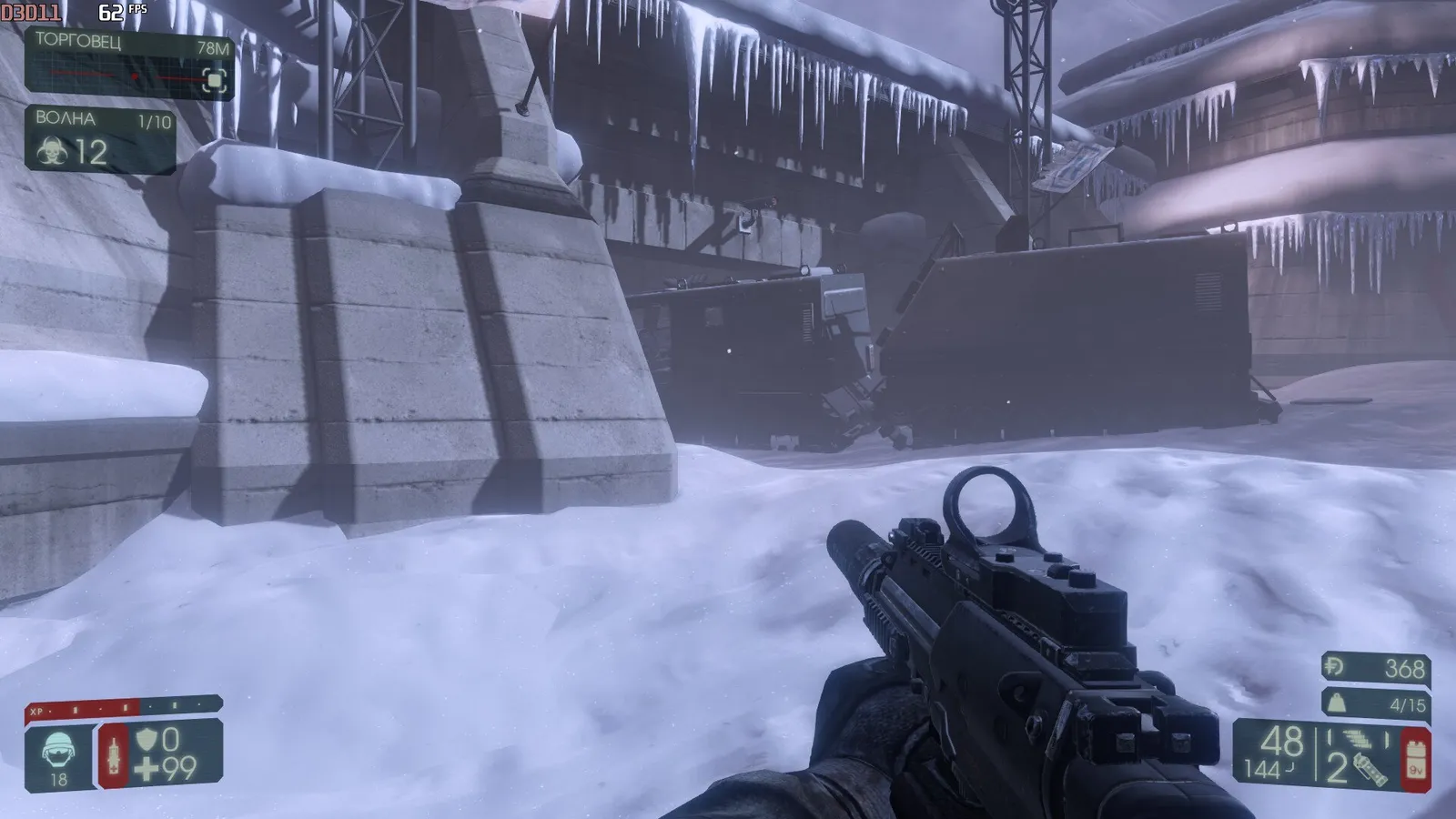 Before: capped around 62.
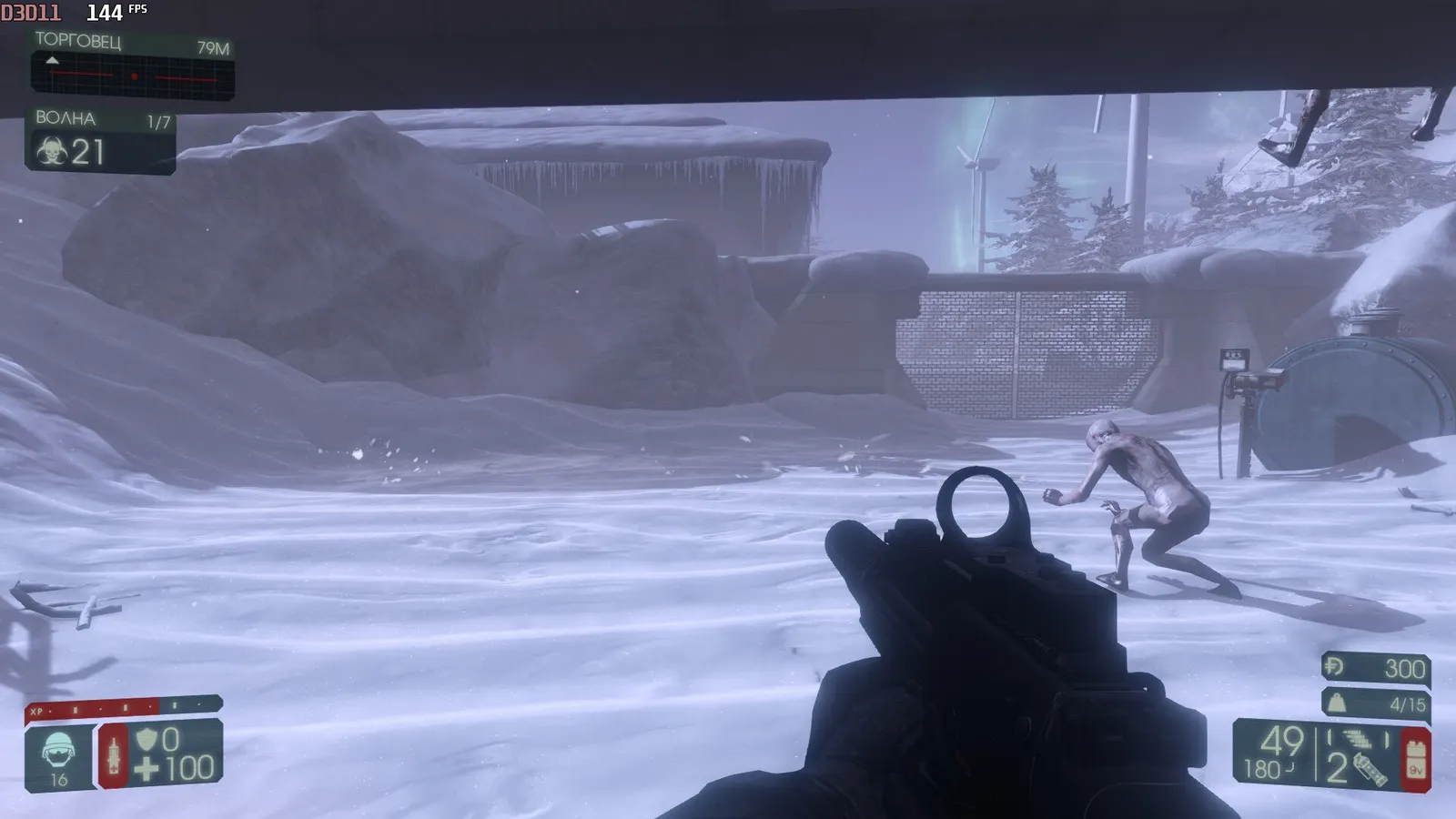 After: a much higher frame rate.
Important
Use Notepad++ (or another proper editor). Editing with plain Notepad breaks the game.
Steps
- Open
C:\Users\<name>\Documents\My Games\KillingFloor2\KFGame\Config(on some systemsDocuments\KillingFloor2\KFGame\Config). - Find
KFEngine.iniandKFGame.ini. - Open
KFEngine.iniwith Notepad++ and find the[Engine.Engine]section.
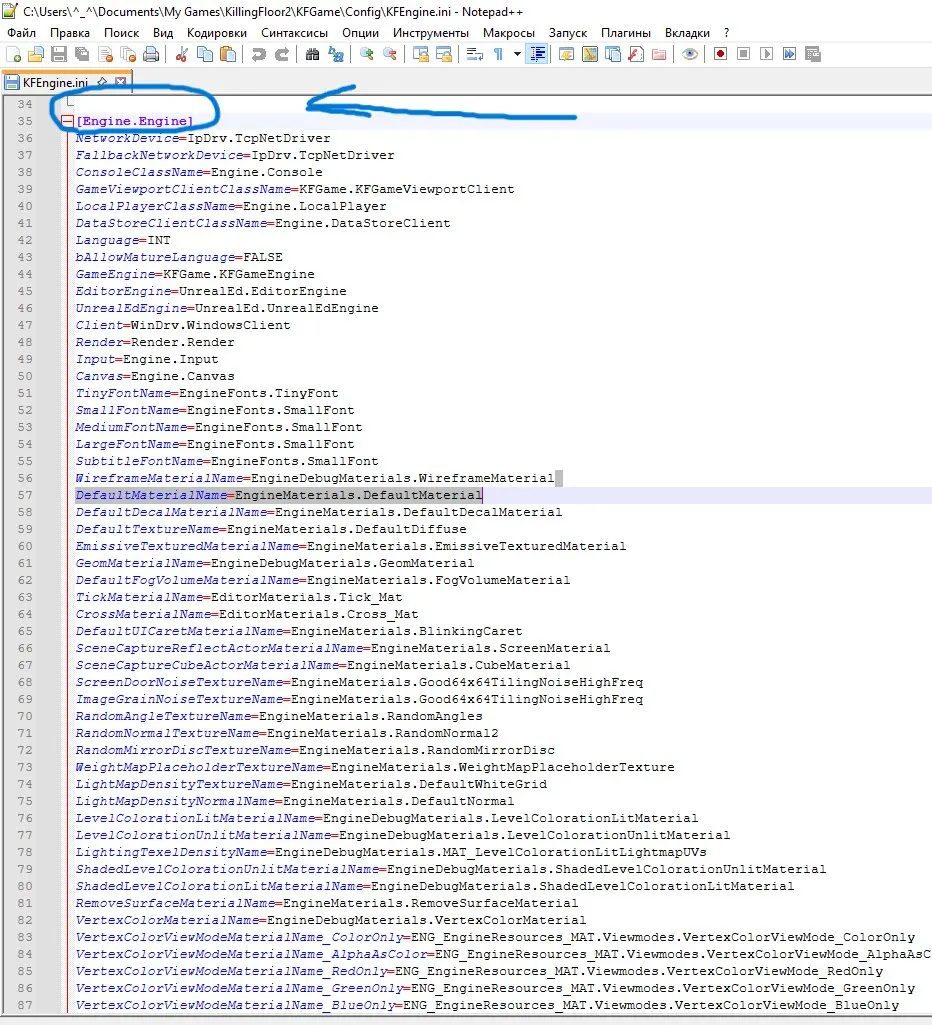 The [Engine.Engine] section.
-
In it find:
bSmoothFrameRate=TRUEMinSmoothedFrameRate=22MaxSmoothedFrameRate=62
Replace 62 with any number from 22 to 999. The author set 144 to match the monitor's refresh rate. 999 fully unlocks the range. Keep
bSmoothFrameRateas TRUE; setting it to FALSE together with 999 removes all limits, but the author does not recommend it because the game becomes less smooth. Work only in the[Engine.Engine]section.
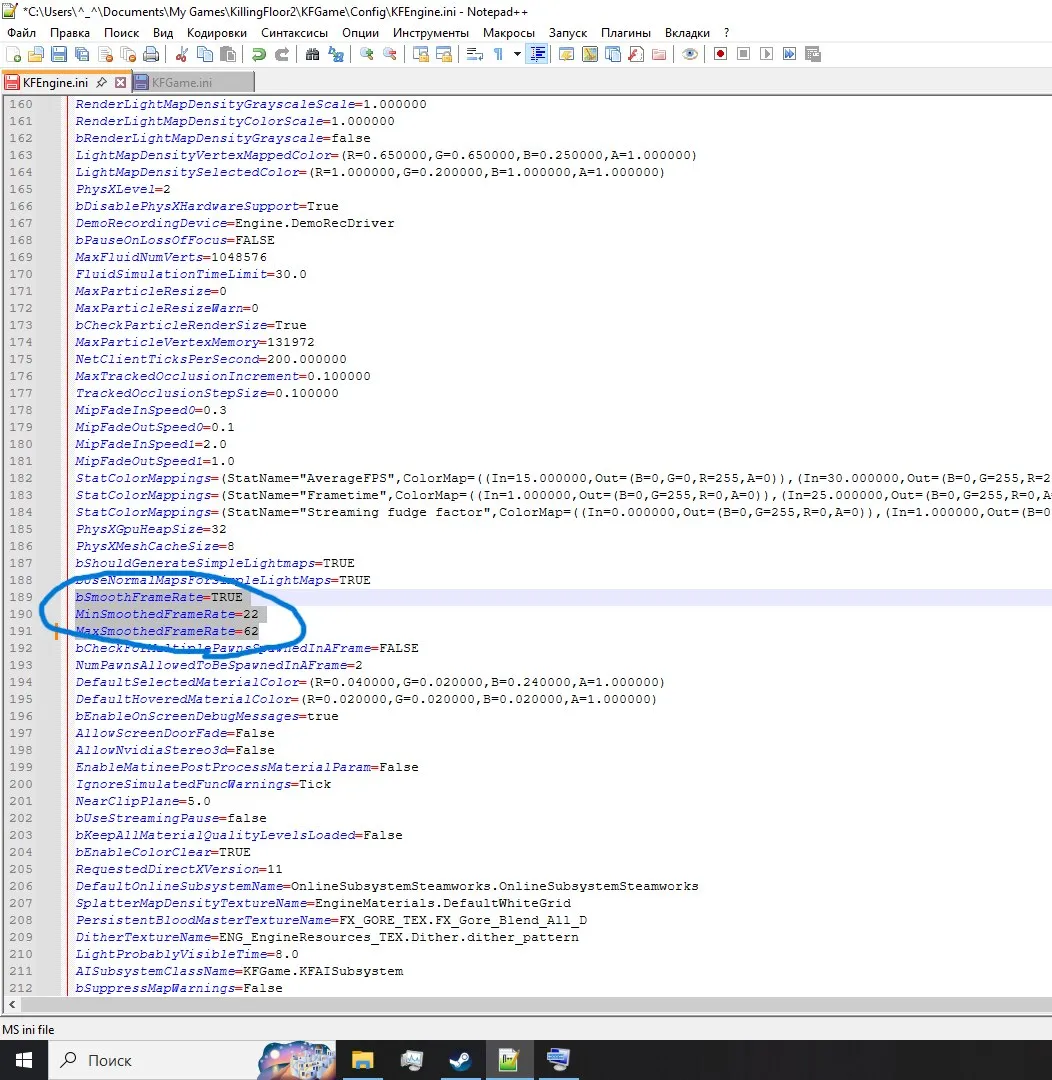 Edited MaxSmoothedFrameRate value.
- Open
KFGame.iniand find the[KFGame.KFGameEngine]section.
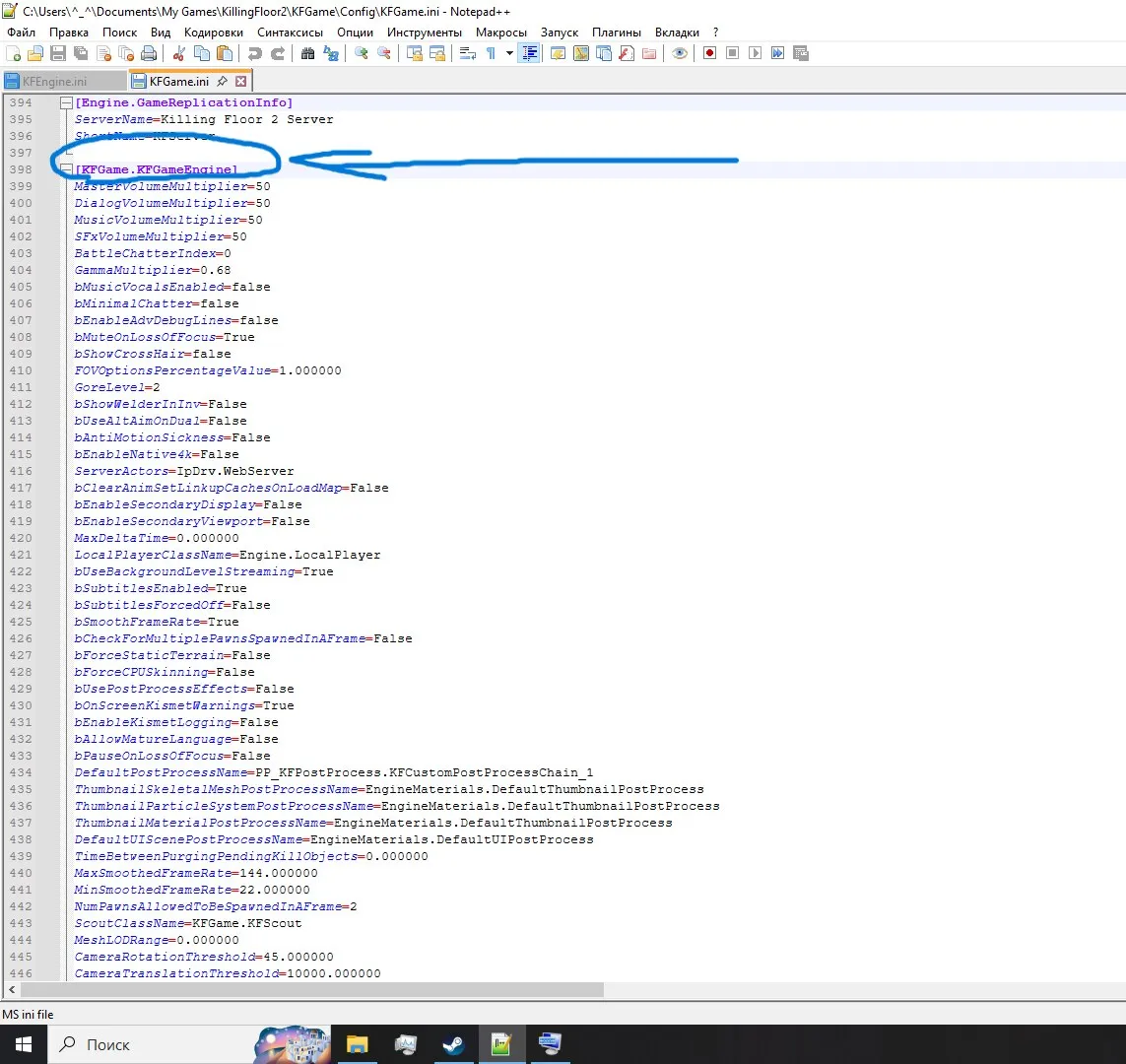 The [KFGame.KFGameEngine] section.
- Find
MaxSmoothedFrameRate=62.000000andMinSmoothedFrameRate=22.000000. Replace 62 with the same number (22 to 999), leaving the zeros. It must match the value in KFEngine.ini. Save.
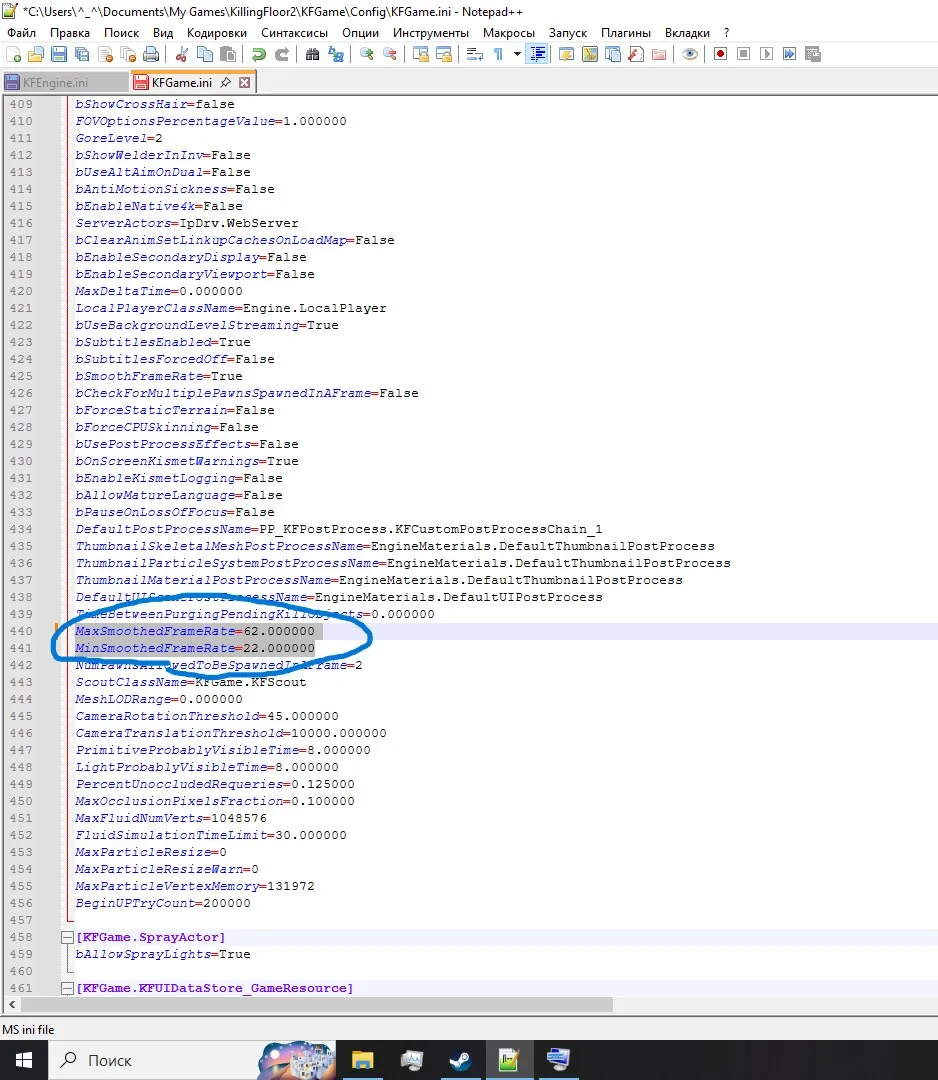 The matching value in KFGame.ini.
If the game broke
Go to Documents\My Games\KillingFloor2\KFGame and delete the Config folder. It is recreated at the next launch and the settings reset.
FAQ
- Why do I need Notepad++ for this?
- The author warns that editing the files with the regular Windows Notepad breaks the game, so use Notepad++ or a similar editor.
- Which values can MaxSmoothedFrameRate take?
- Any number from 22 to 999. The author used 144 to match a monitor refresh rate, and 999 unlocks the range completely. The value must match in KFEngine.ini and KFGame.ini.
- What if the game crashes after the edit?
- Delete the Config folder in Documents\My Games\KillingFloor2\KFGame. It is recreated on the next launch and settings reset.
