
KF2 Performance Tweak: ImageReflectionTextureSize and -dx 10
A very short community tip for squeezing more performance out of Killing Floor 2 on weaker systems. See also the config optimization guide and render distance, gore and audio tweaks for broader ini changes.
Edit KFEngine.ini
Go to C:\Users\[Your User]\Documents\My Games\KillingFloor2\KFGame\Config and open KFEngine.ini with a text editor.
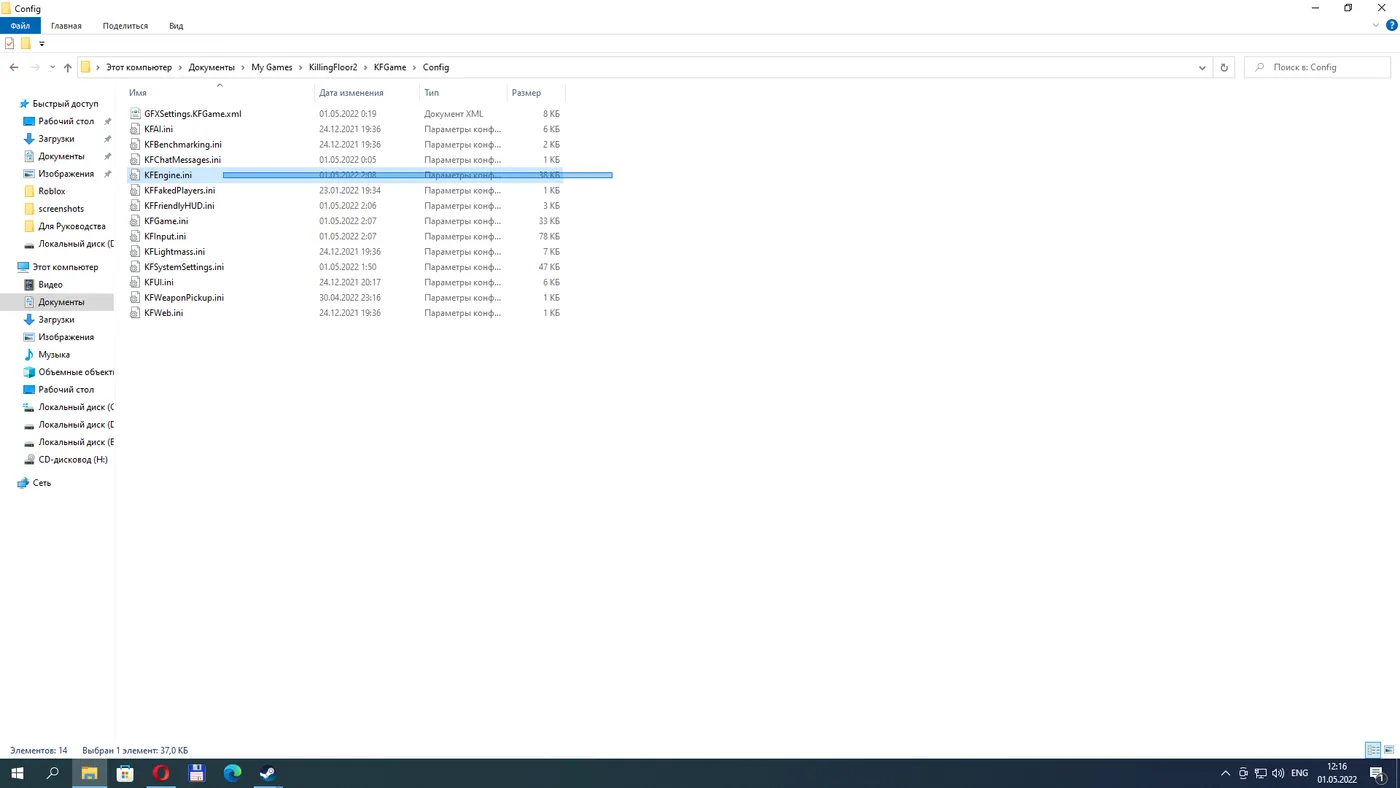
Open KFEngine.ini in a text editor.
Find the line ImageReflectionTextureSize=1024 and change 1024 to a smaller value. The author lists 512, 256, 128, 64, 32, 16, 8, 4, 2 and 1 as possible values, but recommends experimenting with 512 first and only then trying the others.
Launch option
In the Steam library, open Killing Floor 2 Properties and in Launch Options enter:
-dx 10
The launch options field.
This forces the DirectX 10 renderer. The author hopes this helps you.
Notes
- Back up KFEngine.ini before editing so you can restore the default.
- Lower reflection texture sizes reduce reflection detail; values near 1 will look noticeably worse, so adjust gradually.
FAQ
- Where is KFEngine.ini?
- In C:\Users\<your user>\Documents\My Games\KillingFloor2\KFGame\Config.
- What value should ImageReflectionTextureSize have?
- The default is 1024. The author suggests testing 512 first, then smaller values (256, 128 and so on) if you want.
