
KF2 Video Settings Guide (2023): Best FPS vs Quality Options
This guide comes from a player on a 240 Hz monitor who tested Killing Floor 2 video options one by one to see which ones cost the most frames. Even if you do not own a high-refresh screen, it helps if you struggle to reach 60 FPS or just want to squeeze more out of your PC. All numbers are the author's own measurements and may change with patches. For file-based tweaks see the ini tweaks page.
Basic settings
| Option | Suggested value | Notes |
|---|---|---|
| Aspect Ratio | 16:9 | Use 16:10 on a 16:10 screen. |
| Resolution | 1920x1080 | Higher resolutions need more resources. |
| Graphics | Custom | Changes as you edit options. |
| Vertical Sync | Off | Turn on only for heavy tearing; it can add input lag if FPS is below refresh rate. |
| Display | Fullscreen | Preferred over borderless so the GPU gives the game most of its resources. |
| Variable Frame Rate | On | Allows over 60 FPS; off caps the game at 60. |
| Film Grain / Gamma | Default | Personal preference. |
Advanced settings
| Option | Value | Effect in the author's tests |
|---|---|---|
| Environment Detail | Ultra | Surprisingly little FPS change. |
| Character Detail | Ultra | Little FPS change. |
| FX | Ultra | Nicer explosions, not a big drop; lower it if Demolitionists lag you. |
| Texture Resolution | Ultra | Small FPS impact. |
| Texture Filtering | Bilinear | Big FPS impact with little visual change. |
| Shadow Quality | Low | Huge FPS impact; anything above Medium is not worth it. |
| Realtime Reflections | Off | Costs about 15 to 20 FPS. |
| Anti-Aliasing | FXAA | About 5 FPS; turn off if you really need frames. |
| Bloom | Off | About 4 FPS; Firebug fire can cause big drops later in rounds. |
| Motion Blur | Off | Low impact, preference. |
| Ambient Occlusion | SSAO | About 5 FPS for SSAO, around 10 for HBAO+. |
| Depth of Field | Off | No FPS impact, preference. |
| Volumetric Lighting FX | On | Very little impact. |
| Lens Flares | Off | Little to no impact, cosmetic. |
| Light Shafts | Off | Preference. |
Screenshots
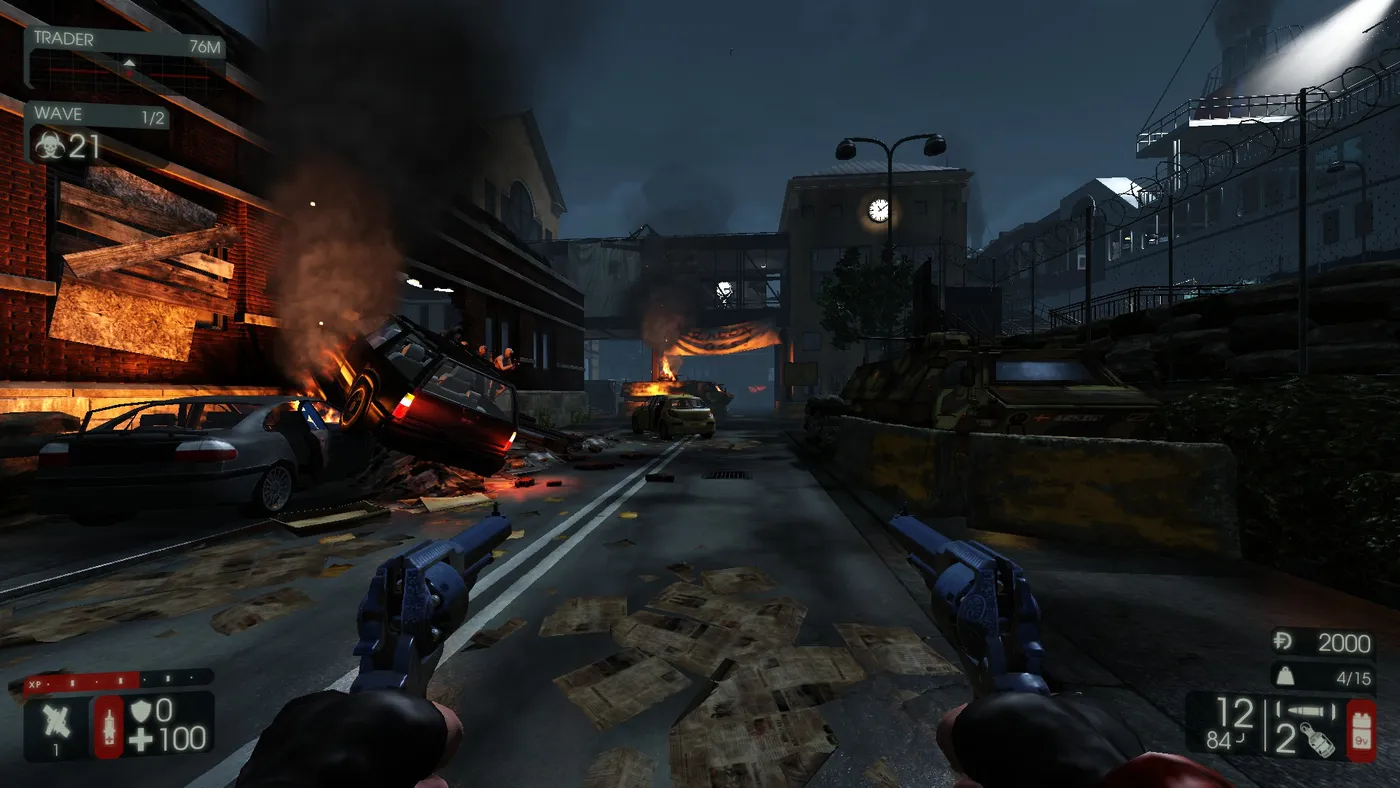 Everything on Low.
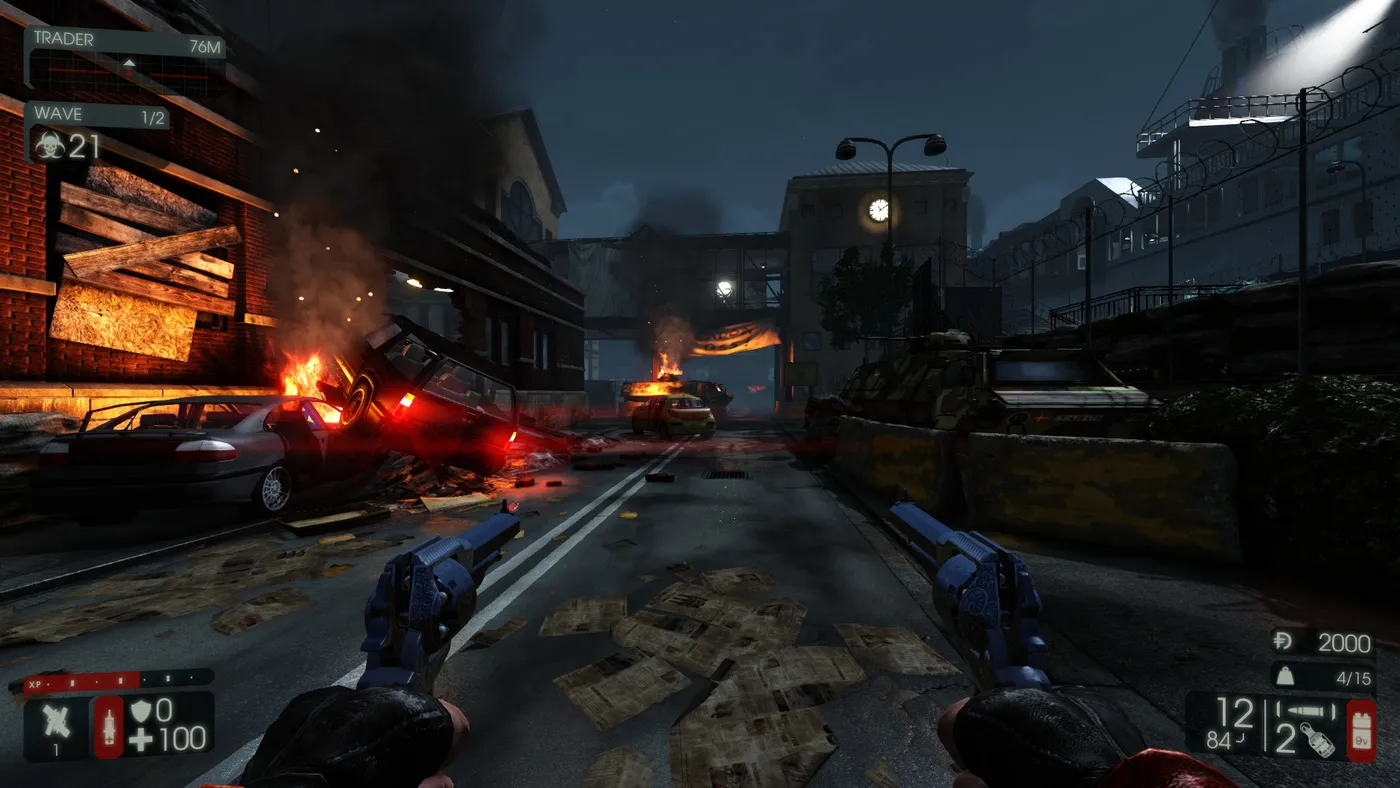 Everything on Ultra.
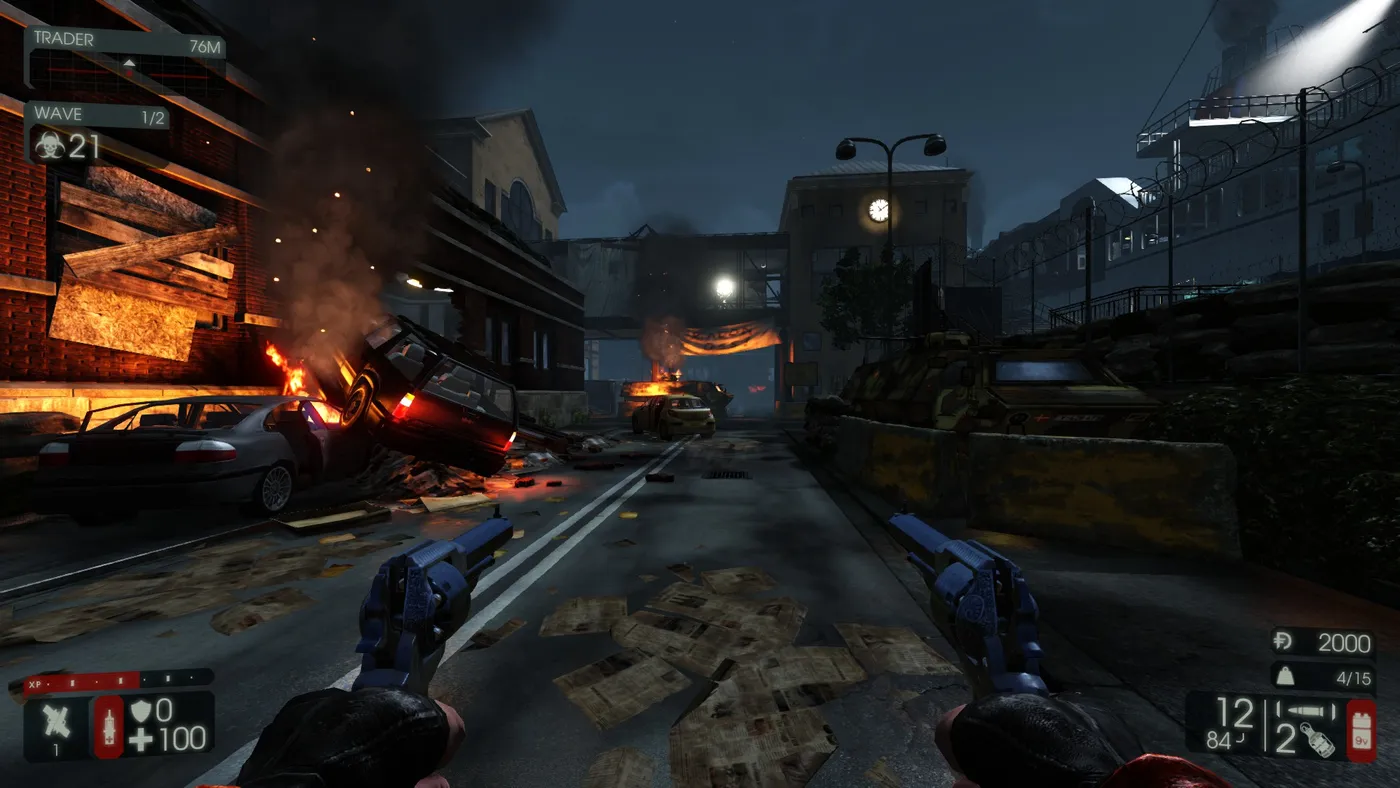 The recommended settings in game.
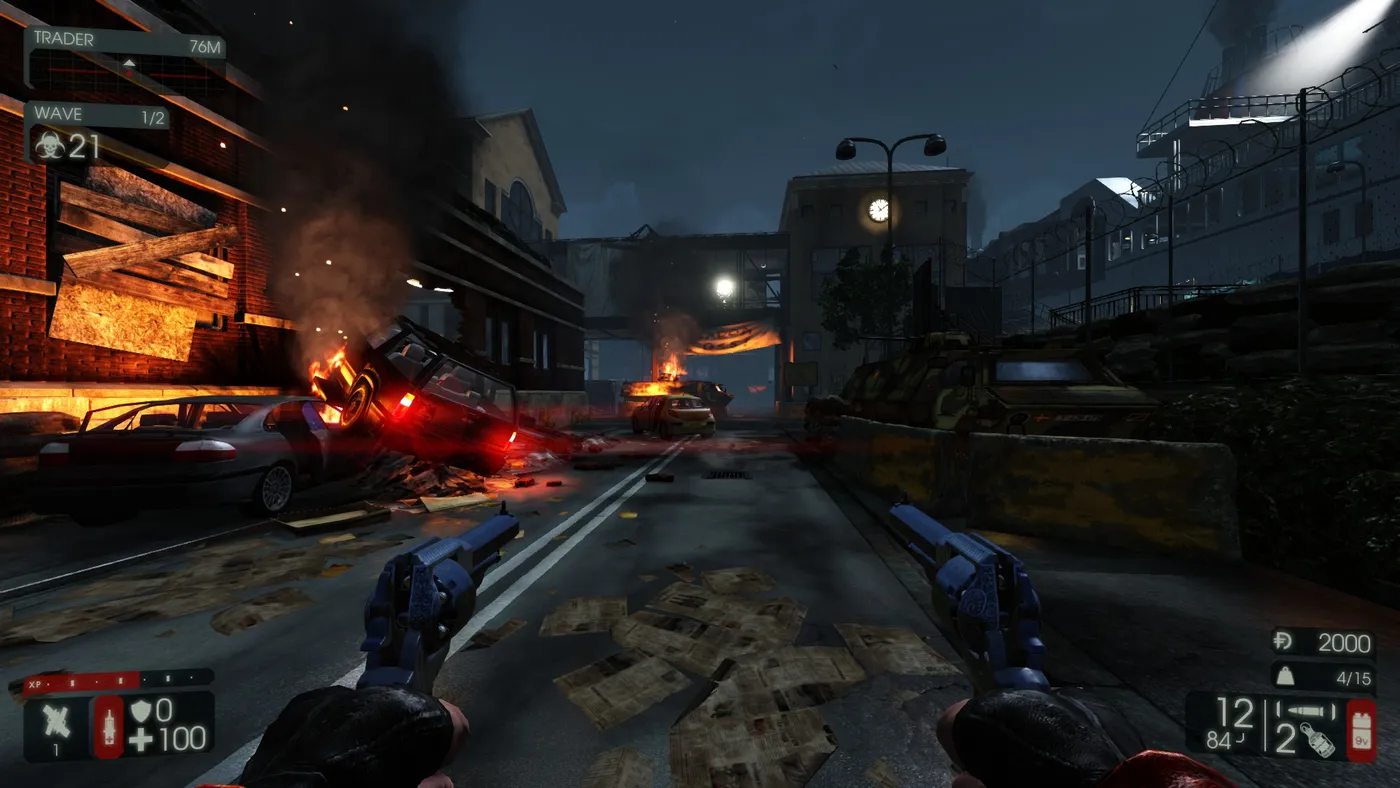 The same preset with lens flare turned on.
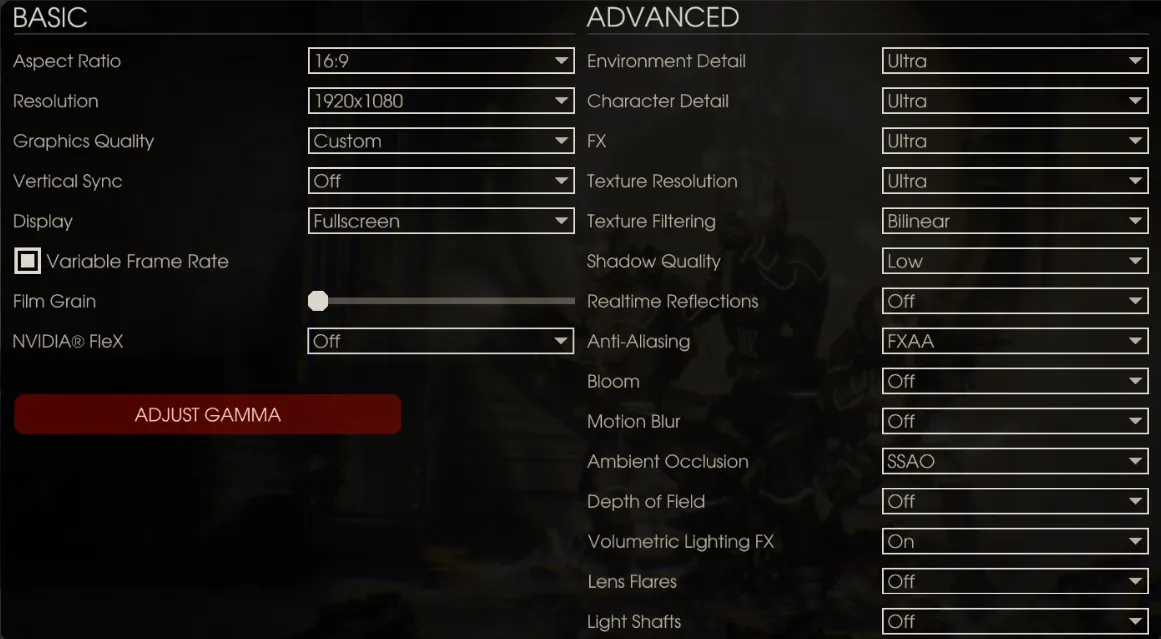 Summary screenshot of all recommended options.
Test machine
The author tested on Windows 10 Pro with an Intel i5-9600K, a GTX 1080 Ti, 16 GB RAM and a 240 Hz Zowie monitor, reporting a consistent 60+ FPS even on Ultra before tuning for higher numbers.
FAQ
- Which KF2 settings affect FPS the most?
- In the author's tests, Shadow Quality (huge impact), Realtime Reflections (about 15 to 20 FPS) and Texture Filtering gave the largest gains when lowered.
- Should Variable Frame Rate be on?
- Yes if you want more than 60 FPS. With it off, the game is capped at 60.
- Can bloom hurt performance?
- Bloom costs roughly 4 FPS, and with it enabled Firebug fire can cause large drops later in a round.
