
KF2 FPS Tweaks: Texture Streaming, Dynamic Lights and ini Edits
Three community guides on squeezing more performance out of Killing Floor 2 by editing ini files in Documents\My Games\KillingFloor2\KFGame\Config: disabling texture streaming, a broader config and cleanup list, and the radical "fewer lights, more FPS" option of turning off dynamic lights. Back up the files first. Related pages: low-end PC optimization and graphics settings.
Disable texture streaming
In KFEngine.ini find bUseTextureStreaming:
bUseTextureStreaming=Falseturns off on-the-fly texture streaming. It needs more RAM and VRAM but usually gives a steadier frame rate with less hitching. Map loading may take longer because all textures are loaded before the level starts.bUseTextureStreaming=Trueis the default. It suits low-end systems with less memory but can cause stutter if the drive cannot feed textures fast enough.
A broader tweak list
The second guide recommends these values (set the files to Read-Only afterwards, otherwise the game overwrites them on launch):
| File | Setting | Value or note |
|---|---|---|
| KFSystemSettings.ini | GlobalShadowDistanceScale | 1.0 = 100 percent, 0.5 = 50, 2 = 200 |
| KFSystemSettings.ini | MaxDrawDistanceScale | same scale as above |
| KFGame.ini | BodyWoundDecalLifetime | 30 seconds |
| KFGame.ini | BloodPoolLifetime | 20 seconds |
| KFGame.ini | GibletLifetime | 10 seconds |
| KFGame.ini | GoreFXLifetimeMultiplier | 1.0 or 1.2 depending on your preset |
| KFGame.ini | MaxDeadBodies | 12 |
| KFGame.ini | MaxBloodSplatterDecals | 20 |
| KFGame.ini | MaxBloodPoolDecals | 20 |
| KFGame.ini | MaxBodyWoundDecals | 5 |
| KFEngine.ini | bSmoothFrameRate | TRUE (MinSmoothedFrameRate 22, MaxSmoothedFrameRate your cap or 999) |
| KFEngine.ini | bUseTextureStreaming | False, for stable VRAM use |
| KFEngine.ini | bForceNoMovies | change FALSE to TRUE to skip intros |
| KFEngine.ini | MaxChannels | 64 or 128 for better audio cues |
Turn off dynamic lights
This Spanish guide edits KFSystemSettings.ini and replaces DynamicLights=True with DynamicLights=False.
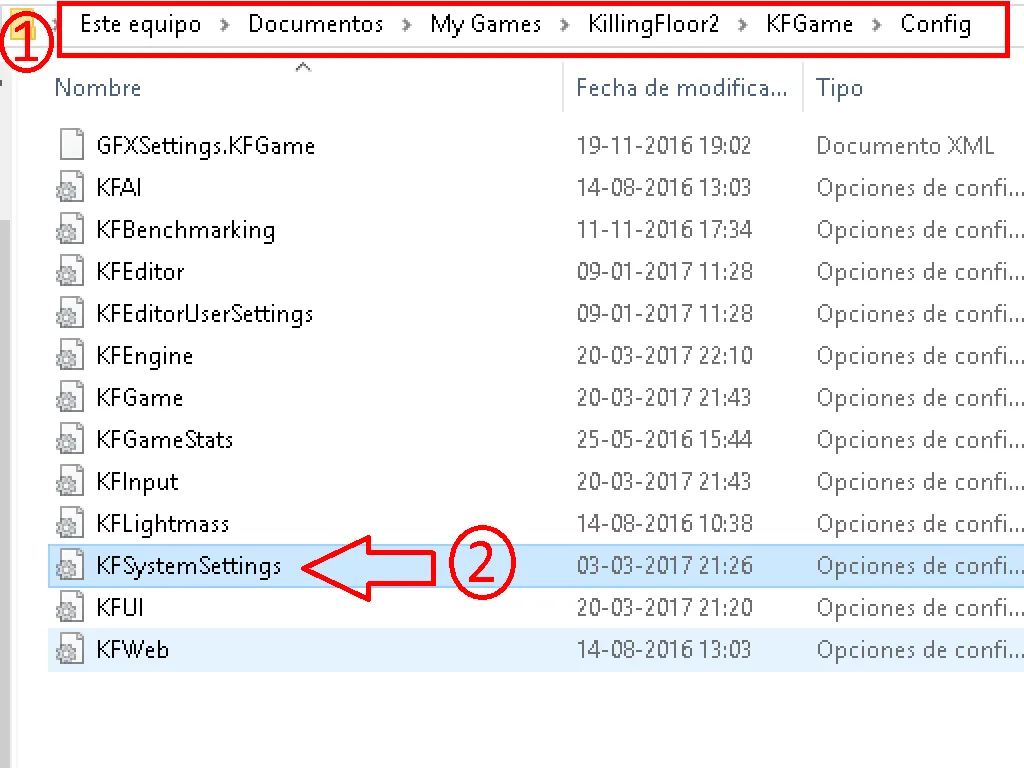 The KFSystemSettings.ini file in the Config folder.
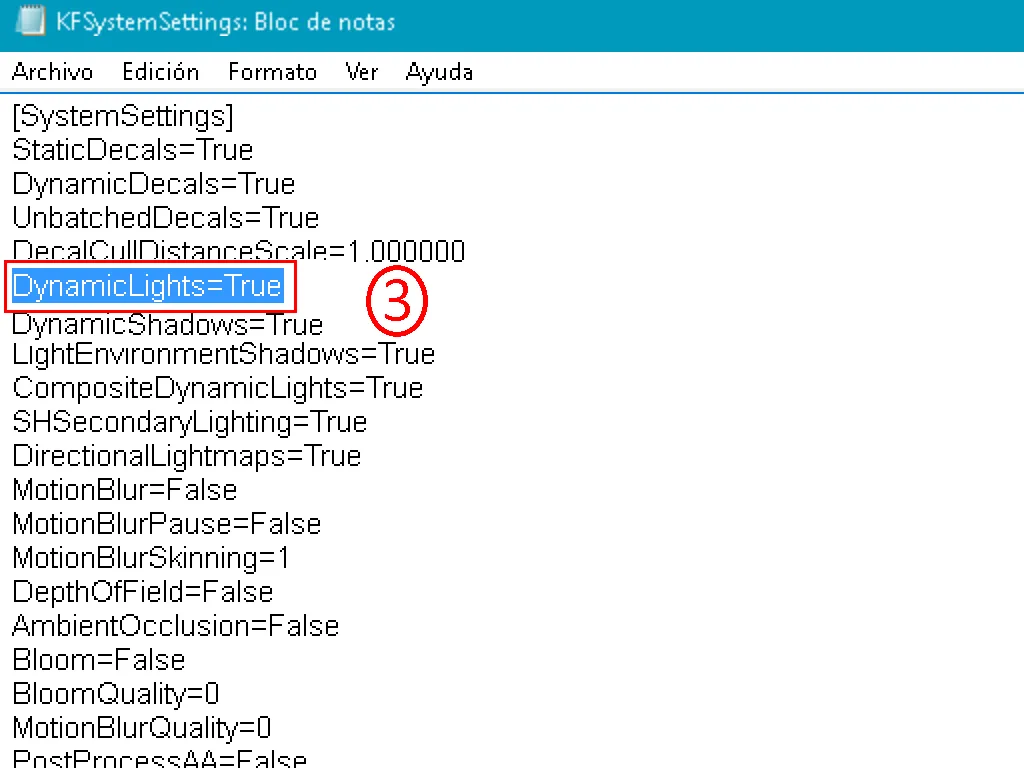 Changing DynamicLights from True to False.
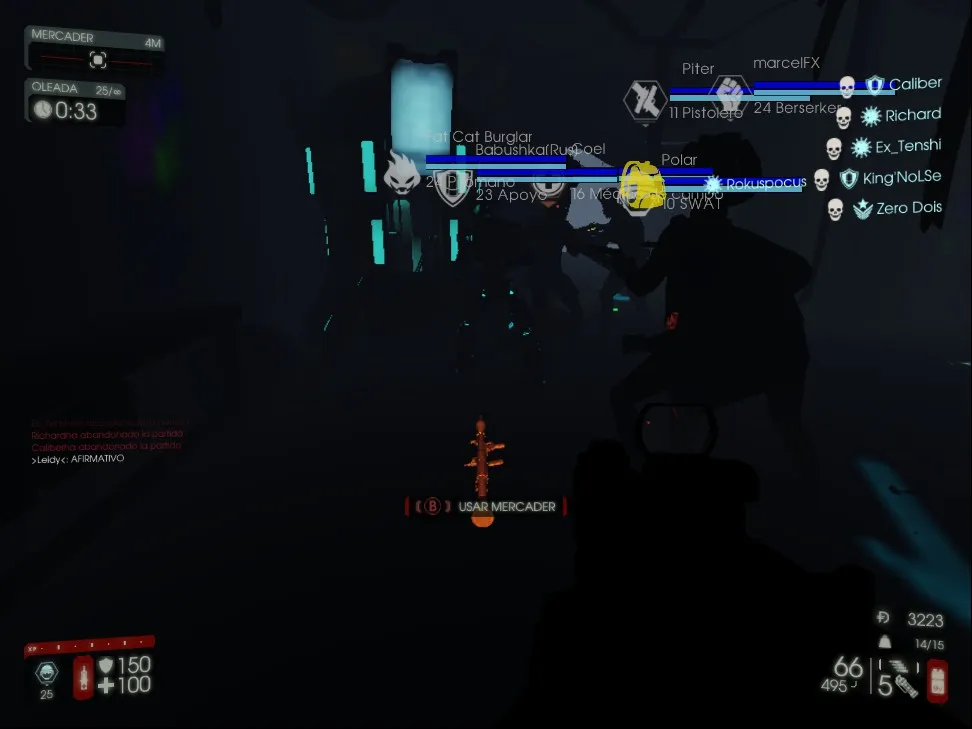
The cost is visual: your flashlight is no longer available, and some areas get very dark (not every map, only certain zones).
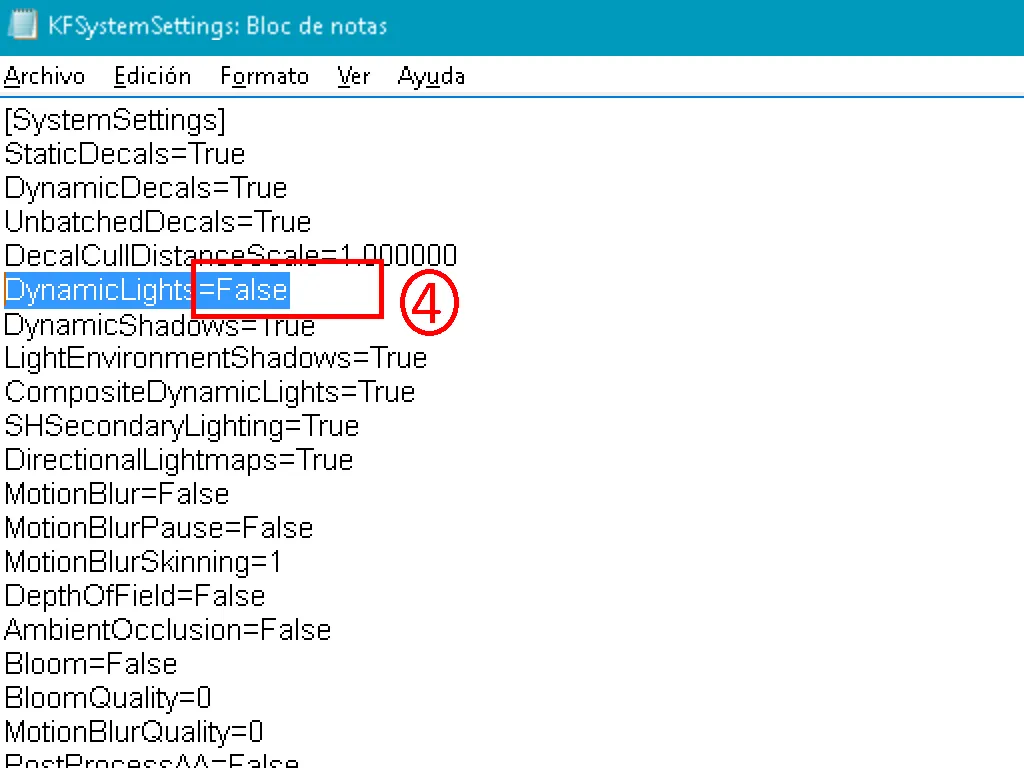 Darker areas after disabling dynamic lights.
To compensate, type gamma 5 in the console at the start of every map or match. Another console command, stat fps, shows your frame rate so you can see whether the tweak helps.
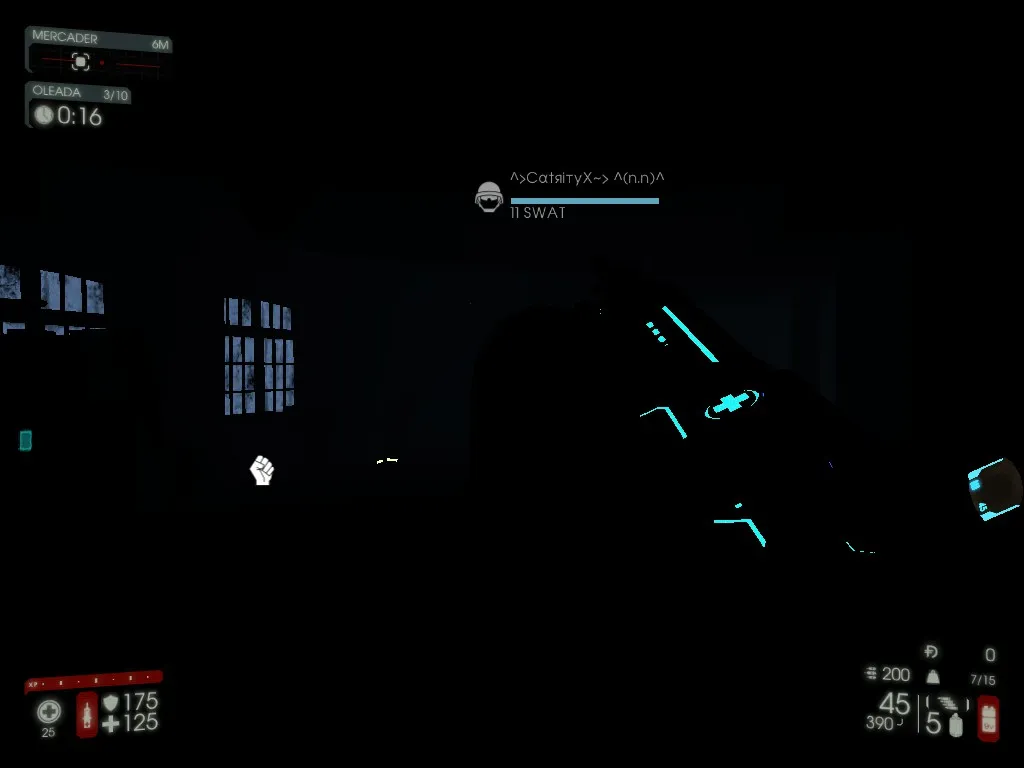 Console with the gamma 5 command applied.
Extra launch options
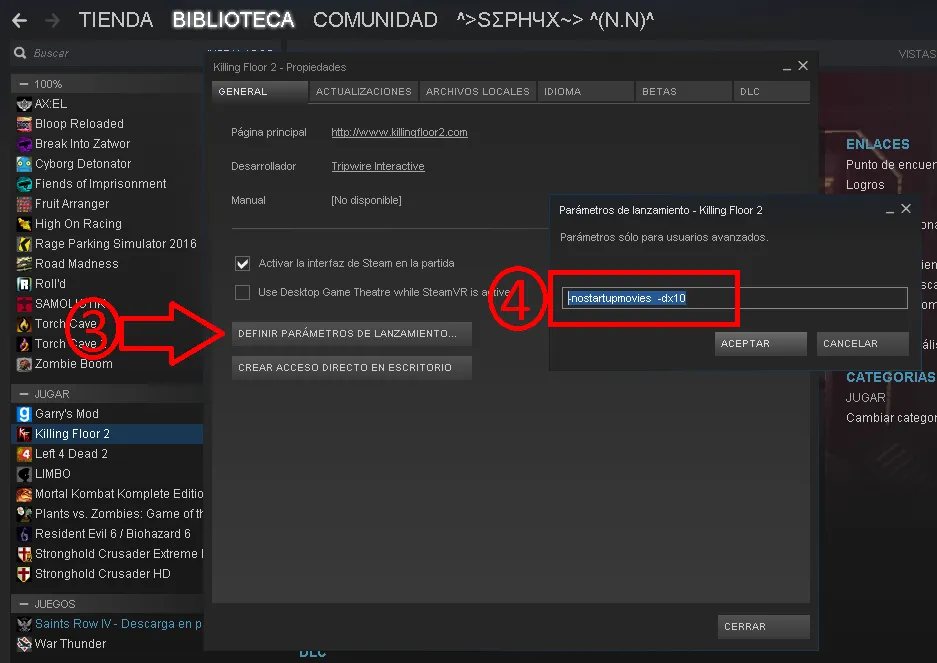
In Steam, right-click the game, open Properties, Set launch options and add -nostartupmovies -dx10. The first removes the intros; the second runs the game on DirectX 10 instead of 11, which disables DirectX 11 graphics features.
 Launch options with -nostartupmovies -dx10.
 The game after applying the tweaks.
