
KF2 Fix: Sound Mutes on Alt-Tab or Steam Overlay
When you alt-tab, open the Steam overlay or switch windows, Killing Floor 2 can mute itself because the game mutes audio on focus loss by default. A single line in KFGame.ini fixes it. This is a short, reliable fix from a community guide; related display tips are in client alt-tab window optimization.
Steps
- Close the game, then open
KFGame.iniinDocuments\My Games\KillingFloor2\KFGame\Config.
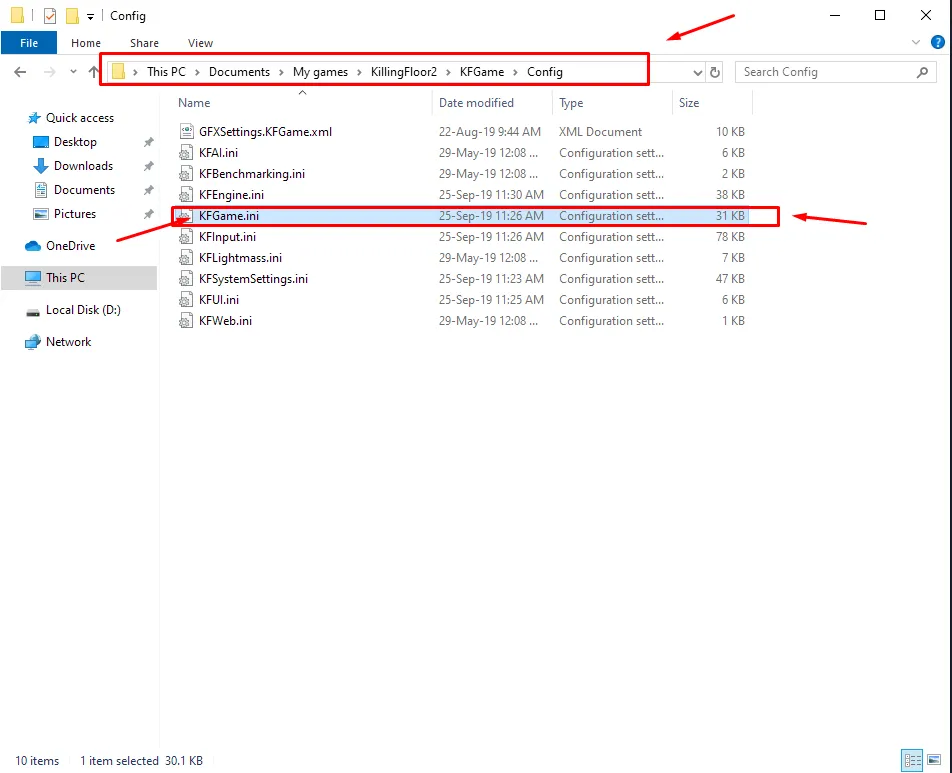
Location of KFGame.ini in the Config folder.
- Press Ctrl+F and search for the word
mute.
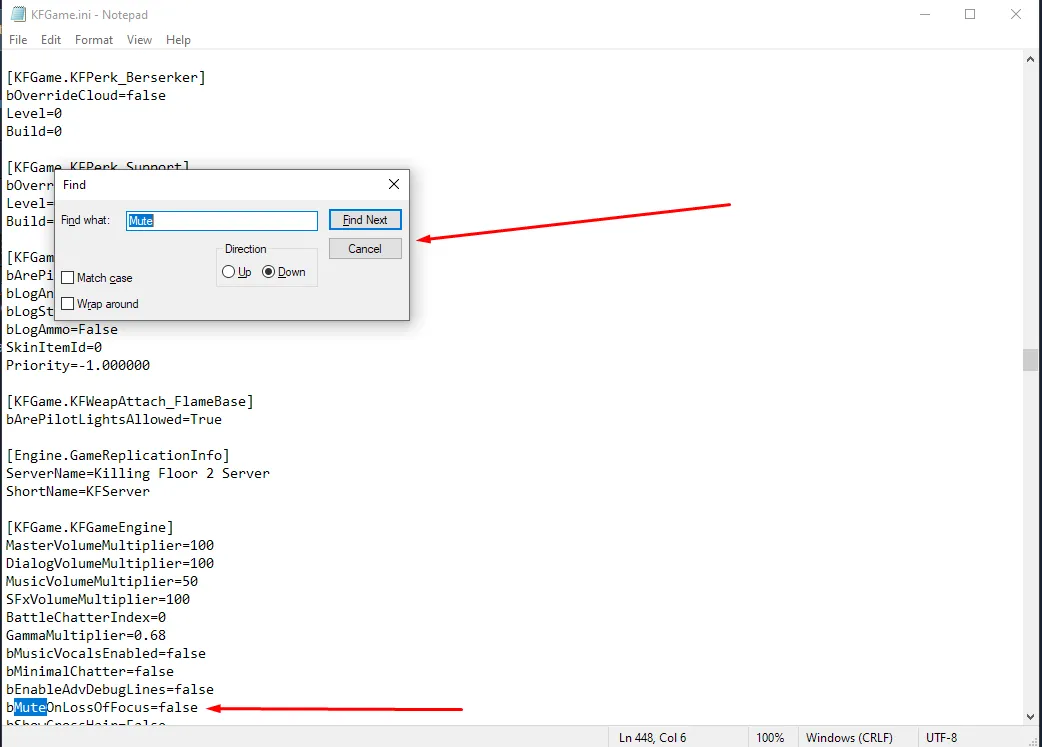
Searching the file for the mute setting.
- Change the value on that line from
TruetoFalseand save the file.
After this, the game keeps playing sound when the window loses focus, for example when the Steam overlay is open. The author demonstrates the result in a short video on the original guide page.
FAQ
- Why does KF2 go silent when I alt-tab?
- The game mutes audio on focus loss by default; the setting is in KFGame.ini.
- Which file do I edit?
- KFGame.ini in Documents/My Games/KillingFloor2/KFGame/Config; change the mute line from True to False.
