
KF2 Dedicated Server on AWS EC2 (Linux) - Setup and S3 Maps
This guide (originally in Russian) shows how to host a Killing Floor 2 dedicated server for a group of friends on Amazon Web Services. The server runs on a free-tier EC2 virtual machine, so it does not depend on anyone's home PC, router or public IP. For general server basics see Dedicated server and SteamCMD server setup.
Warning and prerequisites
The author states that he takes no responsibility for your actions or any financial loss. You need:
- an AWS account (registration needs a valid card; a small test charge is made);
- basic Linux skills and attention to detail;
- the ability to search for answers yourself (questions such as "where do I click" or "what is PuTTY" are ignored by the author).
AWS is mostly a paid service. Only a small free tier exists (an EC2 instance, EBS disks and so on), and launching several instances or picking the wrong type can cost a lot. Secure the account with keys and MFA, and read about AWS budgets first.
 The AWS console: the free tier is all this guide needs.
Create the EC2 instance
- Pick a region close to your players (the author used Frankfurt, eu-central-1, and got about 70 ms from southern Russia). Check the region in the top right corner of the console: machines cannot be moved between regions.
- Create a Security Group first. Add these inbound rules:
| Name | Protocol | Port |
|---|---|---|
| Game port | UDP | 7777 |
| NTP port | UDP | 123 |
| Steam port | UDP | 20560 |
| Query port | UDP | 27015 |
| Web Admin | TCP | 8080 |
| SSH | TCP | 22 |
The source is 0.0.0.0/0 for simplicity; you can restrict it to your own address range.
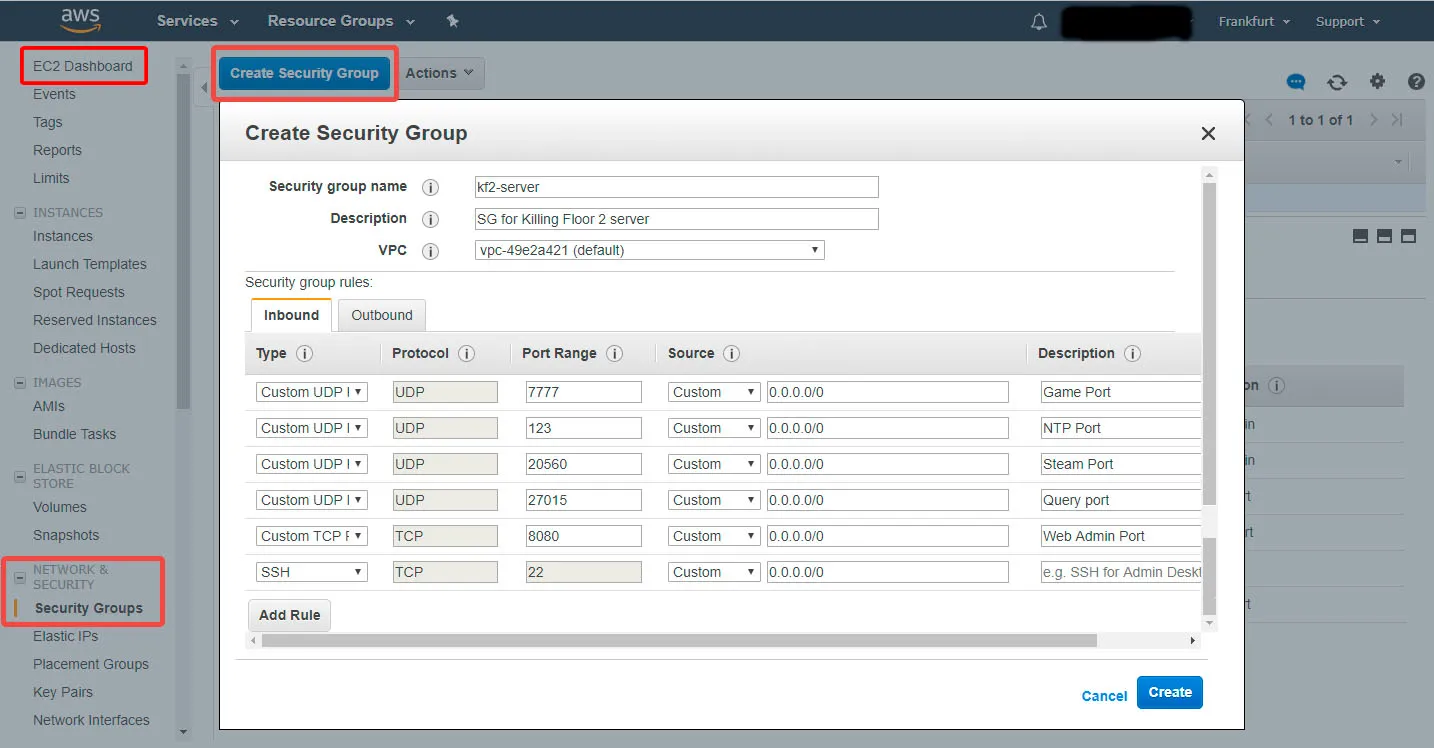 Inbound rules of the security group.
- In EC2 Dashboard press Launch Instance and choose the latest Amazon Linux (RHEL-based, most packages preinstalled).
- Choose t2.micro, the only type in the free tier. The author confirmed in practice that it is enough.
- Set instance count to 1, select the VPC that holds your security group and make sure Auto-assign Public IP is on.
- Add a storage volume of at least 16 GB (20 GB used). Alternatively enlarge the root device.
- Add a Name tag, attach the existing security group, review and Launch, then select or create a key pair.
- Optional: attach an Elastic IP so the address survives restarts and you can keep the server in your favorites.
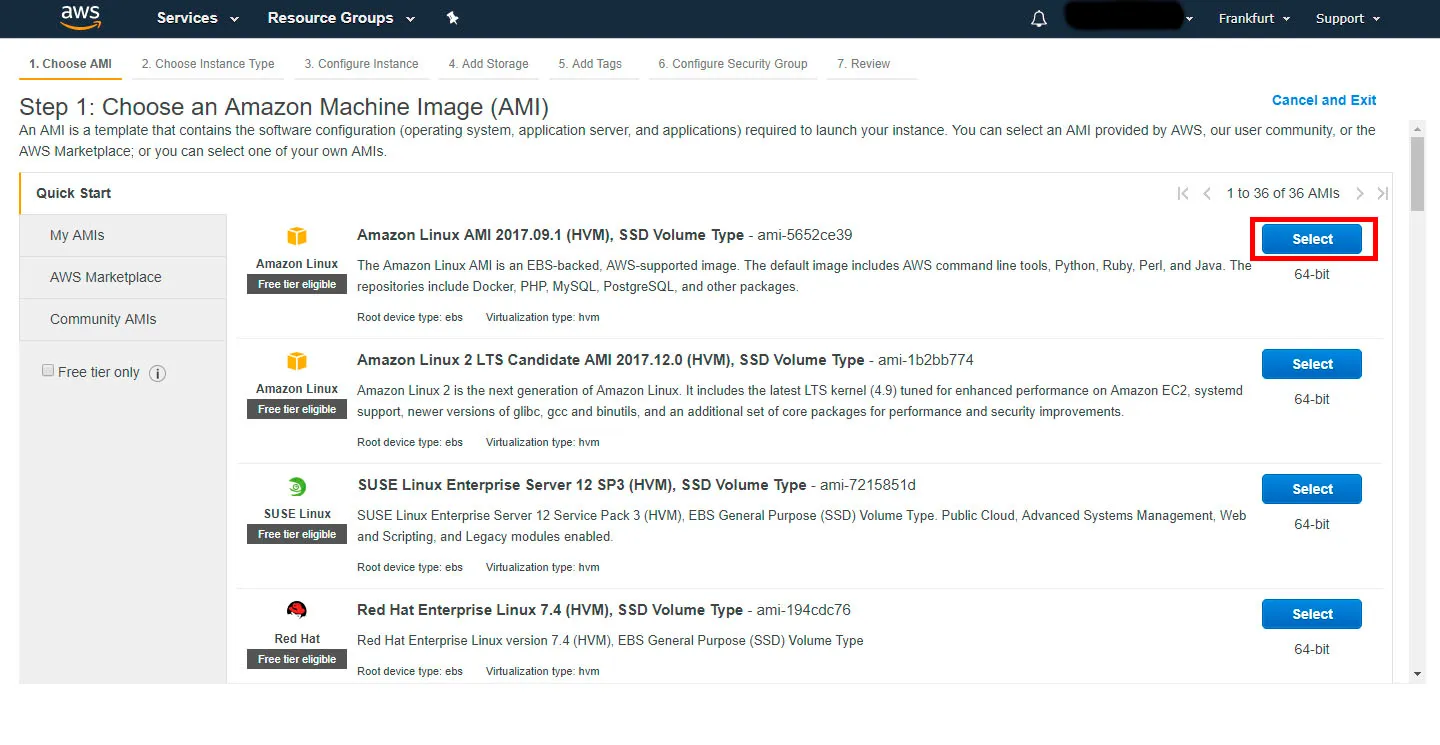 The Launch Instance wizard.
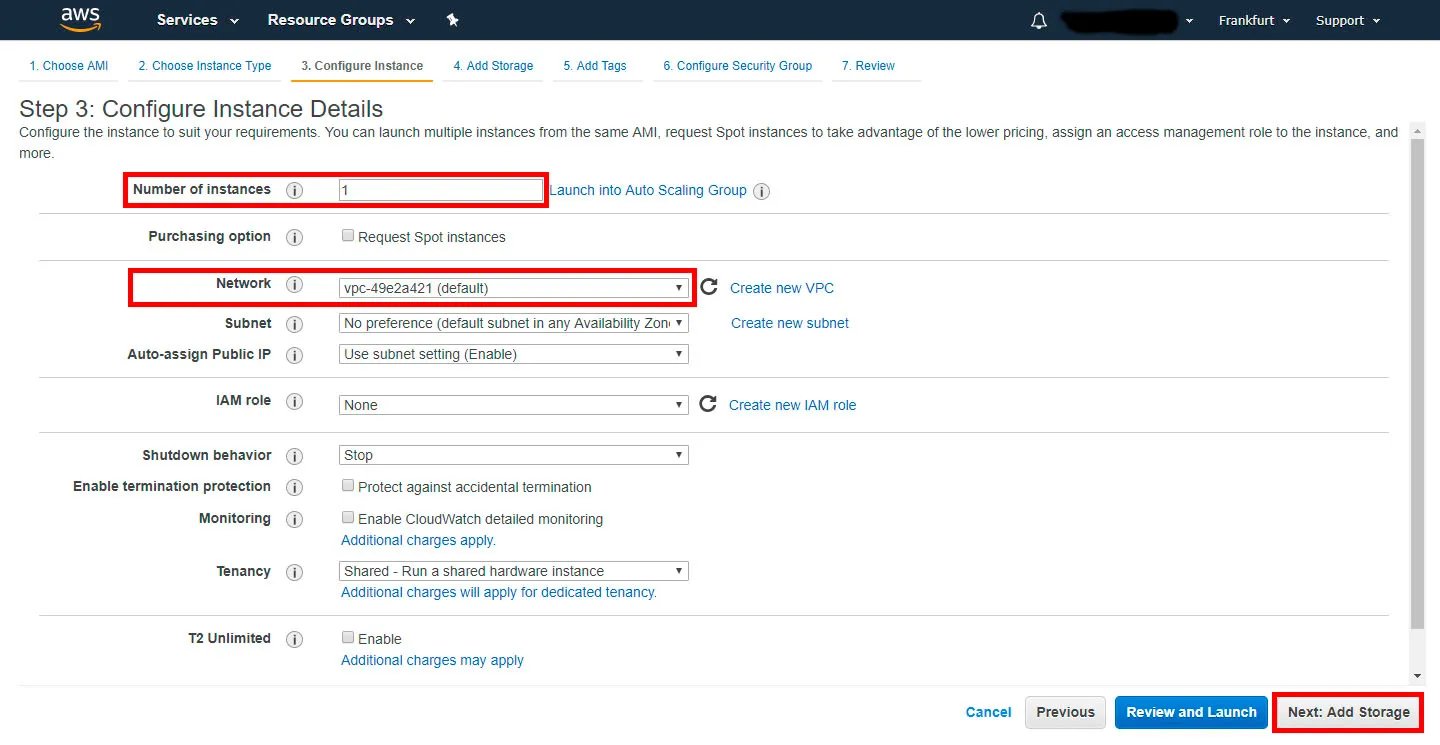 t2.micro is the free-tier type.
Prepare the machine
Connect over SSH (PuTTY works; the EC2 dashboard shows connection hints). Then:
sudo adduser kf2-admin -G wheel
sudo yum install ld-linux.so.2
sudo lsblk
sudo mkfs.ext4 /dev/xvdb
sudo mkdir /home/kf2-admin/kf2-server
sudo mount /dev/xvdb /home/kf2-admin/kf2-server
sudo chown -R kf2-admin:kf2-admin /home/kf2-admin/kf2-server
Use the device name that lsblk shows for the 20 GB disk (xvdb, xvdf and so on); skip mounting if you enlarged the root device. Add the mount to /etc/fstab (/dev/xvdb /home/kf2-admin/kf2-server ext4 defaults 0 0). The author also unlocked the wheel group through visudo.
As kf2-admin, install SteamCMD and the server:
mkdir steamcmd && cd steamcmd
wget http://media.steampowered.com/installer/steamcmd_linux.tar.gz
tar -xvzf steamcmd_linux.tar.gz
./steamcmd.sh +login anonymous +force_install_dir /home/kf2-admin/kf2-server +app_update 232130 validate +quit
Start the server with /home/kf2-admin/kf2-server/Binaries/Win64/KFGameSteamServer.bin.x86_64 kf-bioticslab.
Configuration and autostart
Server settings follow the standard configuration guide, except that on Linux the files are named LinuxServer-.ini instead of PCServer-.ini (for example LinuxServer-KFGame.ini).
The author wrote a small init script (repository IndigoSMDT/kf2-server on GitHub). Download it to /etc/init.d/kf2-server, then run chkconfig --add kf2-server and chkconfig kf2-server on. The server now starts with the VM and can be managed with service kf2-server start | restart | stop | status | update | info.
S3 as a custom map host
Players love custom maps, and finding a reliable third-party redirect host is hard. An S3 bucket removes that dependency:
- Create a bucket with a unique name.
- Make a maps folder with public read-only access and upload your map files with public read access.
- Take the bucket URL (without the map file name), e.g.
https://s3.eu-central-1.amazonaws.com/your-bucket/maps/. - In ~/kf2-server/KFGame/Config/LinuxServer-KFGame.ini set
RedirectToURL=under[IpDrv.HTTPDownload]to that URL.
You can also pull maps onto the server through S3 with wget into KFGame/BrewedPC/Maps/. Mods, mutators and a MOTD logo can be hosted the same way. Then add the map to the config and map cycle as usual.
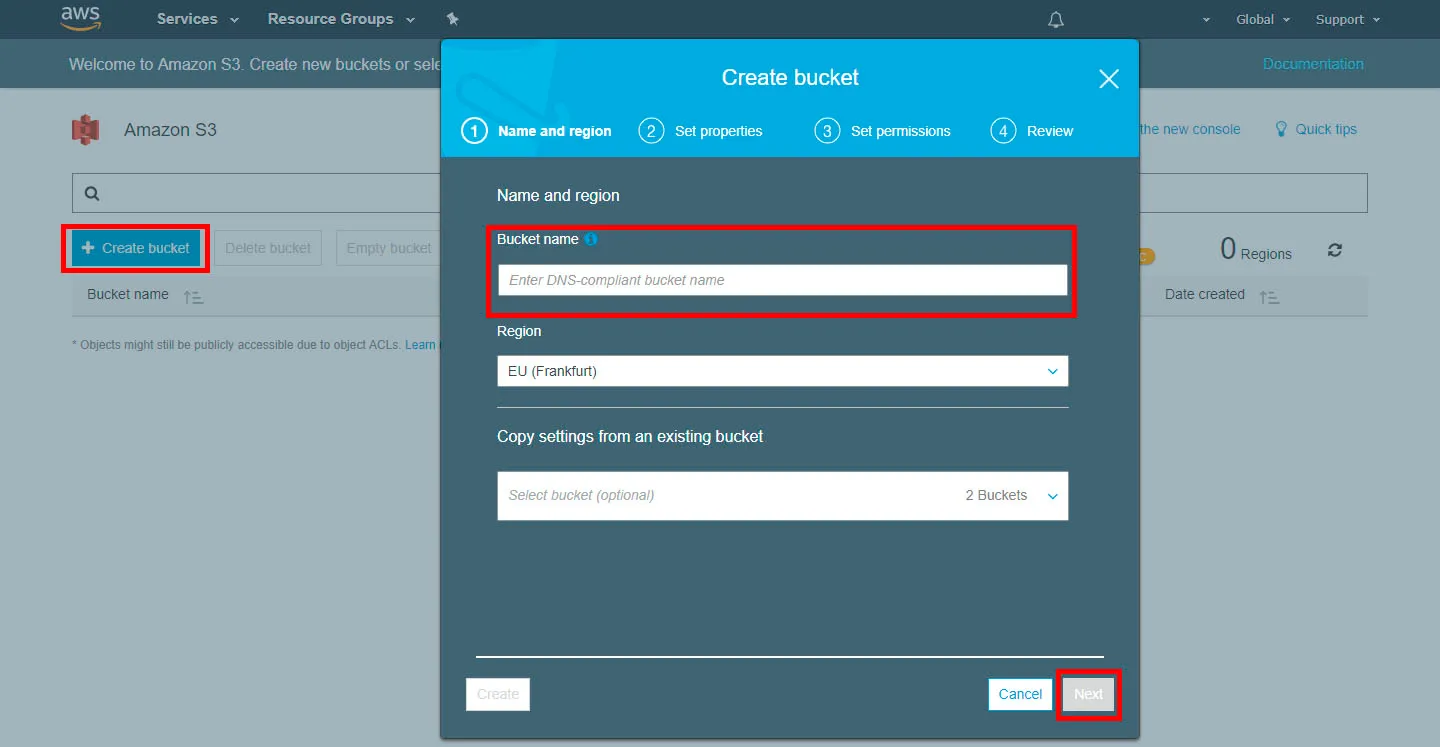 A bucket holding custom maps.
Troubleshooting
- "This account is currently blocked": new AWS users can only launch instances in a couple of regions (US East N. Virginia, US West Oregon). Ask AWS support to enable your preferred region.
- "Error! App '232130' state is 0x202 after update job": not enough disk space. Enlarge or clean the disk.
Result
Although the server sat in Frankfurt roughly 3000 km away, players saw 70-90 ms (130-140 ms from the Far East). CPU peaked at 100% only during installation, and AWS monitors showed normal load afterwards. The main benefits for a friend group: the server does not depend on anyone's PC or ISP, no public IP is needed, and port-forwarding and firewall fights disappear.
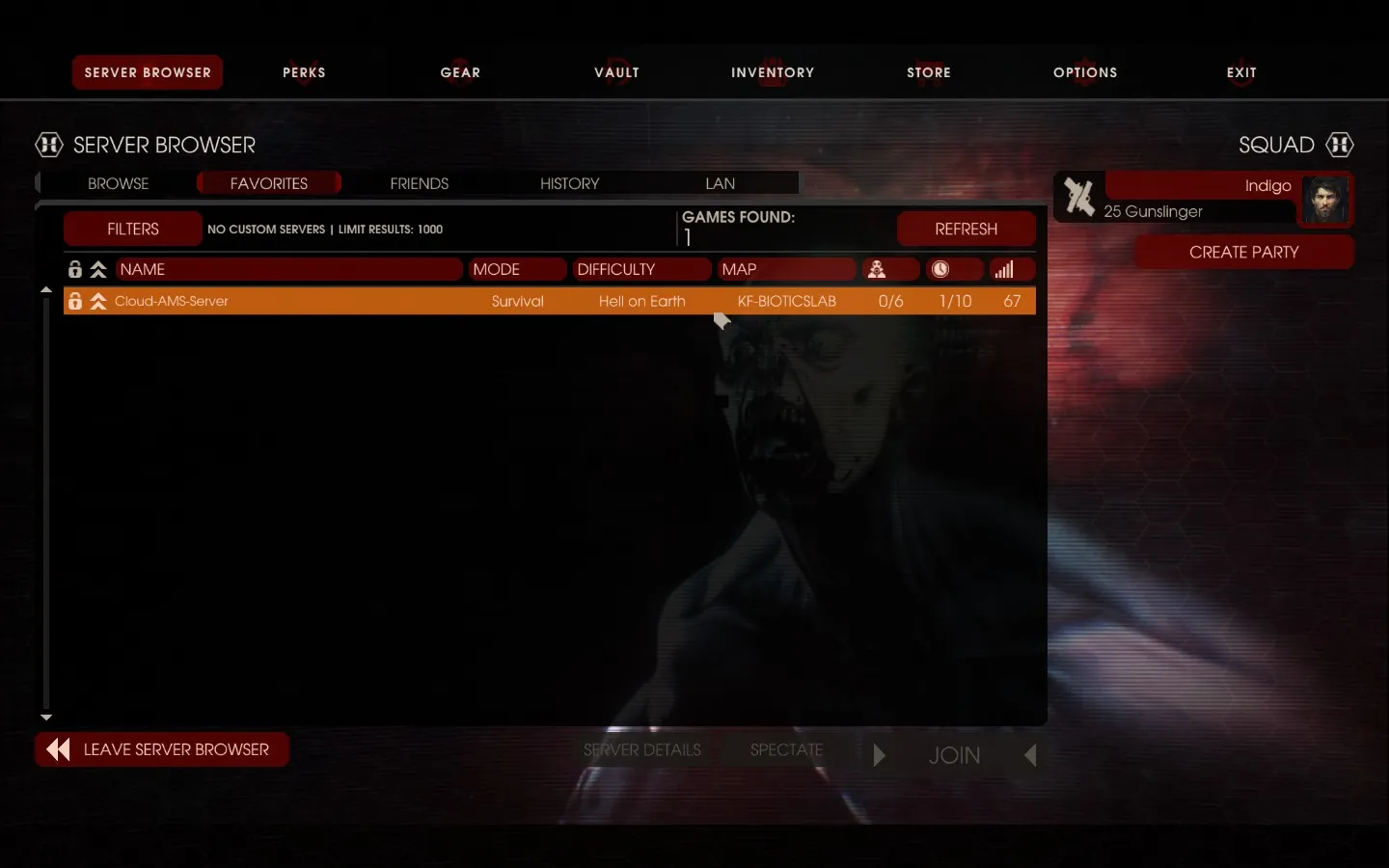 In-game ping to the Frankfurt server.
 Load on the virtual machine during play.
FAQ
- Which ports must be open for a KF2 server on AWS?
- UDP 7777 (game), UDP 123 (NTP, Weekly Outbreak), UDP 20560 (Steam), UDP 27015 (query), TCP 8080 (WebAdmin) and TCP 22 (SSH).
- Is a t2.micro enough for Killing Floor 2?
- The author ran a friends' server on a t2.micro and reported CPU peaking only during installation, with normal load afterwards.
- How much disk space does the server need?
- At least 16 GB; the guide attaches a 20 GB volume. The SteamCMD error 'state is 0x202' means the disk is full.
