
KF2 Dedicated Server Setup on Windows: SteamCMD, INI, Modes, Ports
This page rewrites a Korean-language guide to installing and running a Killing Floor 2 dedicated server on Windows. For other approaches see KF2 dedicated server with SteamCMD and KF2 server custom maps and mods.
Installing the server
SteamCMD does not download correctly if its path contains non-ASCII (for example Korean) characters. Install the server at the top of the C drive with these commands, entered in order:
force_install_dir c:\KF2Server\
login anonymous
app_update 232130 validate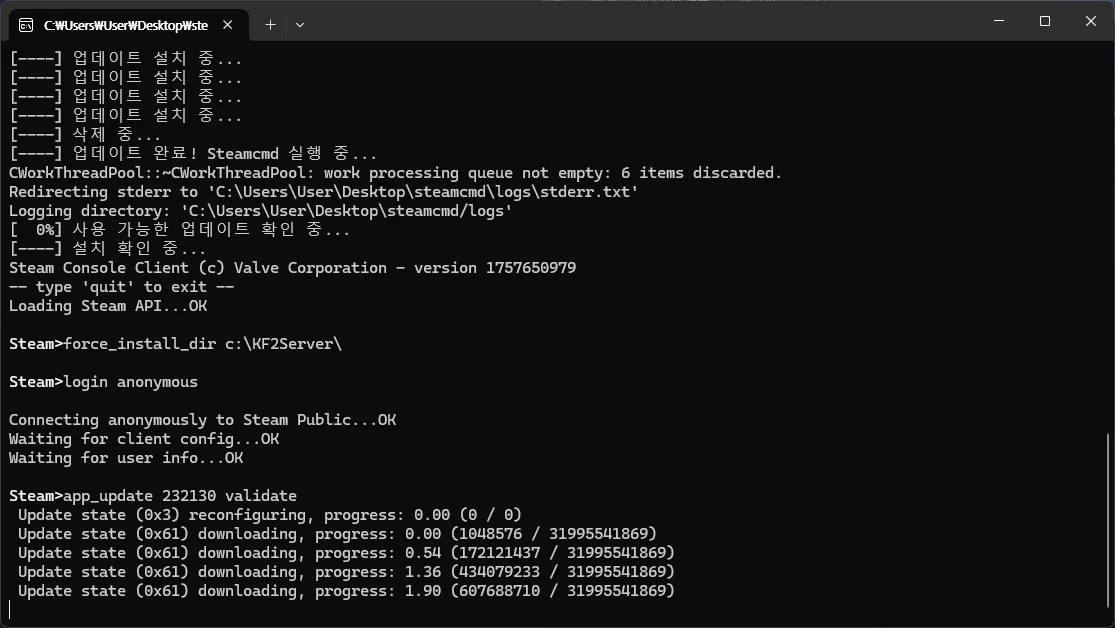 Logging in anonymously and setting the install directory.
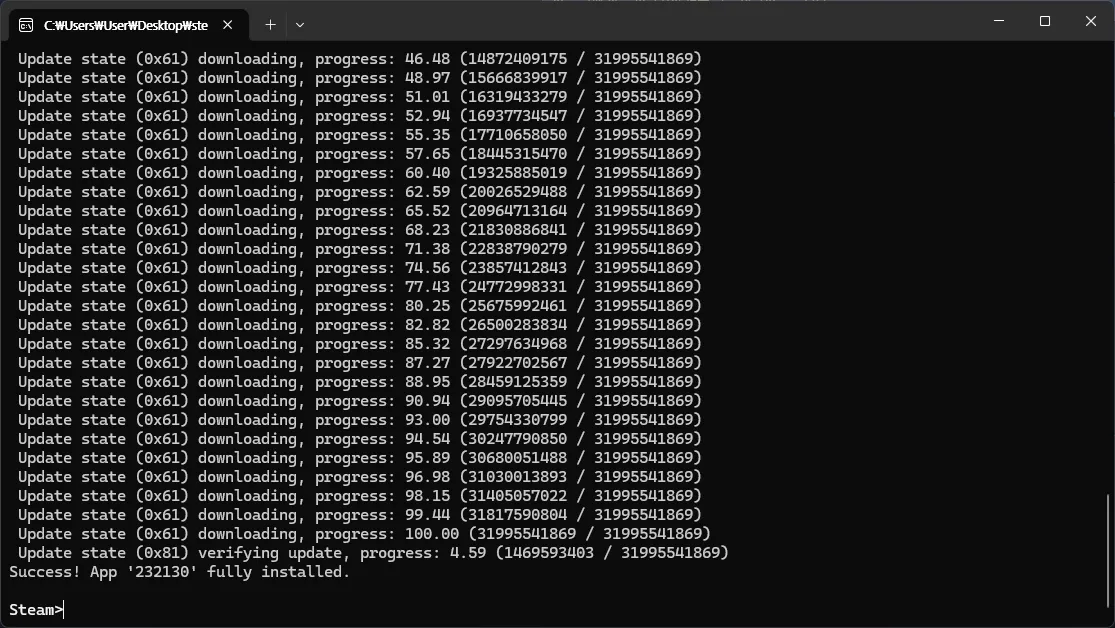 Downloading the server files.
The server requires the Microsoft Visual C++ redistributables. Install both UE3Redist.exe and vcredist_x64.exe from C:\kf2server\Binaries\Redist.
Server configuration
Run KF2Server.bat once in the root folder to generate the config files in C:\kf2server\KFGame\Config. Three files need edits.
KFWeb.ini
[IpDrv.WebConnection]
MaxValueLength=99999
MaxLineLength=99999
[IpDrv.WebServer]
ListenPort=8080
bEnabled=true
The max length values (default 4096) allow a longer custom map list in the web admin and map vote. ListenPort is the web admin port and bEnabled turns the web admin on.
KFEngine.ini
[Engine.GameEngine]
bUsedForTakeover=FALSE
[IpDrv.TcpNetDriver]
DownloadManagers=OnlineSubsystemSteamworks.SteamWorkshopDownload
The first setting turns off the Takeover feature, which is on by default. The second makes clients use the Steam Workshop download servers to fetch custom maps, mods and mutators quickly.
KFGame.ini
[Engine.AccessControl]
AdminPassword=
[KFGame.KFGameInfo]
GameLength=2
[Engine.GameReplicationInfo]
ServerName=
AdminPassword is the admin login password. GameLength 2 means a 10-wave game. To show a Korean (or other non-ASCII) server name, save KFGame.ini as UTF-16 LE.
Game modes
Add the mode to the startup URL:
?game=KFGameContent.KFGameInfo_VersusSurvival?MaxPlayers=12Versus?game=KFGameContent.KFGameInfo_WeeklySurvivalWeekly?game=KFGameContent.KFGameInfo_EndlessEndless?game=KFGameContent.KFGameInfo_ObjectiveObjective
Regular Survival needs no mode argument. Example batch line that starts Biotics Lab in Objective mode:
start .\Binaries\win64\kfserver kf-bioticslab?game=KFGameContent.KFGameInfo_Objective
Mutators
The Tripwire wiki lists the officially approved whitelisted mutators; the guide names the Maxplayers mutator and Classic Scoreboard as examples.
Port forwarding
If you use a router, forward these ports so the server shows in the Steam master list, the Weekly mode works and players can join:
| Purpose | Port | Protocol |
|---|---|---|
| Game | 7777 | UDP |
| Query | 27015 | UDP |
| Web admin | 8080 | TCP |
| Steam | 20560 | UDP |
| NTP | 123 | UDP |
Starting the server
Normally start it with KF2Server.bat, for example:
start .\Binaries\win64\kfserver kf-bioticslab?adminpassword=123
Useful URL arguments: ?AdminPassword= (avoid an easy password in the batch file; set it in KFGame.ini instead) and ?Difficulty= (0 Normal, 1 Hard, 2 Suicidal, 3 Hell on Earth). Useful switches: -PREFERREDPROCESSOR=n for processor affinity and -ConfigSubDir= to keep a separate config folder per server when running several servers from one installation.
Using the server launcher
Download SteamCMD, KF2ServerToolCMD (from the KF2ServerTool GitHub project) and the KF2 Server Launcher, and unpack them in C:\kf2server\; SteamCMD goes into its own subfolder such as C:\kf2server\steamcmd. Run KF2ServerLauncher.exe as administrator when you install custom content, paste a Workshop item ID at the bottom and press the matching button: Add Map for custom maps, Add Mod for custom mods, Remove to take an item off the server. After the download, start the server from the launcher. Running the launcher as administrator is not needed for normal startup.
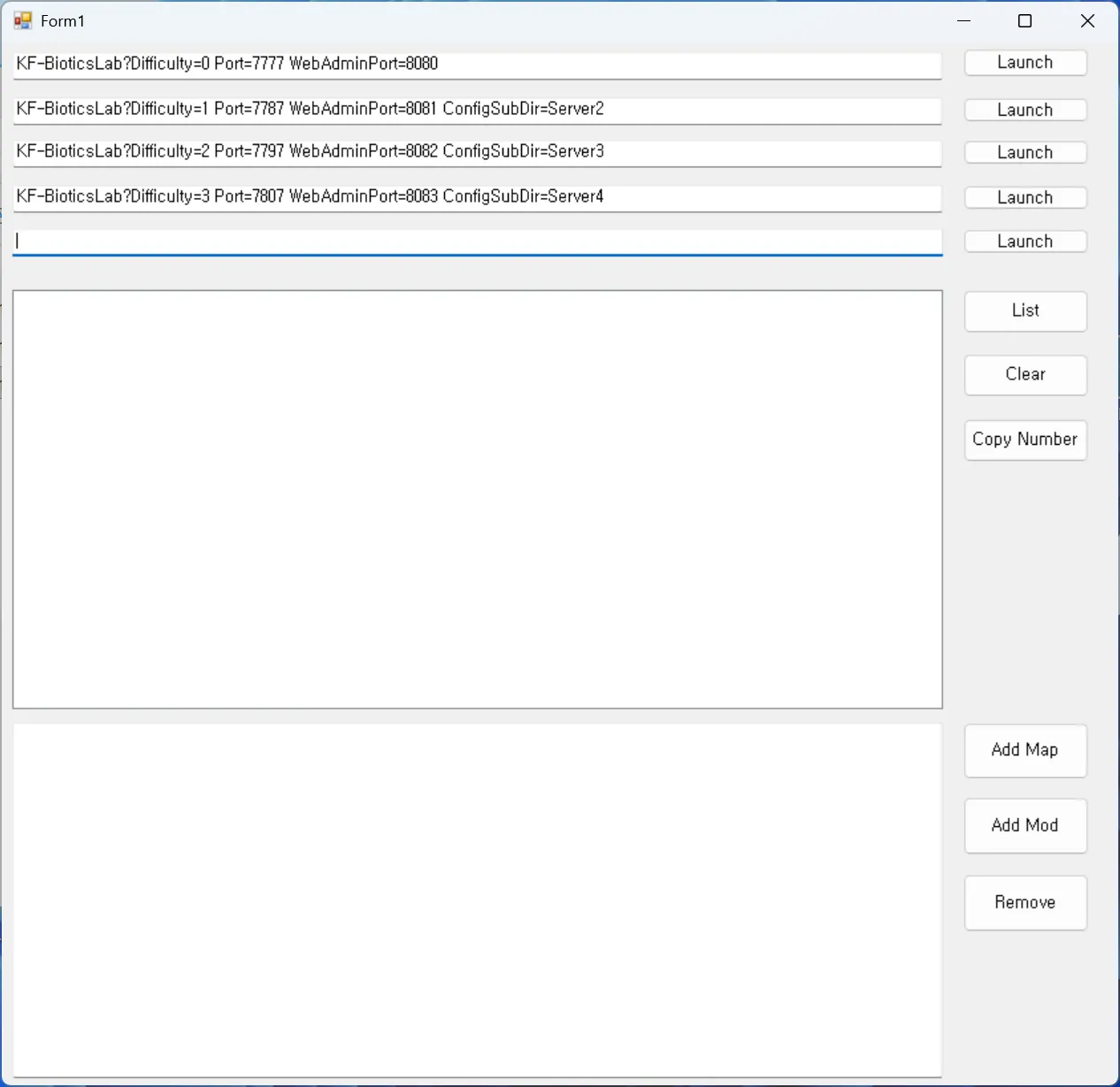 The Killing Floor 2 Server Launcher.
Tips
Safe shutdown. Press Ctrl+C in the server console rather than forcing the window closed.
Seasonal Zeds. Add ?SeasonalSkinsIndex=<number> to the batch line: -1 disabled, 0 default, 1 spring (same as default, no variants), 2 Summer Sideshow, 3 Halloween, 4 Christmas. See also seasonal Zed skins.
Weekly modifier. Add ?WeeklySelectorIndex=<number> to pick a Weekly Outbreak: 1 Boom, 2 Cranium Cracker, 3 Tiny Terror, 4 Bobble Zed, 5 Poundemonium, 6 Up Up and Decay, 7 Zed Time, 8 Beef Cake, 9 Blood Thirst, 10 Coliseum, 11 Arachnophobia, 12 Scavenger, 13 Wild West London, 14 Abandon All Hope, 15 Boss Rush, 16 Shrunken Heads, 17 Arsenal Ascent, 18 Primary Target, 19 Perk Roulette, 20 Contamination Zone, 21 Bounty Hunt.
The guide cites the Killing Floor 2 wiki Dedicated Server page and Tripwire forum announcements as references.
FAQ
- Which ports must be forwarded for a KF2 server?
- Game port 7777 UDP, query port 27015 UDP, web admin 8080 TCP, Steam port 20560 UDP and NTP port 123 UDP.
- What is the SteamCMD app ID for the KF2 server?
- The dedicated server app ID is 232130, installed with app_update 232130 validate after login anonymous.
- How do I stop the server safely?
- Press Ctrl+C in the server console instead of closing the window by force.
