
KF2 WebAdmin Auto-Kick Script: Limit Perk Level and Perk
This guide describes a user script that adds auto-kick rules to the Killing Floor 2 WebAdmin: it can remove players below or above a perk level, or players using a chosen perk, without installing a mutator on a ranked server. The author did not write the original script (a forum post that is no longer available) but fixed an issue and added the perk-kick feature. It complements the team killer kick mutator and the dedicated server tips.
Installation
- Install Google Chrome.
- Install the Violentmonkey browser extension.
- Download the latest release zip from the project's GitHub page.
- Import the zip into Violentmonkey through its settings.
- Extract the zip and back up, then overwrite, three files in
<KF2Server>\KFGame\Web\ServerAdmin:console.htmlcurrent_players.htmlcurrent_players_row.inc
Running
Launch the KF2 server batch file, open Chrome or Firefox and go to WebAdmin (default http://localhost:8080).
Settings
Open MANAGEMENT CONSOLE in WebAdmin.
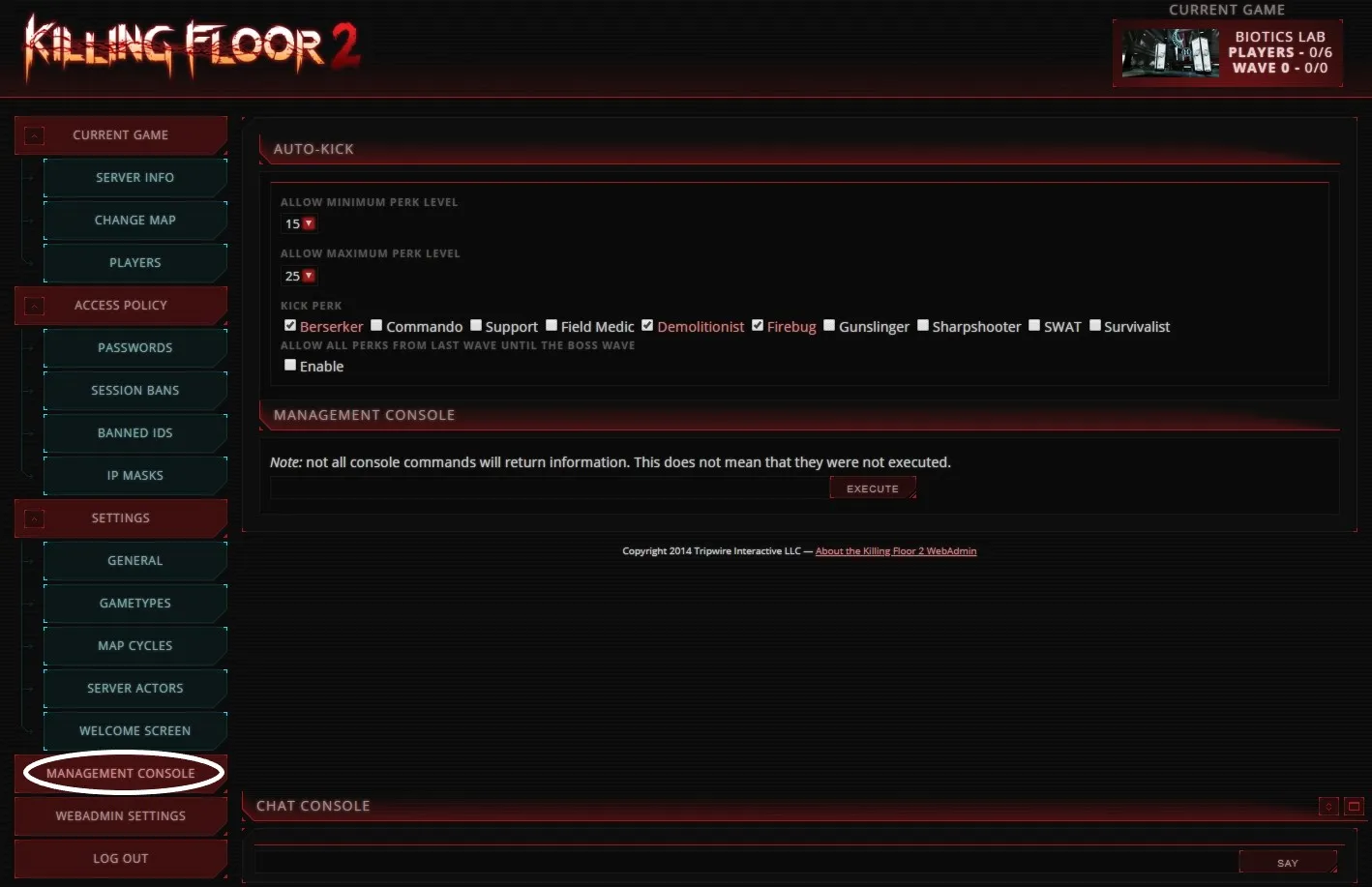 The auto-kick settings in WebAdmin's management console.
- ALLOW MINIMUM PERK LEVEL: players below this level are kicked.
- ALLOW MAXIMUM PERK LEVEL: players above this level are kicked.
- KICK PERK: checked perks are kicked.
- ALLOW ALL PERKS FROM LAST WAVE UNTIL THE BOSS WAVE: if enabled, all perks are allowed between the last wave and the boss wave (default: unchecked). The level kick stays active. When players reach the last wave, the message "Allowed All Perks from last wave until the Boss wave." is announced.
Changes take effect within a few seconds.
Confirming it works
If you see the number 1 next to the Violentmonkey icon on the page, the script is running.
 The Violentmonkey icon with the number 1 shows the script is active.
Keep the browser open, otherwise the auto-kick will not run.
Q and A
All player names show as "anonymous" on the PLAYERS page.
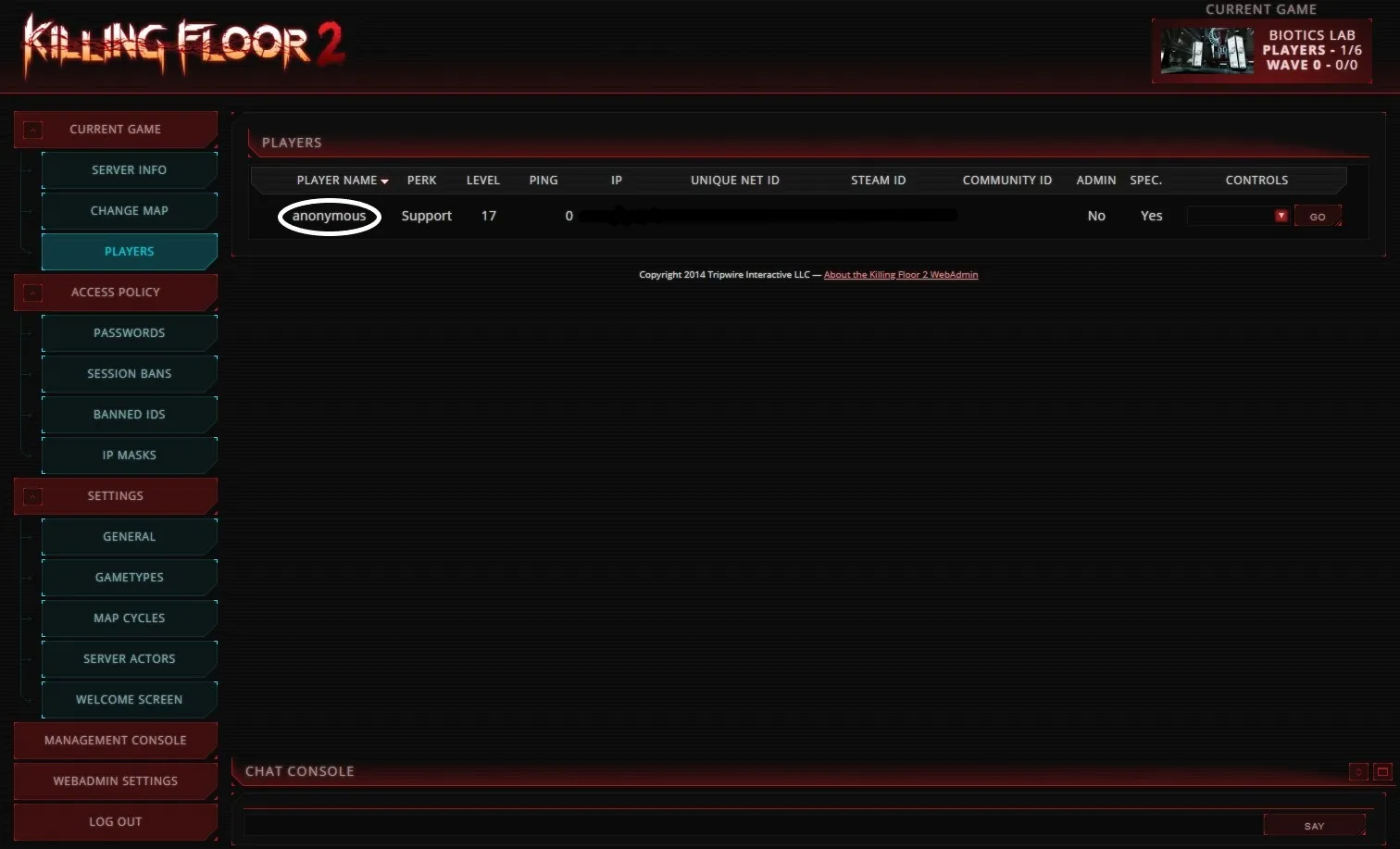 Names shown as anonymous.
This is a deliberate workaround, not a bug in the script. It avoids a known KF2 server issue with player names that contain multibyte characters, which breaks the GO button.
Does it run with Tampermonkey? Yes, and Tampermonkey may be better if the server is under heavy load.
Can I have separate settings for several servers? Yes. Settings are stored per URL.
What was fixed or improved?
- The older script could not kick specific players whose names use multibyte characters (Japanese, Chinese, Korean).
- You no longer need to keep the AUTO-KICK page open; the script works on every WebAdmin page.
FAQ
- Does the script need a mutator?
- No. It is a browser user script that works through the WebAdmin pages, like a ranked server's auto-kick.
- Does the browser have to stay open?
- Yes. The script only runs while a browser tab with WebAdmin is open.
- Can it kick players with non-Latin names?
- Yes. This version fixes the old script's inability to kick players whose names contain multibyte characters.
