
KF2 Dedicated Server with Custom Maps and Mods: Full Setup
This guide walks through running your own Killing Floor 2 dedicated server on Windows and loading custom Workshop maps and mods. It refreshes an older community walkthrough written years earlier. For other angles on the same job see dedicated server via SteamCMD, server custom maps and mods setup and KF2 Server Tool.
Server setup with SteamCMD
- Download SteamCMD from
http://media.steampowered.com/installer/steamcmd.zip. - Run
steamcmd.exe. On first start it installs its own files into the folder it sits in, so put it where you want it first.
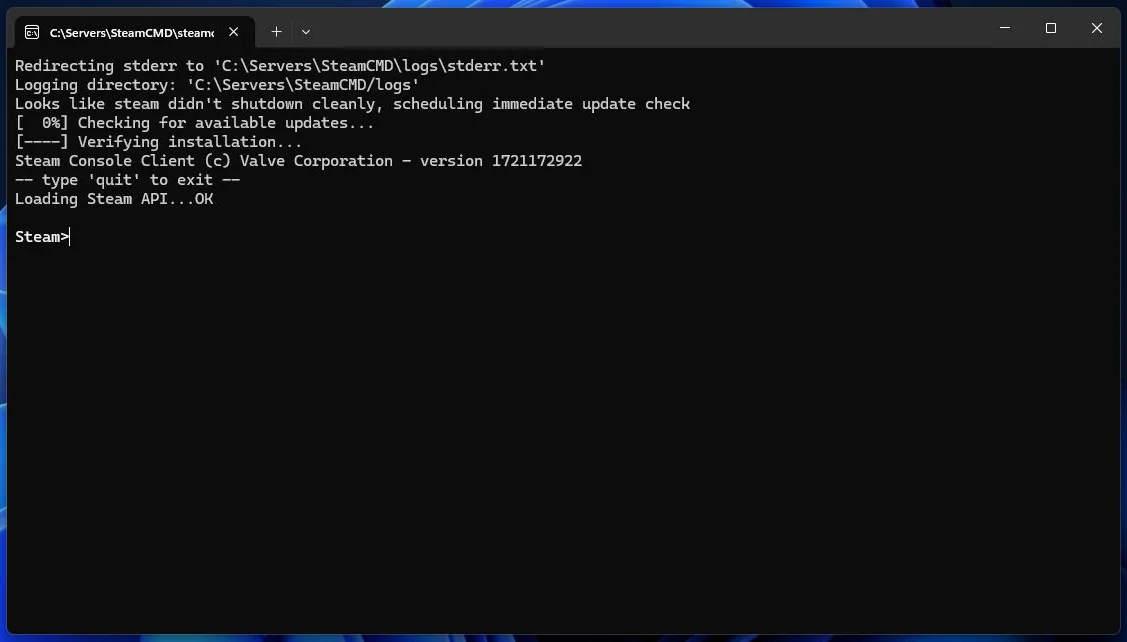 SteamCMD installing its own files on first launch.
- Optionally choose where the server will live:
force_install_dir C:\Servers\KF2Server\. The command prints no confirmation, and the folder is created during download, so spell the path carefully.
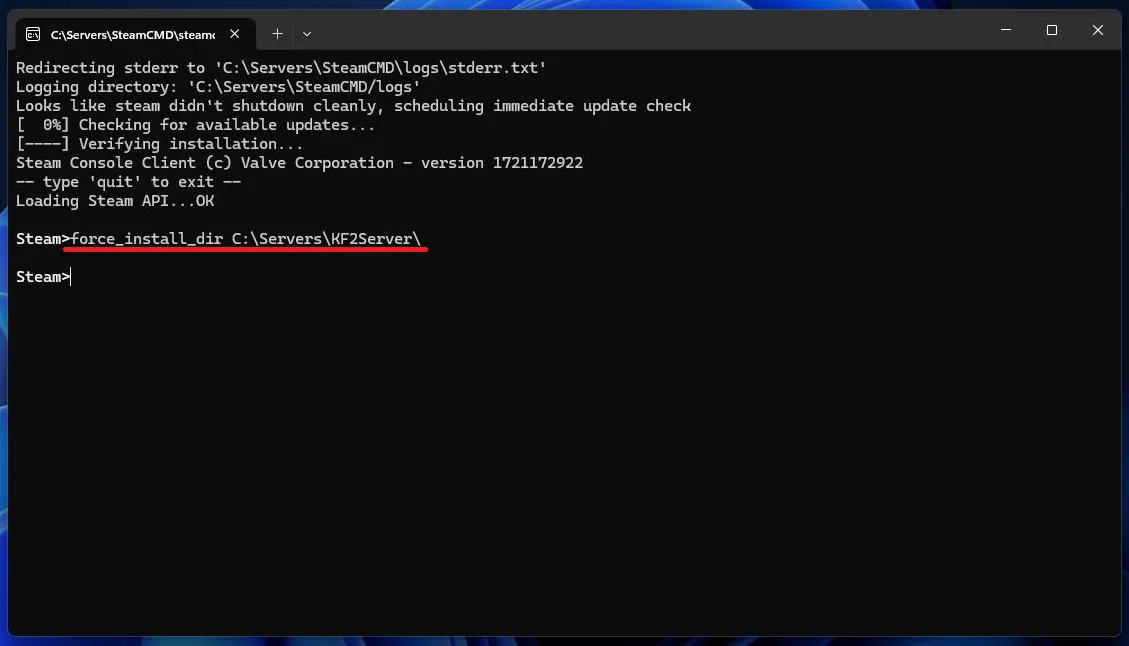 Setting the install directory.
- Log in anonymously with
login anonymous.
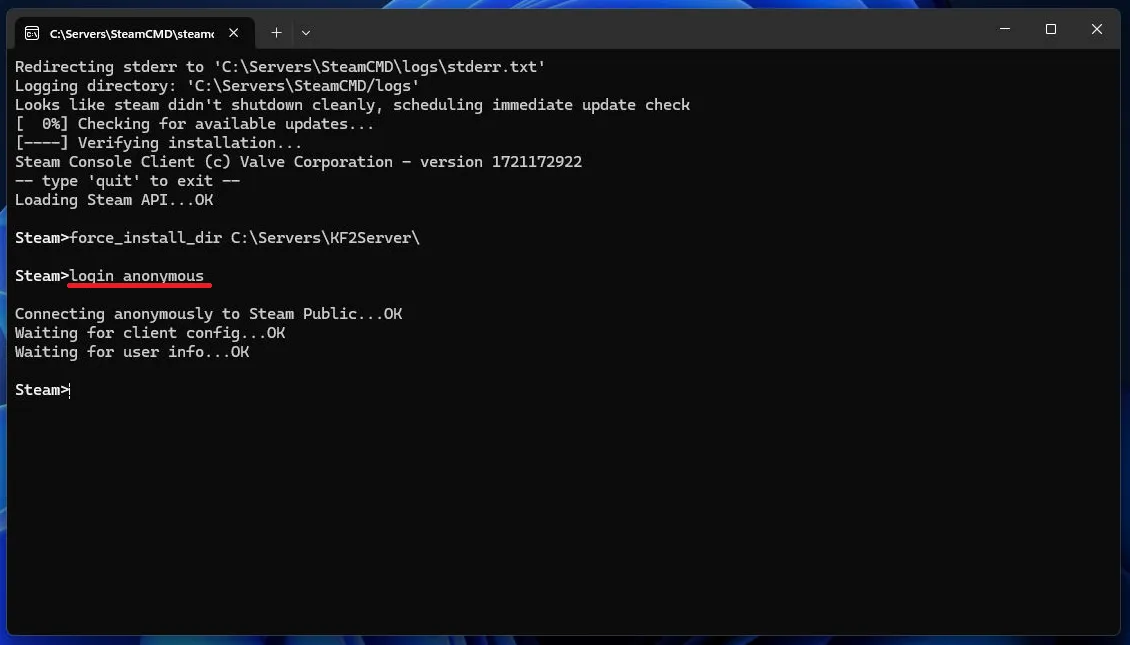 Anonymous login.
- Download the server with
app_update 232130. To update an existing install useapp_update 232130 validate; for the preview branch useapp_update 232130 -beta preview. The server files are about 32 GB.
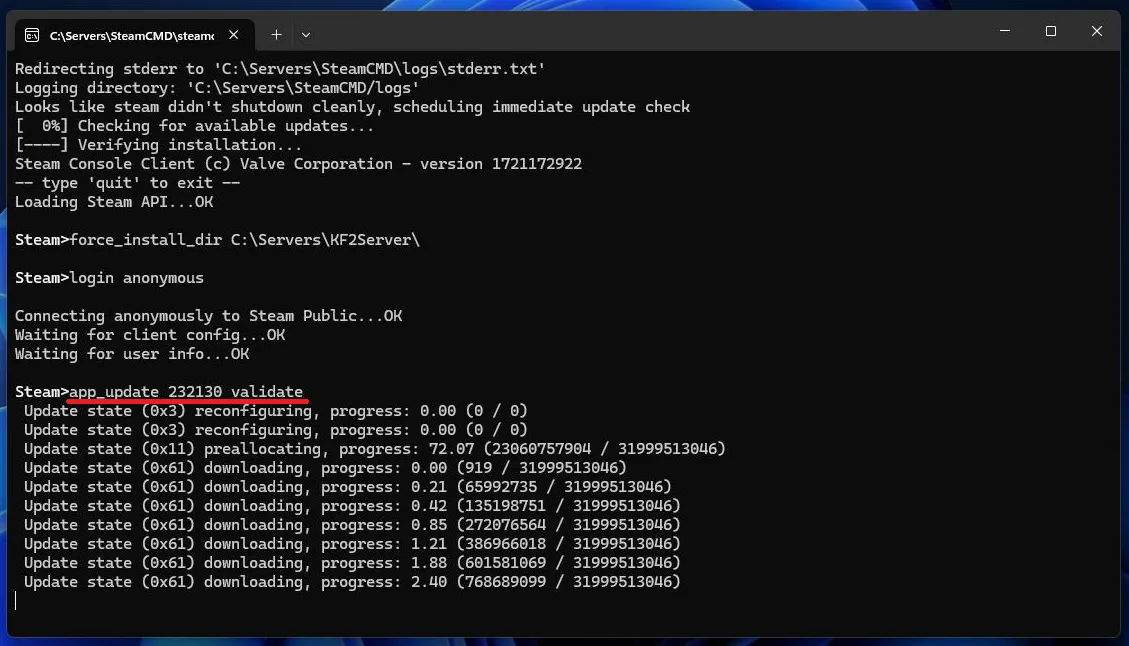 Downloading the server files.
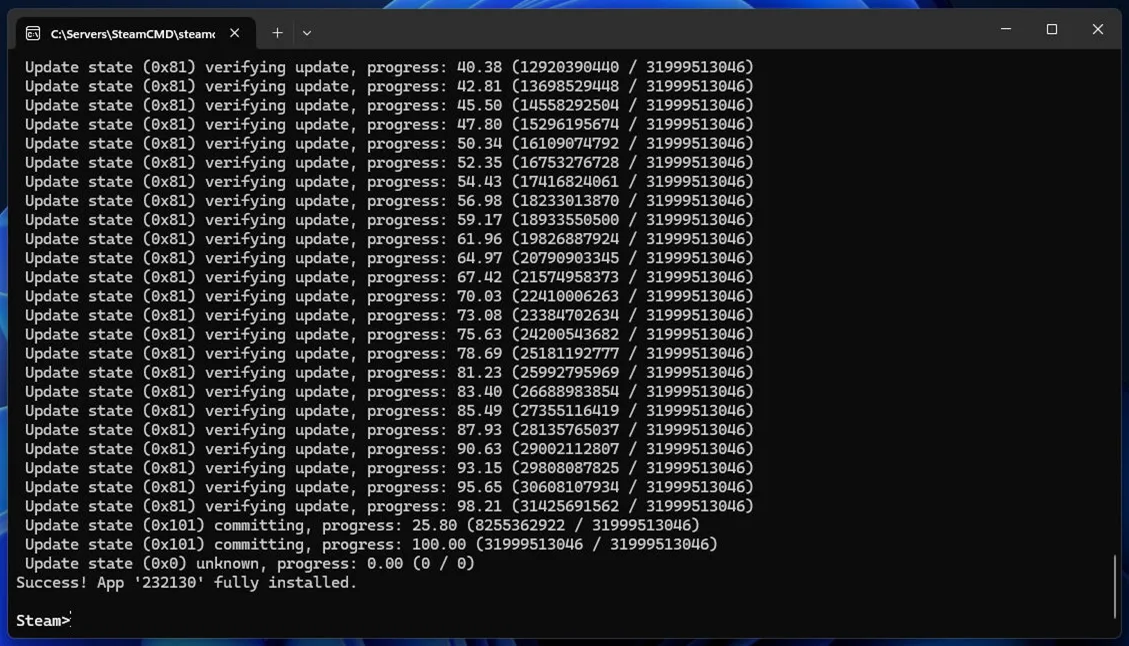 Download progress.
- Open the server folder and run
KF2Server.bat. A healthy start prints the KF2 version, "Initializing game engine completed" and a "STEAM GAME SERVER UID" line, which means the server is talking to Steam.
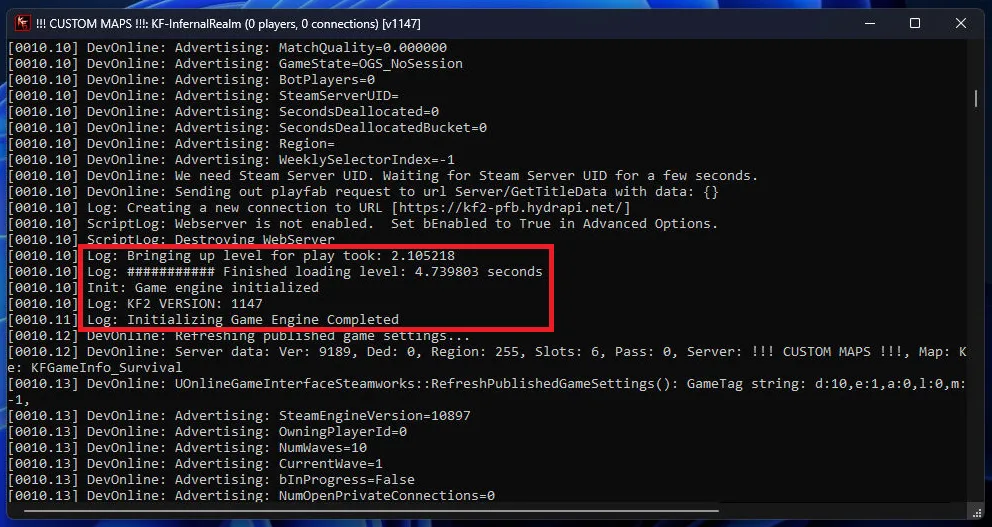 The server folder with KF2Server.bat.
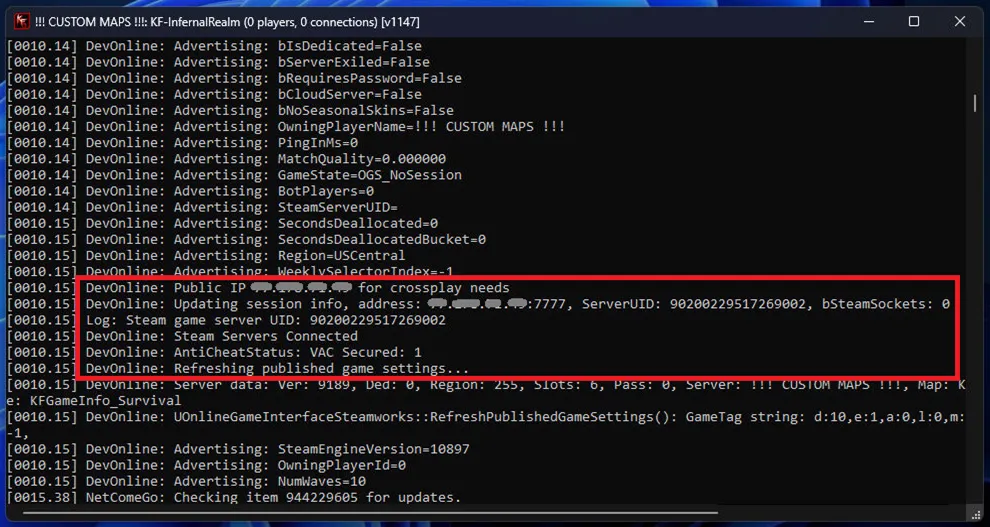 The server console after a successful start.
Port forwarding
Every router differs, so look up the steps for yours. Forwarding is needed only for players outside your network; you can play on the server from the same network without it.
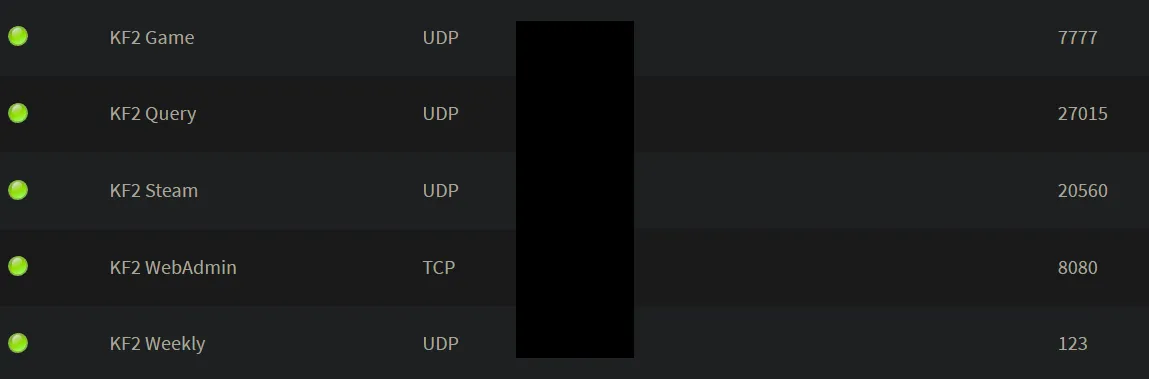 Ports used by the server.
| Port | Type | Used for |
|---|---|---|
| 7777 | UDP | Game |
| 27015 | UDP | Query |
| 20560 | UDP | Steam |
| 8080 | TCP | WebAdmin (optional) |
| 123 | UDP | NTP (Weekly Outbreak only) |
The ports can be changed in the config files. See also ports and NAT.
Configuration
Startup file
The default KF2Server.bat is:
start .\Binaries\win64\kfserver kf-bioticslab?adminpassword=123Keep the first part. kf-bioticslab is the map loaded on start and can be any map. Arguments follow the map name, separated by ?:
| Argument | Meaning |
|---|---|
| AdminName= | WebAdmin user name when configuring via the command line |
| AdminPassword= | Master administrator password |
| MaxPlayers= | Maximum players, for example 6 |
| Difficulty= | 0 Normal, 1 Hard, 2 Suicidal, 3 Hell on Earth |
Example: kf-bioticslab?adminpassword=123?MaxPlayers=2?Difficulty=3. Arguments in the startup file override the config files, but can still be changed live in WebAdmin.
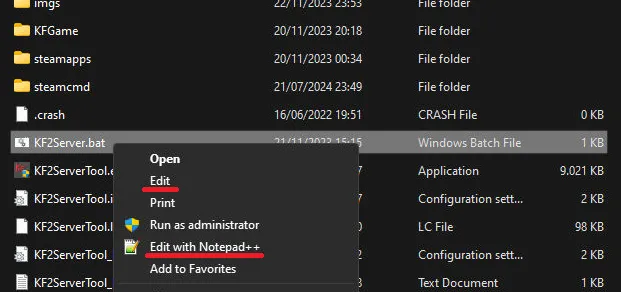 KF2Server.bat with the default map and admin password.
Config files
In .\KFGame\Config\PCServer-KFGame.ini you can change AdminPassword, GamePassword, ServerName and much more. In .\KFGame\Config\PCServer-KFEngine.ini, make sure bUsedForTakeover= is False, so someone else cannot take over an idle server.
WebAdmin
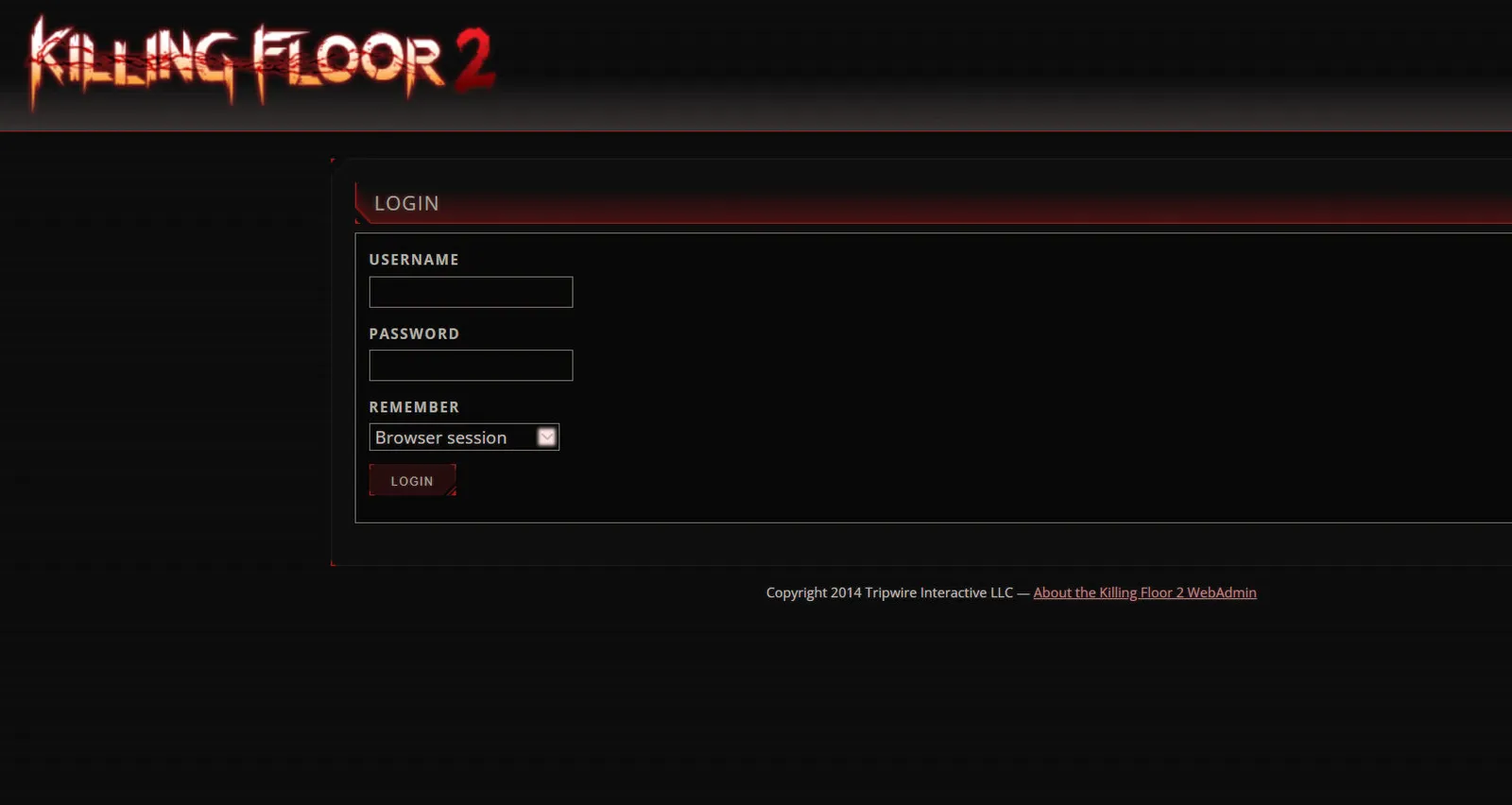
Enable it in .\KFGame\Config\KFWeb.ini by setting bEnabled= to true; the port can be changed there too. Find the host PC's IPv4 address with ipconfig in the Windows command prompt.
 Reading the IPv4 address (192.168.178.33 in the example).
With the server running, open <YOUR IPv4>:8080 in a browser and sign in as Admin with your password.
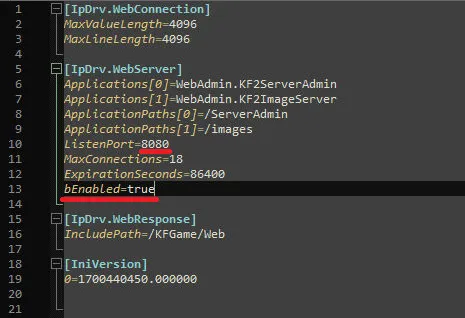 The WebAdmin login page.
If Chrome shows "Invalid form data." although everything is correct, set bHttpAuth= to true in .\KFGame\Config\KFWebAdmin.ini and try again.
Custom maps and mods, option 1: KF2ServerTool
- Download the tool from
https://github.com/darkdks/KF2ServerTool/releases. - Extract the zip into the server's main directory and run
KF2ServerTool.exe. - On the Options tab enable "Workshop Download Manager" and "Custom redirect" and set the redirect URL to
http://kf2.tripwirecdn.com/. This made custom maps work for the author.
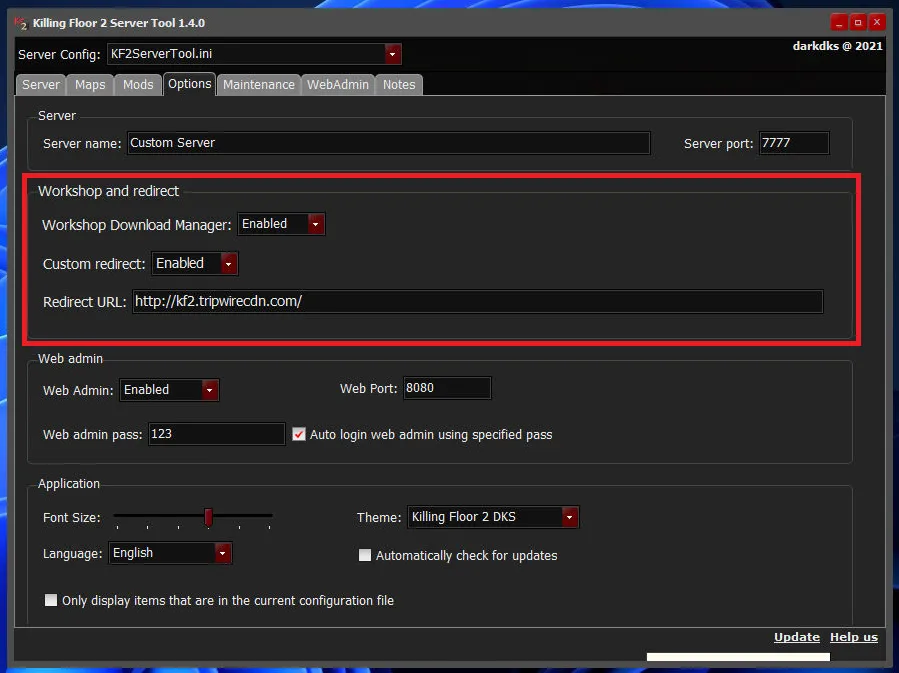 KF2ServerTool options.
- On the Maps / Mods tab add content from a file, from a backup, from the provided redirect, by Workshop ID or URL, or through the built-in Workshop browser. Most mods also need entries in "Additional parameters"; the mod page says which.
- Check that each added map shows green checkmarks in "Map Entry" and "Cycle Entry". For red crosses, right-click the item and choose reinstall, tick all boxes and confirm.
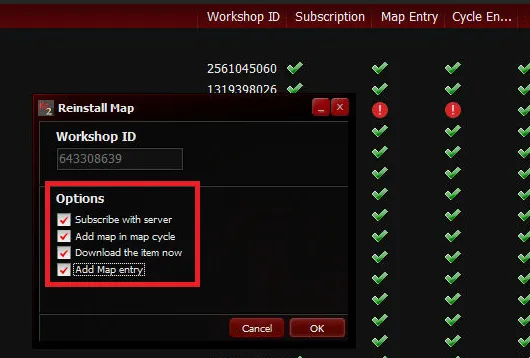 Map entries should be green.
- On the server tab pick a map and settings and start the server.
Custom maps and mods, option 2: manual configuration
- Find a map or mod on the Workshop and take its ID from the URL, for example
643383080from...filedetails/?id=643383080. - Stop the server and open
.\KFGame\Config\PCServer-KFEngine.ini. - Add, if missing:
[IpDrv.HTTPDownload]
RedirectToURL=http://kf2.tripwirecdn.com/

[OnlineSubsystemSteamworks.KFWorkshopSteamworks]
ServerSubscribedWorkshopItems=
Put each Workshop ID in ServerSubscribedWorkshopItems.
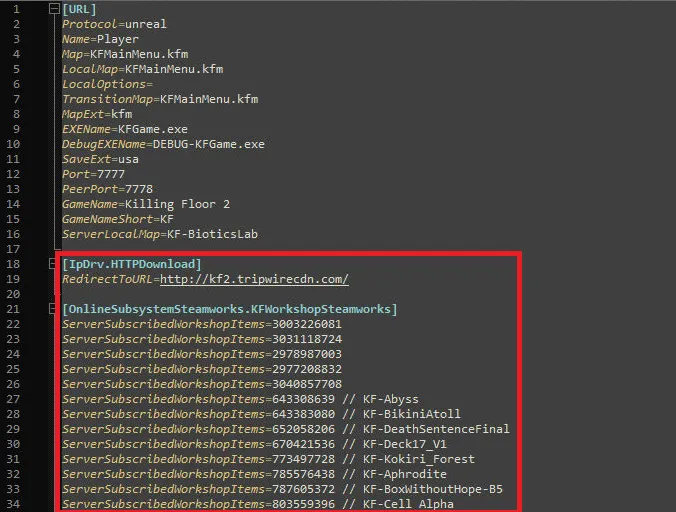 Workshop entries in PCServer-KFEngine.ini.
- Register the map in
.\KFGame\Config\PCServer-KFGame.iniby adding at the very bottom a block for each map:
[KF-BikiniAtoll KFMapSummary]
MapName=KF-BikiniAtoll
MapAssociation=0
ScreenshotPathName=UI_MapPreview_TEX.UI_MapPreview_Placeholder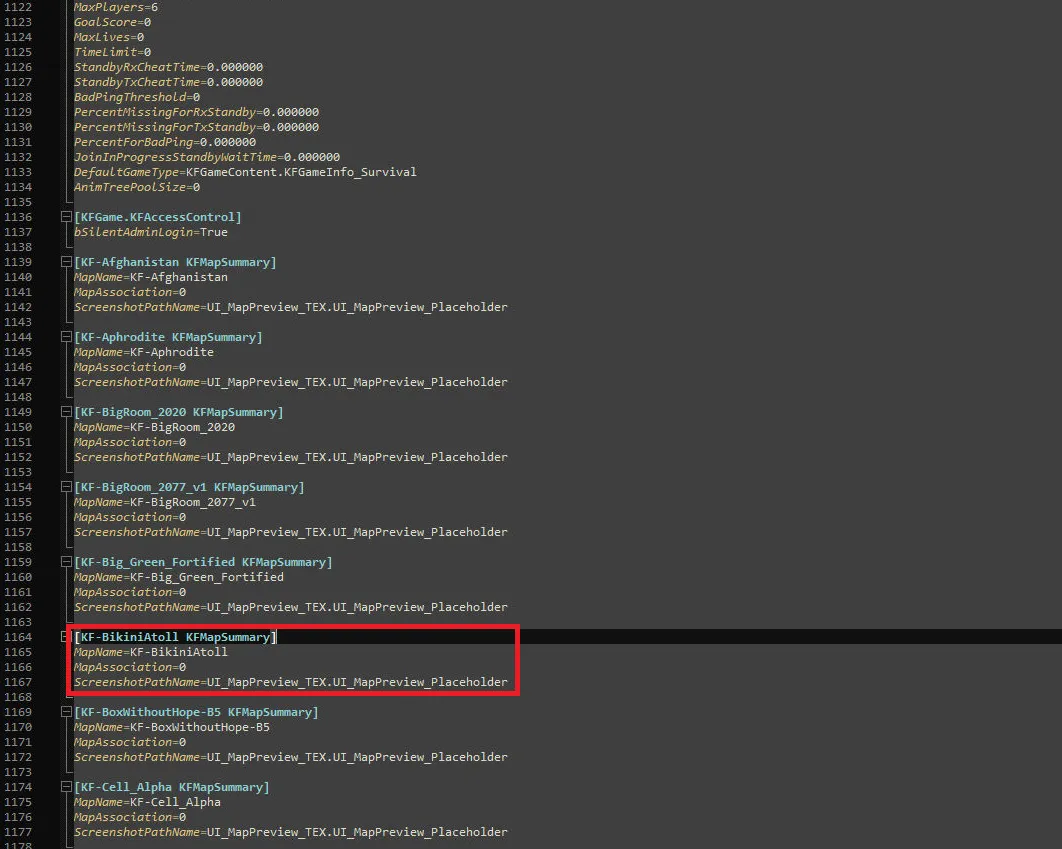 A KFMapSummary entry at the end of PCServer-KFGame.ini.
- Add the map to the cycle so it is selectable in-game, in one of two ways. Config file: in the same file search for
GameMapCyclesand add the map name; you may delete default maps to play only custom ones.
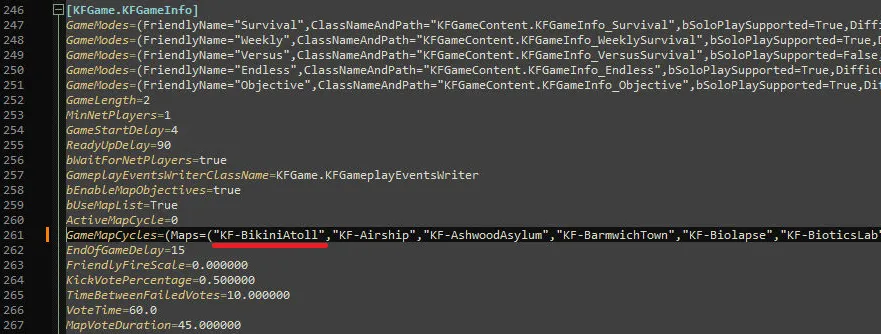 Editing GameMapCycles.
WebAdmin: start the server, open Settings, then Map Cycles. You can drag and drop maps, use "Add Missing" to add every available map not yet in the cycle, "Manual Add" to type a name, or basic edit mode. Press "Save Map Cycle" before leaving or the changes are lost.
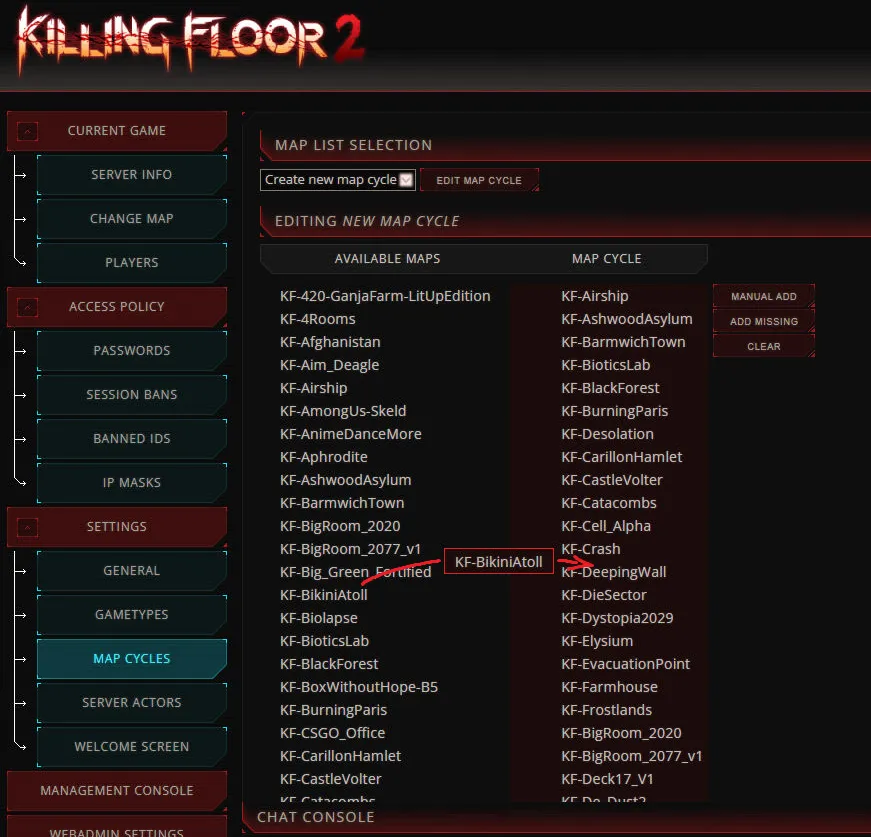 The Map Cycles page in WebAdmin.
- For mods, add the needed
Mutatorto the startup file arguments; the mod's Workshop page usually states it.
That is all: the server should now appear in the KF2 server browser with your custom maps and mods.
FAQ
- Which ports does a KF2 server need?
- 7777 UDP (game), 27015 UDP (query), 20560 UDP (Steam), 8080 TCP (optional WebAdmin) and 123 UDP (NTP, Weekly Outbreak only).
- What is the KF2 dedicated server app ID?
- 232130. Install it in SteamCMD with app_update 232130. The files are about 32 GB.
- How do I add a Workshop map to the server by hand?
- Put the Workshop ID in ServerSubscribedWorkshopItems in PCServer-KFEngine.ini, add a KFMapSummary entry in PCServer-KFGame.ini and add the map to GameMapCycles.
