
KF2ServerTool - Killing Floor 2 Server Manager Overview
KF2ServerTool is a free utility by darkdks for installing and maintaining a Killing Floor 2 dedicated server without hand-editing config files. Its main job is Workshop content: you paste a Workshop link or browse the Workshop inside the app, click a button, and the tool downloads the map, adds the server subscription, the map entry, the map cycle entry and, when needed, the download redirect. It is the tool most KF2 hosting guides recommend, including our custom maps and mods setup guide.
What it does
- Installs a new KF2 dedicated server or works with an existing one
- Adds, updates and removes maps and mods from the Steam Workshop or a custom redirect
- Server maintenance: update the server and verify file integrity, for the current version or the Beta/Preview branch
- Starts the server with chosen map, difficulty, length, mode, password and custom mutators
- Profiles with different settings
- WebAdmin configuration and a built-in WebAdmin tab
- Workshop Download Manager configuration
- Cleanup tools for the download cache and Workshop data
To update an outdated Workshop item, right-click it in the list and choose update.
Screenshots
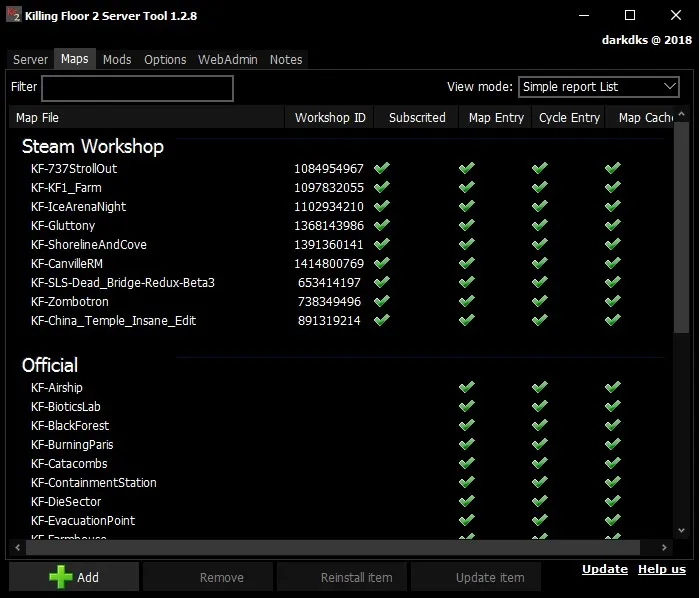 The Maps tab in list view. Green check marks show which steps (subscription, map entry, cycle entry, cache) are done for each map.
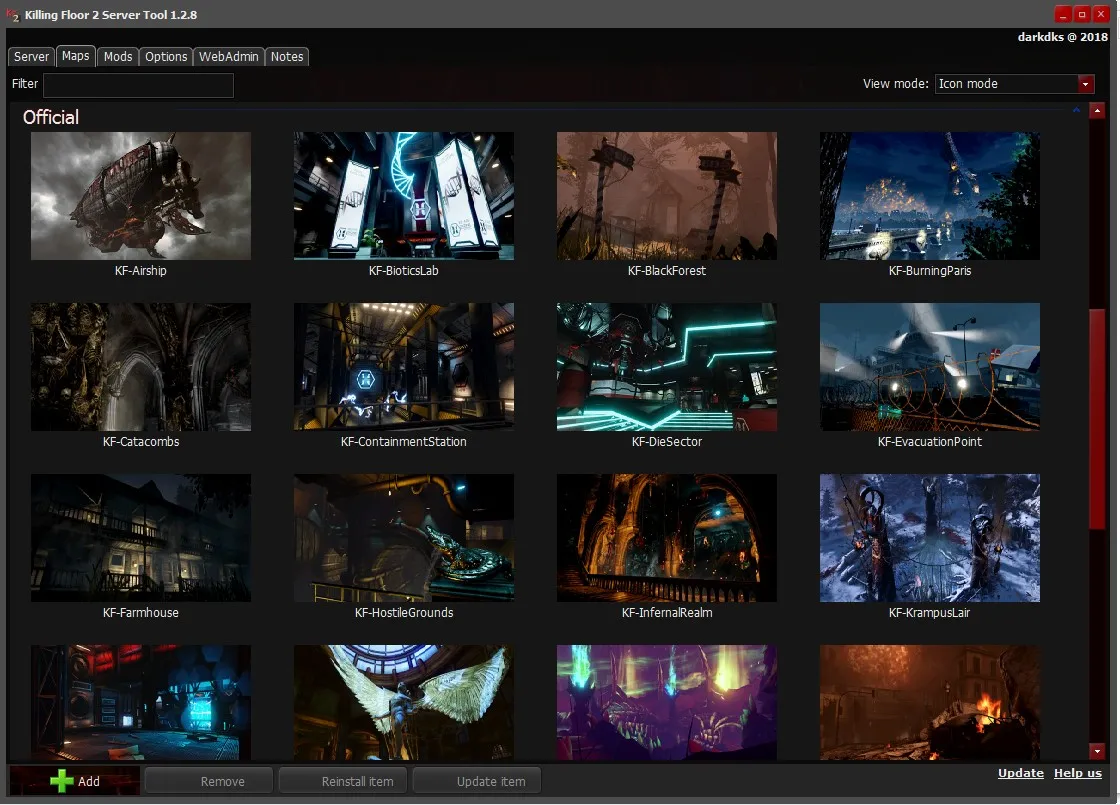 Icon mode shows map previews, here the official maps from KF-Airship to KF-KrampusLair.
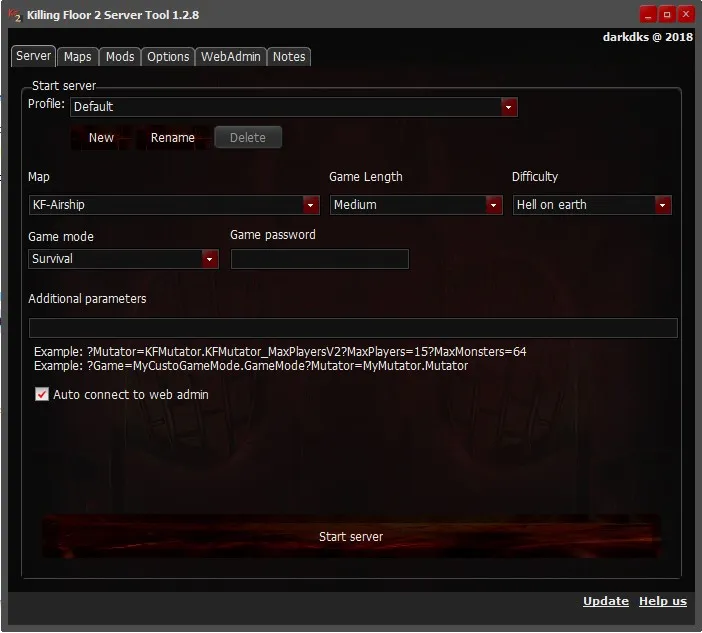 The Server tab: pick a profile, map, length, difficulty, mode and password, add extra launch parameters such as mutators, and start the server.
The "Additional parameters" field takes standard KF2 URL options. The tool's own examples:
?Mutator=KFMutator.KFMutator_MaxPlayersV2?MaxPlayers=15?MaxMonsters=64
?Game=MyCustoGameMode.GameMode?Mutator=MyMutator.Mutator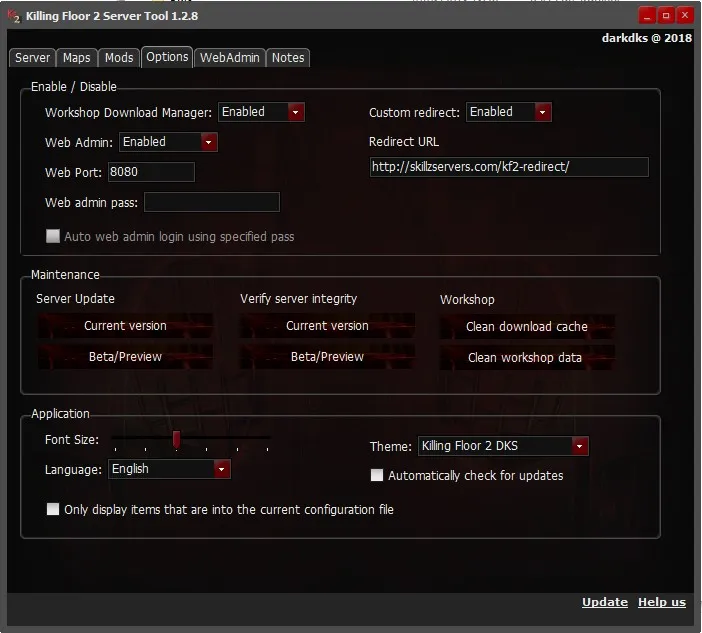 The Options tab: Workshop Download Manager, WebAdmin and port, custom redirect URL, server update and integrity check (current or Beta/Preview), cache cleanup, language and theme.
The redirect shown in this 2018 screenshot is a public redirect that no longer works. Use your own redirect or the Workshop download manager instead; see KF2 custom map redirect with nginx.
Installing the Windows version
Download the latest KF2ServerToolX.X.X.zip from the project's GitHub releases page.
Existing server:
- Extract all files from the zip into the server folder (where the
.batthat starts the server lives). - Run
KF2ServerTool.exeand add maps or mods by browsing the Workshop or pasting an item ID or URL.
New server:
- Extract the files into the folder where the server should be installed.
- Run
KF2ServerTool.exeand choose to install a new server in the tool's folder. - When the download finishes, close the tool and start the server once so it creates its config files.
If you have never set up client downloads from the Workshop, open the Options tab and enable the Workshop Download Manager.
KF2ServerToolCMD (Windows and Linux)
The command-line version runs on Windows and Linux, which makes it useful for headless servers.
- Put
KF2ServerToolCMDin the server folder and run it from a terminal with-list. This createsKF2ServerToolCMD.ini, where you can set the paths of the KFEngine and KFGame configs if you do not use the defaults. - Install SteamCMD if needed (on Linux
apt-get install steamcmd, or use the copy in the repository) and set its path in the ini:steamcmd.shon Linux,steamcmd.exeon Windows. - Run
KF2ServerToolCMD -helpfor all commands.
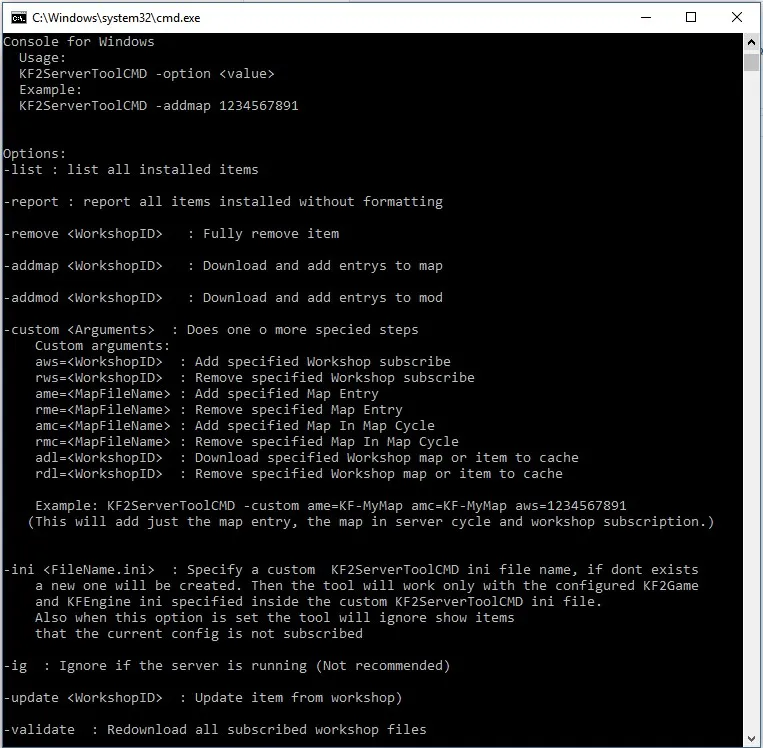 KF2ServerToolCMD help screen.
| Option | What it does |
|---|---|
-list | List installed items |
-report | Report installed items without formatting |
-addmap <WorkshopID> | Download a map and add all its entries |
-addmod <WorkshopID> | Download a mod and add its entries |
-remove <WorkshopID> | Fully remove an item |
-update <WorkshopID> | Update an item from the Workshop |
-validate | Re-download all subscribed Workshop files |
-custom <args> | Run only selected steps (see below) |
-ini <file> | Use a custom KF2ServerToolCMD ini |
-ig | Ignore that the server is running (not recommended) |
-custom steps: aws/rws add or remove a Workshop subscription, ame/rme add or remove a map entry, amc/rmc add or remove a map from the cycle, adl/rdl download or remove an item in the cache. Example that adds only the map entry, the cycle entry and the subscription:
KF2ServerToolCMD -custom ame=KF-MyMap amc=KF-MyMap aws=1234567891Several servers in one folder
If you run multiple server instances from one install with separate config files, start the tool with its own config file per server:
KF2ServerTool -config KFServerTool_sv2.ini
KF2ServerToolCMD -config KFServerTool_sv2.ini -info
The tool creates the file; edit it to point to that server's own PCServer-KFGame.ini, PCServer-KFEngine.ini and so on. In the GUI version you can also set OnlyShowItemsFromConfig=true in the GENERAL section so the lists show only that server's maps and mods.
Version history highlights
| Version | Released | Notable changes |
|---|---|---|
| 1.1.3 | February 2018 | First public release on GitHub |
| 1.3.7 | December 2019 | Objective mode and automatic restart option in the launcher |
| 1.3.8 | November 2020 | Server install fixes, language choice on first launch |
| 1.4.0 | January 2021 | Multiple server setup and management, server name and port editable in the tool, safer start and stop |
| 1.5.0 | July 2024 | Map cycle sort order option, updated SteamCMD, Chinese and Russian translations |
The project wiki on GitHub has more help.
FAQ
- Is KF2ServerTool free?
- Yes. It is an open-source project by darkdks hosted on GitHub. The Windows GUI version is downloaded as a zip from the project's releases page.
- Does KF2ServerTool work on Linux?
- The GUI is Windows-only. KF2ServerToolCMD, the command-line version, has builds for both Windows and Linux.
- Where do I put KF2ServerTool?
- Extract the zip into the server folder, the same folder as the .bat that starts the server. For a new install, extract it where the server should go and let the tool download the server.
- Can it manage several servers in one folder?
- Yes. Start it with -config <file>.ini to use a separate config per server; version 1.4.0 added multiple server setup and management.
