
KF2 WebAdmin Mod: Steam Profile and IP Info Links
The default Killing Floor 2 WebAdmin shows each player's name, ping, IP, Unique Net ID, Steam ID, Community ID, admin flag, spectator state and controls (kick and ban), but nothing you can click through to see who the person is. A small mod by community member Cichy adds Steam profile links and IP lookup links by editing four HTML templates. The guide dates from May 2015 and was updated in 2017.
Requirements
- A Killing Floor 2 dedicated server installed with SteamCMD.
- A text editor such as Notepad++.
- A bit of spare time. The author says it is easy.
Files to edit
Go to killingfloor2\KFGame\Web\ServerAdmin\ and edit:
about.htmladds a link to the logged-in admin's Steam profile.current.htmlchanges the game summary, for example showing a picture of the loaded map.current_players.htmladds tooltips to the table.current_players_row.incdecorates the links to Steam Community profiles and sets the site used for IP lookups (the original used RIPE, and the latest version used ipinfo.io).
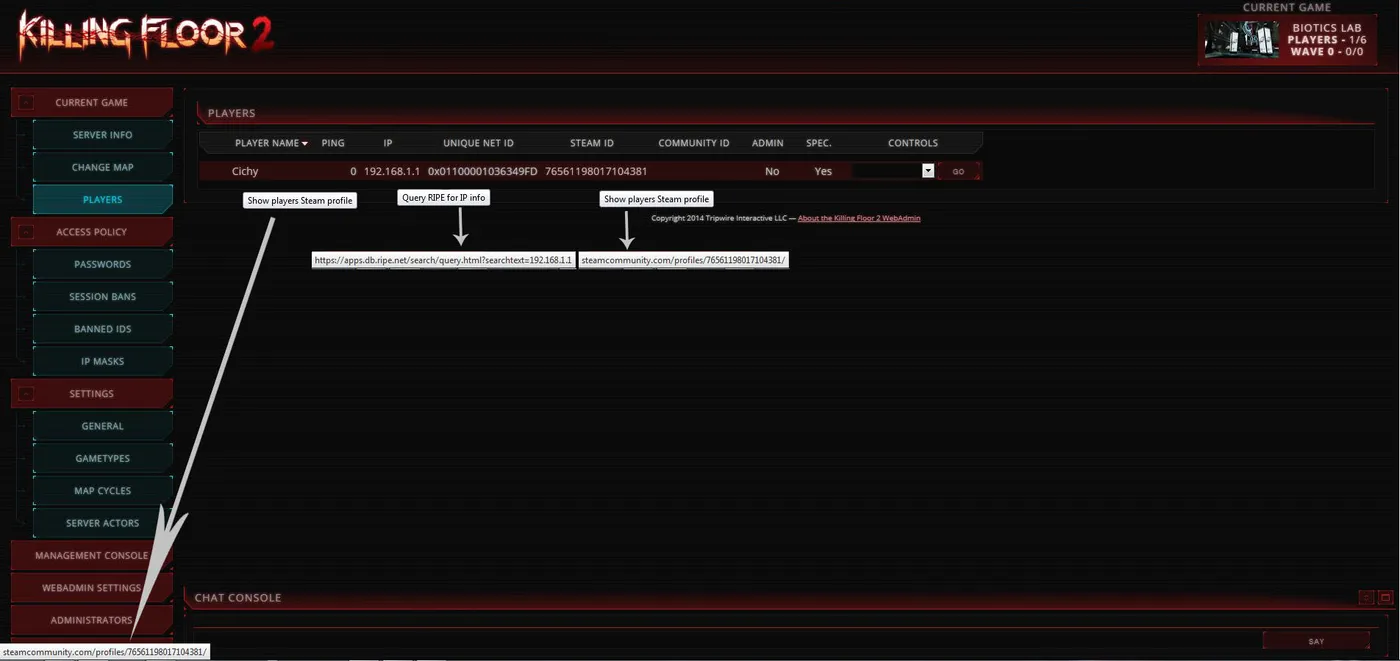 The modified Players page: tooltips show on hover for the name, the IP and the Steam ID.
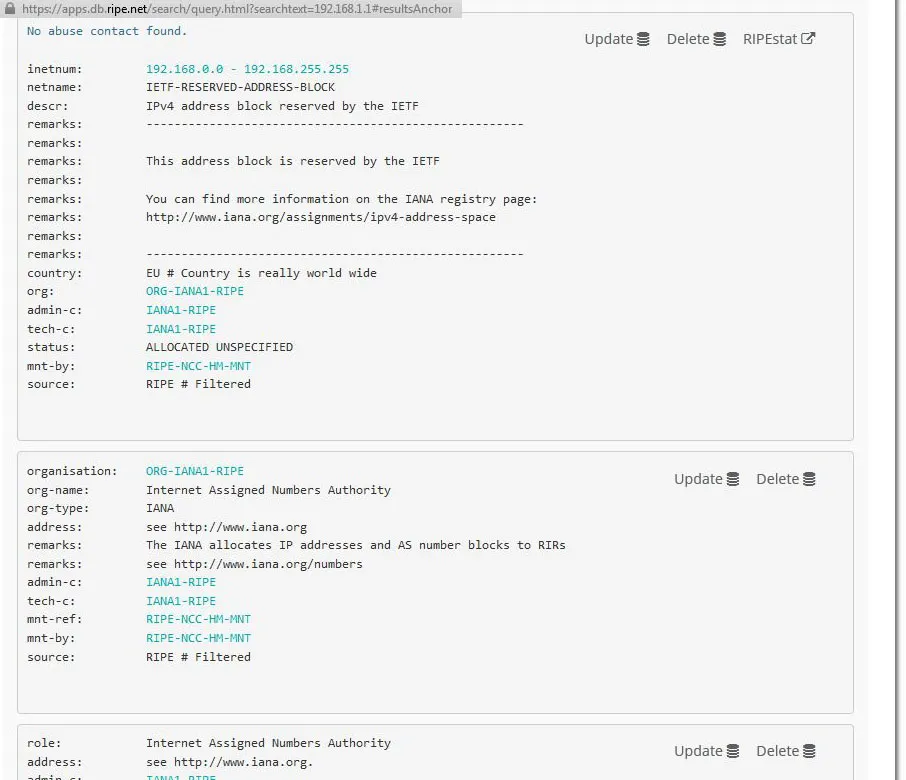 What the IP query page looks like after clicking an address.
Step by step
about.html. Find the line that prints the Steam ID, <dd><%player.steamid%></dd>, and wrap the ID in a link to http://steamcommunity.com/profiles/<%player.steamid%>/ with target="_blank". The ID now links to the Steam account of the admin who is logged in.
current.html. Find <dd title="<%map.name%>"><%map.title.safe%></dd> and replace the map title with an image so that the page shows a picture of the map (the name stays as a tooltip).
current_players.html. In the table header row, add title attributes to each column, such as "Players Name", "RIPE IP Query", "Players Steam ID", "Administrator Account", "Spectator" and "Player controls". These are only tooltips to make the table clearer.
current_players_row.inc. In the row template, replace the plain <%player.name%>, <%player.ip%> and <%player.steamid%> cells with links:
- the name and the Steam ID both link to
http://steamcommunity.com/profiles/<%player.steamid%>/, with the tooltip "Show players Steam profile"; - the IP links to an IP information site (
http://ipinfo.io/<%player.ip%>) with the tooltip "Query RIPE for IP info".
You can adjust color, text-decoration and text-shadow in the inline style to change the look of the links.
The result is that clicking a player's name or Steam ID opens their profile and clicking the IP gives you an origin lookup.
Notes
- Back up the original files before editing, since game updates can overwrite them.
- The author hoped Tripwire would include this in a future WebAdmin update.
- For more server admin material see WebAdmin, workshop and custom server guide and auto-kick by perk level script.
FAQ
- Which WebAdmin files are modified?
- about.html, current.html, current_players.html and current_players_row.inc in killingfloor2\KFGame\Web\ServerAdmin.
- What does the mod add?
- Clickable player names and Steam IDs that open the Steam Community profile, an IP link that opens an IP information lookup, tooltips on table headers, and a map picture instead of map text on the server summary.
