
KF2 Dedicated Server with Workshop Support (Japanese Guide)
This is a translation and paraphrase of a Japanese guide on making a KF2 dedicated server pull maps and mutators straight from the Steam Workshop. For related English and Spanish pages see the Workshop dedicated server guide (ES) and the 2025 Workshop update issue.
Edit PCServer-KFEngine.ini
- Note the Workshop ID of each item you want. It is the number after
id=at the end of the Workshop URL. For KF-Museum, for example, the URL ends inid=674148429. - At the very bottom of PCServer-KFEngine.ini add the section
[OnlineSubsystemSteamworks.KFWorkshopSteamworks]. Under it, add one line per item in the formServerSubscribedWorkshopItems=<id>:
[OnlineSubsystemSteamworks.KFWorkshopSteamworks]
ServerSubscribedWorkshopItems=674148429
ServerSubscribedWorkshopItems=605543140
ServerSubscribedWorkshopItems=609307979
ServerSubscribedWorkshopItems=605547588
ServerSubscribedWorkshopItems=645410401- Find the
[IpDrv.TcpNetDriver]section and add the following line inside it. If otherDownloadManagers=lines already exist, insert it above the topmost of them:
DownloadManagers=OnlineSubsystemSteamworks.SteamWorkshopDownload
DownloadManagers=....
Save the file and the configuration is done.
Download from the Workshop
Start the server on any map. A warning starting with "Attempting..." appears; ignore it and wait, and the download from the Workshop begins.
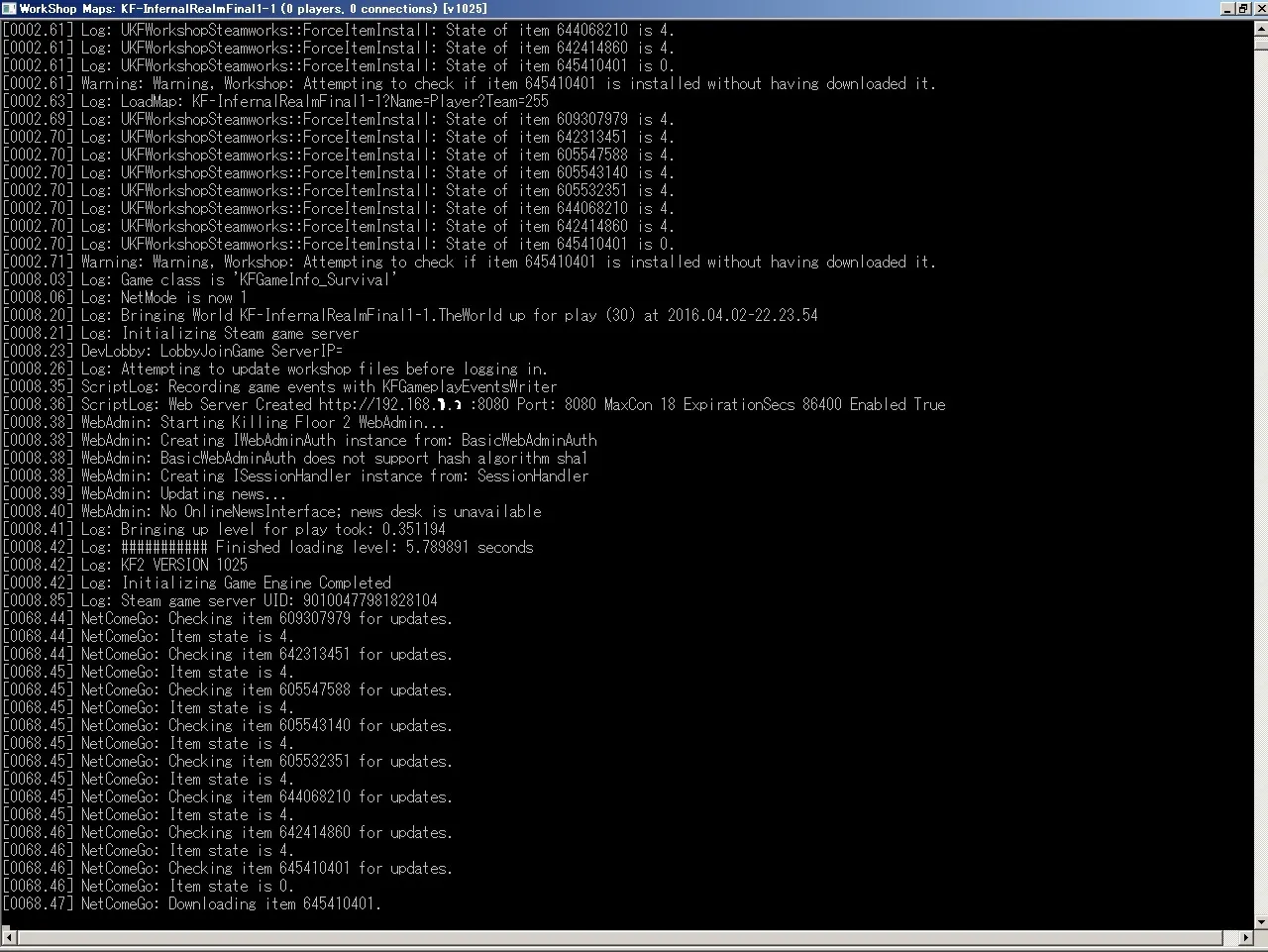
The server console while the Workshop items download.
When the download finishes, stop the server and start it again with a downloaded map or mutator. You do not need to copy the content into the KFGame folder: the folders are created automatically and the paths are set up for you. Downloaded content lives in:
<KF2 server folder>\Binaries\Win64\steamapps\workshop\content\232090\<workshop id>\
Why use this setup
Because the server downloads directly from the Workshop, players do not need to subscribe, and you do not need to upload files to a redirect server. You also stop chasing map and mutator updates, since the latest content is pulled from the Workshop each time.
Tip
Everything after a # in the ini is treated as a comment, so write the map name after each Workshop ID to keep the list manageable.
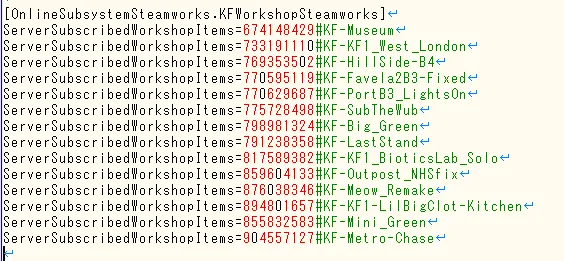
Map names written as comments after the IDs.
FAQ
- Which file do I edit?
- PCServer-KFEngine.ini on the server machine.
- Where does the server store Workshop downloads?
- In <KF2 server folder>\Binaries\Win64\steamapps\workshop\content\232090\<workshop id>\.
- Do players need to subscribe to the content?
- No. Because the server downloads directly from the Workshop, players do not need to subscribe and you do not need a redirect server.
