
KF2 SDK: Replace MIC Files to Use Neon and Precious Skins in Solo
This is part two of a series about using weapon skins locally. Part one replaced textures. Textures alone cannot give the Neon, Neon RGB, Precious and Vault Vosh Precious skins, so this part shows how to replace the MIC (Material Instance Constant) files in the Killing Floor 2 SDK. It is a solo-only modding technique. For other modding topics, see mod guides on this site.
Important limits
- If you replace a MIC file you can only play solo. Joining a server disconnects you because the material files differ.
- The author notes you cannot be banned for this when playing solo, and unlike cheat-command methods it still lets you earn XP, achievements and Dosh.
- Credit for the easier method goes to a community helper, Max's Will It.
What you need
Only the Killing Floor 2 SDK (Library, Tools, Killing Floor 2 - SDK).
Method 1: copy the skin MIC over the weapon MIC
The example uses the 9mm Neon RGB. The procedure is the same for every weapon.
- Open the SDK and decide which weapon to edit.
- In the Weapons folder find your weapon, then click its
WEP_1P_<weapon>_MATand write down the MIC file name.
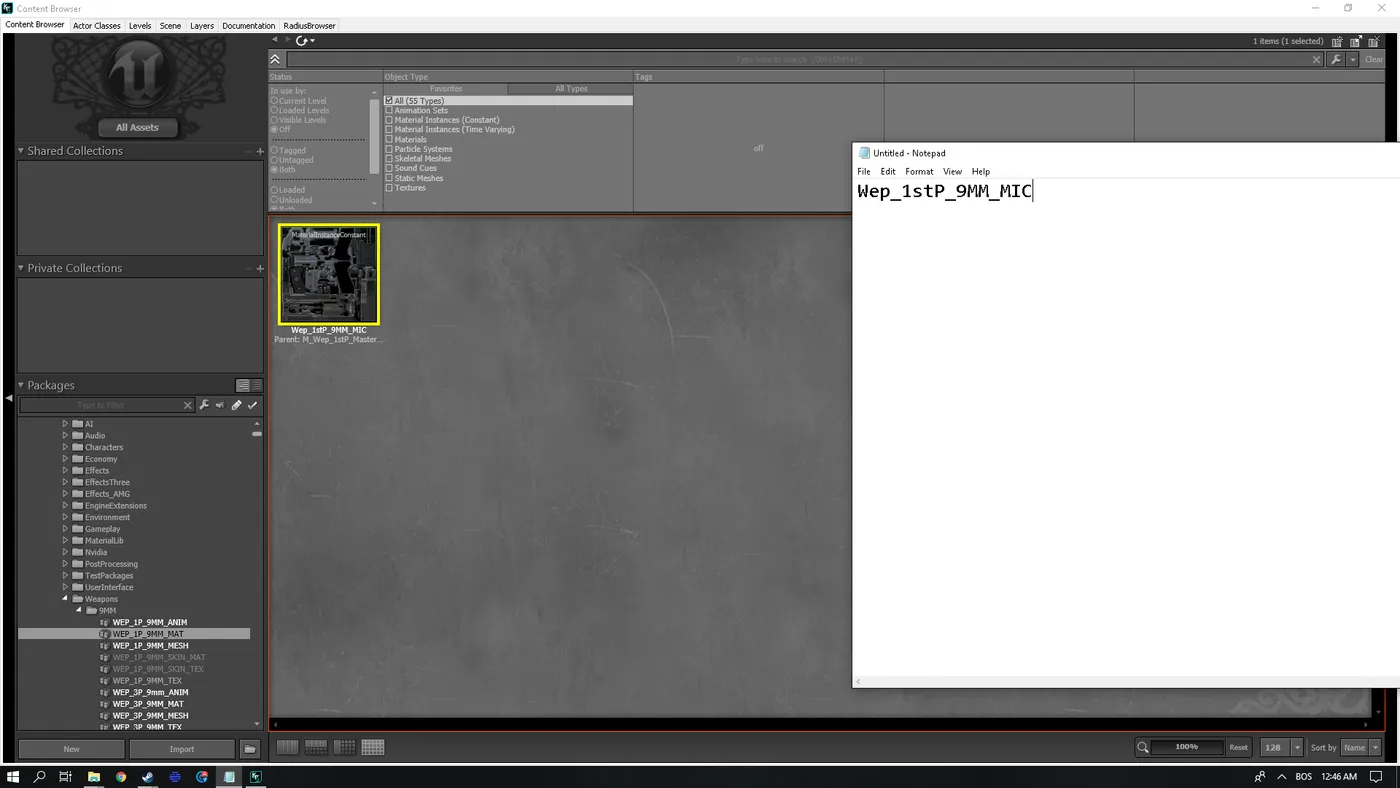 The weapon material and its MIC name in the SDK.
- In the Skins folder inside Weapons, find the MAT file with the skin you want. In the example it is
WEP_SkinSet21_MAT. Right-click, choose Fully Load, wait, right-click again and choose Save. Without Save, Create a Copy is grayed out.
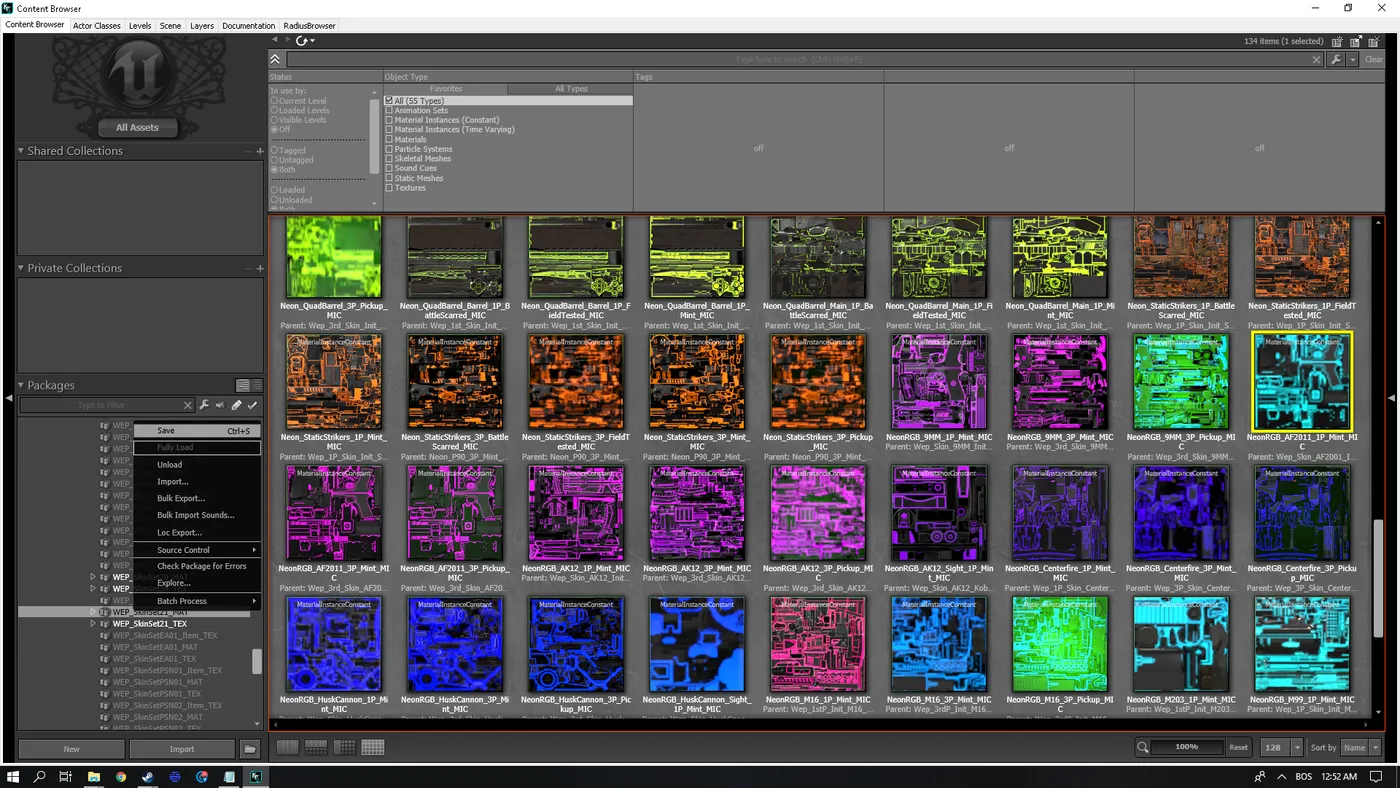 Loading and saving the skin MAT.
- Right-click the
_1P_Mint_MICof the skin and choose Create a Copy.
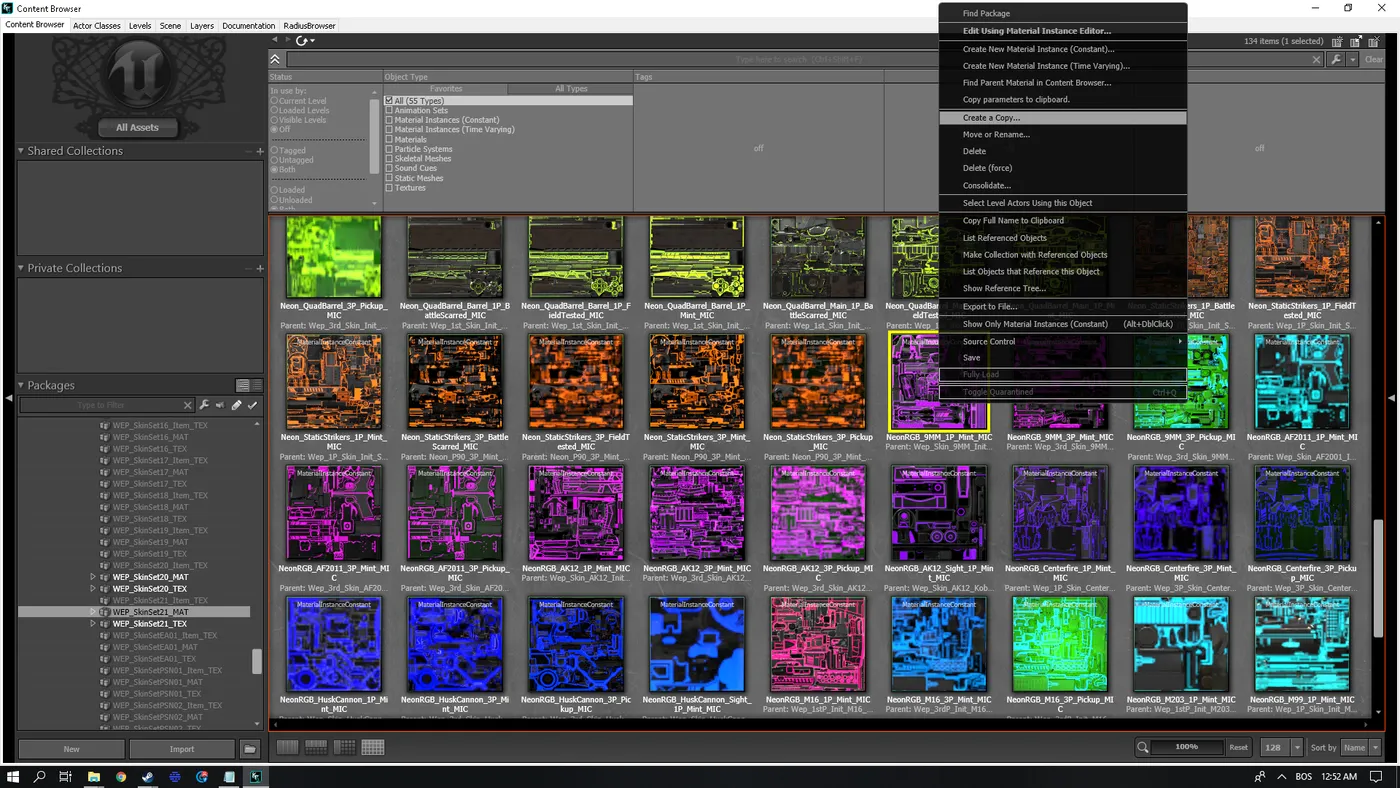 Create a Copy on the skin MIC.
- In Package choose the weapon's original package, clear Grouping, and paste the MIC name you wrote down into New Name. Click OK.
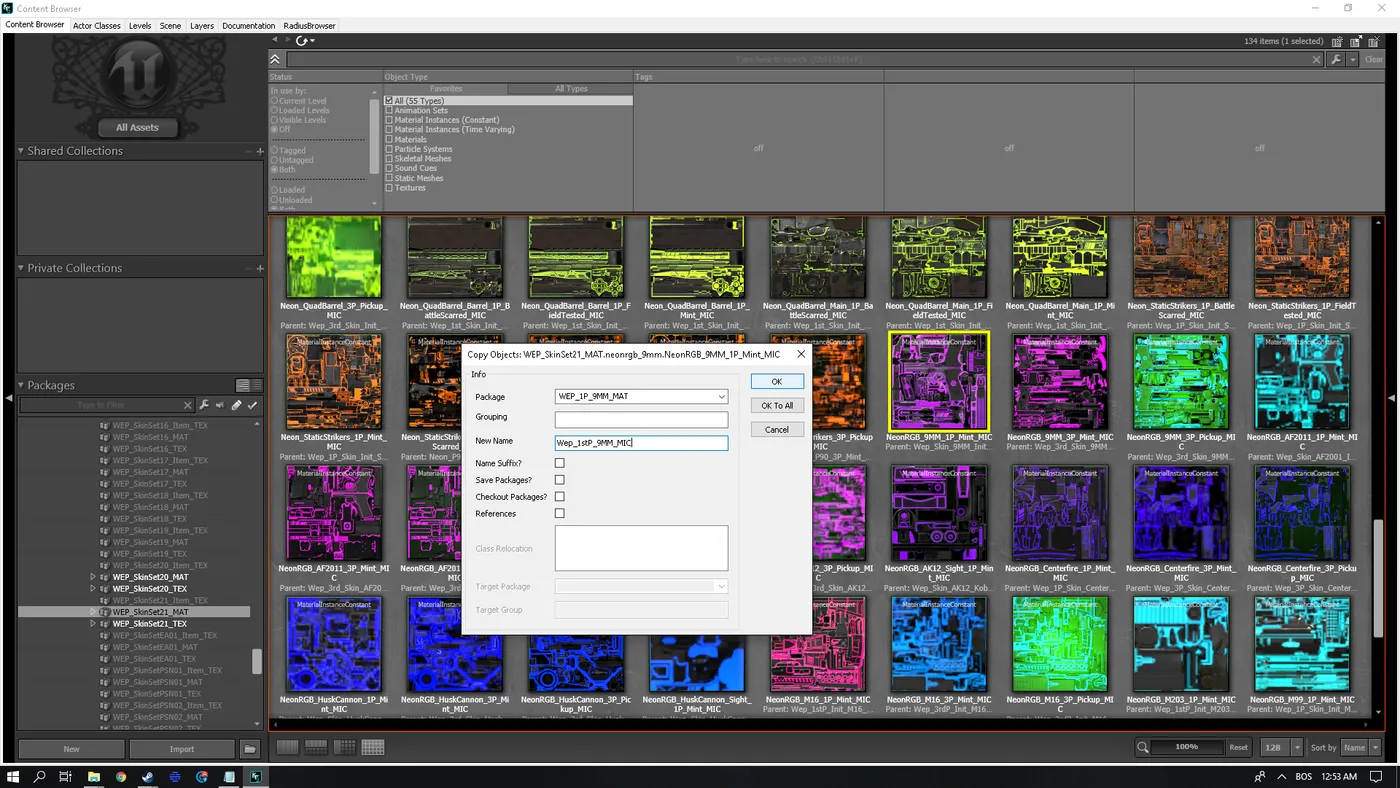 The copy dialog filled in.
- Confirm the overwrite prompt with Yes. The original 9mm Pistol is now replaced by the 9mm Neon RGB Pistol.
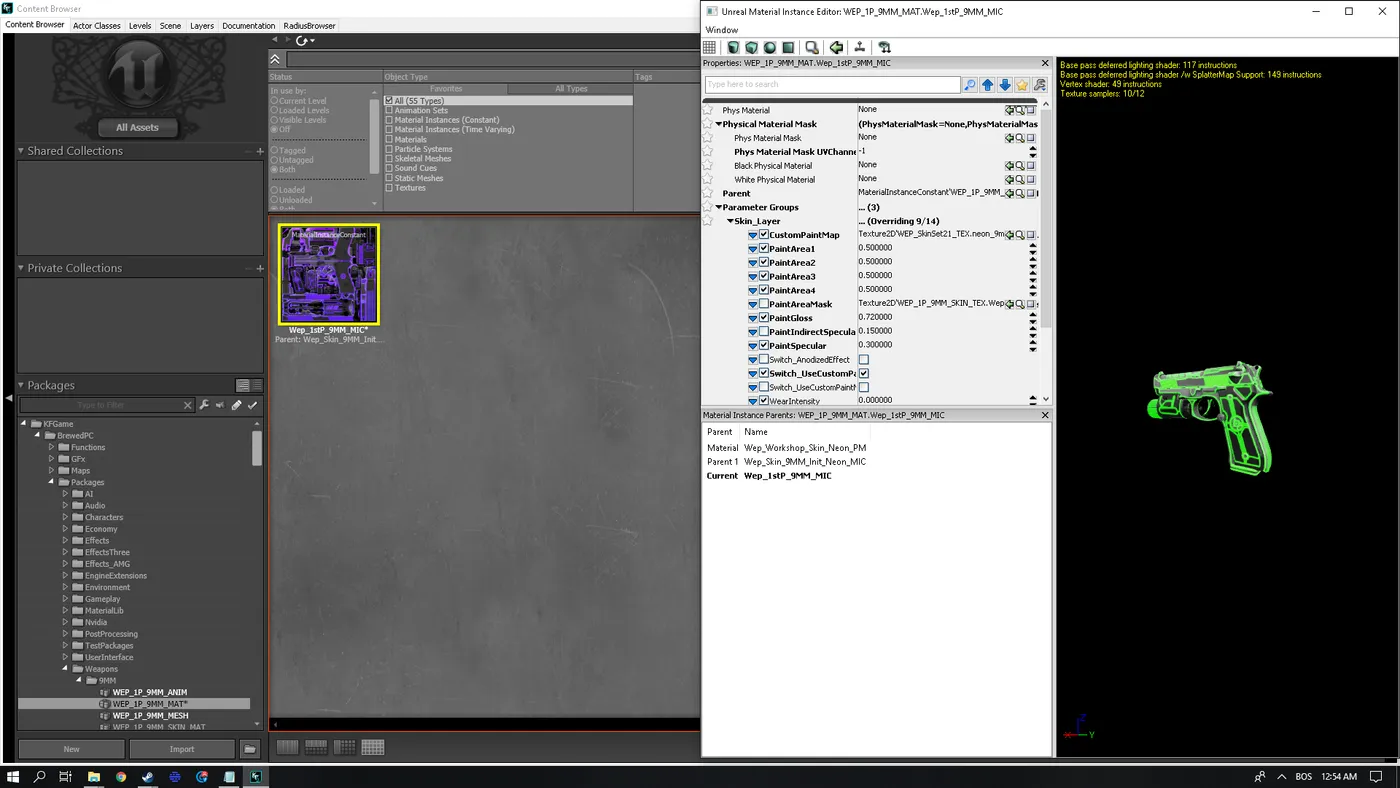 The weapon now shows the Neon RGB skin.
- Exit the SDK and, when asked to save the MAT files, click Save Selected.
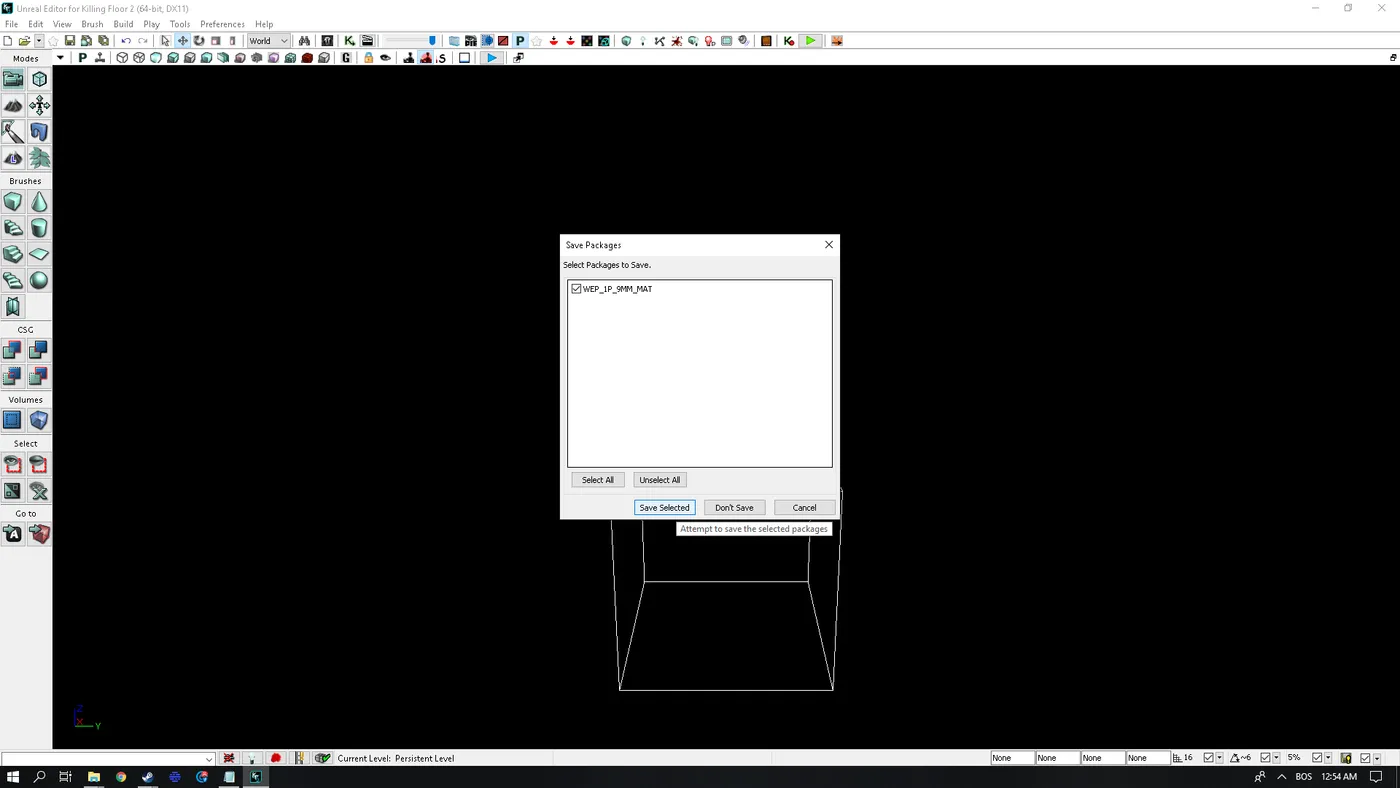 Saving the changed MAT files.
- The files are saved to
Documents\My Games\KillingFloor2\KFGame\Unpublished. To apply them, renameUnpublishedtoPublished.
Method 2: easier, via Parent
- Fully Load Weapons.
- Double-click your weapon's MIC.
- In the Material Instance Editor, click the magnifier next to Parent.
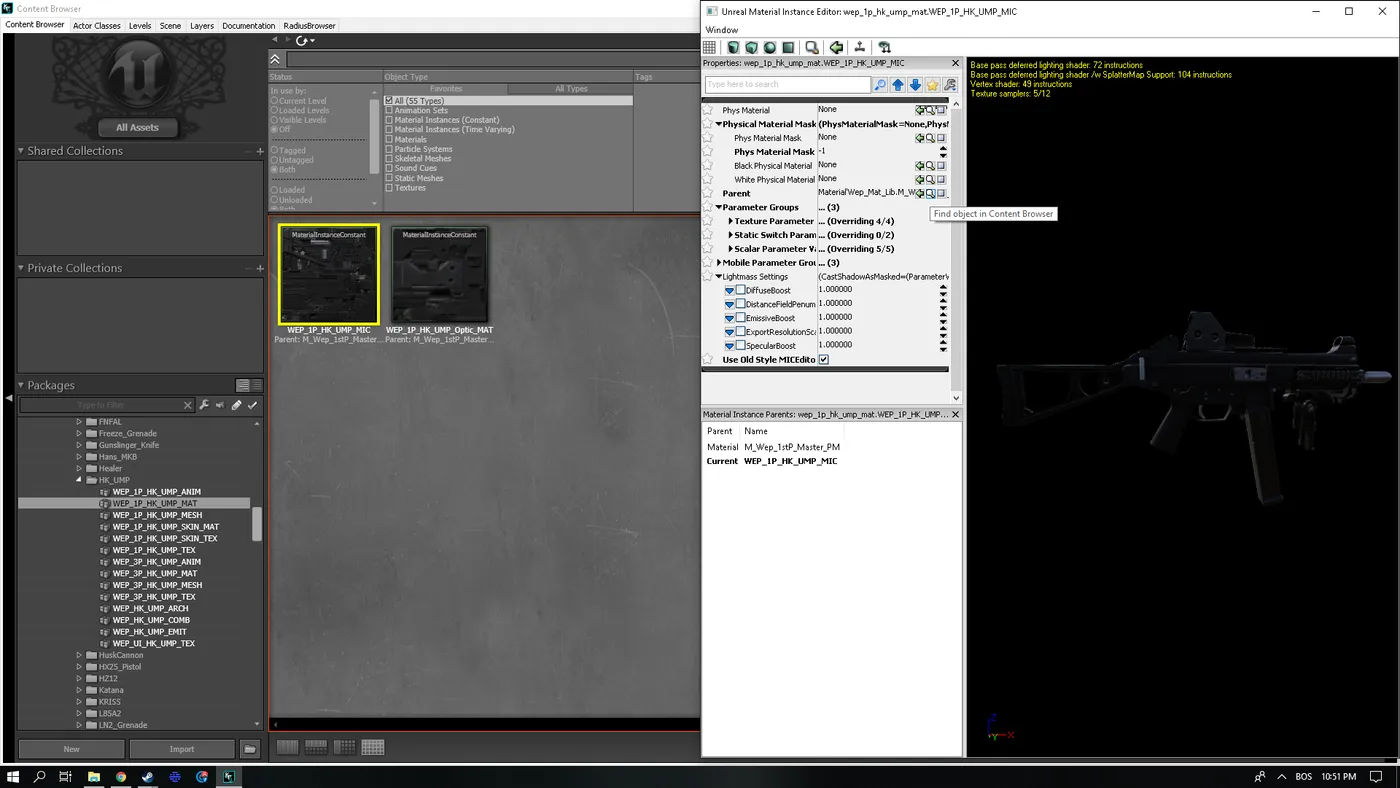 The Parent magnifier.
- Find the MIC of the skin you want and click it once, then click the green left arrow.
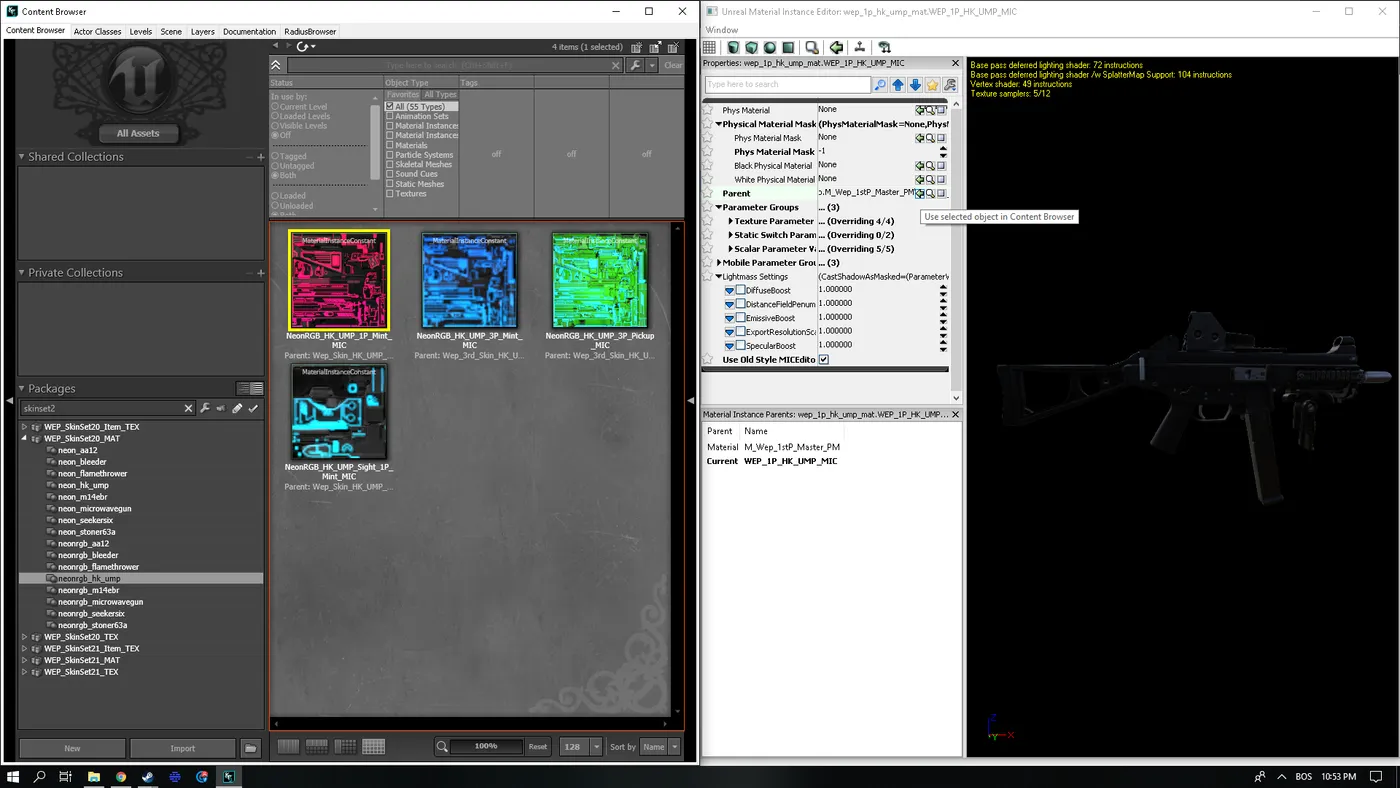 The green arrow loads the skin.
- The skin loads. Repeat for the sight if the weapon has one.
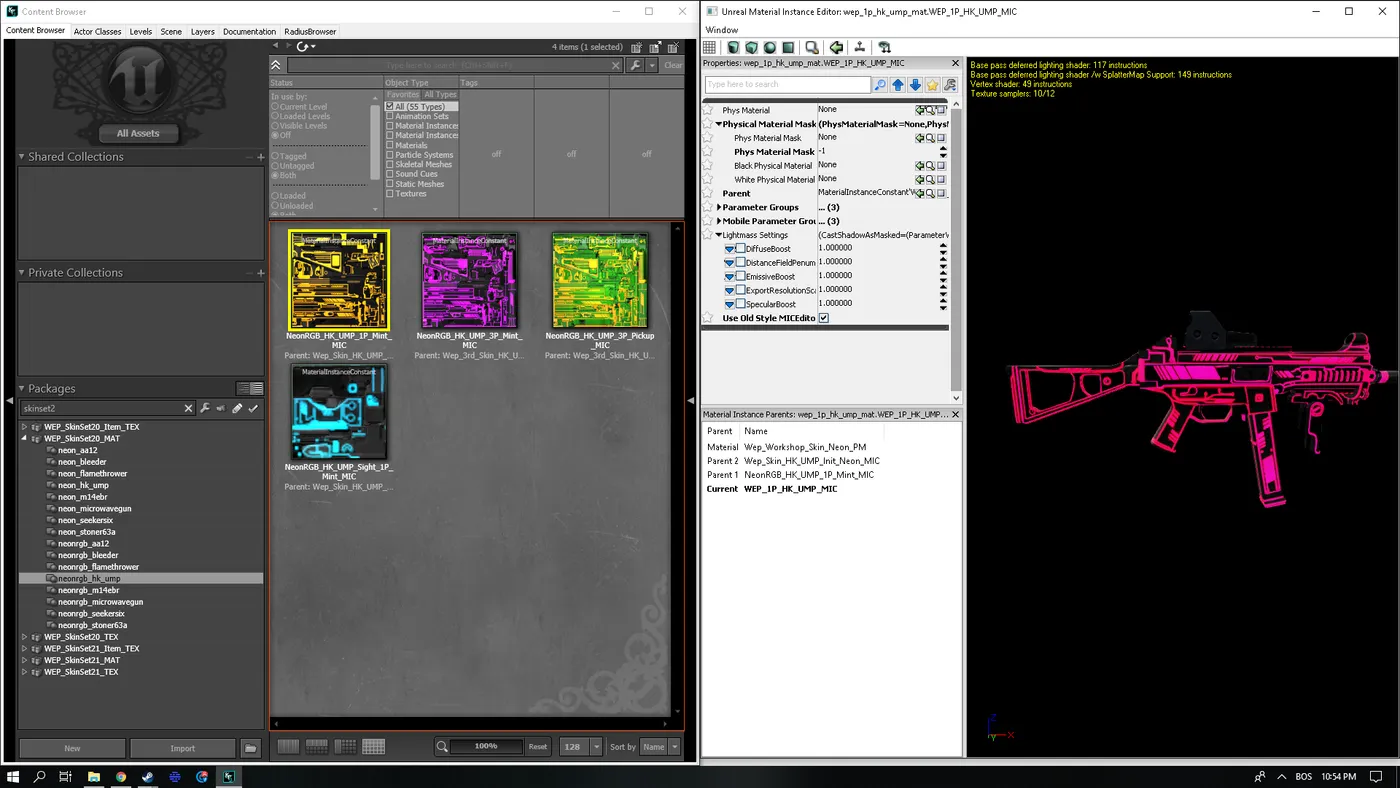 The skin loaded.
Rare bug
If the loaded skin looks wrong, load any 3P file and then load the 1P file again.
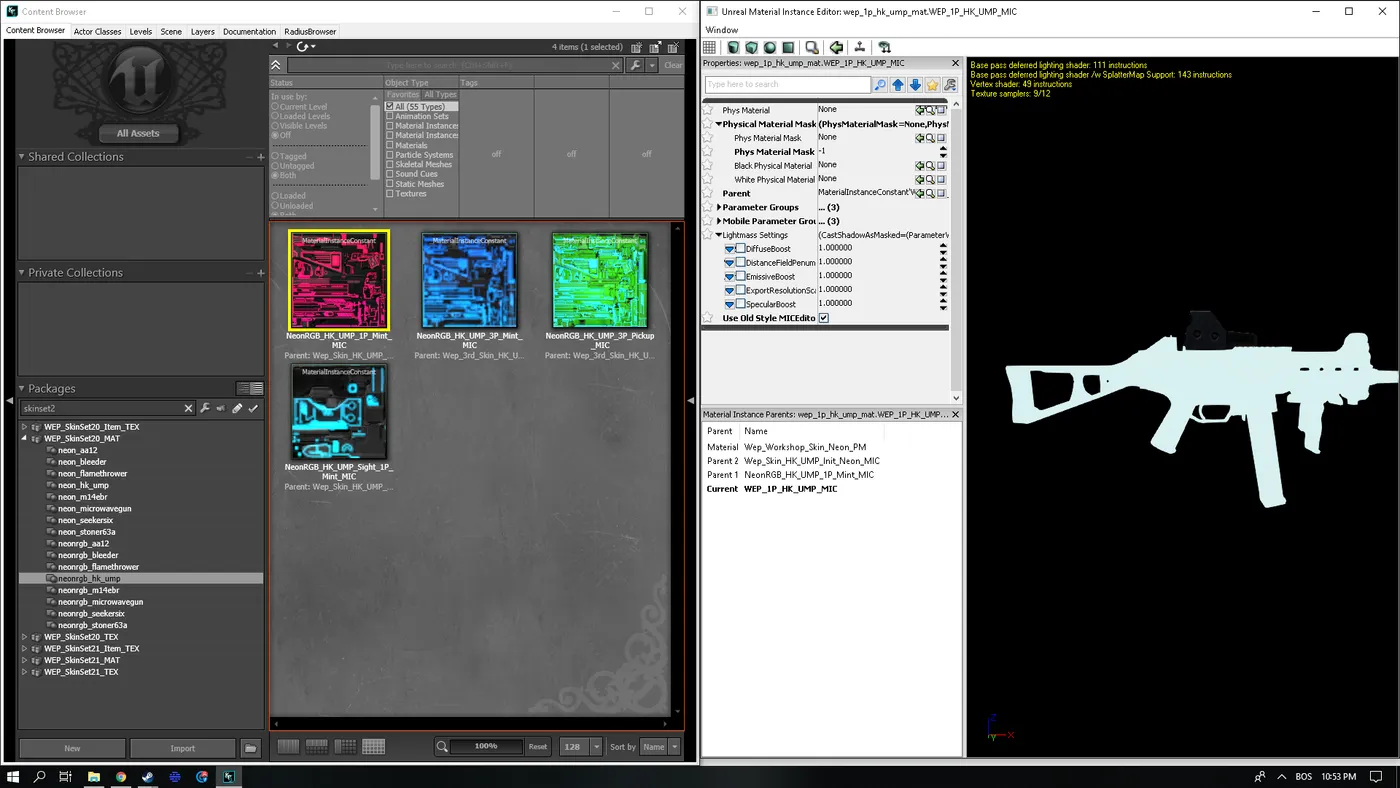 An example of the rare bug.
Scopes
Some weapons have their scope inside the base model file, others in WEP_1P_Optics_Two_Mat.
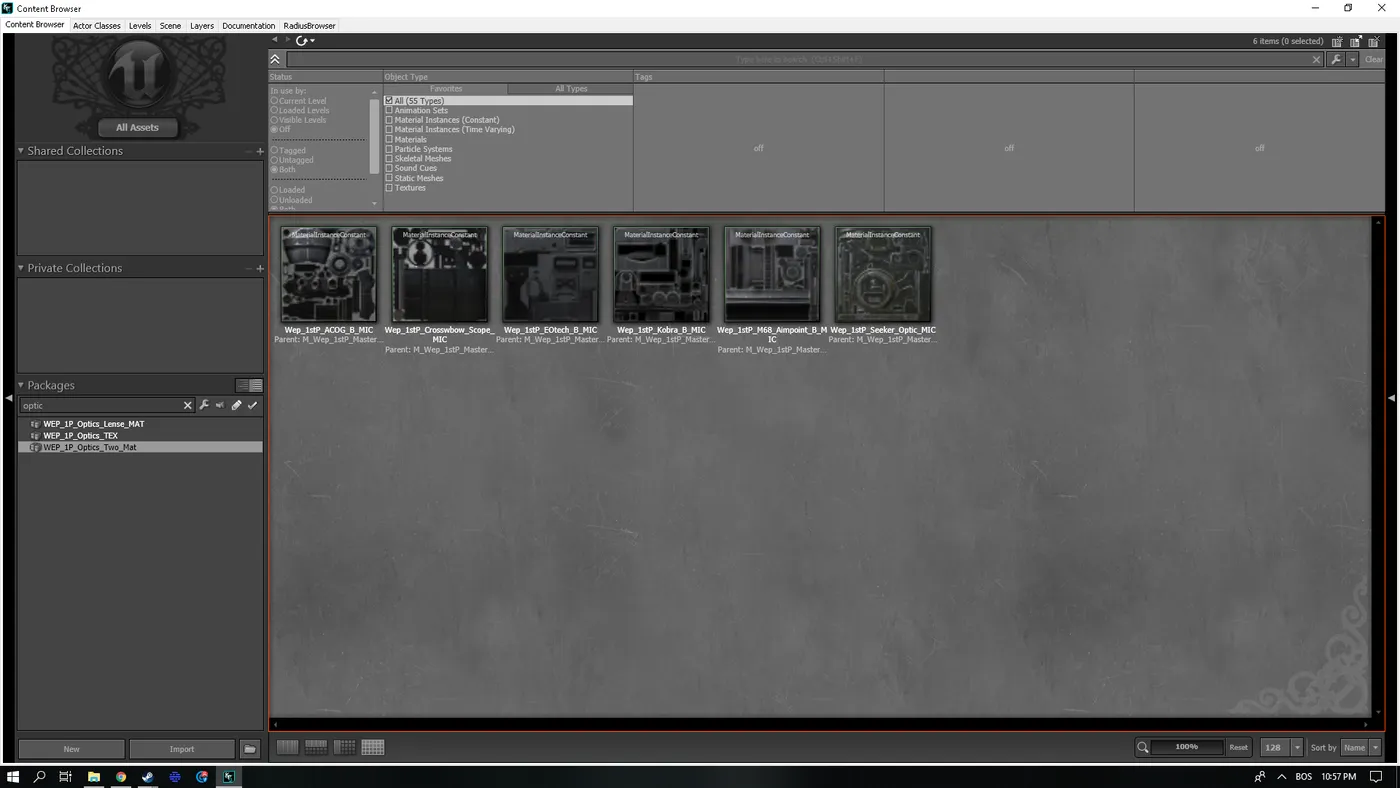 The optics material list.
- ACOG: M14EBR
- Crossbow Scope: Crossbow
- EOtech: Bullpup
- Kobra: AK12
- Aimpoint: SCAR-H
- Seeker Optic: Seeker Six
Switching skins off for multiplayer
Rename the Weapons folder in Documents\My Games\KillingFloor2\KFGame\Published\BrewedPC\Packages to anything else to disable the skins. To do it with one click, make two .bat files, replacing the user name with yours:
- NoSkins.bat:
cd C:\Users\<name>\Documents\My Games\KillingFloor2\KFGame\Published\BrewedPC\Packagesthenren Weapons Weapons2 - Skins.bat: the same
cd, thenren Weapons2 Weapons
You can do the same for individual skins. The author uses his batch file to swap only the neon weapons for plain texture-only skins from the part-one guide.
Known problems
The author could not replace the Neon scope on the Railgun, SCAR-H and KRISS Vector because the SDK crashed. His packs covered many weapons: Neon versions of the SG500, Railgun, RPG-7, SCAR-H, M1911, Katana, Dragonsbreath and KRISS, and a long list of Neon RGB weapons such as AA12, Hemogoblin, M14EBR, Seeker Six, P90, Mac-10, AK12, Husk Cannon and M99, with later packs adding the HMTech series, M4, Mkb.42, AR-15, FN FAL and others.
FAQ
- Can I use these skins in multiplayer?
- No. Replacing MIC files only works in solo. In multiplayer the material files do not match, and the game disconnects you with "Connection to the host has been lost" when you take a modified weapon.
- What tool do I need?
- Only the Killing Floor 2 SDK, found in the Steam Library under Tools.
- Where are the edited files saved and how do I turn them on?
- In Documents\My Games\KillingFloor2\KFGame\Unpublished. Rename the folder to Published to apply the changes.
