
KF2: Disable Mouse Acceleration in KFGame.ini
Mouse acceleration makes the cursor travel farther the faster you move the mouse, so the same hand movement gives different aim distances. In any shooter it is the first thing most players turn off, and Killing Floor 2 hides the switch in a config file. This guide (originally written in Russian) shows how to change it.
What mouse acceleration is
Acceleration scales how far the pointer moves depending on the speed of your hand. A low value means you have to push the mouse harder for the pointer to move; a high value makes the pointer fly across the screen with little effort. For consistent aim and muscle memory you want it off.
Steps
- Open your
Documentsfolder (use the Start menu shortcut if needed). - Go to
My Games > KillingFloor2 > KFGame > Configand openKFGame.iniin Notepad. - Search for
Acceleration=12.0(Ctrl+F in Notepad; the original author mentions Ctrl+G). - Change it to
Acceleration=0. - Save the file and close it, then start the game.
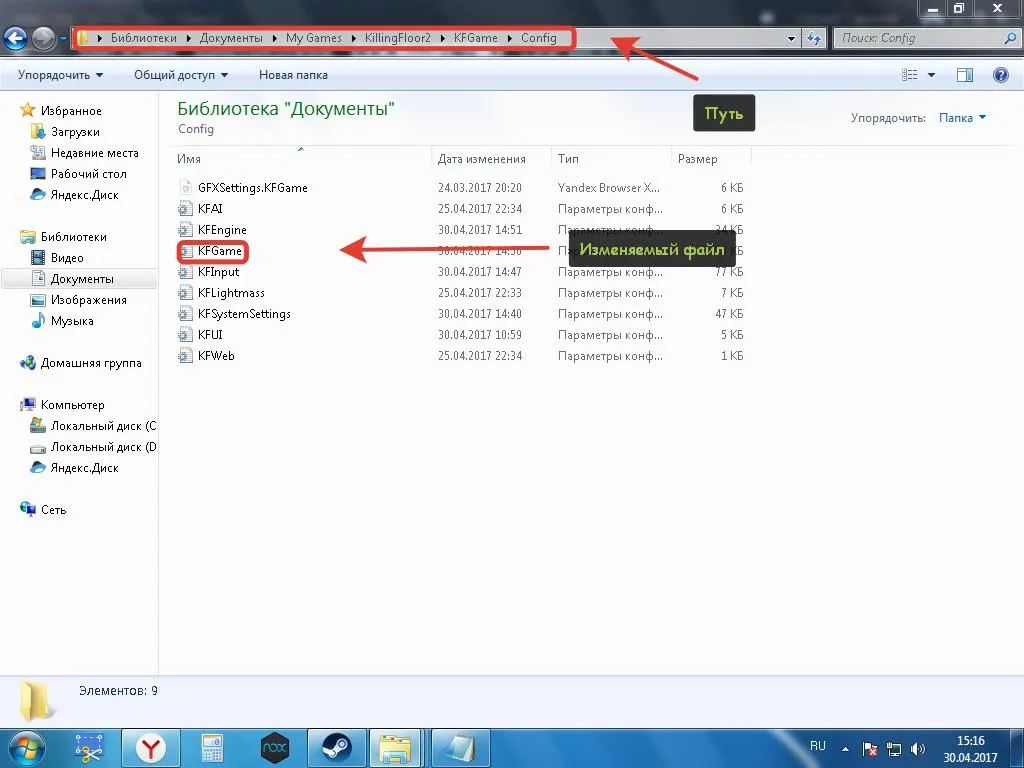 The Config folder where KFGame.ini is located.
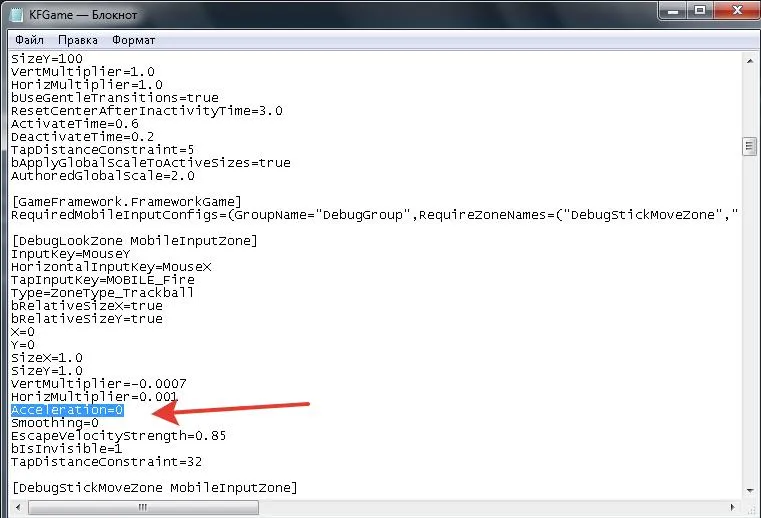 The edited line in KFGame.ini.
FAQ
- Where is the Acceleration setting?
- In KFGame.ini, in Documents/My Games/KillingFloor2/KFGame/Config. Look for the line Acceleration=12.0.
- What value should I set?
- Set it to 0 to disable acceleration, save the file, then close it.
