
KF2 FPS Unlock: Remove the 62 FPS Cap and Skip Intro Movies
Many players notice that Killing Floor 2 refuses to go past roughly 62 frames per second, even on a monitor and PC that can handle far more. The cause is a single value in a config file, and fixing it takes a minute. This guide walks through the edit and adds a bonus tip for skipping the startup videos.
 The default engine cap sits at 62 FPS.
Step 1 - Open the config folder
Open File Explorer and go to:
C:\Users\<your user name>\Documents\My Games\KillingFloor2\KFGame\Config
If the folder is empty or missing, start the game once so it generates its configuration files.
Step 2 - Change the frame rate value
- Open
KFGame.iniin Notepad. - Press Ctrl+F and search for
MaxSmoothedFrameRate(or scroll to it manually). - Replace
62.000000with the value your PC and monitor can handle. The author used240.000000for a 240 Hz setup. - Save the file and close it.
- Launch the game and check that the new limit is active.
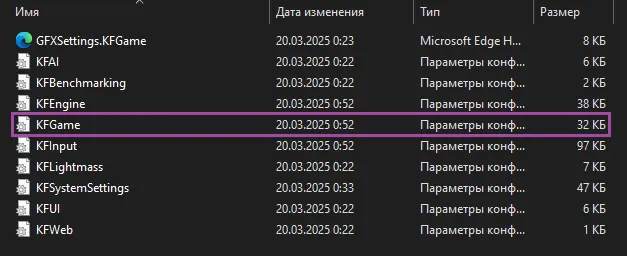 KFGame.ini in the Config folder.
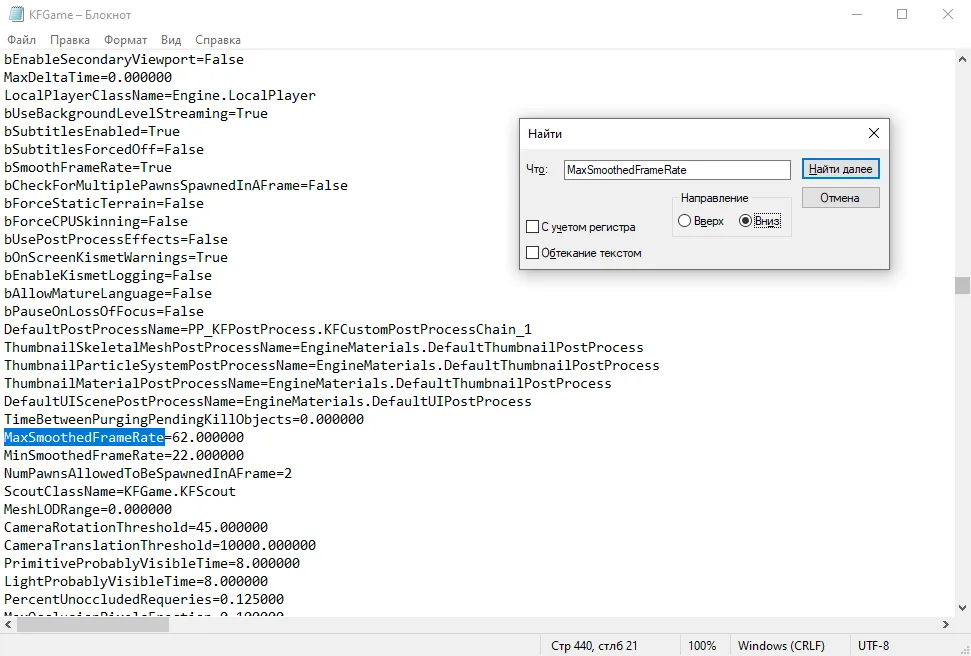 Search for MaxSmoothedFrameRate.
 The value 62.000000 replaced by 240.000000.
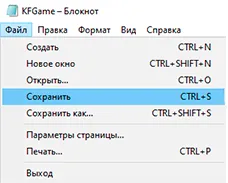 Save the file before closing Notepad.
Settings worth checking in-game
A reader comment adds two caveats: turn Vertical Sync off, because it forces roughly 60 FPS, and think twice about letting Variable Frame Rate push to the absolute maximum your hardware can deliver, since rendering several hundred frames you cannot perceive only heats up the GPU. Pick a sensible limit near your refresh rate instead. For related edits, see another FPS-cap guide.
Bonus - Skip the startup movies
The game plays intro videos on every launch. To skip them:
- In your Steam library, right-click Killing Floor 2 and open Properties.
- In Launch Options, type
-nostartupmovies.
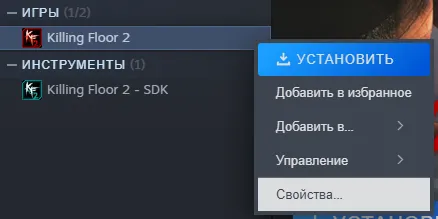 Open the game Properties.
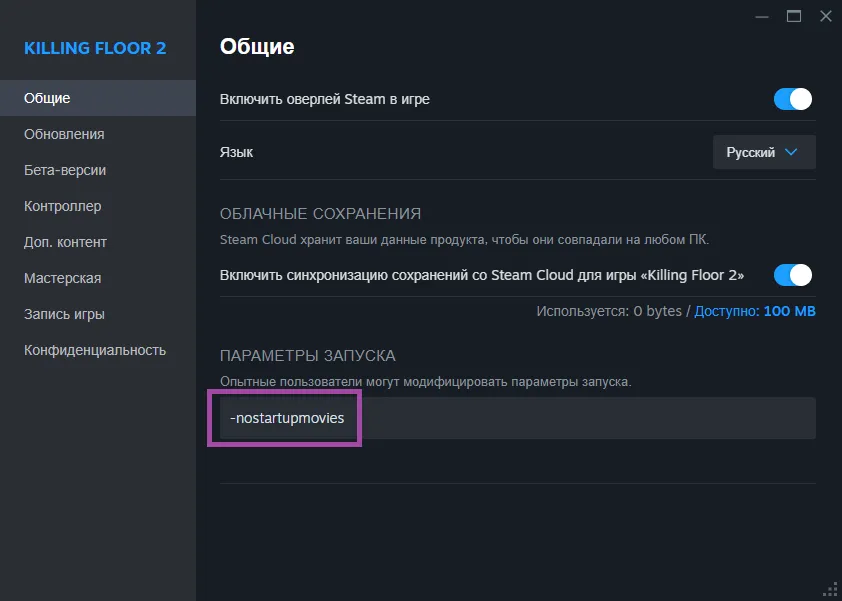 Enter the launch option and close the window.
Summary
- File:
Documents\My Games\KillingFloor2\KFGame\Config\KFGame.ini - Line:
MaxSmoothedFrameRate, default 62.000000 - Set it to your monitor refresh rate or slightly higher, and keep VSync off
- Launch option
-nostartupmoviesskips the intro clips
FAQ
- Why is Killing Floor 2 stuck at 62 FPS?
- The default KFGame.ini ships with MaxSmoothedFrameRate=62.000000, which acts as a frame limiter. Raising it to your monitor refresh rate (or a bit above) lifts the cap.
- Where is KFGame.ini located?
- In Documents\My Games\KillingFloor2\KFGame\Config. Launch the game once so the file is generated.
- How do I skip the intro videos?
- Add -nostartupmovies to the game launch options in the Steam library.
