
Aim With a DualShock 4 Gyroscope in Killing Floor 2
Aiming with an analog stick is slower than a mouse, but a Sony DualShock 4 has a built-in gyroscope that Steam can turn into mouse movement. This short walkthrough, originally written in Russian and English by a Steam community member, explains how to set it up so you can aim in Killing Floor 2 by physically tilting the pad. The method is not specific to KF2 and works for most shooters.
Setup
- Connect the DualShock 4 to your PC with a USB cable (Bluetooth may work as well).
- In the Steam library, select Killing Floor 2, click the gear icon on its page, then open the controller settings.
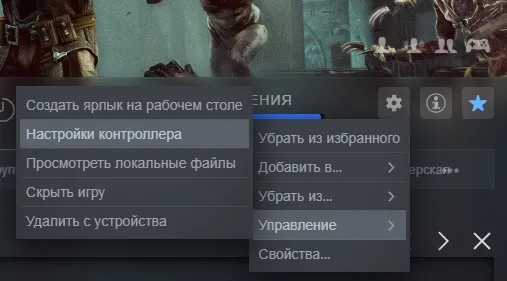 Controller settings are reached from the gear icon in the library.
- Click the round PS button and assign it to the mouse, so the gyro drives the camera.
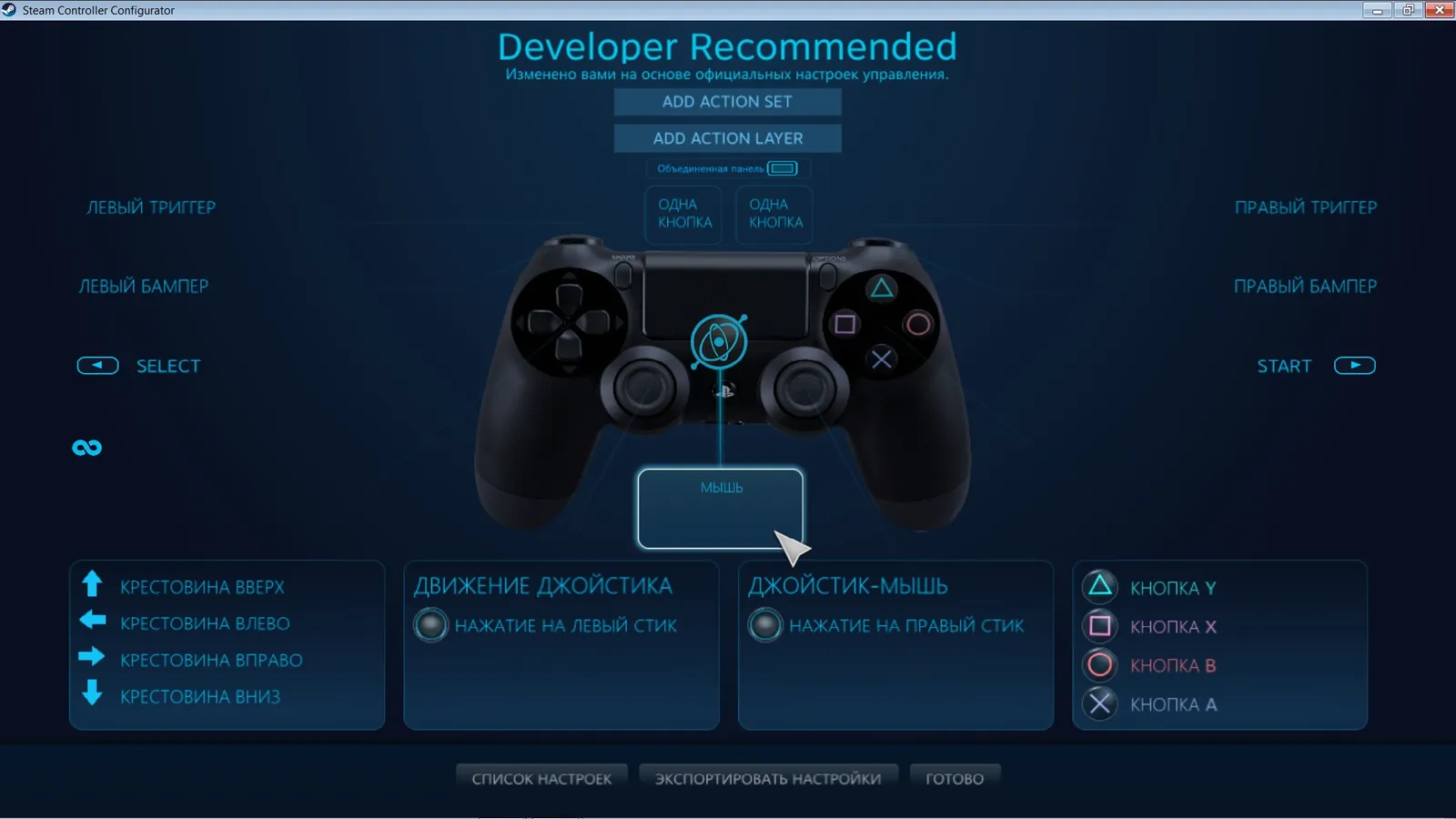 The PS button entry is set to act as the mouse.
- Adjust the sensitivity and the arc-movement compensation until the aim feels natural.
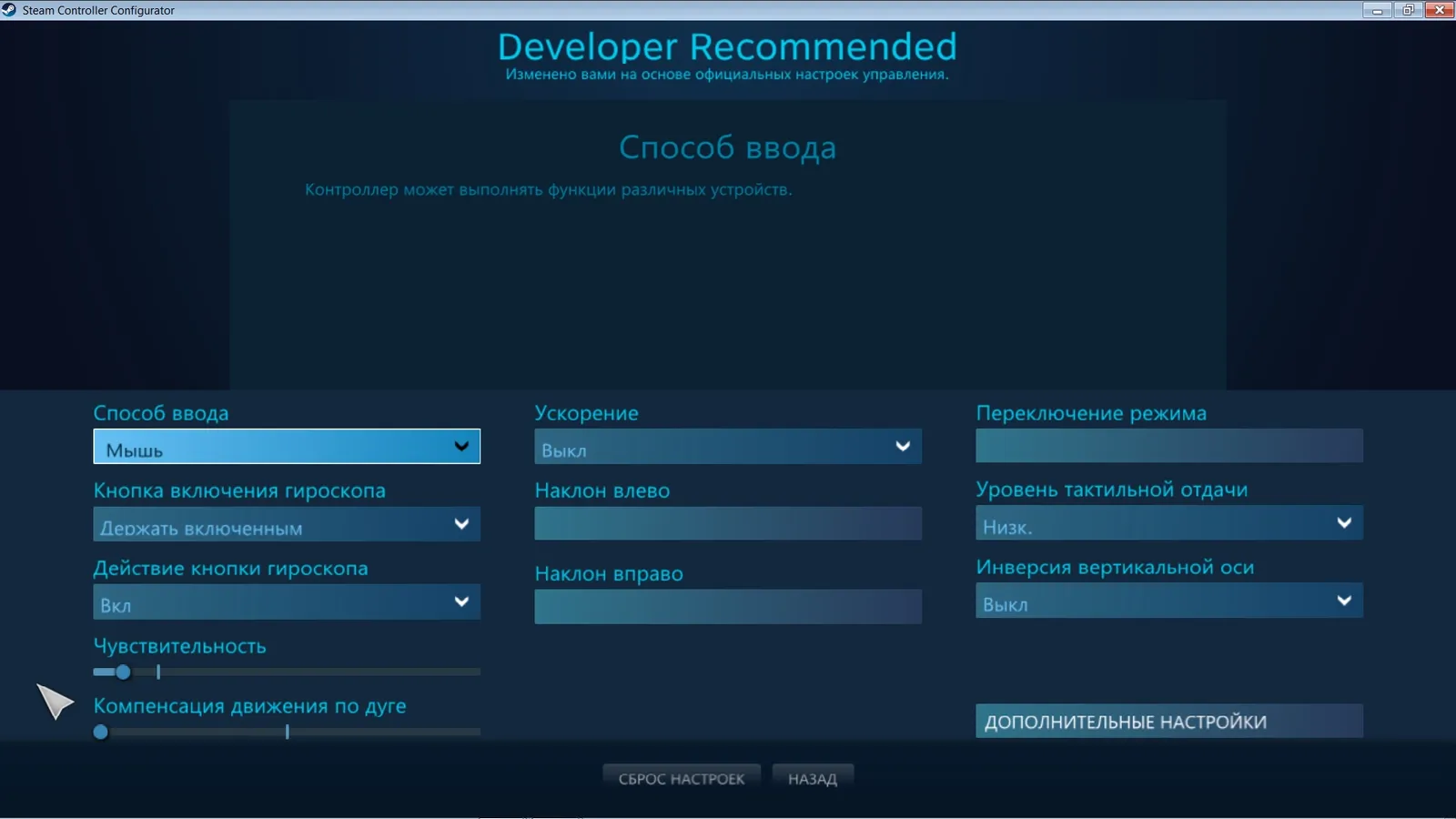 Fine-tune the sliders to taste.
Result
After this, you can aim by moving the controller. Keep the sticks for movement and use small wrist motions for precision, which is handy for headshots on Medium and Large ZEDs. If the camera drifts, lower the sensitivity first and recalibrate the pad on a flat surface.
FAQ
- Do I need a cable?
- The guide connects the DualShock 4 to the PC with a USB cable; Bluetooth may also work but was not the tested setup.
- Where are the settings?
- In your Steam library, open Killing Floor 2, click the gear icon and choose the controller settings.
