
KF2: Spanish Text With English Voices (Folder Swap)
Killing Floor 2 lets you pick a game language, and the voice-over follows that choice. Some Spanish-speaking players want the opposite mix: menus, subtitles and item names in Spanish, but the original English voice acting. This short guide, based on a Steam community walkthrough, shows a two-step folder trick that does exactly that on Windows 10. The fix is credited to the community member Sukiru. A similar approach for Russian clients is covered in English voice-over on a Russian client and change voice language, keep English text.
How it works
The game loads its Wwise audio banks from a folder named after the selected language. If the folder called Spanish(Spain) actually contains the English files, the game plays English voices while everything else stays in Spanish.
Steps
- Open the audio folder. Default locations:
- Steam:
C:\Program Files (x86)\Steam\SteamLibrary\steamapps\common\killingfloor2\KFGame\BrewedPC\WwiseAudio - Epic Games:
C:\Epic Games\KillingFloor2\KFGame\BrewedPC\WwiseAudio
- Steam:
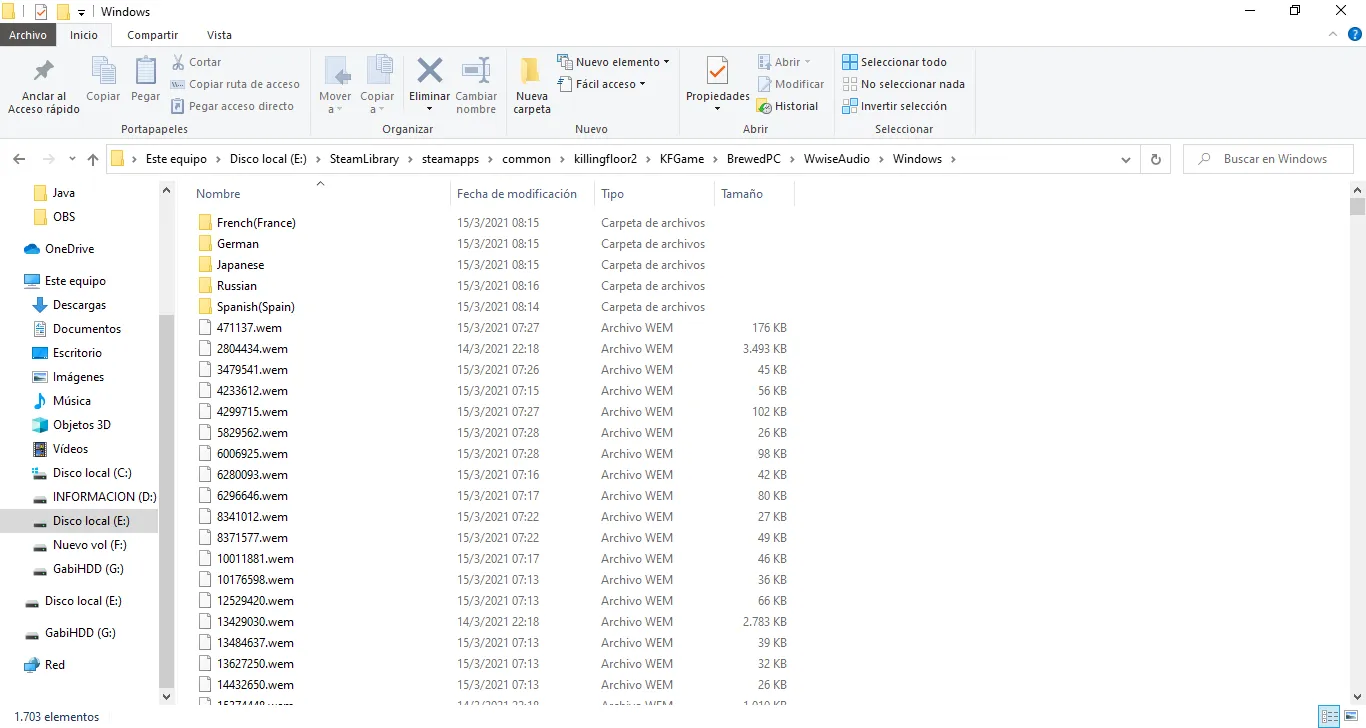 The WwiseAudio folder contains one subfolder per language.
- Rename the folder
Spanish(Spain)to something else. The author usedSpanish(Spain) - orgso the original stays as a backup. - Rename the folder
English(US)toSpanish(Spain).
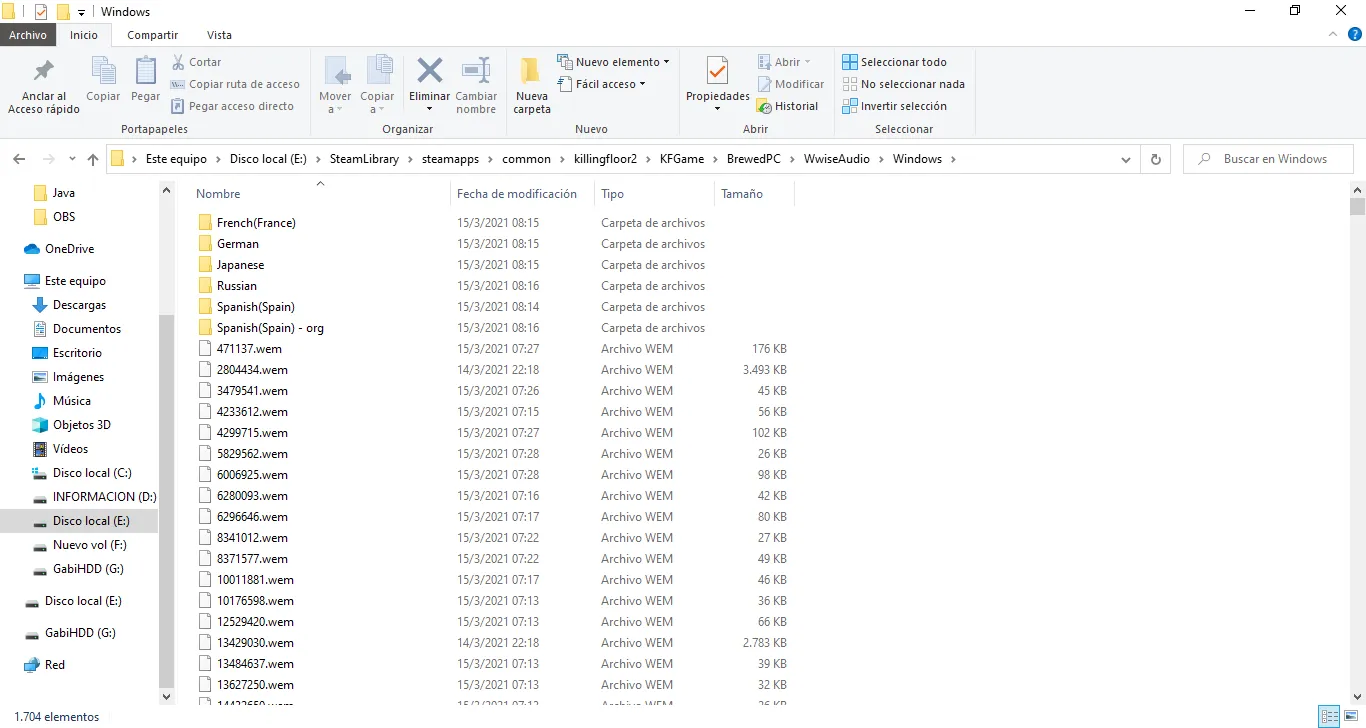 Result after both renames.
- Close the folder and launch the game. Make sure the in-game language is still set to Spanish.
Notes
- A game update or a "verify integrity of game files" run can restore the original folders, so repeat the swap if the voices return to Spanish.
- To undo the change, rename the folders back to their original names.
- The same idea works for other languages: put the English files into the folder of the language you want for text.
FAQ
- Which folders do I rename?
- In KFGame\BrewedPC\WwiseAudio, rename the Spanish(Spain) folder to something else (for example Spanish(Spain) - org), then rename English(US) to Spanish(Spain).
- Does this work on the Epic Games version?
- Yes. Only the install path differs: the default is C:\Epic Games\KillingFloor2\KFGame\BrewedPC\WwiseAudio.
- How do I undo it?
- Rename the swapped folder back to English(US) and restore the original Spanish(Spain) name.
