
KF2 Static Crosshair Overlay with Custom Desktop Logo
The in-game crosshair is limited, and for example it does not show at all when you use dual pistols. This community guide, originally in English and Chinese, shows how to display a small, precise static crosshair with a desktop overlay program. A second Russian guide by another author described the same method and its steps are merged here. For other overlay solutions see KF2 Rainmeter crosshair overlay.
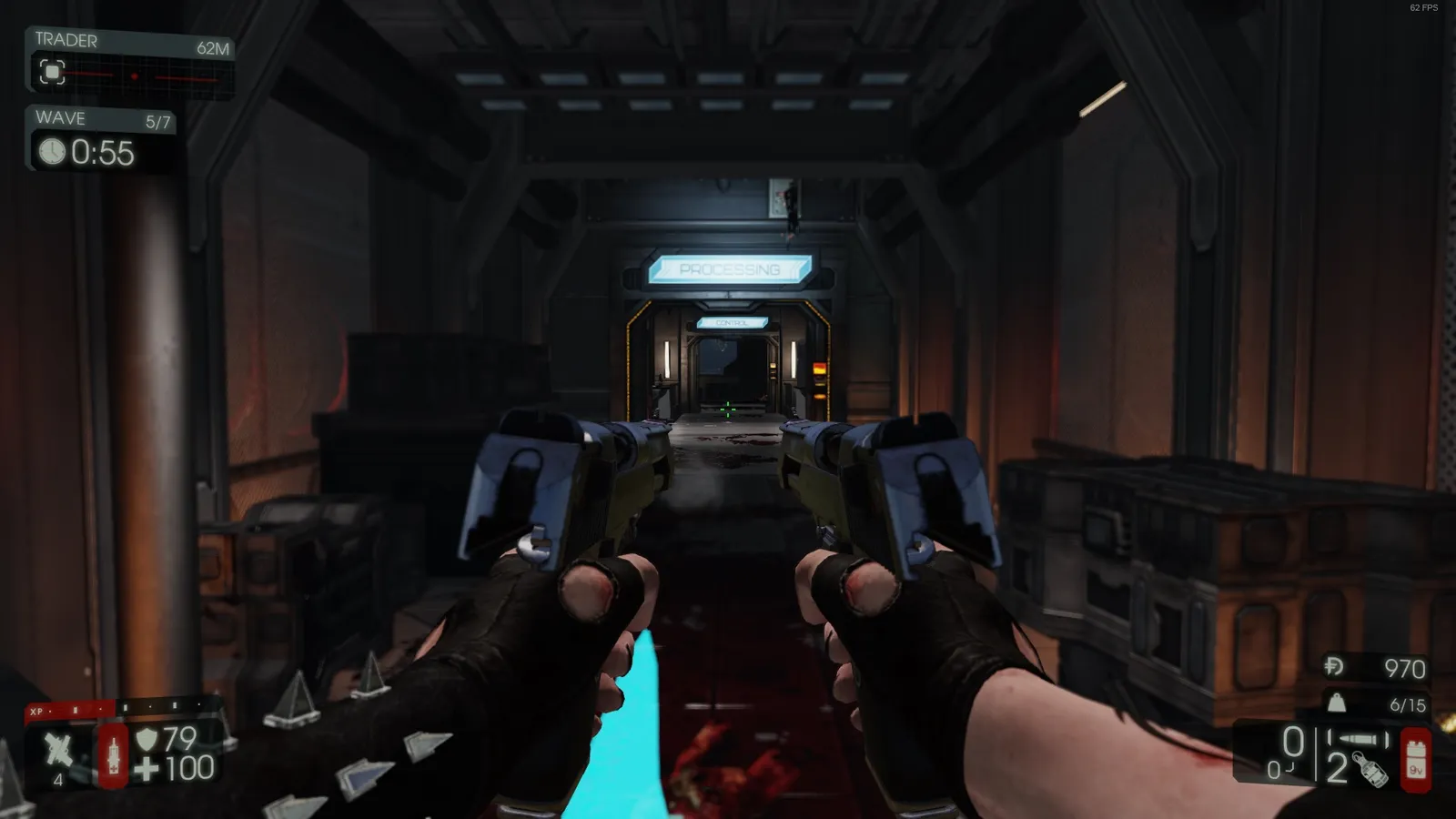
The crosshair on screen.
Setup
The crosshair will not show up in recorded video, but you will see it when playing if you set it up correctly. The method was first posted on the Steam forums by a user named Kraiden, who made the crosshair picture.
- Download Custom Desktop Logo from its official website (customdesktoplogo.wikidot.com).
- Save the crosshair image to an empty folder. You can also make your own in an image editor or download a crosshair icon pack from an icon site.
- Open Custom Desktop Logo.
- Right-click its tray icon and go to Settings.
- Use Change image folder and point it at the folder with the crosshair picture. Set the position to Center (click it a few times if it does not center) and set the size.
- Play Killing Floor 2 in borderless window mode. This is the key point.
- If it still does not work, check the program's settings against the screenshot below.
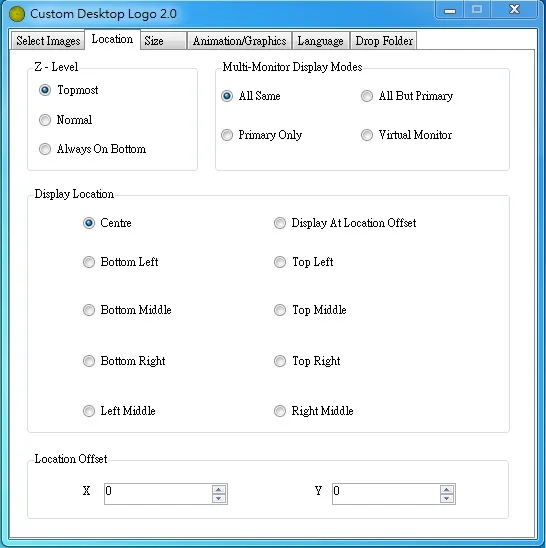
Settings to verify if the crosshair does not appear.
Suggested size
| Perks | Size |
|---|---|
| Demolitionist, Support, Firebug | 1.0 |
| Medic, Commando, Gunslinger, SWAT, Berserker (Eviscerator) | 0.8 |
Fullscreen mode
To use the crosshair in exclusive fullscreen, try an overlay program such as PlayClaw and its graphics overlay function. Fullscreen can give higher FPS than borderless window mode, but you cannot change the crosshair size inside the program, so edit the picture itself in an image editor.
FAQ
- How do I get a static crosshair in KF2?
- Install the free Custom Desktop Logo program, point its image folder at a folder containing a crosshair picture, center it and run Killing Floor 2 in borderless window mode.
- Does it work in fullscreen?
- Not with Custom Desktop Logo. For exclusive fullscreen you can use an overlay program such as PlayClaw and its graphics overlay function. Fullscreen can give higher FPS but the crosshair size cannot be changed, so resize the picture in an image editor.
- What size should the crosshair be?
- The guide suggests 1.0 for Demolitionist, Support and Firebug, and 0.8 for Medic, Commando, Gunslinger, SWAT and Berserker (Eviscerator).
