
KF2 Fewer Lights, More FPS - DynamicLights and Launch Options
This is a short Spanish-language guide written by a player for low-end PCs. It trades lighting for frames: one config line, one console command to compensate and two optional launch parameters. Its author calls it a first guide and links a longer sibling guide for cases where this is not enough.
Step 1: Find the file
Open C:\Users\<YourName>\Documents\My Games\KillingFloor2\KFGame\Config and open KFSystemSettings in Notepad.
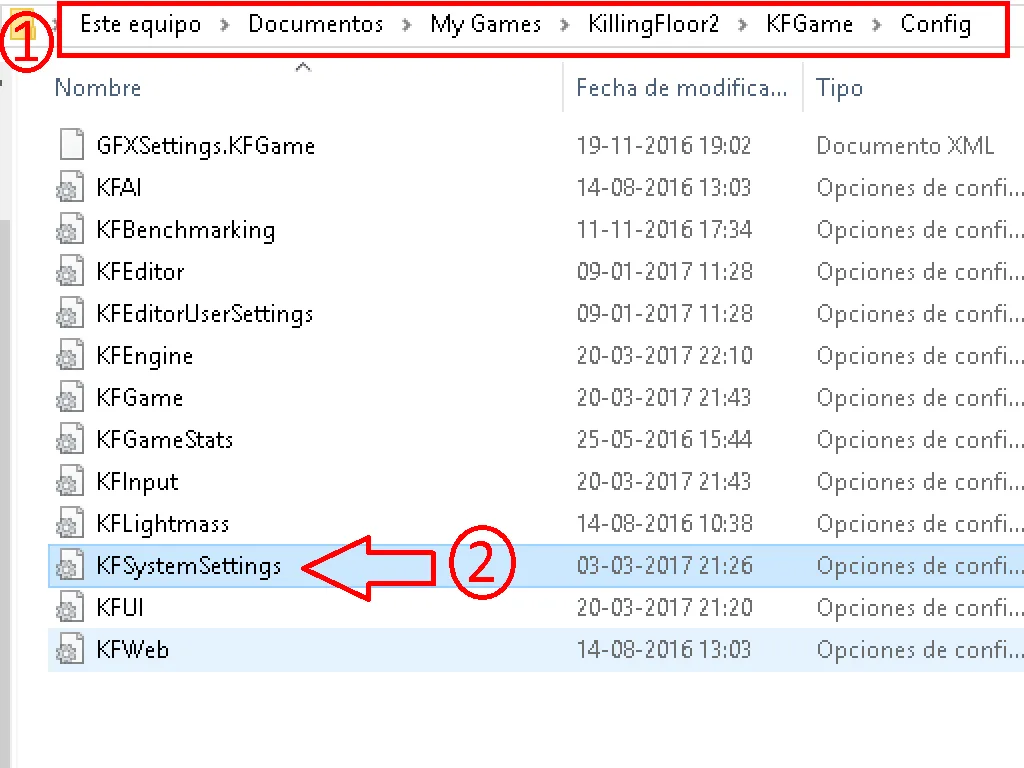 The Config folder in Documents, with KFSystemSettings highlighted.
Step 2: Edit one line
Search for:
DynamicLights=Trueand replace it with:
DynamicLights=FalseSave and close Notepad. To undo, put the value back to True.
What to expect
The game runs better, but you lose the flashlight, and the picture is darker. In some places almost nothing is visible, although the author stresses that not every map is that dark, only certain zones.
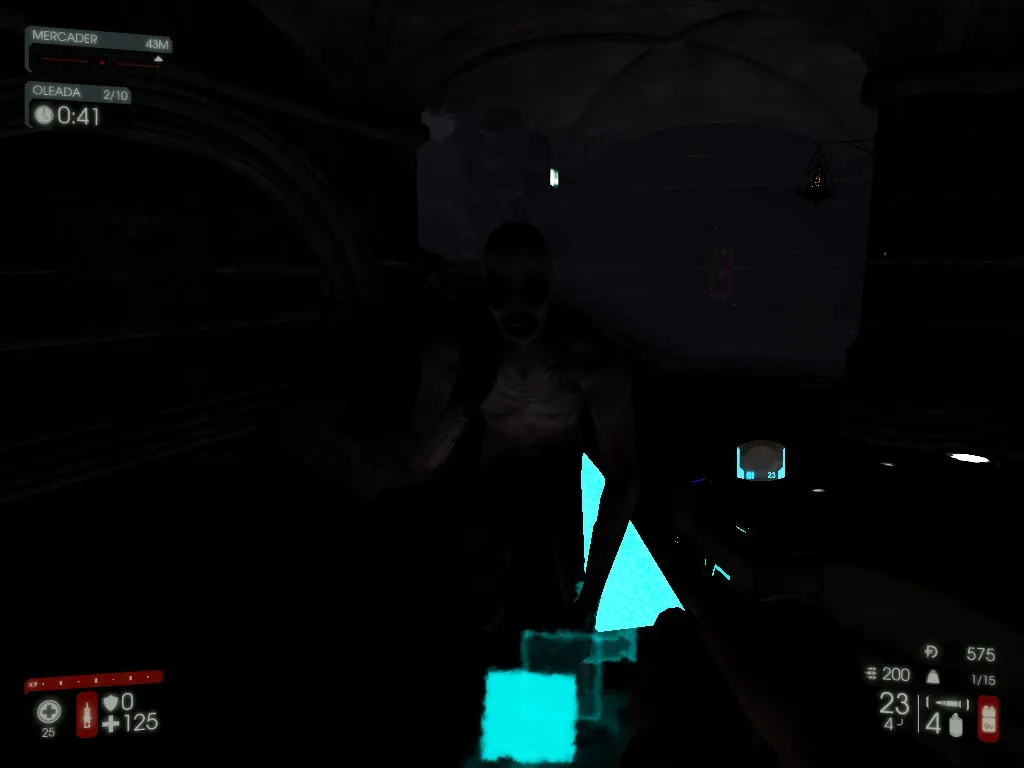 A very dark area with dynamic lights off.
Brighten it with gamma
If you want more brightness, type this in the console every time you enter a new map or start a new match:
gamma 5On the author's Spanish keyboard the console opens with the Ñ key; type the command and press Enter. Even with gamma raised, some areas stay dark.
You can also type stat fps in the console to show the framerate on screen and see how much the change helps.
Optional: launch parameters
The game can run even more smoothly with these Steam launch options:
-nostartupmoviesremoves the intro videos.-dx10runs the game on DirectX 10 instead of 11. This disables graphics options that exist only in DirectX 11.
To set them:
- Right-click Killing Floor 2 in your Steam library.
- Click Properties.
- Click "Set launch options".
- Enter
-nostartupmovies -dx10(without quotes) and confirm.
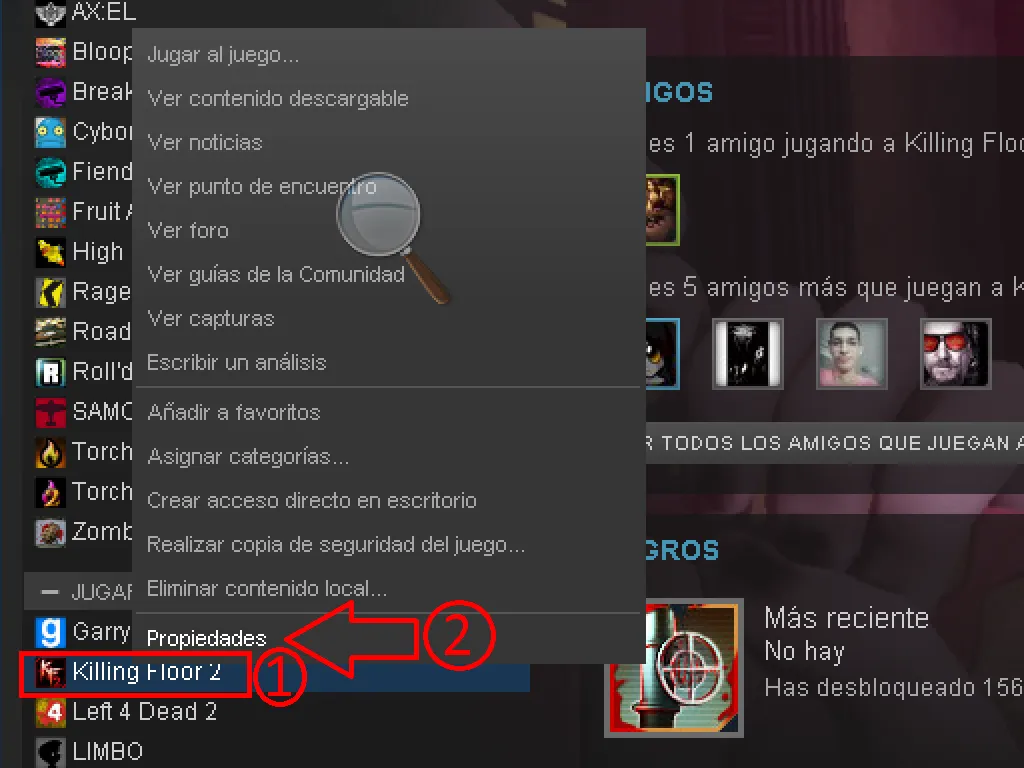 Right-click the game in the library and choose Properties.
If you still need more frames
See the longer config optimization collection and the guide to texture streaming and dynamic lights.
FAQ
- What does DynamicLights=False do?
- It turns off dynamic lighting, which raises the framerate but also removes the flashlight and makes the game, and some areas in particular, much darker.
- How do I brighten the screen afterwards?
- Open the console and type gamma 5 at the start of every new map or match.
- What do the launch options do?
- -nostartupmovies removes the intro videos. -dx10 runs the game on DirectX 10 instead of 11, which disables DirectX 11-only graphics options.
