
KF2: Equip Regular Skins on HRG Weapons (KFGame.ini)
HRG weapons in Killing Floor 2 have no skin slot in the normal weapon menu, but you can make them use skins you already own through a small config edit. This article rewrites a community guide for the method. If you want skins you do not own, see using all weapon skins without purchasing.
Method
- Launch the game and equip the skin you want on the original weapon. The example uses the Precious skin on the VLAD-1000 Nailgun.
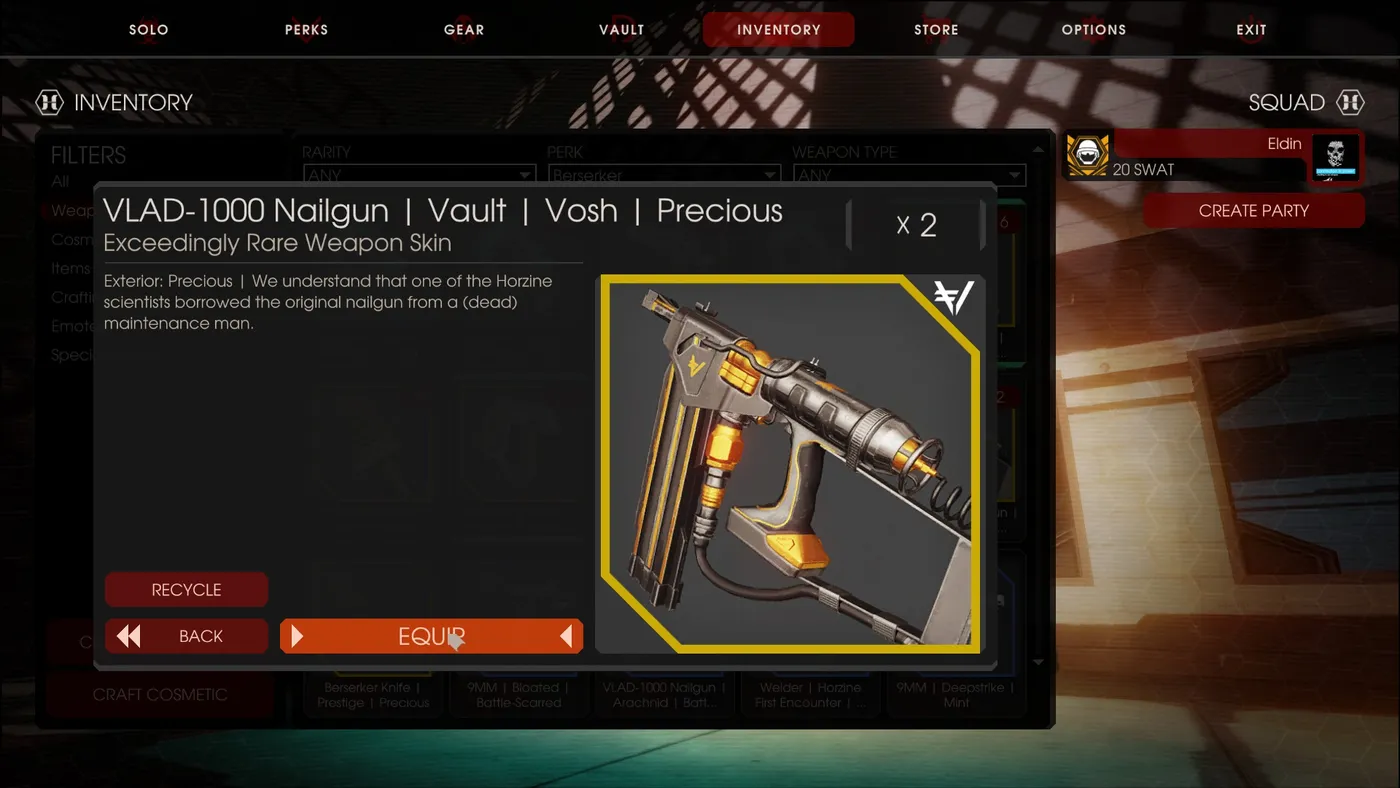 First equip the skin on the regular weapon in the game.
- Exit the game.
- Open
KFGame.iniinC:\Users\<name>\Documents\My Games\KillingFloor2\KFGame\Config. - Find the section of the weapon you equipped the skin for. For the VLAD-1000 it looks like this:
[KFGameContent.KFWeap_Shotgun_Nailgun]
SkinItemId=6010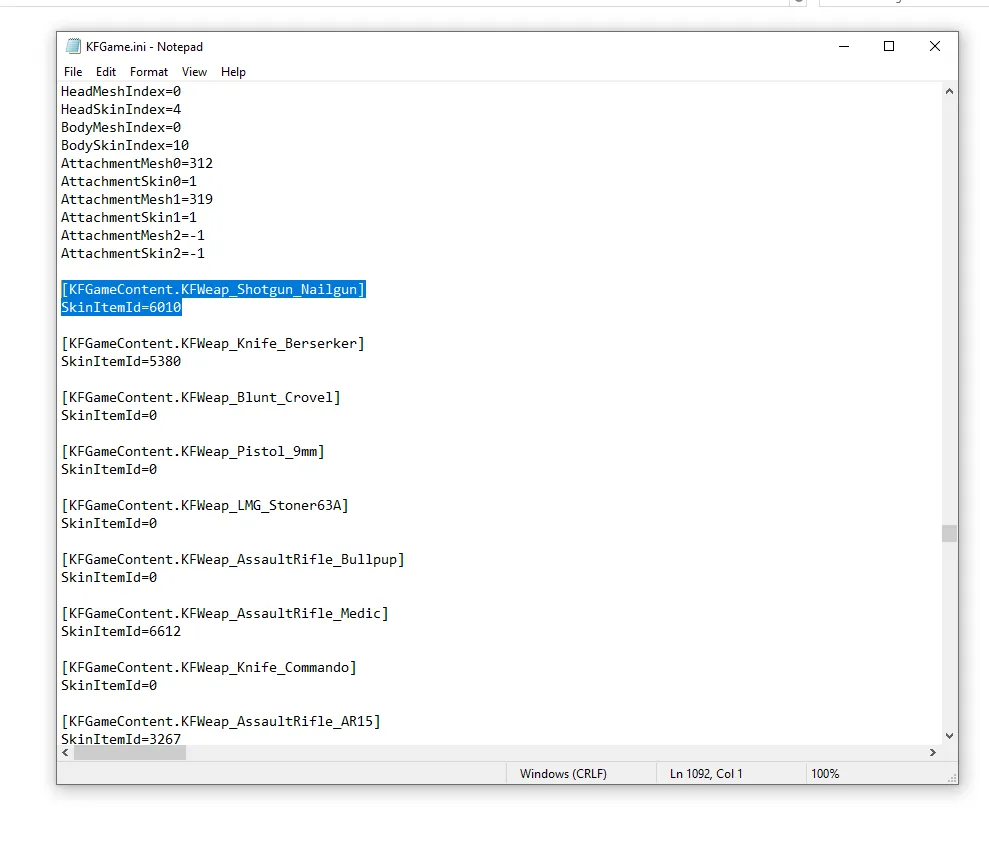 The original weapon's section and its SkinItemId.
- Replace
KFWeap_Shotgun_NailgunwithKFWeap_HRG_Nailgun:
[KFGameContent.KFWeap_HRG_Nailgun]
SkinItemId=6010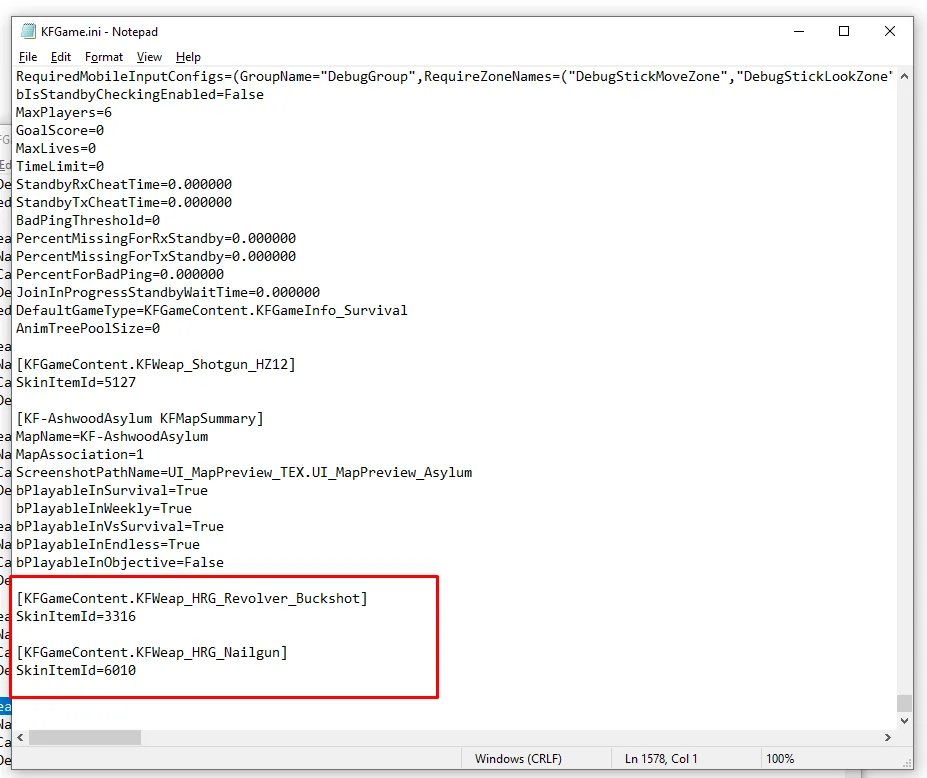 The same SkinItemId under the HRG class name.
- Save the file and run the game.
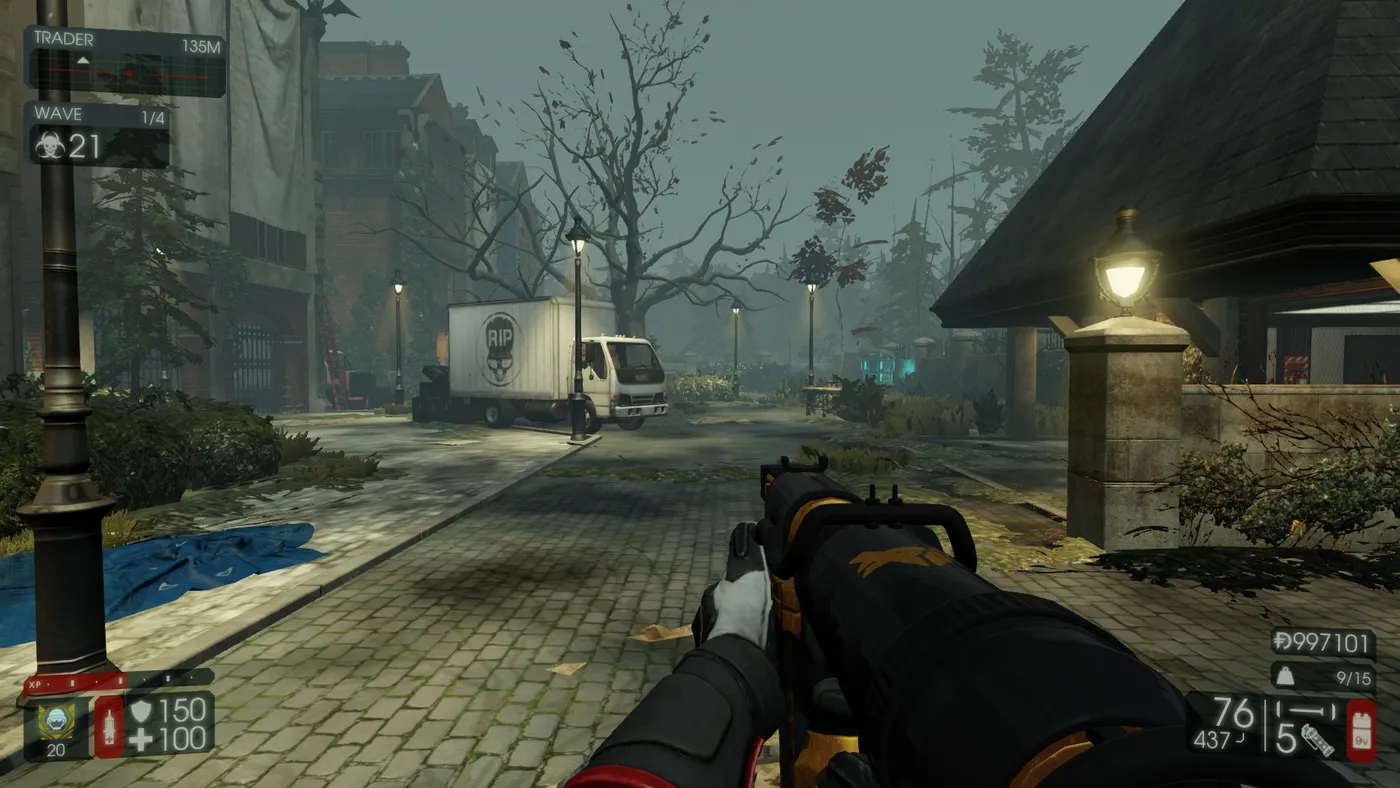 An HRG weapon in game with the skin applied.
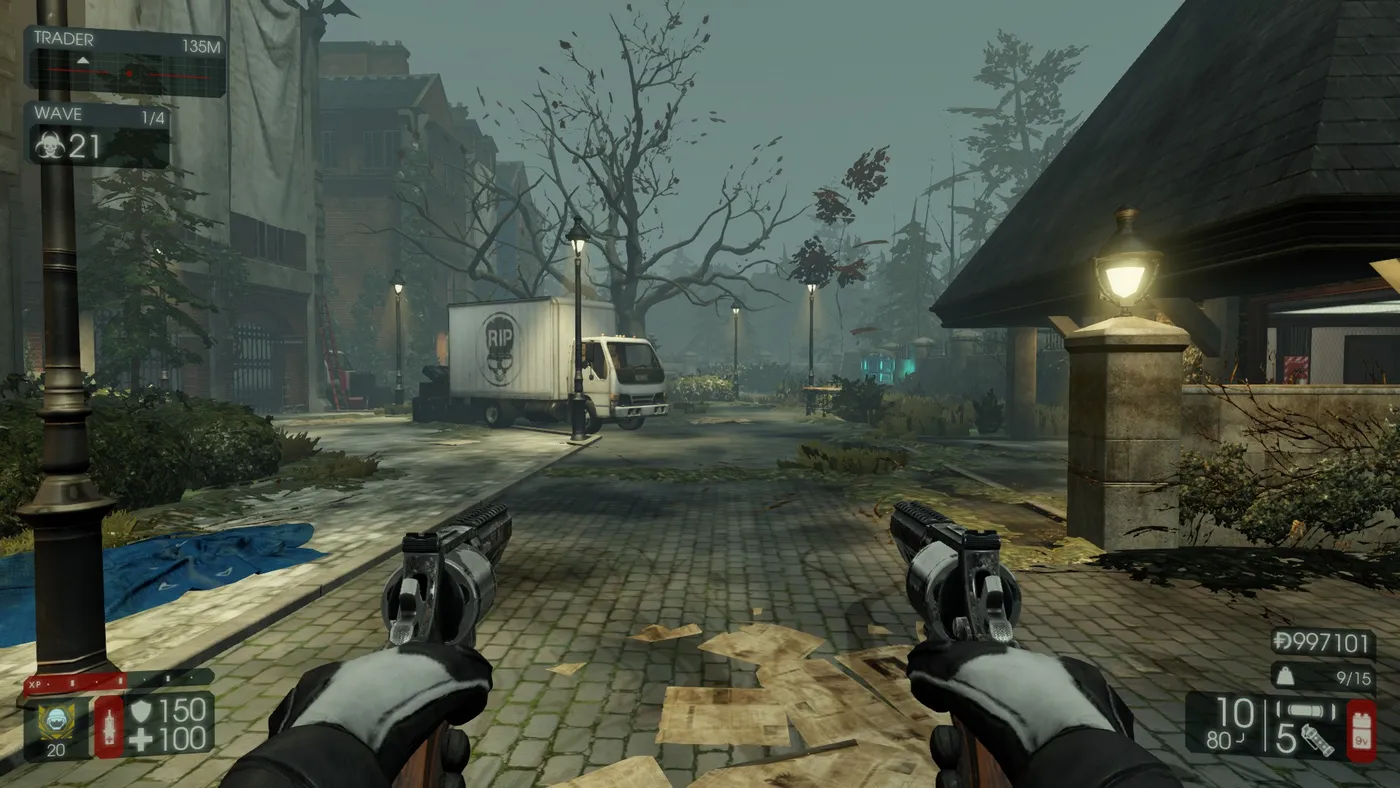 Another HRG weapon view from the guide's screenshots.
How to find weapon names
- Open the
killingfloor2folder in your Steam library, for exampleC:\Program Files (x86)\Steam\steamapps\common\killingfloor2orD:\SteamLibrary\steamapps\common\killingfloor2. - Go to
KFGame>Localization>INTand openKFGameContent.int. - Press Ctrl+F and search for
HRG, then copy the weapon name you want.
The HRG weapons existing at the time of the guide:
KFWeap_HRG_NailgunKFWeap_HRG_HealthrowerKFWeap_HRG_Revolver_Buckshot
Notes
- You must own the skin for the original weapon to use it on the HRG version.
- Other players will see your skins on HRG weapons.
- To remove a skin, delete the
[KFGameContent.KFWeap_HRG_weaponname]section and itsSkinItemId=XXXXline. - All SkinItemIds can be found on SteamDB.
FAQ
- Which file do I edit?
- KFGame.ini in Documents\My Games\KillingFloor2\KFGame\Config.
- Do I need to own the skin?
- Yes. You must own the skin for the original weapon to use it on the HRG version.
- Will other players see it?
- Yes, other people will see the skin on your HRG weapon.
- How do I remove it?
- Delete the [KFGameContent.KFWeap_HRG_...] section and its SkinItemId line from KFGame.ini.
