
KF2: Increase Field of View Beyond the Slider Maximum
Killing Floor 2 lets you set the field of view with a slider in the options, but you can go wider with one config edit. This is a very short tweak: it takes a minute and can be undone at any time.
Steps
- Adjust FOV normally with the in-game slider first.
- Go to
Documents\My Games\KillingFloor2\KFGame\Configand openKFEngine.iniin Notepad. - Find the line
AspectRatioAxisConstraint=AspectRatio_MaintainXFOV. - Replace it with
AspectRatioAxisConstraint=AspectRatio_MaintainYFOV. - Save the file and set it to read-only.
To revert, change the value back or delete the file so the game generates a fresh one.
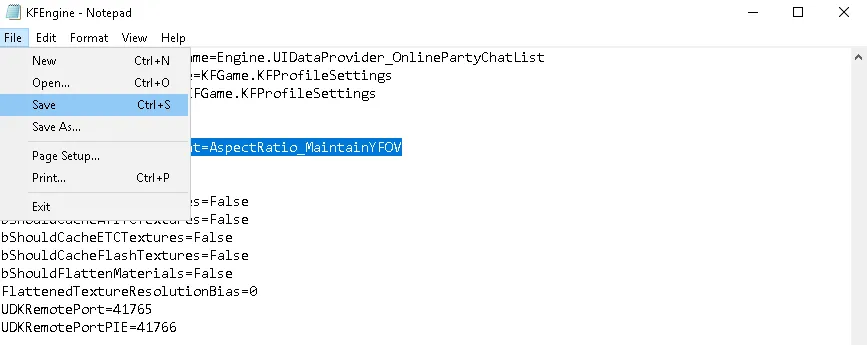 The edited line in KFEngine.ini.
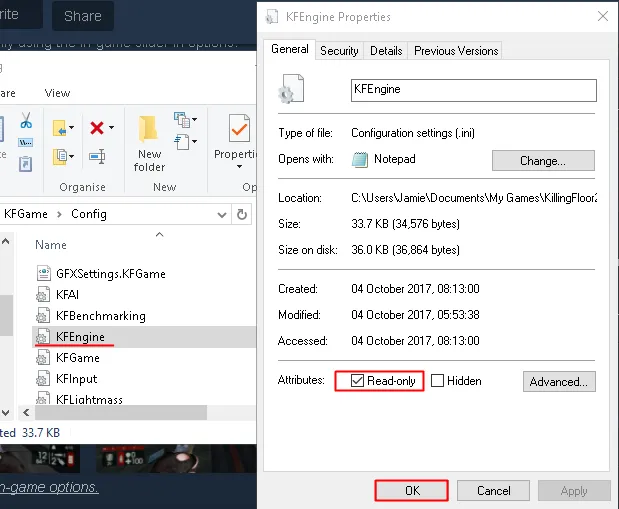 Marking the file as read-only.
Comparison
Both screenshots below use the maximum FOV from the in-game options, taken before and after the edit.
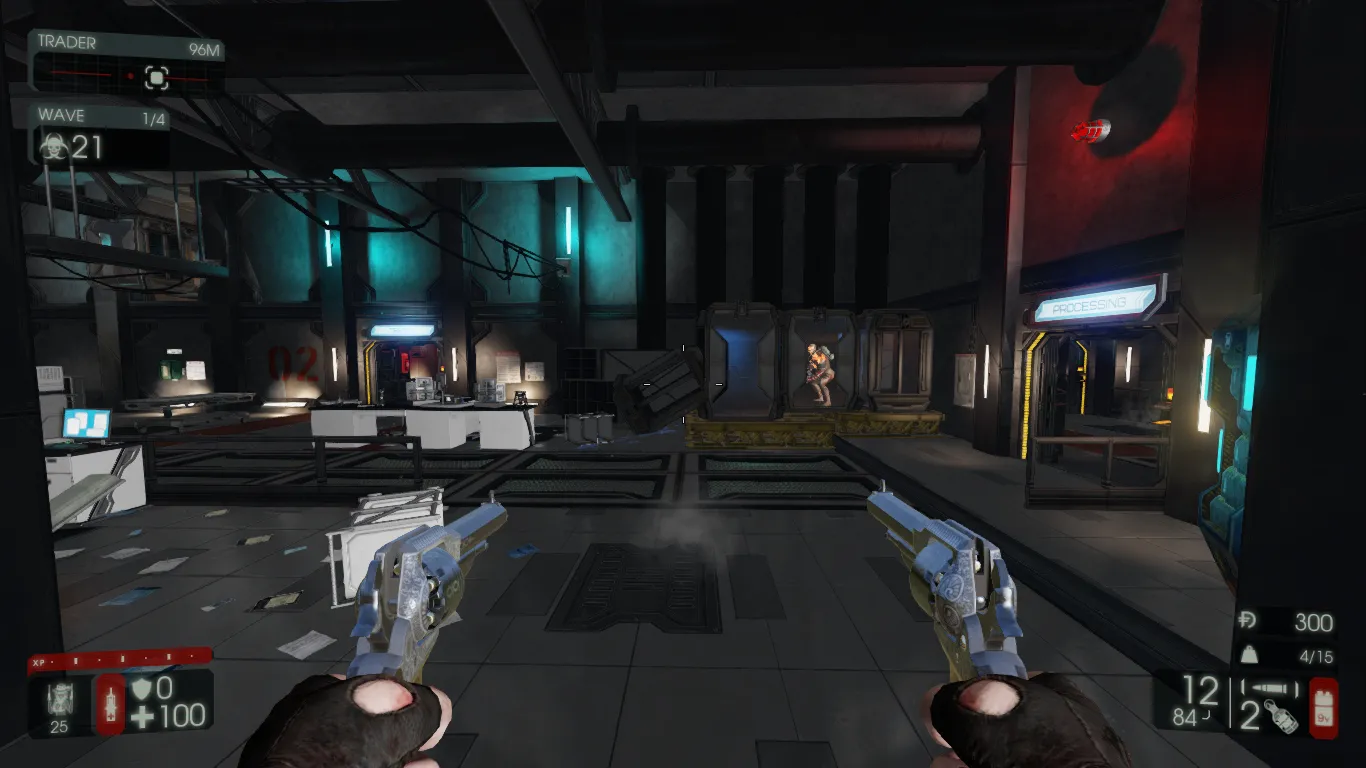 Before.
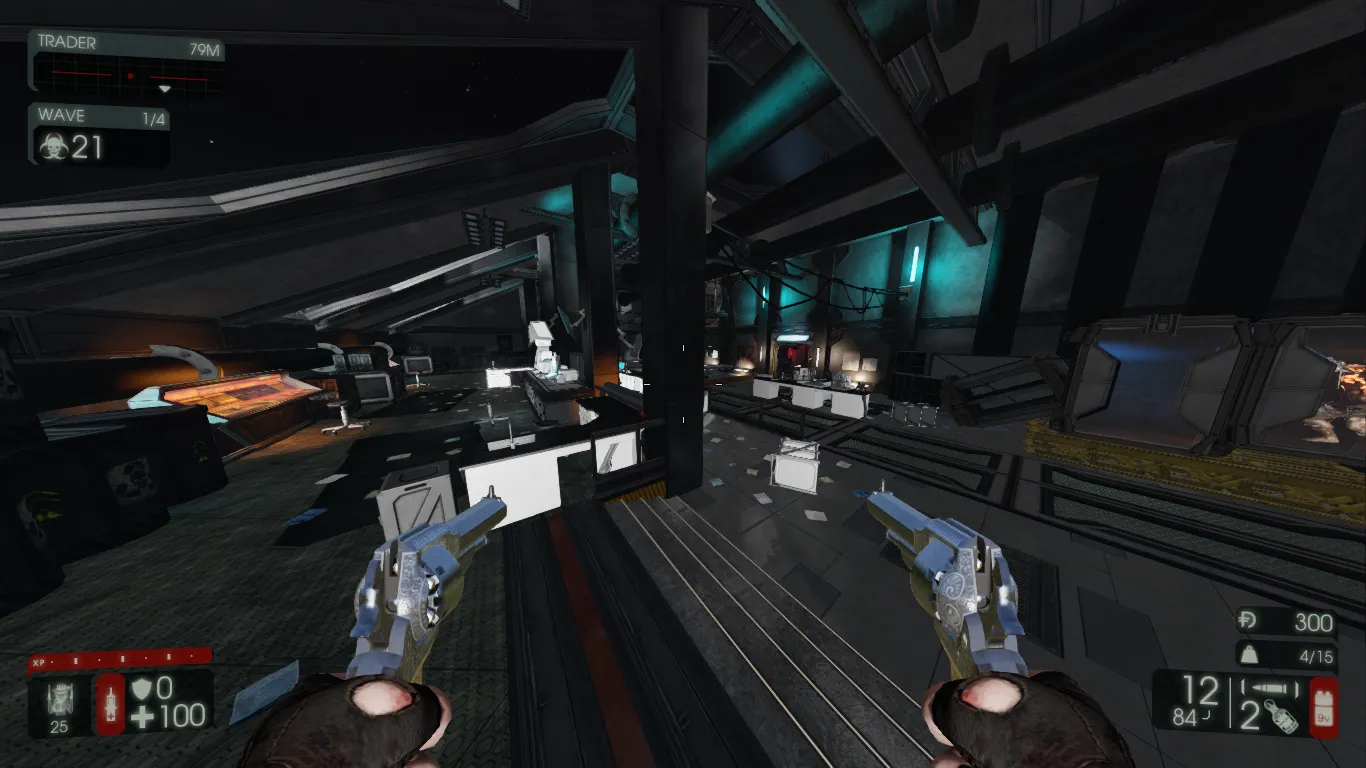 After: a noticeably wider view.
Notes
The same line is also covered in the larger Tweaks and Improvements guide, which explains the difference between the Vert- and Hor+ field of view.
FAQ
- Which setting widens the FOV past the in-game maximum?
- In KFEngine.ini change AspectRatioAxisConstraint=AspectRatio_MaintainXFOV to AspectRatio_MaintainYFOV.
- Why set the file to read-only?
- The guide recommends it so the game does not overwrite your edit. To revert, change the value back or delete the file.
