
KF2 Quick Upgrades: Desktop Icon, Chat Binds, Graphics Settings
This short guide collects three small tweaks for Killing Floor 2: a better desktop shortcut, a chat key bind and a set of graphics options for more FPS.
Upgrade the desktop icon
The Steam shortcut icon can look pixelated. A crisper one comes from the game itself.
- Open the folder where Killing Floor 2 is installed.
- Go to
SteamLibrary\steamapps\common\killingfloor2\Binaries\Win64. - Drag the
KFGameapplication to your desktop. - Delete the old pixelated shortcut and rename the new one.
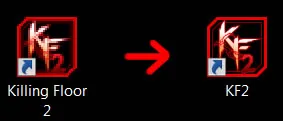 The old Steam shortcut (left) and the sharper KF2 icon (right).
Upgrade key bindings
You can bind a key to a chat message.
- Go to
Documents\My Games\KillingFloor2\KFGame\Config. - Open
KFInput.ini. - Scroll to the bottom to the
Bindingslines and read how one is built. - To make L say "Thank you Medic <3", add this line to the list:
Bindings=(Name="L",Command="say Thank you Medic <3",Control=False,Shift=False,Alt=False,bIgnoreCtrl=False,bIgnoreShift=False,bIgnoreAlt=False)- Save the file and launch the game.
For more advanced binds see custom text binds and tossing dosh.
Upgrade FPS
The guide shows a set of Advanced graphics settings. Copy them, press Apply and restart the game.
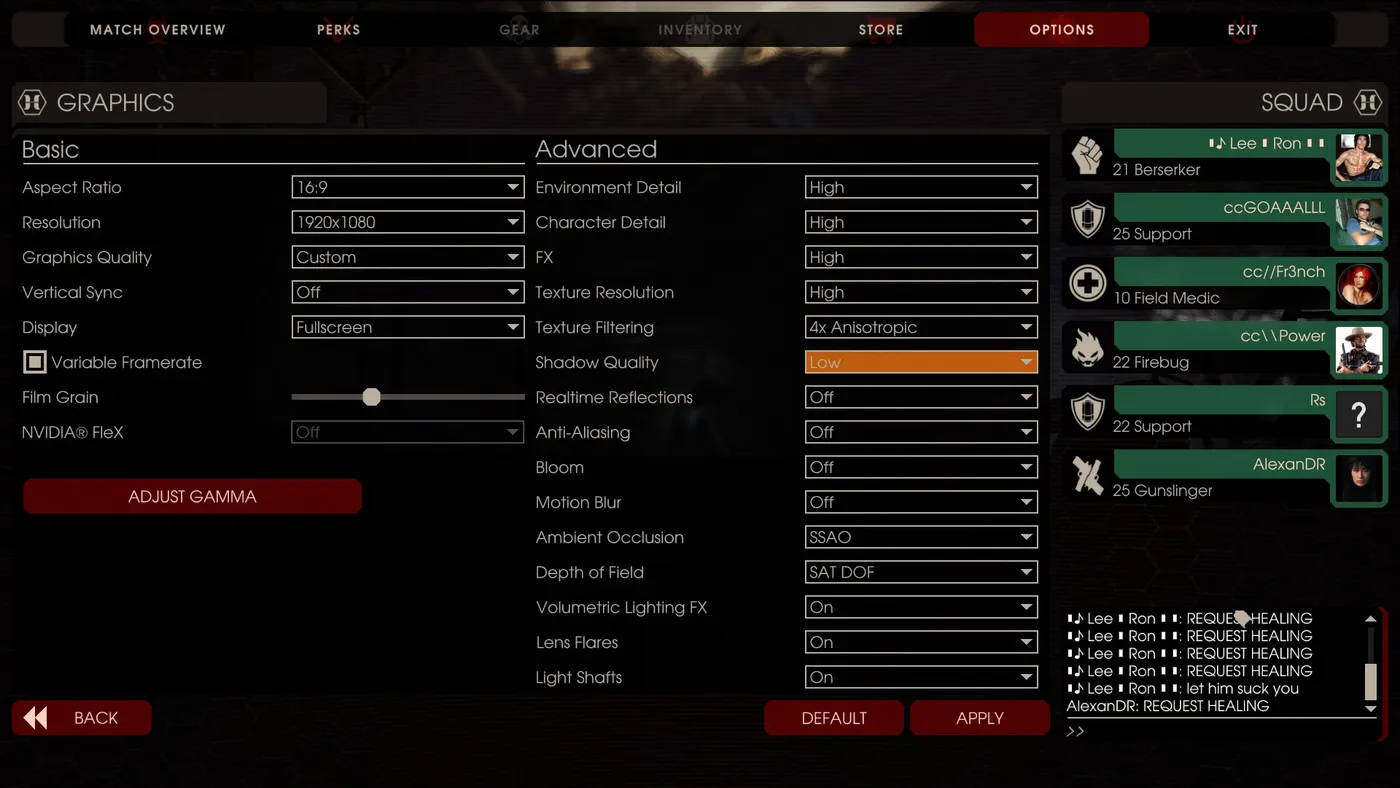 Graphics options used by the author at 1920x1080.
From the screenshot:
- Basic: 16:9, 1920x1080, Graphics Quality Custom, Vertical Sync Off, Fullscreen, Variable Framerate unchecked.
- Advanced: Environment Detail, Character Detail, FX and Texture Resolution High; Texture Filtering 4x Anisotropic; Shadow Quality Low; Realtime Reflections, Anti-Aliasing, Bloom and Motion Blur Off; Ambient Occlusion SSAO; Depth of Field SAT DOF; Volumetric Lighting FX, Lens Flares and Light Shafts On.
Lower settings further if you still need frames; see also KF2 FPS guide with -dx10.
FAQ
- How do I make a text key bind in KF2?
- Add a Bindings line to KFInput.ini, for example Bindings=(Name="L",Command="say Thank you Medic <3",Control=False,Shift=False,Alt=False,bIgnoreCtrl=False,bIgnoreShift=False,bIgnoreAlt=False).
- Where is KFInput.ini?
- In Documents\My Games\KillingFloor2\KFGame\Config.
- Which file gives the better desktop icon?
- The KFGame application inside killingfloor2\Binaries\Win64; drag it to the desktop and rename it.
