
KF2 FPS Above 62: Set MaxSmoothedFrameRate in KFGame.ini
Killing Floor 2 caps its frame rate at 62 FPS by default. Two community guides (one English, one Japanese) describe the same simple fix: raise the smoothed frame rate limits in KFGame.ini. This page merges both. For other approaches see Remove the 62 FPS lock and Unlock the 62 FPS limit.
Why it happens
The game was originally intended to run at 62 FPS with bSmoothFrameRate set to true. The fix keeps that option on but changes the maximum from 62 to whatever your monitor can use. The English author found it as an alternative to tweaking things in the NVIDIA Control Panel and used 165 for a 165 Hz monitor.
Steps
- Close the game.
- Open the config folder:
Documents\My Games\KillingFloor2\KFGame\Config\ - Open
KFGame.iniin any text editor, such as Notepad. - Set these values:
bSmoothFrameRate=True
MaxSmoothedFrameRate=165.000000
MinSmoothedFrameRate=130.000000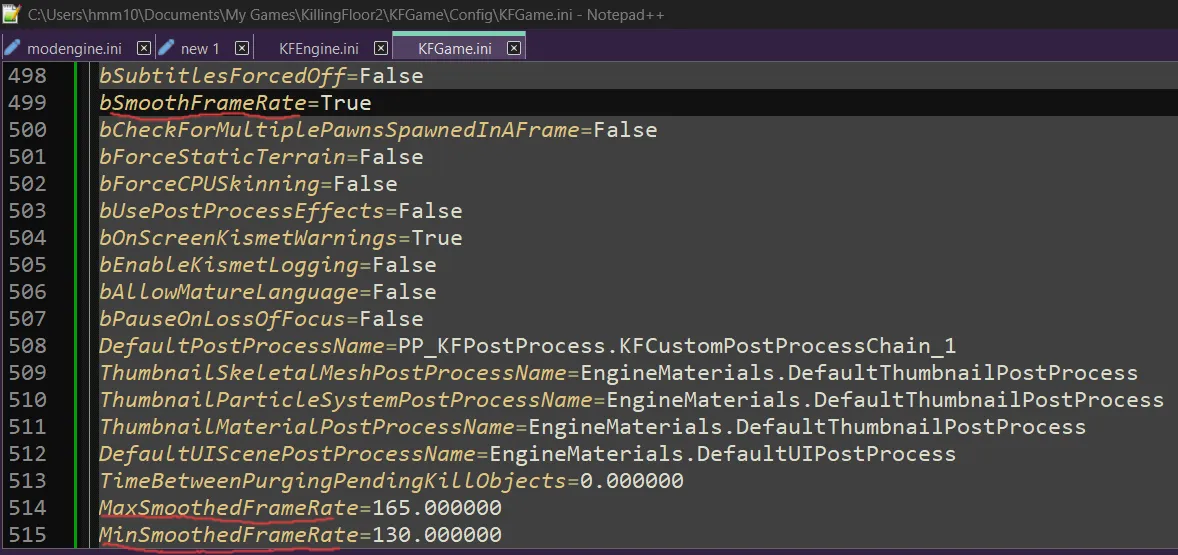 The three frame rate lines in KFGame.ini, set for a 165 Hz monitor.
- Save the file and start the game.
- In the video options, make sure Variable Frame Rate is turned off.
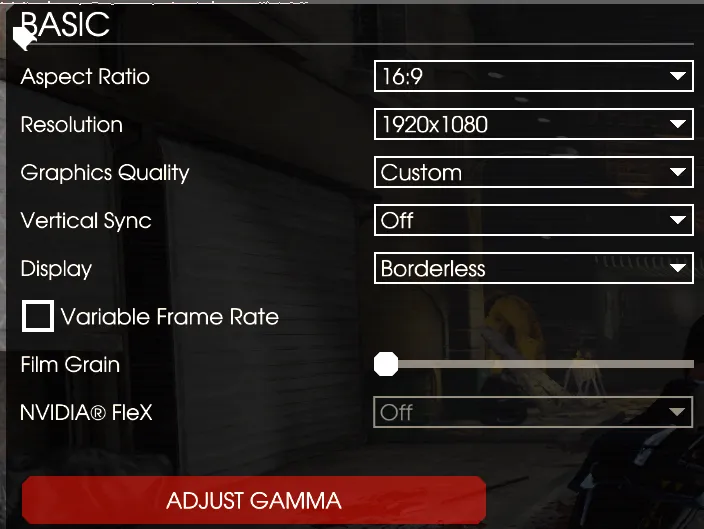 Variable Frame Rate must be unchecked.
Japanese variant
The Japanese guide does the same with a single value: change MaxSmoothedFrameRate=62.000000 to MaxSmoothedFrameRate=300.000000 (200 also works). Then press F3 in game to open the console, type stat fps, and check that the number on the right is above 62.
Tips
- Pick values near your monitor refresh rate; more is not always better.
- Min should be a bit lower than Max, as in the 165/130 example.
- If the game resets the file or crashes after an update, see the config corruption fix.
FAQ
- Why is my KF2 stuck at 62 FPS?
- The game was designed around 62 FPS with smoothed frame rate enabled. The cap comes from MaxSmoothedFrameRate in KFGame.ini, which defaults to 62.
- How do I check my FPS?
- Press F3 in game to open the console and type stat fps. The FPS value appears on the right side.
