
KF2 Weapon Skin IDs in KFGame.ini: Reuse a Skin on Any Gun
This is an English version of a Russian Steam guide that shows how to use the weapon section of KFGame.ini to read the ID of an equipped skin and reuse that ID on other weapons. Use it with care and keep a backup of your config. For other config topics see advanced keybinds.
Step 1: open the file
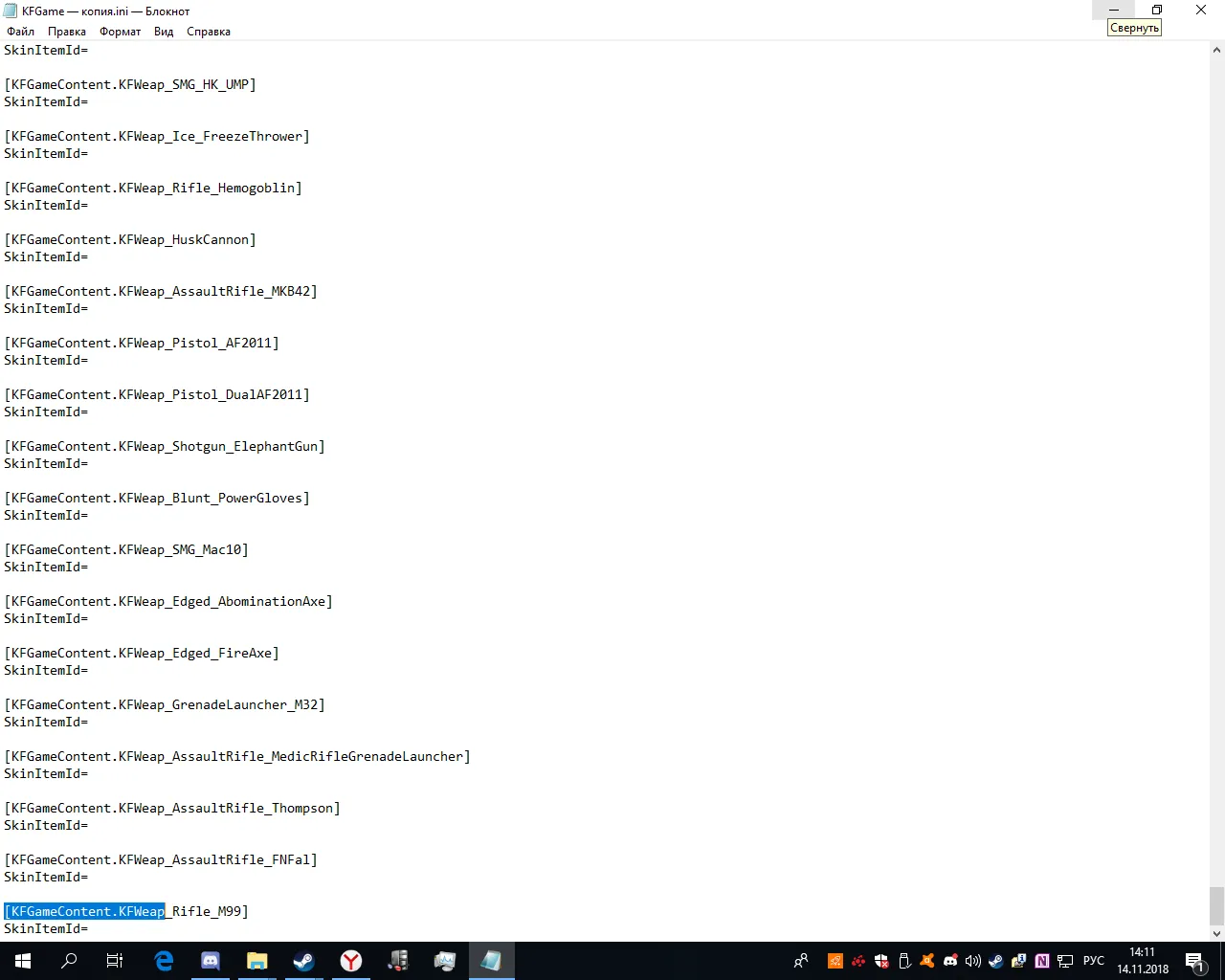 KFGame.ini open in Notepad with search for KFGameContent.KFWeap.
- Open KFGame.ini with Notepad.
- Press Ctrl+F and search for
KFGameContent.KFWeap. - Delete every block of that kind, including its
SkinItemId=line. Each block looks like[KFGameContent.KFWeap_<name>]followed bySkinItemId=. If you have none, you have less work.
Deleting them removes all skins currently equipped on weapons.
Step 2: add a clean list
Scroll to the very end of the file, add an empty line, and paste a list of all weapon sections, each with an empty SkinItemId=. Examples of the sections the guide lists:
[KFGameContent.KFWeap_Healer_Syringe],KFWeap_Welder,KFWeap_Pistol_9mm,KFWeap_Pistol_Deagle- Rifles:
KFWeap_AssaultRifle_AR15,_SCAR,_AK12,_Bullpup,KFWeap_LMG_Stoner63A - Knives for every perk:
KFWeap_Knife_Survivalist,_Demolitionist,_FieldMedic,_Firebug,_Gunslinger,_Sharpshooter,_SWAT,_Berserker,_Commando,_Support - Medic weapons:
KFWeap_Pistol_Medic,KFWeap_SMG_Medic,KFWeap_Shotgun_Medic,KFWeap_AssaultRifle_Medic - Shotguns:
DoubleBarrel,AA12,MB500,M4,HZ12,Nailgun,DragonsBreath,ElephantGun - Melee:
Edged_Katana,Blunt_Crovel,Blunt_ChainBat,Blunt_Pulverizer,Eviscerator,Edged_Zweihander,Blunt_MaceAndShield,Blunt_PowerGloves,Edged_AbominationAxe,Edged_FireAxe - Fire and ice:
Flame_CaulkBurn,Pistol_Flare,Pistol_DualFlare,Flame_Flamethrower,Beam_Microwave,Ice_FreezeThrower - Explosives:
Thrown_C4,GrenadeLauncher_HX25,GrenadeLauncher_M79,GrenadeLauncher_M32,RocketLauncher_RPG7,RocketLauncher_Seeker6 - Pistols and revolvers: dual 9mm, Colt 1911 (single and dual), Deagle (single and dual), Remington 1858, S&W 500, AF2011
- Rifles and others:
Rifle_Winchester1894,Rifle_CenterfireMB464,Bow_Crossbow,Rifle_M14EBR,Rifle_RailGun,Rifle_Hemogoblin,Rifle_M99,HuskCannon - SMGs:
SMG_MP7,SMG_MP5RAS,SMG_P90,SMG_Kriss,SMG_HK_UMP,SMG_Mac10 - Other rifles:
AssaultRifle_M16M203,AssaultRifle_MKB42,AssaultRifle_Thompson,AssaultRifle_FNFal,AssaultRifle_MedicRifleGrenadeLauncher
These are the internal names of the guns, so each line gives the game a slot where a skin ID can go.
Step 3: equip a skin and find its ID
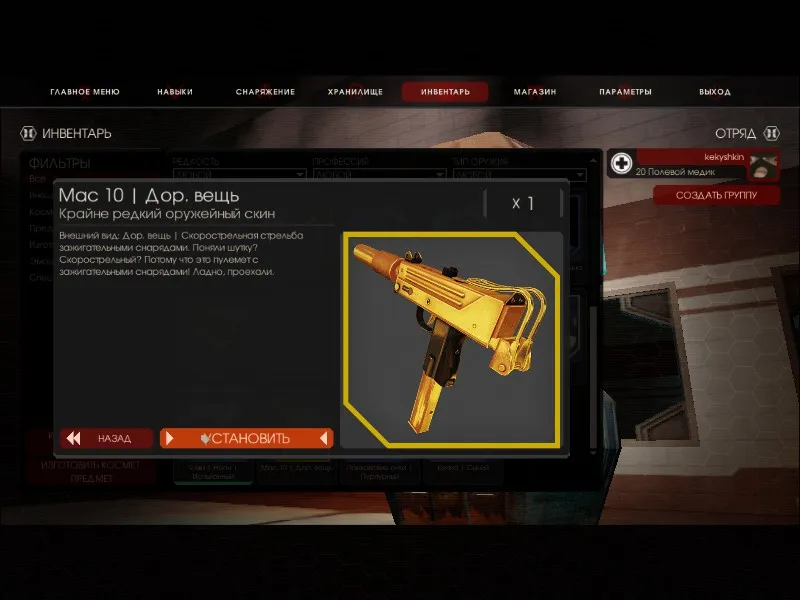 Equipping the gold skin on the Mac10, the Firebug's SMG, in the example.
Save the file, start the game and equip the skin you want. The example uses the gold skin on the Mac10. Then exit the game and reopen the saved, closed file.
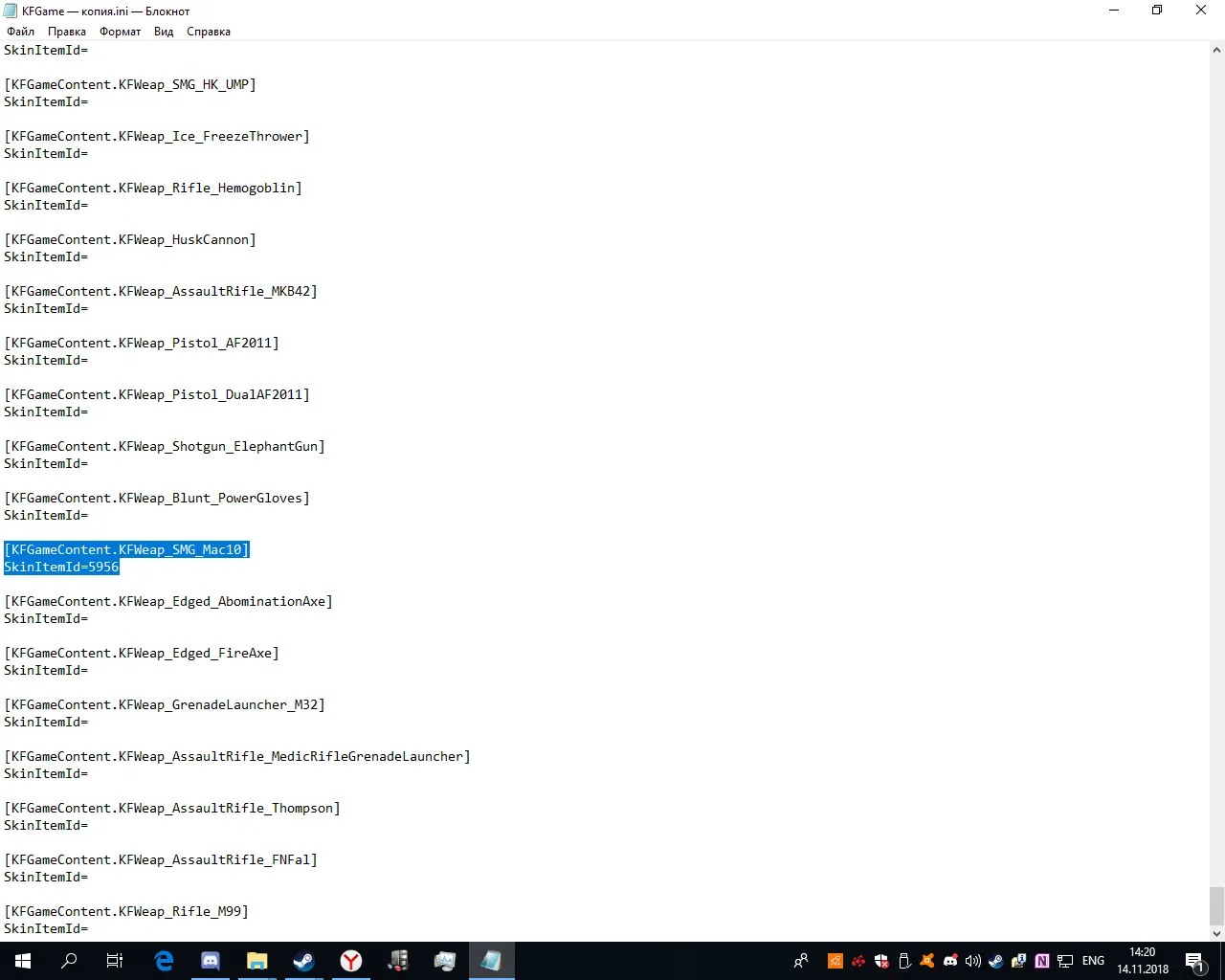 After the game closes, the Mac10 entry shows a number after SkinItemId=. In the example it is 5956, the gold skin ID.
Step 4: copy the ID to other weapons
Buy the skin you want on the Steam market or in game, equip it on one weapon, and paste its ID after SkinItemId= for all weapons you want to dress in it. Save, launch, and you will run with gold or neon skins everywhere. The skin must remain in your inventory, because selling it removes it from the game.
FAQ
- What does SkinItemId do in KFGame.ini?
- Each weapon section stores the ID of the skin you have equipped. Putting a valid ID after SkinItemId= applies that skin to the weapon.
- Do I need to own the skin?
- Yes. According to the guide, the weapon skin with the needed ID must be in your inventory. If you sell it, the skin disappears from the game.
- Do I need to close the game while editing?
- Yes. Save the file and close it before starting the game, and read the new IDs only after exiting the game.
