
KF2 Install Size: Cut 96 GB to 54 GB With CompactGUI
Killing Floor 2 is large even before mods. On Windows you can cut its disk use by roughly 40 to 50 percent without modifying the game and with no measurable performance cost, using a free tool called CompactGUI. If you are short on disk space or want shorter loading times this is a simple fix. For other loading and performance advice see large server FPS tweaks.
Install and use CompactGUI
Get CompactGUI from https://github.com/IridiumIO/CompactGUI/releases. The author recommends the CompactGUI.mono.exe asset under Assets: it has a better interface and extra options.
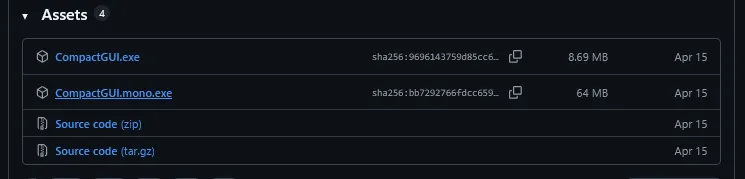 Download the mono build from the Assets list.
- Run the downloaded exe.
- In your Steam library right-click Killing Floor 2 and choose Manage, then Browse local files.
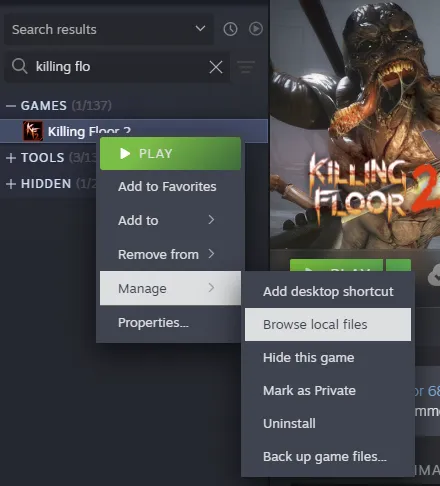 Opening the local files from Steam.
- Go back up to the
commonfolder.
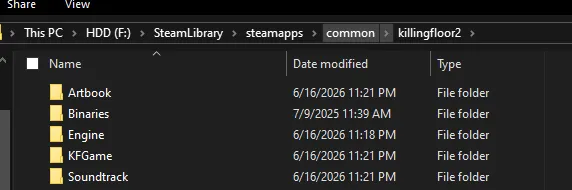 The Steam common folder.
- Right-click the killingfloor2 folder and choose "Compress folder" from the new CompactGUI context menu entry. You can also pick the folder inside CompactGUI.
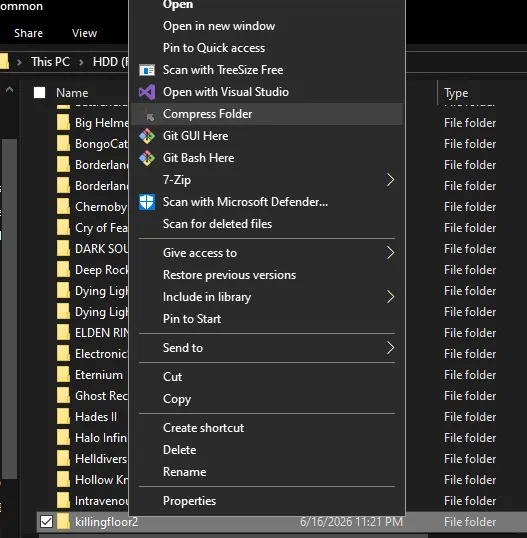 The compression option in the right-click menu.
- The game is added to the compression queue. Choose a compression method and click compress.
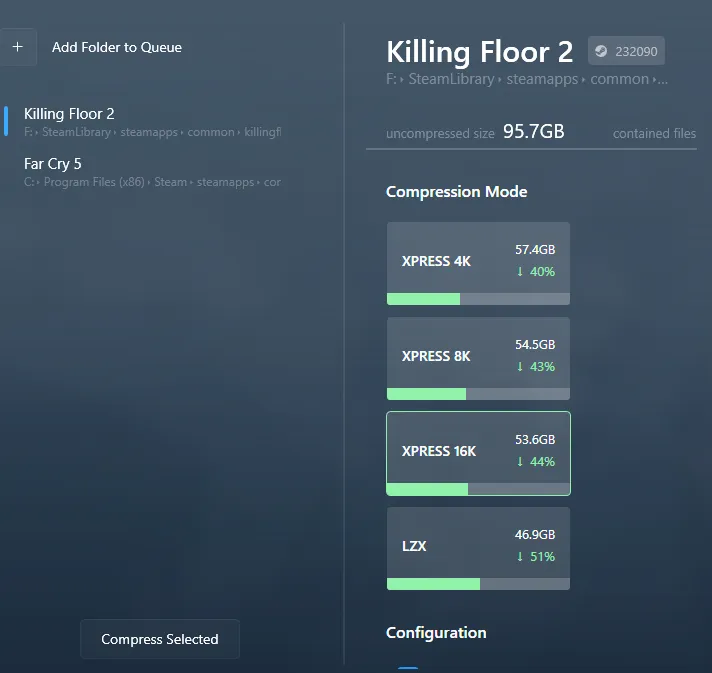 The compression queue with method selection.
How it works
CompactGUI uses Windows' built-in tools to compress and decompress files on the fly. Files are stored compressed; when the game loads them Windows decompresses them with the CPU. Because less data is read from storage, load times can improve. The compression is lossless. It works best for games limited by disk speed that do not hammer the disk after loading screens. KF2's maps are small and need little streaming, so the CPU cost is low, though the game does constantly make small disk reads during waves.
Which compression method
There are four methods, ordered from lightest CPU use and worst compression to heaviest and best: XPRESS4K, XPRESS8K, XPRESS16K, LZX. The author recommends XPRESS8K but ended up using XPRESS16K. A strong CPU can try LZX; with a very old CPU use XPRESS4K. Faster algorithms tend to perform better on SSDs and slower ones on HDDs. Whether load times improve depends on whether the disk or the CPU is the bottleneck.
Result
With XPRESS16K the install shrank from 95.6 GB to 53.4 GB.
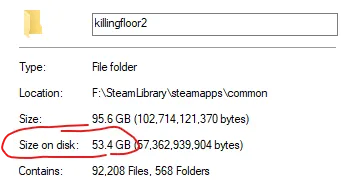 Result of the compression.
The author caps frame rate at 60 FPS through the NVIDIA control panel and saw no noticeable change after compressing, with better loading times, on a Ryzen 7 2700X.
Caveats and other games
- Some third-party anti-cheat systems have been reported to fail to load a compressed game; most games work fine.
- Game updates need the files recompressed afterwards. CompactGUI has a watchlist to track what needs it. It suits games with few or no updates best.
- The first launch may have caching issues: KF2 crashed once, then ran normally.
- It will not work on everything: Windows 11 has protected libraries that cannot be compressed, and some games are already compressed well.
FAQ
- How much space can CompactGUI save on Killing Floor 2?
- The guide reports 95.6 GB reduced to 53.4 GB with XPRESS16K.
- Is the compression lossless and does it hurt performance?
- It is lossless and uses Windows' built-in compression. The author saw no noticeable performance change and improved loading times, though a very old CPU may prefer XPRESS4K.
- Do game updates undo the compression?
- Updated files need to be recompressed afterwards; CompactGUI has a watchlist to help.
