
Replace KF2 Perk Icons with KF1 Icons: UPK Install Guide
This page paraphrases a short community guide for players who find the Killing Floor 2 perk icons bland and prefer the classic icons from the first game. The author provides a package with the KF1 icons that replaces the original UI file.
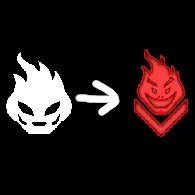 Cover of the original guide.
What it changes
The package swaps KF2 perk icons for the KF1 ones. The author notes that Gunslinger, SWAT and Survivalist are not replaced because they have no KF1 equivalents, and promises to design them later. The same goes for the prestige emblems.
Installation steps
- Download the archive from the link in the original guide (a Google Drive download).
- Open the downloaded folder and go through the nested folders until you reach a
.upkfile. - Open your game directory and follow this path:
KFGame,BrewedPC,Packages,Userinterface,Shared. - Copy the downloaded file into the
Sharedfolder and confirm replacing the duplicate file.
That is all. Back up the original file before overwriting it so you can restore the default icons later (this is a sensible precaution, not part of the original guide). Verifying game files in Steam will also restore the original.
FAQ
- Where does the replacement file go?
- Into the game directory under KFGame, BrewedPC, Packages, Userinterface, Shared. Confirm replacing the existing file.
- Which perks are not replaced?
- Gunslinger, SWAT and Survivalist, because they have no KF1 counterpart. Prestige emblems are not replaced either.
