
KF2: Swap Individual Character Voices (Russian Dub, English Files)
This is a translation and paraphrase of a Russian guide for players who run KF2 with the Russian voice-over but want selected characters, such as DJ Scully, Anna, the Patriarch, Hans or the Trader, to speak English. The trick is file copying between two language folders. If you simply want to change the voice language setting, see changing the voice language while keeping English text.
Where to start
Go to the game folder, for example D:\steam\steamapps\common\killingfloor2\KFGame\BrewedPC\WwiseAudio\Windows (the start depends on where your Steam library is). You need two folders there: the Russian one and the English one. Open them in separate windows.
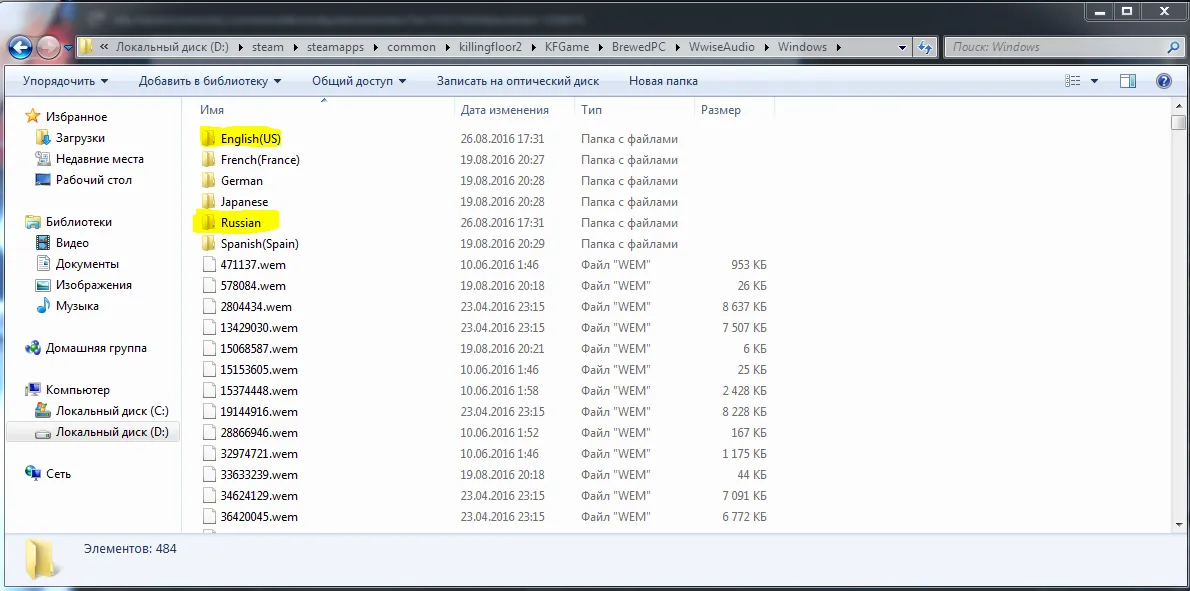
The two language folders inside WwiseAudio\Windows.
Pick what you need
Both folders hold a huge number of files, but do not be scared. The Russian voice is installed by default, so you will take certain lines from the English folder, for example DJ Scully's dialogue. Scroll to the very bottom and look for files with paired names but different extensions. Choose the ones you need, always both files of a pair.
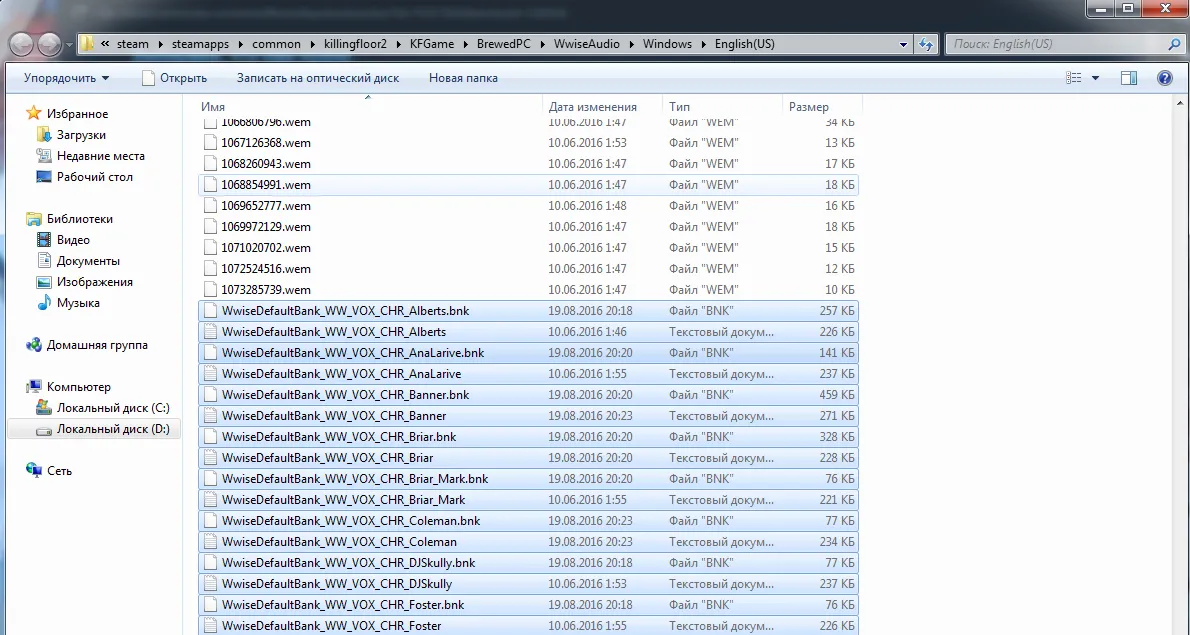
Select both files of each pair.
Copy them into the Russian voice folder and agree to replace the existing files.
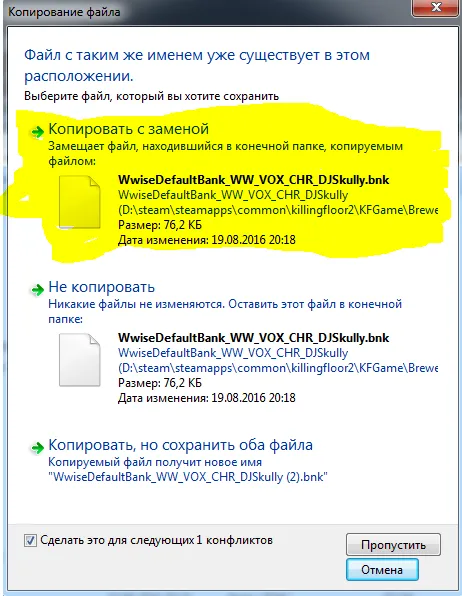
Confirm the replacement.
You can transfer anything you like this way: Anna's dialogue, the Patriarch, Hans, the Trader and everything else in that folder.
The second half
That is only half the job. The block of files above the pairs, around one and a half thousand of them, must also be copied from the English folder into the Russian one. This time do not replace existing files: only the missing files get copied, and nothing else is overwritten.
Finish
Launch the game and enjoy. Note that a game update or file verification in Steam may restore the original files, in which case you repeat the steps.
FAQ
- Where are the voice files?
- In KFGame\BrewedPC\WwiseAudio\Windows inside the game folder, with one subfolder per voice language.
- Do I copy single files?
- Each voice line is a pair of files with the same name but different extensions, so always copy both of the pair.
- Do I overwrite everything with the English files?
- No. For the large block of shared files, copy only the missing ones and do not replace existing files.
