
KF2: Wear Conflicting Accessories with Console Commands
Some Killing Floor 2 cosmetic items refuse to be worn together, for example headphones and a ski mask. This guide shows a console trick that forces two or even three of these items onto the same character. It relies only on in-game commands, but the author gives a practical warning: restart the game afterwards so your progress (XP, dosh, loot, dailies) is counted properly. For a second take on the same trick, see this related guide.
What you need
- Two accessories that conflict. The example uses the MK I headphones and the ski mask.
- Windowed mode (Alt+Enter). This is mandatory, otherwise the game freezes.
- The console, opened with the tilde key.
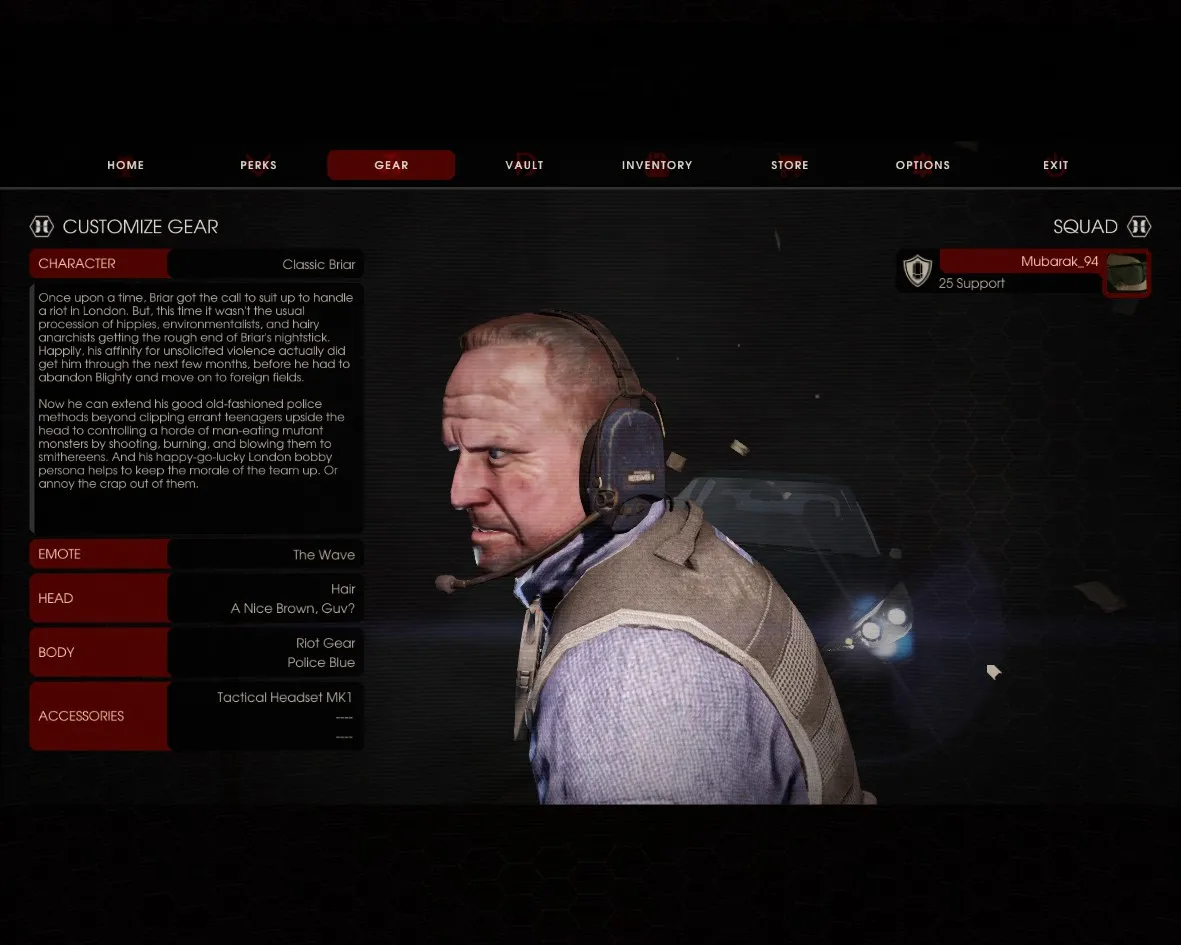
 First item: MK I headphones.
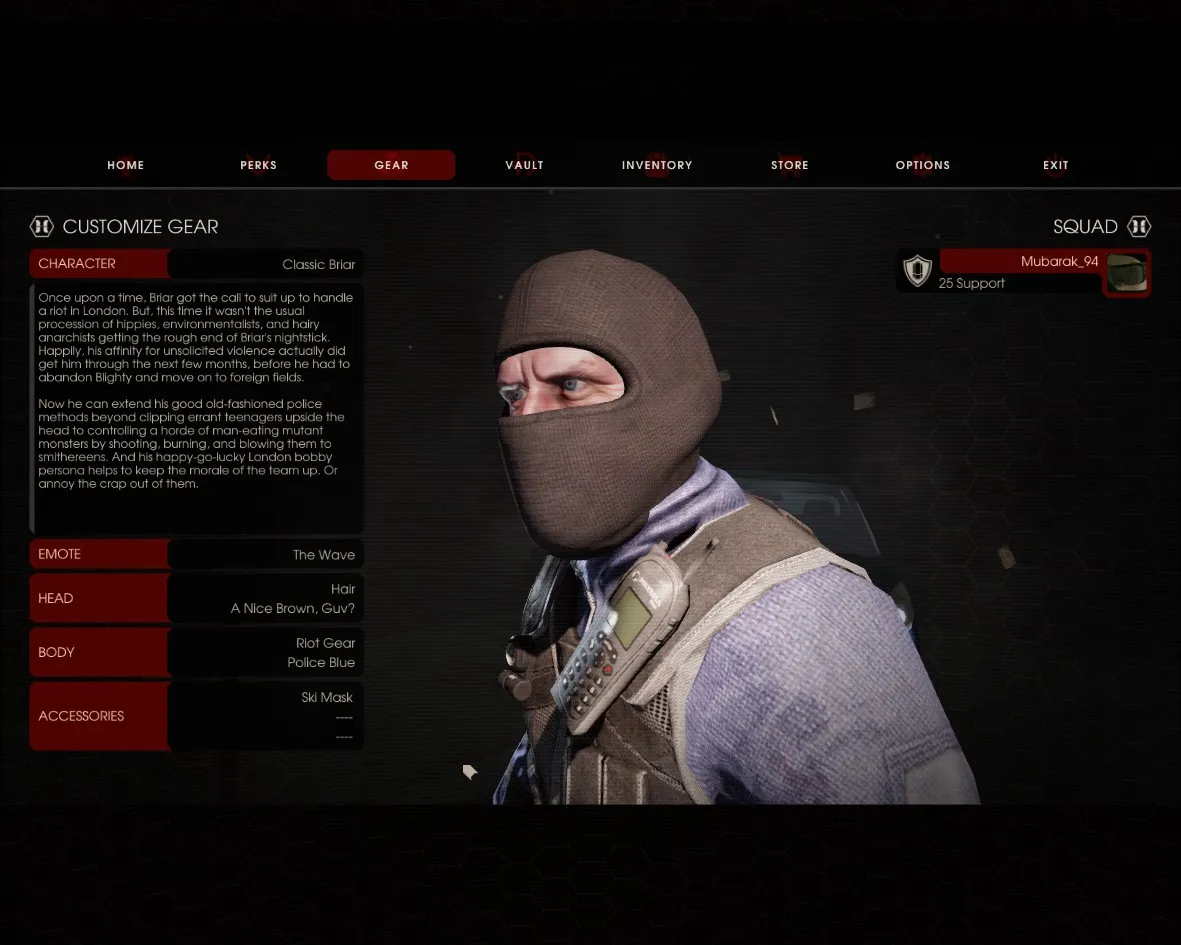
 Second item: the ski mask, which normally conflicts with the first.
Step 1 - Enable cheats and the log window
Open the console and enter:
enablecheats
showlog
A small log window appears.
 Console commands.
 The log window that opens after showlog.
Step 2 - Read the attachment data
Equip one of the items, then enter printoutcharactercosmeticinfo in the console. The log shows lines like:
ScriptLog: Item on slot index: 0 Mesh index: 69 Skin index 4
ScriptLog: Item on slot index: 1 Mesh index: 255 Skin index 255
ScriptLog: Item on slot index: 2 Mesh index: 255 Skin index 255
Take the numbers from the first line (0, 69, 4):
| Value | Meaning |
|---|---|
| 0 | Slot. Slots are 0, 1 and 2; this is the only value you can freely change, depending on which slots are free. |
| 69 | Item (mesh) ID. It is unique per character: the MK I headphones are 69 on the classic Briar but 51 on Foster. |
| 4 | Skin of the item, such as the blue, green or black headphones. |
 The attachment printout in the log window.
Step 3 - Attach the conflicting item
Now put on the other item you want and enter:
setcharacterattachment 69 4 1 TRUEThe format is: item ID, skin, free slot, TRUE. The trailing TRUE is required, otherwise the result is broken. Close the console and both accessories are shown.
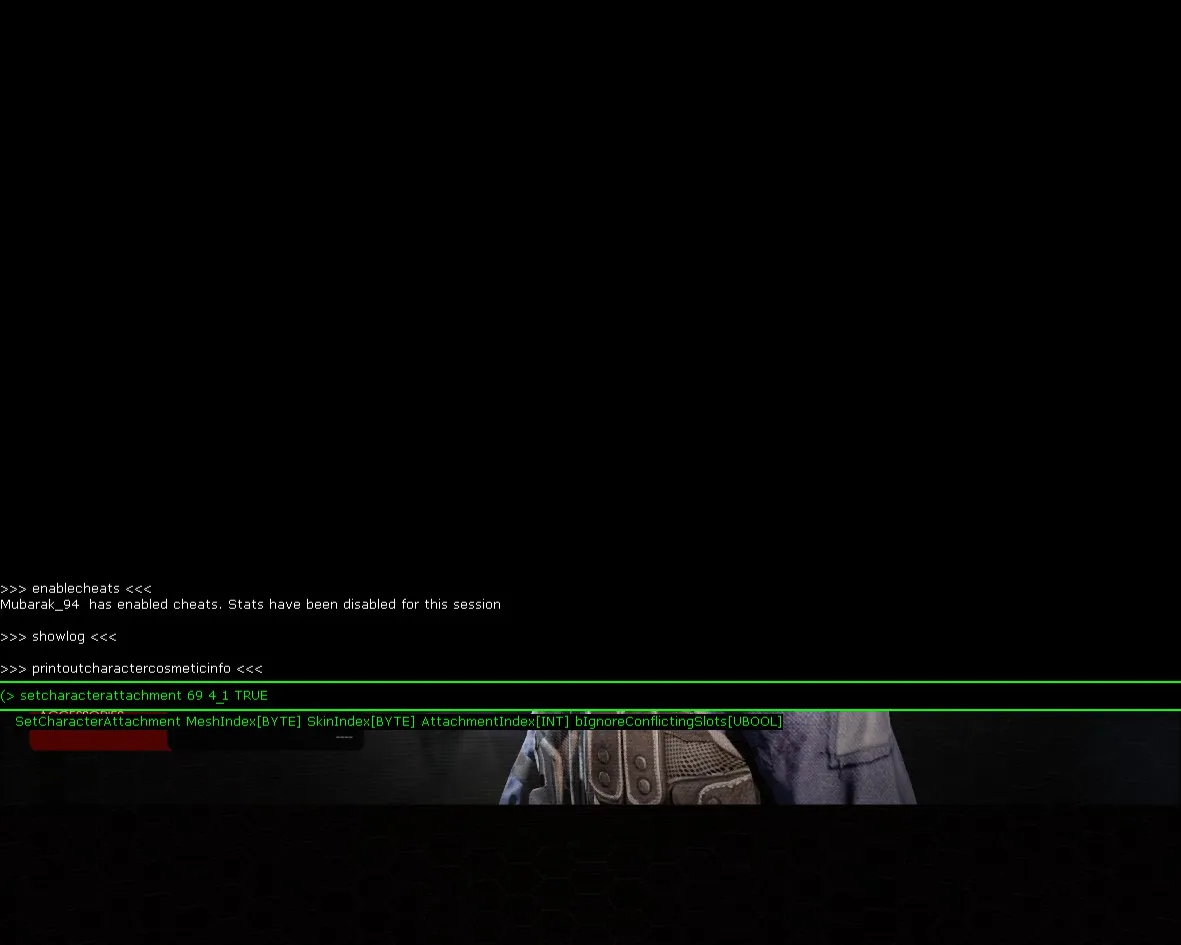 Applying the second attachment.
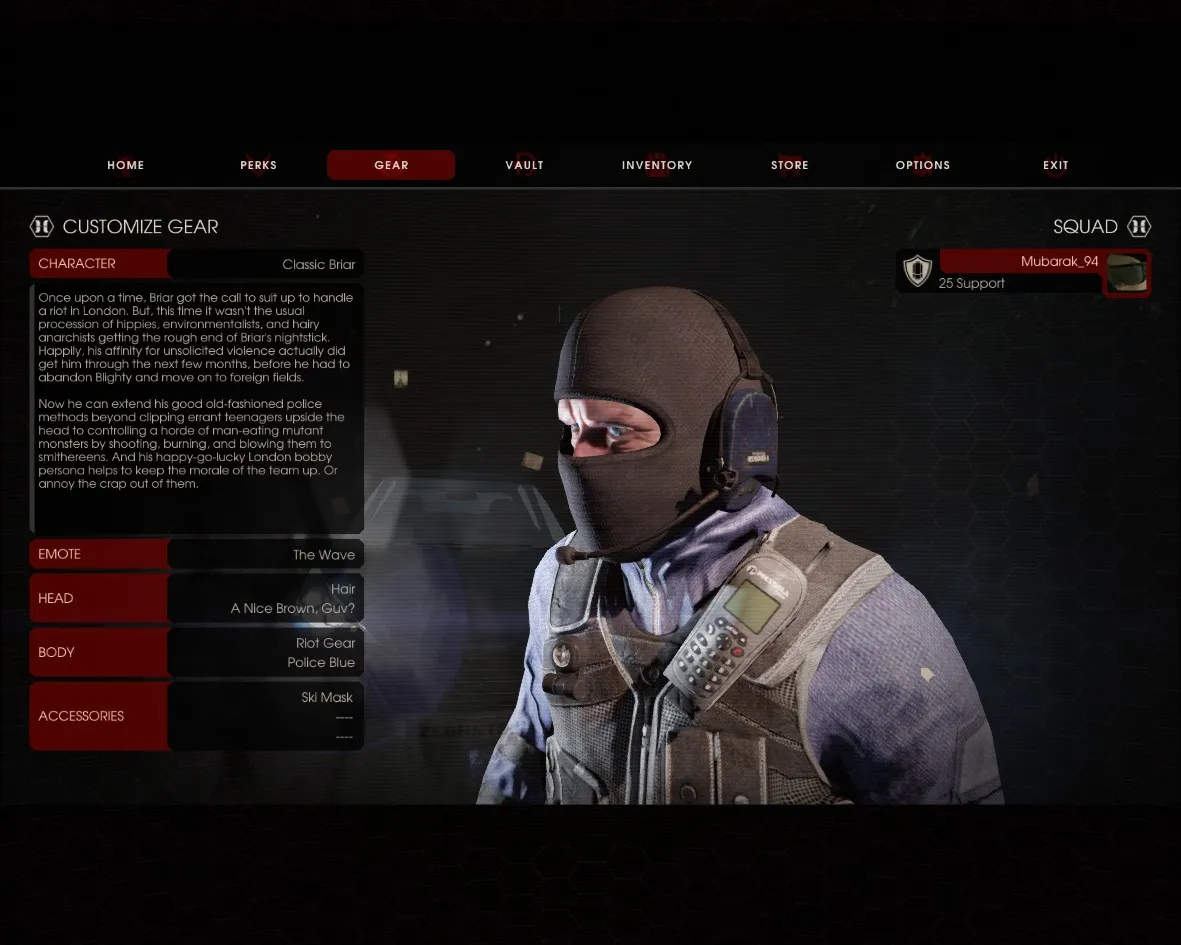 The finished look.
Three conflicting items
Equip the first item in slot 0, then add the other two through the console:
setcharacterattachment ID1 skin1 1 TRUE
setcharacterattachment ID2 skin2 2 TRUE
Tips
- Read the IDs separately for every character, because they differ.
- Use a free slot number (0, 1 or 2) for each additional item.
- Restart the game after the experiments so progress is saved normally.
FAQ
- Can I get banned for wearing conflicting accessories this way?
- The author states that it is not punished because it only uses functions built into the game, but you should treat that as the guide's claim rather than an official statement.
- Why must the game be in windowed mode?
- The showlog window cannot be read in fullscreen and the game may freeze, so switch with Alt+Enter before opening the console.
- What does the last TRUE in setcharacterattachment do?
- It must be present at the end of the command; leaving it out breaks the result.
