
KF2 Weapon Reskin Guide: Swap SkinItemId in KFGame.ini
This is a translation and paraphrase of a Chinese community guide on putting the skin of one weapon onto a completely different weapon in Killing Floor 2. The idea is simple: every equipped skin is stored as a number (SkinItemId) under the weapon's class name in KFGame.ini. If you replace the number under another weapon with the one you copied, the game shows that skin on the other weapon. For related guides see copy an RGB skin to any weapon and use all weapon skins via SkinItemId.
Step 1. Equip the skin and read its number
- You must own the skin you want to copy (the example uses an RGB skin). Equip it in the game library, then quit the game.
- Open
Documents\My Games\KillingFloor2\KFGame\Config(if your Documents folder was moved, use the new location). - Open
KFGame.iniin a text editor and search for the weapon you equipped. In the example it is the RGB Freeze Thrower:
[KFGameContent.KFWeap_Ice_FreezeThrower]
SkinItemId=6480
Remember the number (6480 here). If you do not know a weapon's class name, look it up in the localization file KFGame\Localization\CHN\KFGameContent.chn in the game install folder (open it as text), or check your Steam inventory.
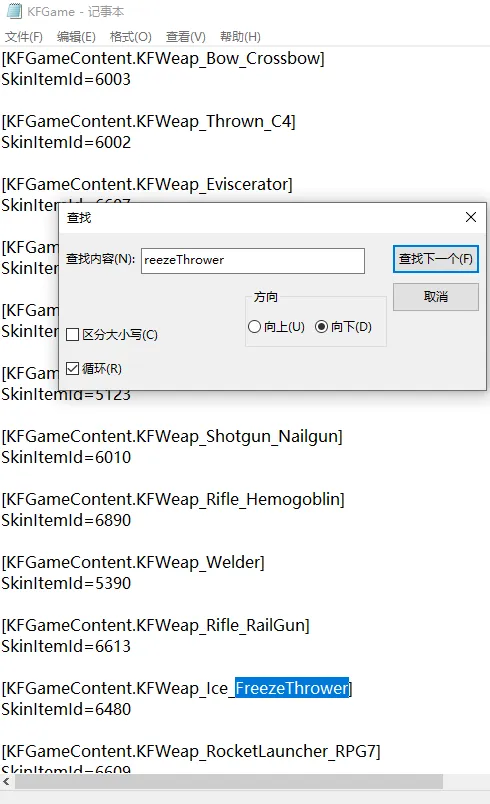 The equipped skin entry in KFGame.ini and its SkinItemId.
Step 2. Paste the number onto another weapon
Find the target weapon's section and replace its number with the one you copied. Example: RGB Freeze Thrower skin on the RPG-7.
Before:
[KFGameContent.KFWeap_RocketLauncher_RPG7]
SkinItemId=6609

After:
[KFGameContent.KFWeap_RocketLauncher_RPG7]
SkinItemId=6480
Save the file and start the game.
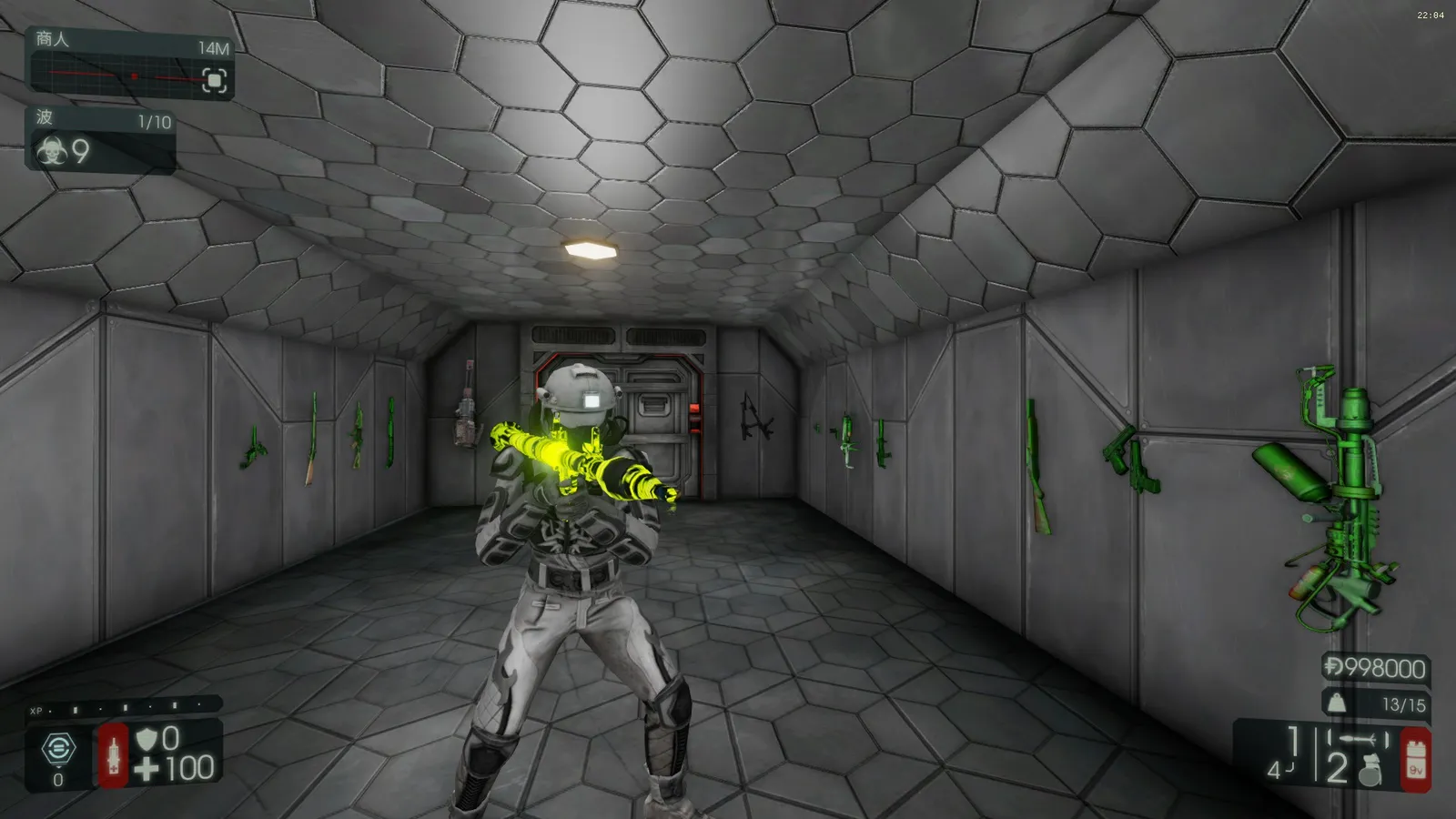 Result: the RGB Freeze Thrower skin applied to the RPG-7.
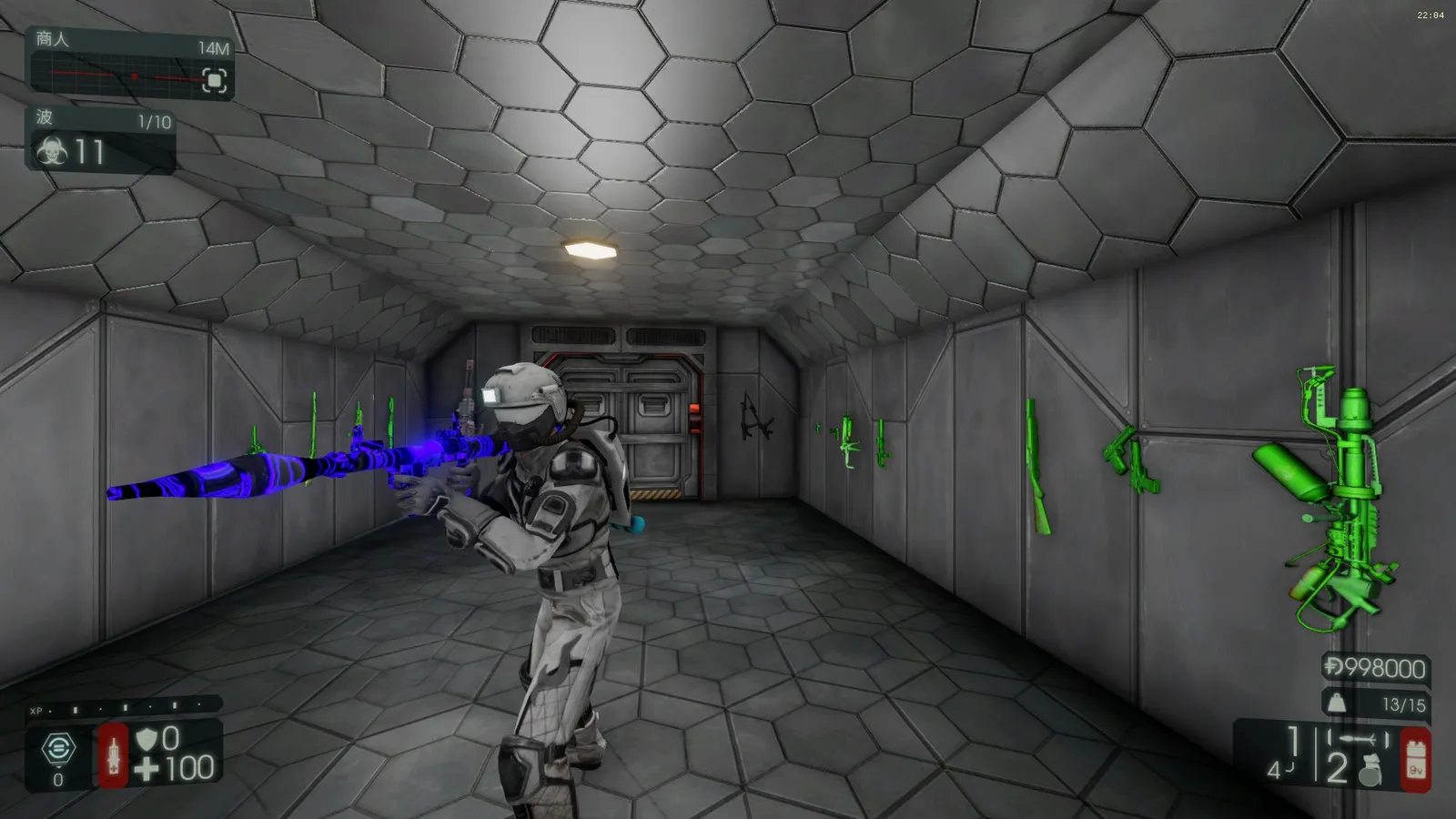 A second view of the reskinned launcher.
More examples from the guide:
- Lightning-path HX25 skin (3330) on the M79 (which uses 3045 by default).
- Neon 9mm skin (6296) on the Katana (which uses 3333 by default).
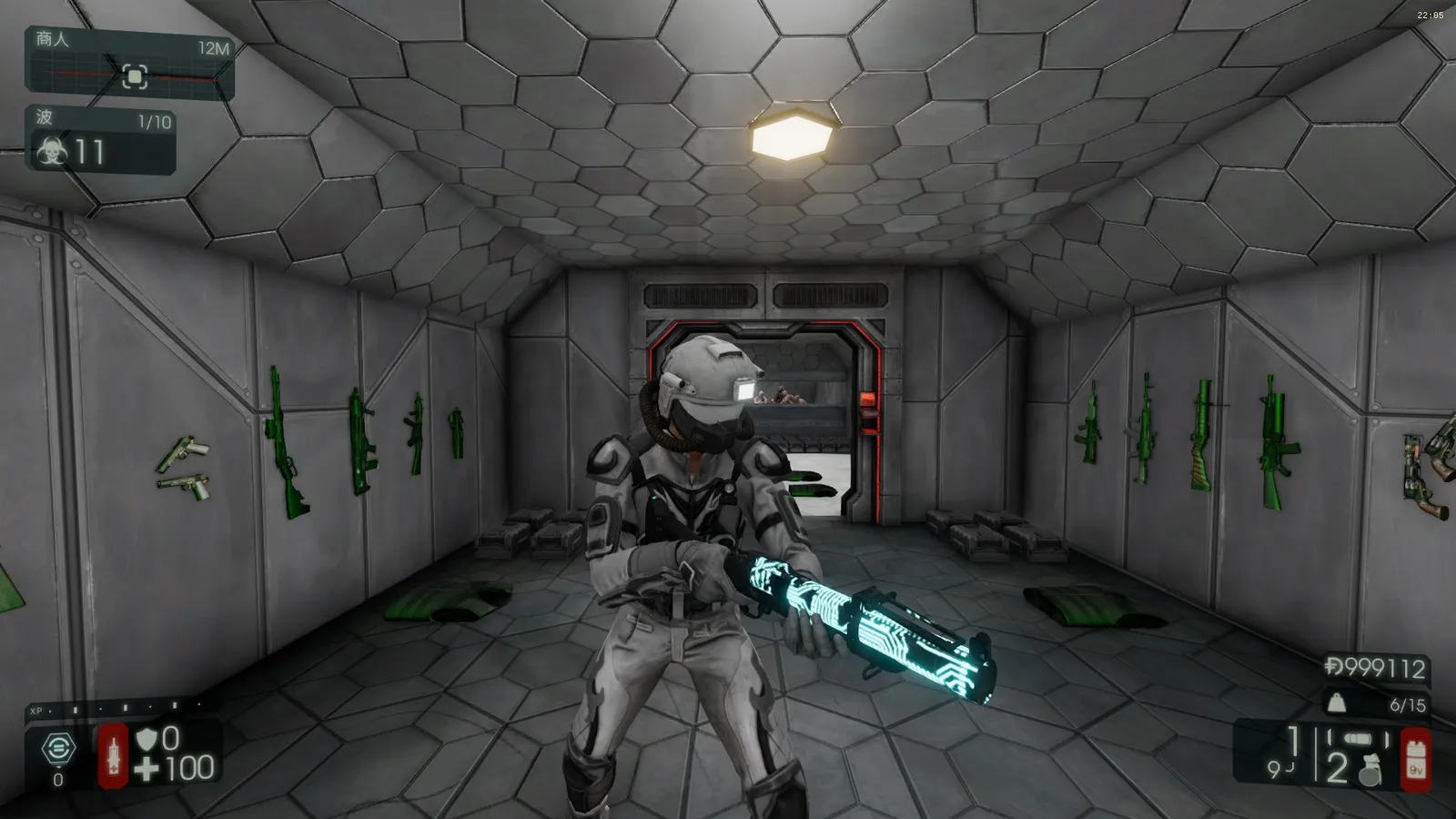 The HX25 skin on the M79.
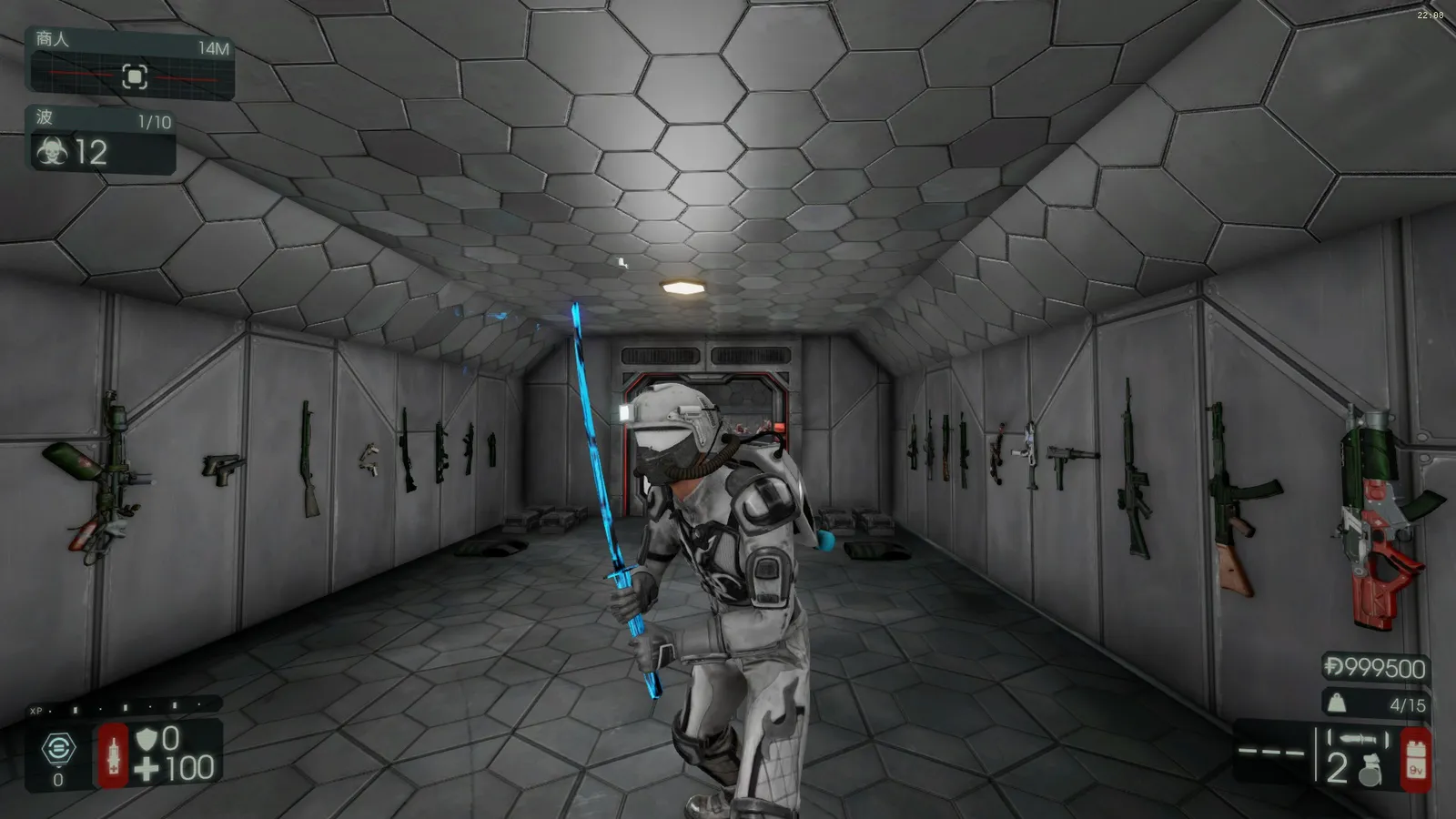 The Neon 9mm skin on the Katana.
Step 3. Add weapons that have no entry yet
Store-bought weapons, knives and many perk weapons may not have a section in the file yet. Add the section to the bottom of KFGame.ini and set the number; if the section exists, only replace the number. Some weapons have two lines (single and dual); the author found that copying the first one also works for dual wielding. Template:
[KFGameContent.KFWeap_Edged_Katana]
SkinItemId=xxxx
Class names listed in the guide (inside the brackets each one is prefixed with KFGameContent.):
| Group | Class names |
|---|---|
| Store and special | KFWeap_Pistol_Blunderbuss, KFWeap_Pistol_G18C, KFWeap_Pistol_DualG18, KFWeap_Bow_CompoundBow, KFWeap_Edged_Zweihander (deluxe edition), KFWeap_Blunt_ChainBat (Road Redemption), KFWeap_Edged_IonThruster, KFWeap_Pistol_ChiappaRhino, KFWeap_Pistol_ChiappaRhinoDual, KFWeap_Rifle_MosinNagant, KFWeap_SMG_G18 |
| Horzine (HRG) | KFWeap_Shotgun_HRG_Kaboomstick, KFWeap_AssaultRifle_HRGTeslauncher, KFWeap_AssaultRifle_HRGIncendiaryRifle, KFWeap_HRG_Revolver_Buckshot, KFWeap_HRG_Revolver_DualBuckshot, KFWeap_Rifle_HRGIncision, KFWeap_HRG_Healthrower, KFWeap_Pistol_HRGWinterbite, KFWeap_Pistol_DualHRGWinterbite, KFWeap_HRG_Nailgun |
| Berserker | KFWeap_Blunt_Crove, KFWeap_Shotgun_Nailgun, KFWeap_Edged_Katana, KFWeap_Edged_FireAxe, KFWeap_Blunt_MedicBat, KFWeap_Blunt_MaceAndShield, KFWeap_Blunt_PowerGloves, KFWeap_Eviscerator, KFWeap_Edged_AbominationAxe, KFWeap_Blunt_Pulverizer |
| Field Medic | KFWeap_Pistol_Medic, KFWeap_SMG_Medic, KFWeap_Shotgun_Medic, KFWeap_AssaultRifle_Medic, KFWeap_AssaultRifle_MedicRifleGrenadeLauncher, KFWeap_Rifle_Hemogoblin |
| Demolitionist | KFWeap_GrenadeLauncher_HX25, KFWeap_RocketLauncher_SealSqueal, KFWeap_AssaultRifle_M16M203, KFWeap_GrenadeLauncher_M32, KFWeap_RocketLauncher_RPG7, KFWeap_GrenadeLauncher_M79, KFWeap_RocketLauncher_Seeker6, KFWeap_Thrown_C4 |
| Support | KFWeap_Shotgun_MB500, KFWeap_Shotgun_DoubleBarrel, KFWeap_Shotgun_HZ12, KFWeap_Shotgun_M4, KFWeap_Shotgun_AA12, KFWeap_Shotgun_ElephantGun |
| Commando | KFWeap_AssaultRifle_AR15, KFWeap_AssaultRifle_Bullpup, KFWeap_AssaultRifle_AK12, KFWeap_AssaultRifle_MKB42, KFWeap_AssaultRifle_SCAR, KFWeap_LMG_Stoner63A |
| Firebug | KFWeap_Flame_CaulkBurn, KFWeap_Pistol_Flare, KFWeap_Pistol_DualFlare, KFWeap_AssaultRifle_Microwave, KFWeap_Beam_Microwave, KFWeap_Shotgun_DragonsBreath, KFWeap_Flame_Flamethrower, KFWeap_SMG_Mac10, KFWeap_HuskCannon |
| Gunslinger | KFWeap_Revolver_Rem1858, KFWeap_Revolver_DualRem1858, KFWeap_Pistol_Deagle, KFWeap_Pistol_DualDeagle, KFWeap_Revolver_SW500, KFWeap_Revolver_DualSW500, KFWeap_Pistol_AF2011, KFWeap_Pistol_DualAF2011 |
| Sharpshooter | KFWeap_Rifle_Winchester1894, KFWeap_Rifle_CenterfireMB464, KFWeap_Bow_Crossbow, KFWeap_Rifle_M14EBR, KFWeap_AssaultRifle_FNFal, KFWeap_Rifle_RailGun, KFWeap_Rifle_M99 |
| Survivalist | KFWeap_AssaultRifle_LazerCutter, KFWeap_Ice_FreezeThrower |
| SWAT | KFWeap_SMG_MP7, KFWeap_SMG_MP5RAS, KFWeap_AssaultRifle_Thompson, KFWeap_SMG_P90, KFWeap_SMG_HK_UMP, KFWeap_SMG_Kriss |
| Knives | KFWeap_Knife_Berserker, _Commando, _Support, _FieldMedic, _Demolitionist, _Firebug, _Gunslinger, _Sharpshooter, _SWAT, _Survivalist |
| Other | KFWeap_Healer_Syringe, KFWeap_Welder, KFCarryable_Gear (escort gear, untested) |
Step 4. Preview
Save KFGame.ini, start any map in offline mode and open the console with ~ or F3. Useful commands for checking the result:
enablecheatsto allow cheats,imrichfor money,opentradermenuto open the shop anywhere.- PageUp switches to a third-person view and End returns to first person.
Always keep a backup of KFGame.ini before experimenting.
FAQ
- Which file do I edit?
- KFGame.ini in Documents\My Games\KillingFloor2\KFGame\Config. Close the game before editing and save the file afterwards.
- Do I need to own the skin I want to copy?
- Yes. The trick copies the SkinItemId of a skin you have equipped and own onto another weapon section.
- How do I check the result?
- Start an offline match, open the console with ~ or F3, type enablecheats and imrich, then opentradermenu to buy the weapon and look at it.
