
KF2 Customization Guide (JP): Console, Maps, Mods, Skins
This is a translation and paraphrase of a Japanese-language guide that gathers the basics of customizing Killing Floor 2 in one place. It covers the console, launch options, custom maps, mods, weapon skins, movies, localization, audio and UI.
Basics: console and launch options
Open the console with F3 (or the tilde key) and type commands. The English and Japanese wikis list them in full.
Common commands:
open: opens a map offline or connects to a server. Example:open KF-BioticsLab?game=survival?Difficulty=3?gamelength=2?mutator=DWU.DWUMut,MutDamagePopup.DmgMutoropen 133.201.85.192:7777.suicide: kills yourself. It does not work right after the game starts, and since the Dystopian Devastation update suicide during trader time counts as a bug cause.RestartLevel: restarts the map from the lobby in solo.ToggleScreenShotMode: hides the HUD, arms and weapon for screenshots. Typing it again restores them, though arms sometimes stay hidden.ToggleHUD: hides only the HUD.SetBind: sets a key binding. See /en/gamedb/killingfloor2/config/advanced-keybinds-setbind-jp/.
Rules for open: case does not matter; use the map's kfm file name, not the display name; extra parameters are joined with ?. Main parameters: game=survival / Endless / versus / weekly / objective, difficulty=0..3 (Normal to HoE), gamelength=0..2 (short to long), and mutator= with commas between several. A server is global IP:port, which is shown in the lower right of the results screen when you connect.
Cheat commands require EnableCheats first, which stops XP for that match: God, Ghost (and Walk to cancel), ImRich (1M Dosh), UberAmmo, and PlayersOnly (time stops and only players move, with some limits).
Launch options (Steam: Properties > General > Launch options; Epic: additional command line arguments): -nostartupmovies skips intro logos, -languageforcooking=jpn gives English audio with Japanese subtitles (and vice versa), -nohomedir helps if antivirus blocks the Documents folder, -useunpublished uses the unpublished folder (developers), and -log opens a log window. Separate several options with spaces.
Custom maps
Most custom maps come from the Steam Workshop (Epic players can use a downloader tool). A subscribed item is first stored in steamapps\workshop\content\232090\<Item ID>, then copied to Documents\My Games\KillingFloor2\Cache\<Item ID>, and the game reads the Documents copy.
Maps are kfm files. Official ones live in ...\KillingFloor2\KFGame\BrewedPC\Maps\<Map Name>; files placed in Documents\My Games\KillingFloor2\KFGame\Published\BrewedPC\Maps also work.
The free SDK is available to Steam owners and shows up in the library as a tool. Besides making maps it lets you load existing ones, which reveals all ZED spawn points, ammo and item spawns and collectible positions. Instructions are mostly English; see the English wiki.
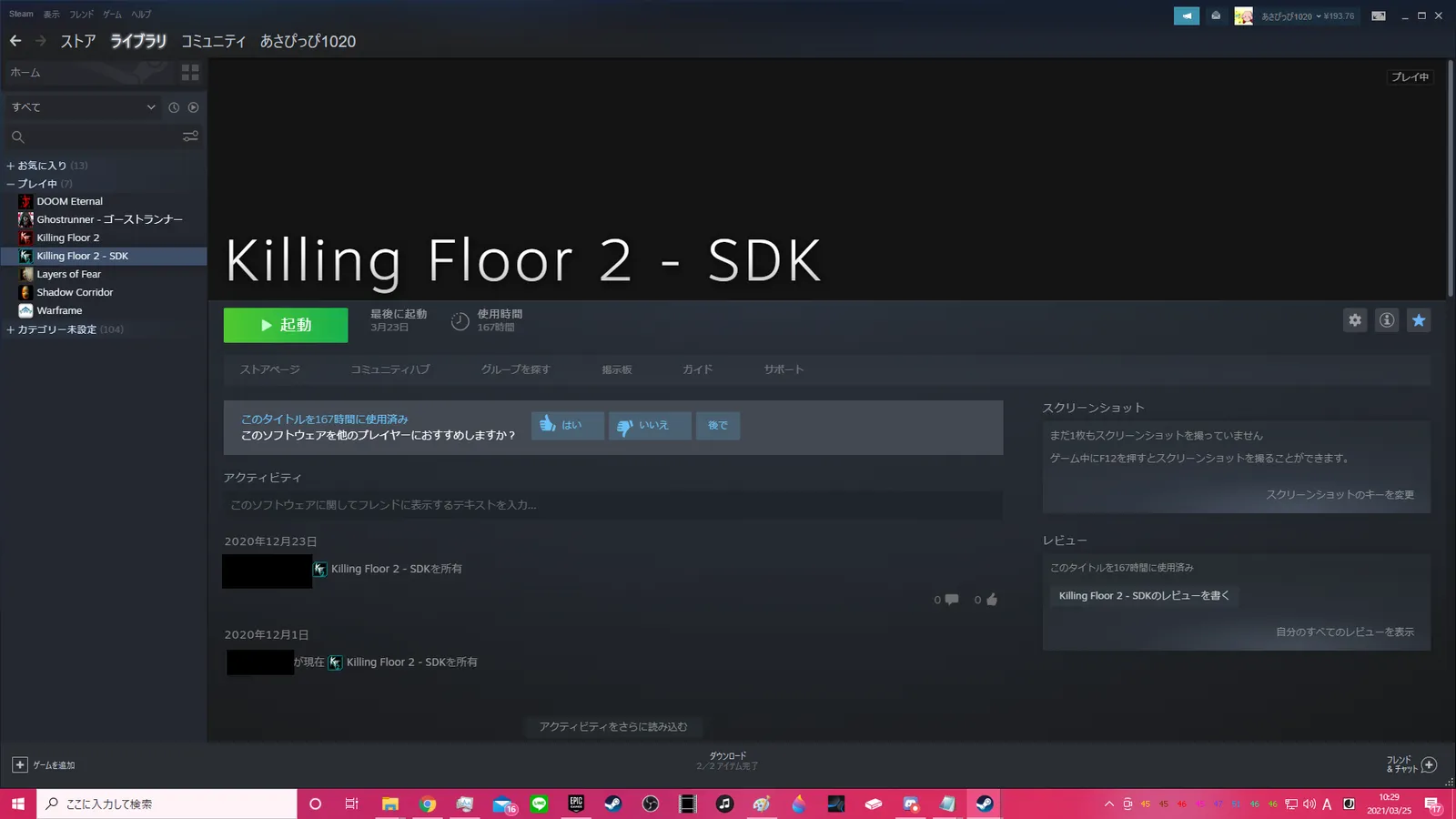 The SDK is a tool in your library.
Mods: mutators and game modes
Mods are custom game modes and mutators, distributed as u files compiled from uc source. The default place is ...\KillingFloor2\KFGame\BrewedPC. Workshop subscriptions work as they are, or you can put files in Documents\My Games\KillingFloor2\KFGame\Published\BrewedPC. On Steam some source files are in Development\Src (not on Epic).
Classes are specified as package.Class, for example game=KFGameContent.KFGameInfo_Survival or the cheat GiveWeapon KFGameContent.KFWeap_GravityImploder. Only one game mode can be used, but any number of mutators, joined with commas: mutator=DWU.DWUMut,MutDamagePopup.DmgMut. Mods also disable XP.
Custom weapon skins
A selected skin uses a MIC that points to TEX files. A custom skin overrides the TEX with another file. Skins are shared as upk Workshop items and must be moved to Documents\My Games\KillingFloor2\KFGame\Published\BrewedPC\Packages\Weapons. To make your own, create a new first person default skin TEX upk with the SDK.
Custom movies
You can replace the main menu background and loading screens. Convert your video to bik and place it in Documents\My Games\KillingFloor2\KFGame\Movies. Conversion needs the RAD tools. See also /en/gamedb/killingfloor2/config/restore-old-menu-background-bik/.
Custom localization
In steam\steamapps\common\KillingFloor2\KFGame\Localization each language stores its text (English int, Japanese jpn). Editing these directly gets reset by updates. A Documents-folder KFGame\Localization copy works too, but then new strings from updates are not applied because the old file takes priority. The author recommends keeping your edits saved separately and editing the original.
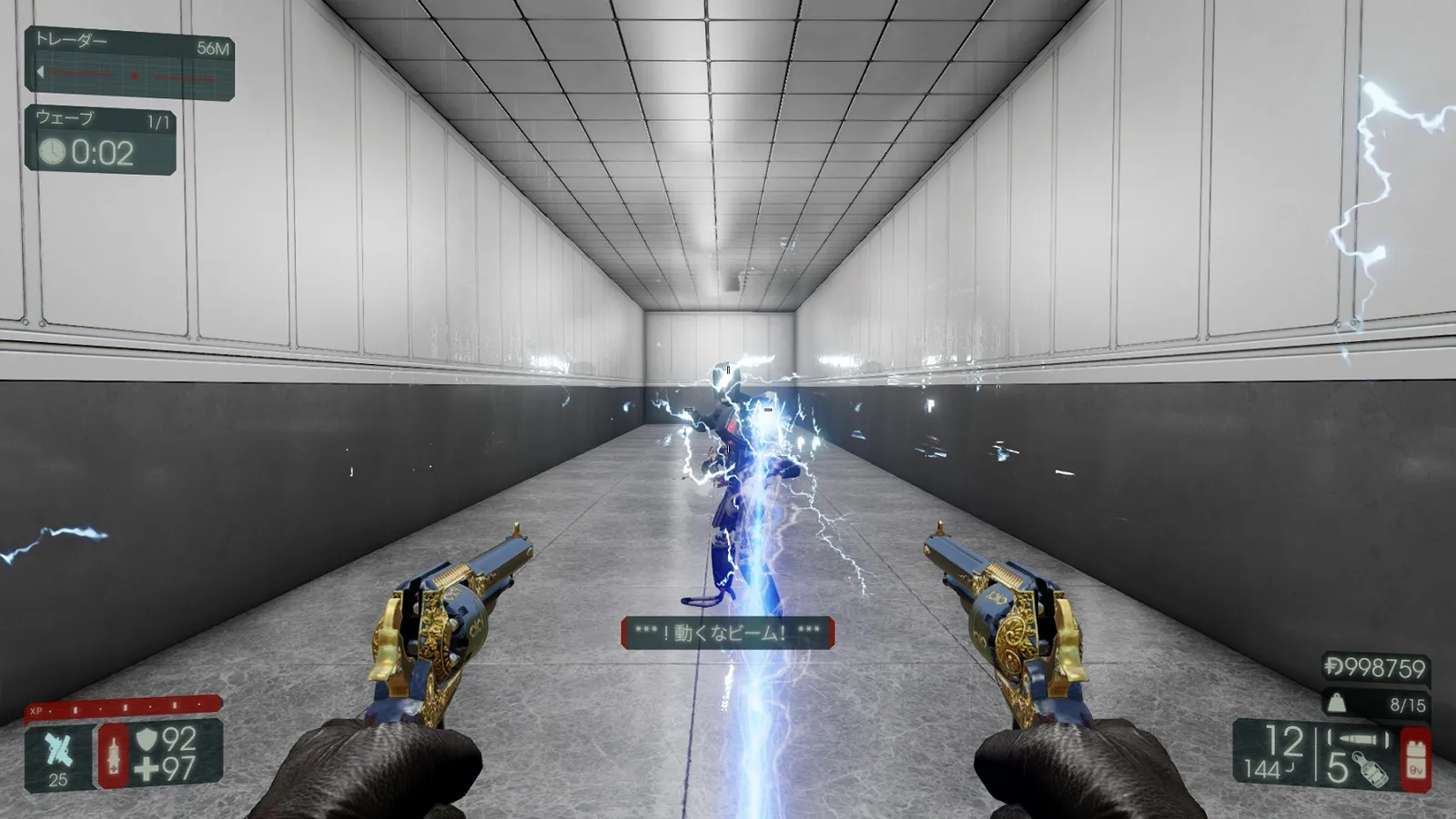 Example: a changed E.D.A.R. Trapper grab message.
Localization can also rename maps (so you drop the "KF-" prefix). First KFGame.ini must have a MapSummary for each map; only these two lines are needed:
[KF-Grid KFMapSummary]
MapName=KF-Grid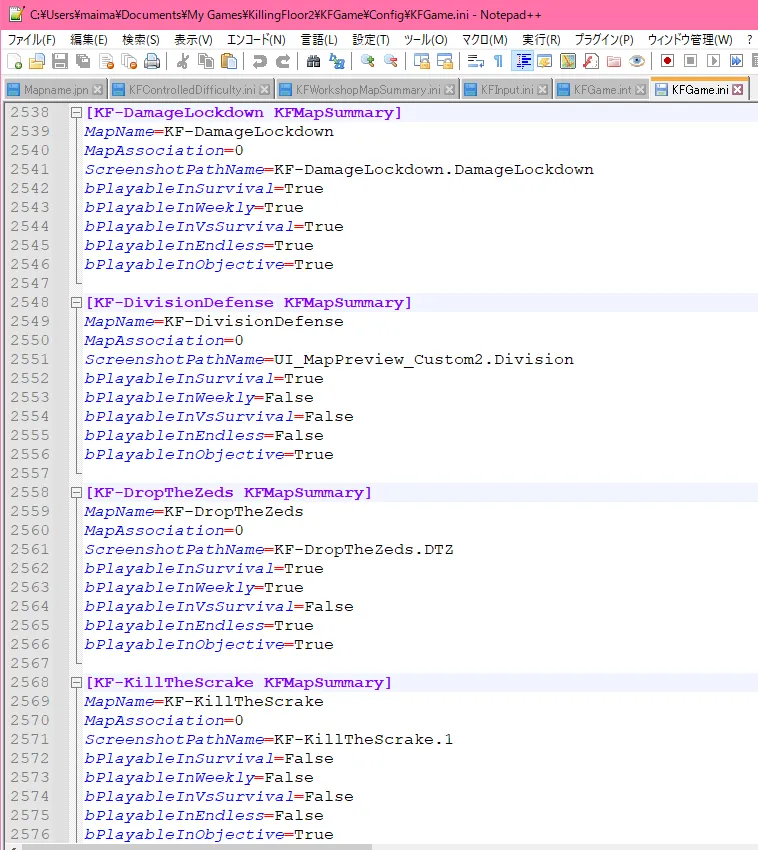 MapSummary entries in KFGame.ini.
Then add the display name to the Localization file.
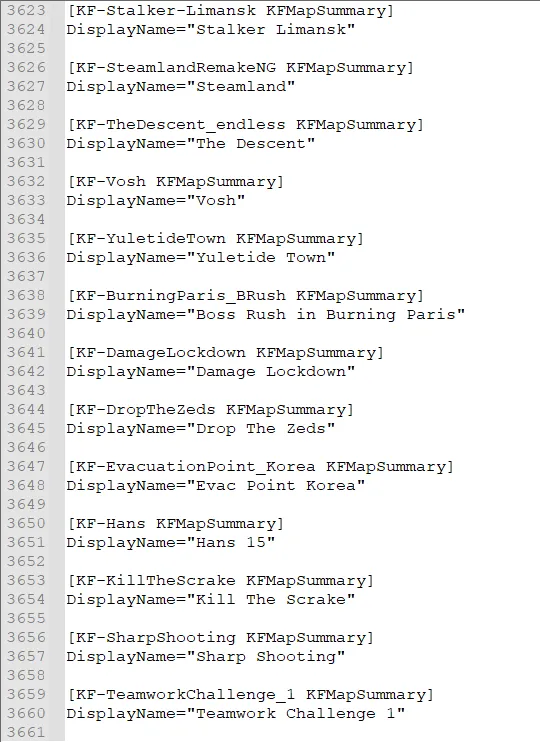 Map name added to the Localization file.
Custom audio
You can swap in-game music, but the process is laborious (converting to wem). See /en/gamedb/killingfloor2/modding/custom-music-guide-jp-wwise/.
Custom user interface
Replace perk icons or add map previews in Documents\My Games\KillingFloor2\KFGame\Published\BrewedPC\Packages\UserInterface\Shared. Almost any image in KF2 can be replaced, such as radio chat icons or the daily logo, by editing a TEX with the SDK and saving it as upk. For popular maps a ready Workshop item covers map previews. For others make one with the SDK, put the upk in the same folder and set it in KFGame.ini through the map's ScreenShotPathName, for example ScreenShotPathName=CustomMapPreview.QuarantineBreach_TEX.
FAQ
- How do I open a map offline with a mutator?
- In the console use open MapName?game=survival?Difficulty=3?gamelength=2?mutator=Package.Class, separating several mutators with commas.
- Do mods and cheats stop XP?
- Yes. Typing EnableCheats and using mods both disable XP gain for the match.
- Where do custom files go?
- Under Documents\My Games\KillingFloor2\KFGame\Published\BrewedPC, or in the matching Movies and Localization folders.
