
KF2 Custom Music Guide (JP): Wwise WAV to WEM Swap
The author of this Japanese guide warns up front that custom background music in Killing Floor 2 takes a lot of effort and several downloads. Using music already uploaded to the Workshop, or swapping the main menu music for the Hans fight theme, is much easier. Only go through the full process if you really want your own tracks. Other approaches: /en/gamedb/killingfloor2/modding/custom-music-wwise-wem-guide/ and /en/gamedb/killingfloor2/mods/custom-music-swap-wwise-audacity-guide/.
How KF2 music works
Music is stored as wem files in steam\steamapps\common\killingfloor2\KFGame\BrewedPC\WwiseAudio\Windows. Each track has a unique number; for example 492841800.wem is the current main menu music. A text file in the same directory maps numbers to tracks, and the "Killing Floor 2 Music Files" Steam guide organizes this well. Custom music is made by replacing an original with your own wem under the same number. You can overwrite the originals, but using the Documents folder is easier to manage.
Preparation: software
- Install Wwise (Audiokinetic). It is used to convert WAV to WEM. Do not install the latest version: wem files made with it crash the game. Install 2015.1.9 build 5624 or earlier.
- The web installer usually fails. Open "Offline setup for Windows" at the bottom of the download page and download the listed items. For 64-bit that is Wwise Authoring (64-bit), Wwise Authoring Data, the VC 2013 redistributable (64-bit), and the Common and Windows (Visual Studio 2013) msi files.
- When the VC++ 2013 redistributable popup appears, choose Repair; a restart is requested. After the restart run the installer; no options need changing besides accepting the license.
- Get a tool that converts any audio to WAV. The author recommends Audio Extractor, which also extracts the audio from video files.
Wwise: WAV to WEM
- Launch Wwise. In Project Launcher pick New, name the project and press OK (you can choose Select None for asset import).
- Open Project > Project Settings, go to the Source Settings tab, click the "..." next to Default Conversion Settings, and select Conversion Settings > Factory Conversion Settings > Vorbis > Vorbis Quality High.
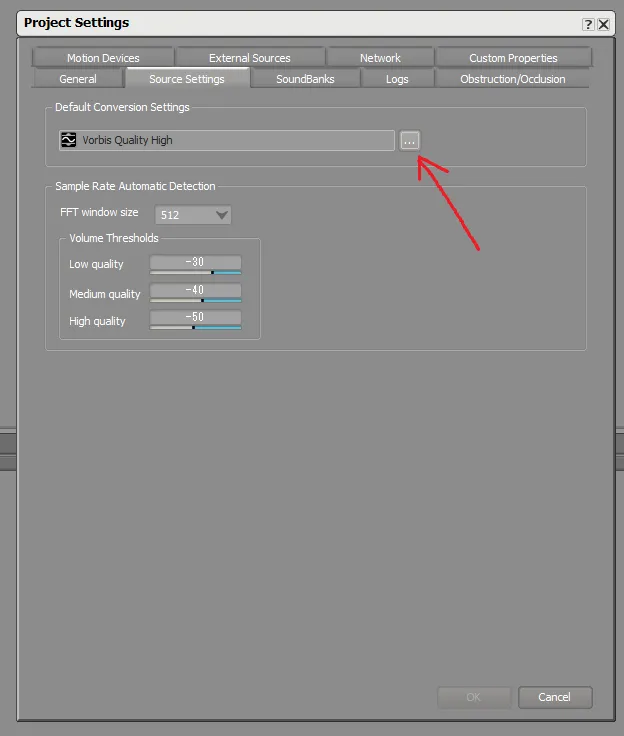 Choosing Vorbis Quality High.
- Import audio: Project > Import Audio Files, click Add Files, select your WAV files (several at once are fine) and press Import.
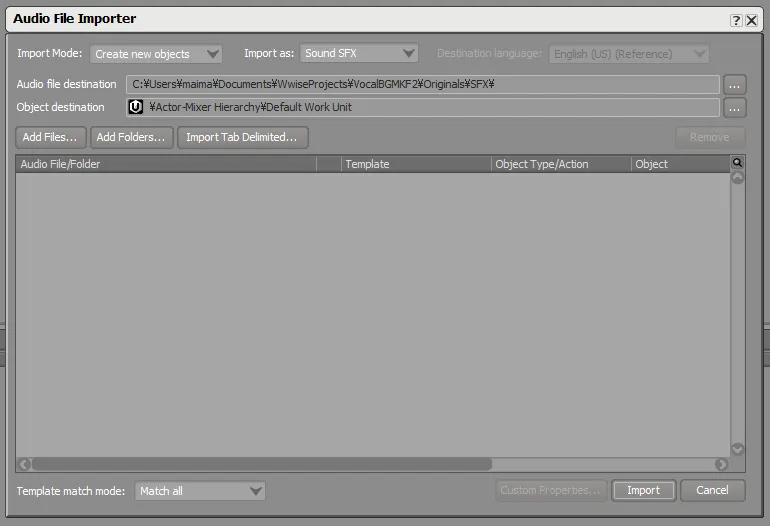 Import dialog with default settings.
- In the Project Explorer select Actor Mixer Hierarchy > Default Work Unit; the imported files appear in the Contents Editor.
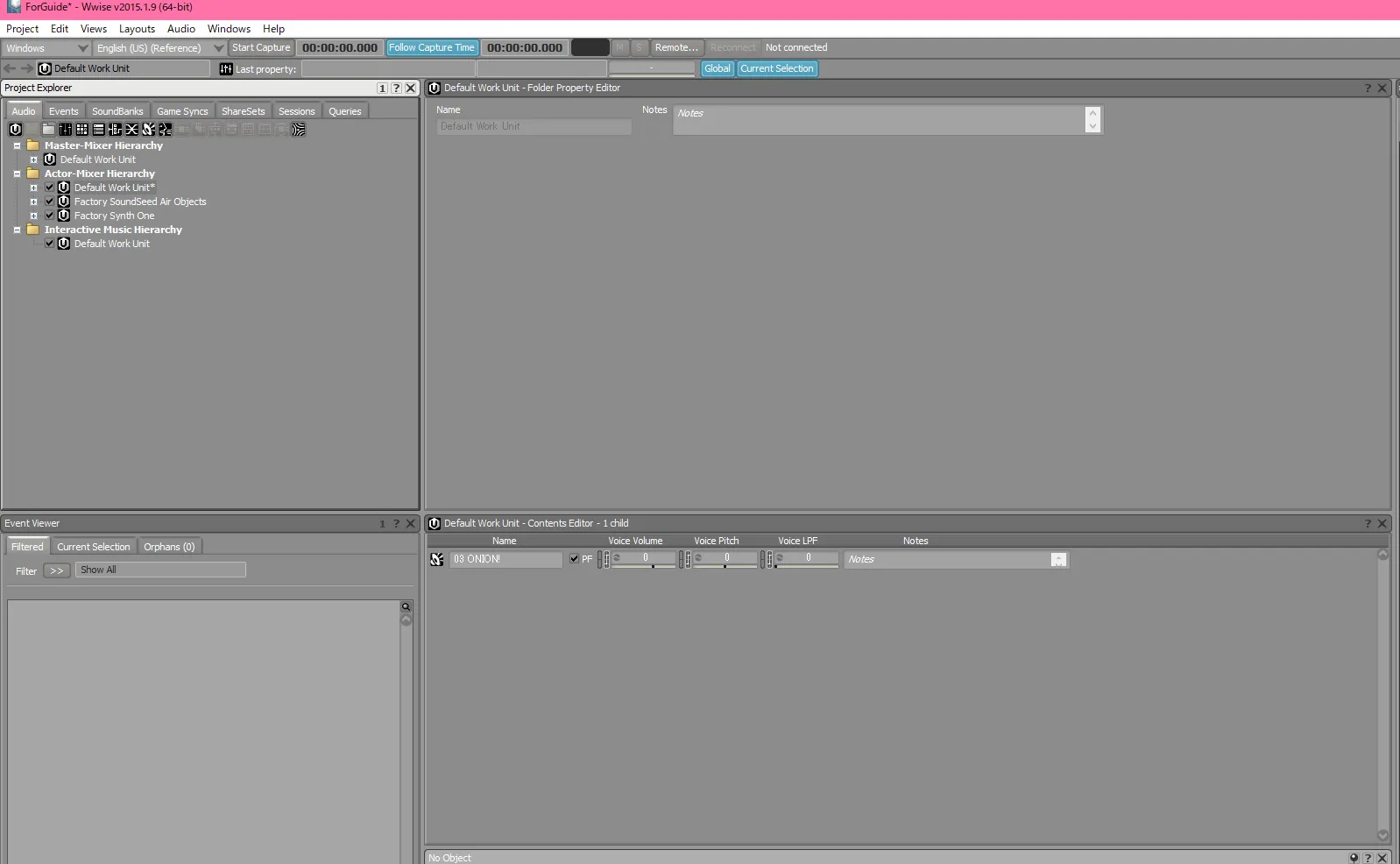 Imported files shown in the Contents Editor.
- For each file, on the General Settings tab tick Stream and Zero latency. The author did not check how much of this is required, but skipping it made the music silent in game.
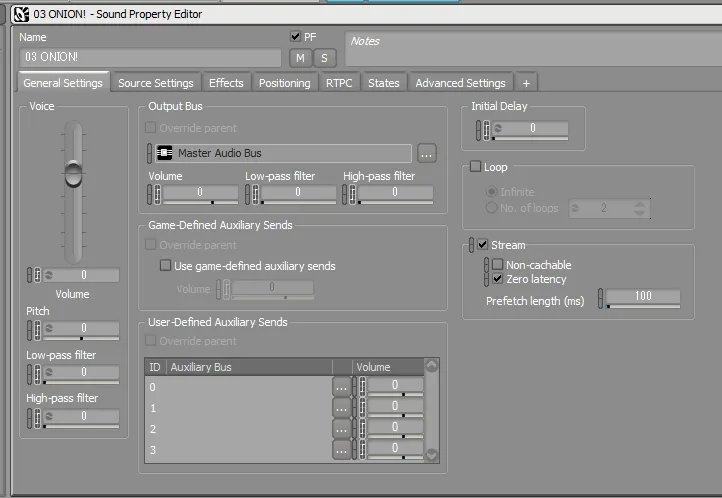 Tick Stream and Zero latency.
- On the Source Settings tab, click Edit next to Vorbis Quality High and set Channels: Stereo, Sample Rate: 48000, Quality: 8, and under Adv. Edit set Seek table granularity (sample frames) to 16384. This is shared among the selected files.
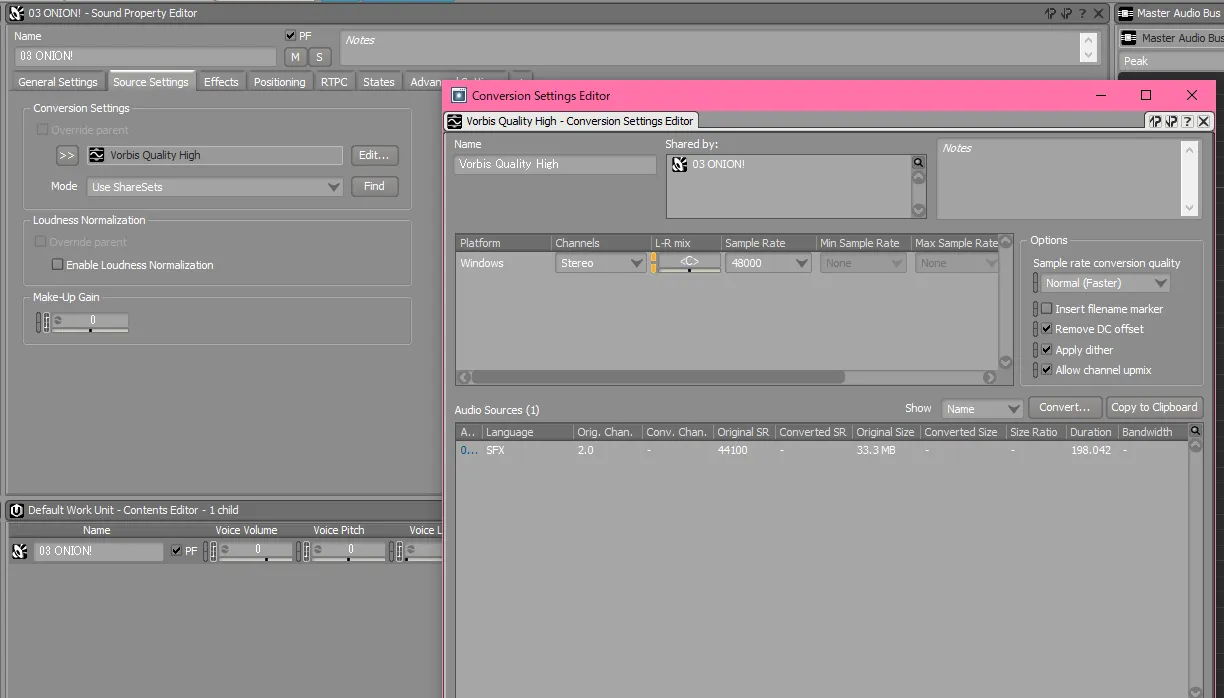 Vorbis encoding settings.
- Run Project > Convert All Audio Files, confirm Windows is selected, and press OK. By default the output is in
Documents\WwiseProjects\[ProjectName]\.cache\Windows\SFX.
Place the wem files
Rename the file to the unique number of the track you want to replace, then put it in Documents\My Games\KillingFloor2\KFGame\Published\BrewedPC\WwiseAudio\Windows. The directory does not exist by default, so create it.
Notes
- Track lengths are fixed, so the music may change mid-song or take a while to move on after a song ends.
- The title and composer shown when a song starts do not change. The reference guides linked above describe how to change them.
FAQ
- Which Wwise version should I use?
- An old one: 2015.1.9 build 5624 or earlier. Files converted with the latest version crash the game.
- Where do the converted files go?
- Rename them to the original track's number and put them in Documents\My Games\KillingFloor2\KFGame\Published\BrewedPC\WwiseAudio\Windows.
- Does the displayed song title change?
- No. The track name and composer shown when a song starts stay the same.
